logo
For Power BI
  • Products
    • Custom Visuals for Power BI
    • Report Templates
  • Resources

      Resources

    • Documentation
    • Report Examples
    • Blog
    • Webinars
    • Video Tutorials
    • Visuals Gallery

    Support

    • ZoomCharts Assistance
    • Contact Sales
    • Contact Support
    • FAQ

    Challenges

    Challenges

    Improve your report creation skills by participating in free challenges for report creators.

    Learn more
    Get Developer License
  • Services
    • Power BI Report Development
    • Custom Visual Development
  • Challenges
  • Pricing
Request a quote Get Developer License Sign in
Request a quote Book a Demo Get Developer License Sign in
Get it now
Go back

Contents

Reset your password

We'll email you instructions on how to reset your password

Go back

Share

Logo

Data Challenge 36: Real Estate Market Analytics

Mar 16 - Apr 16, 2026 | EDT

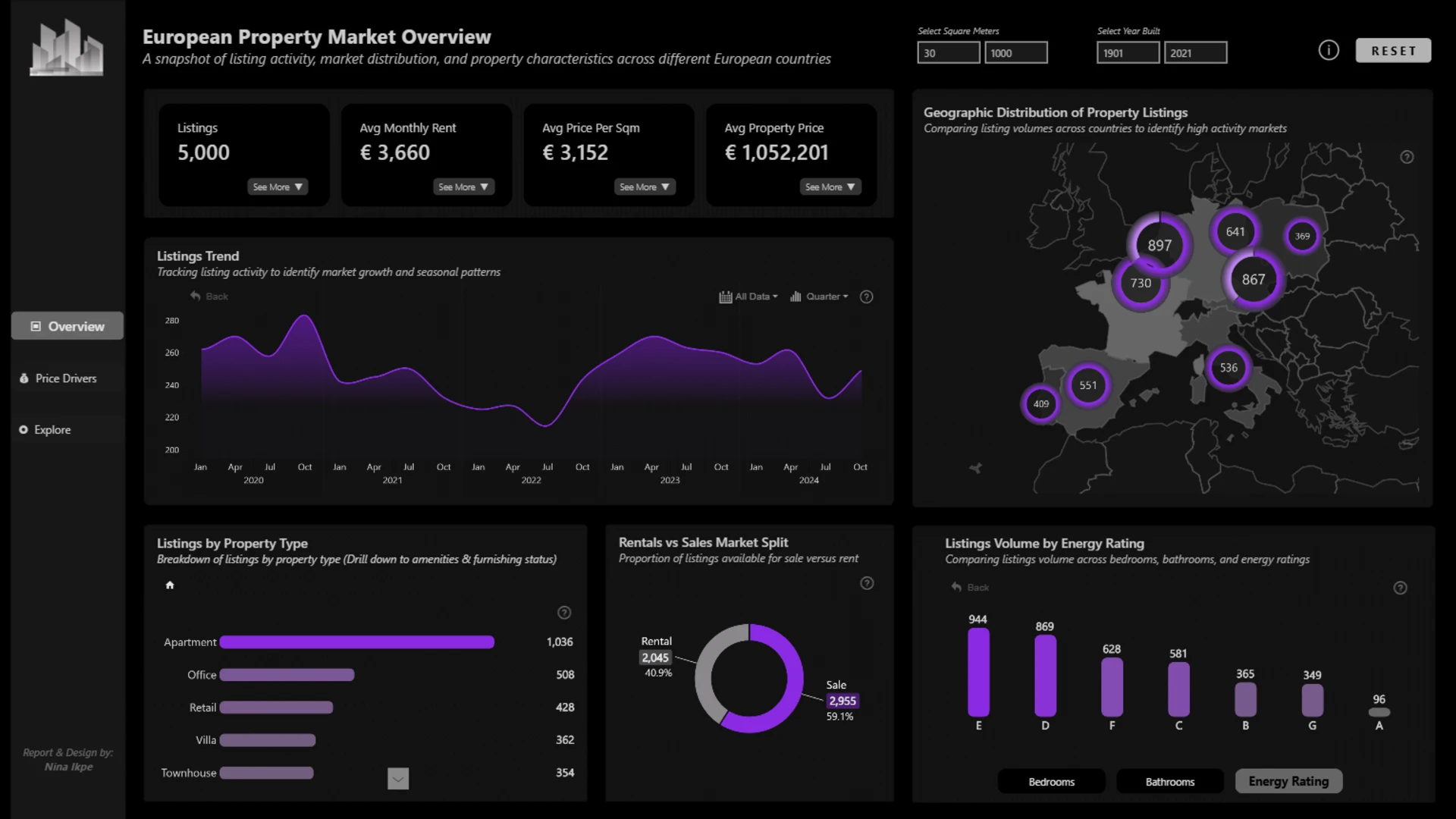
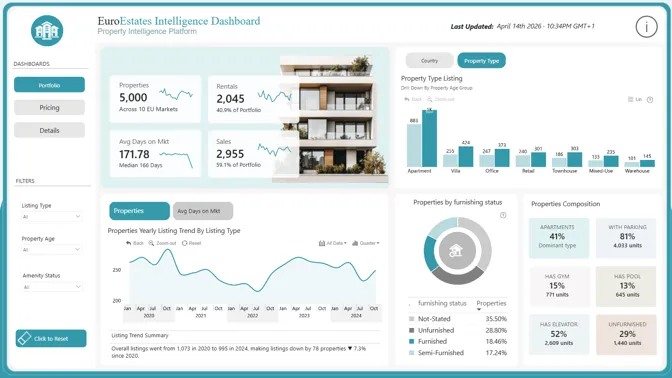
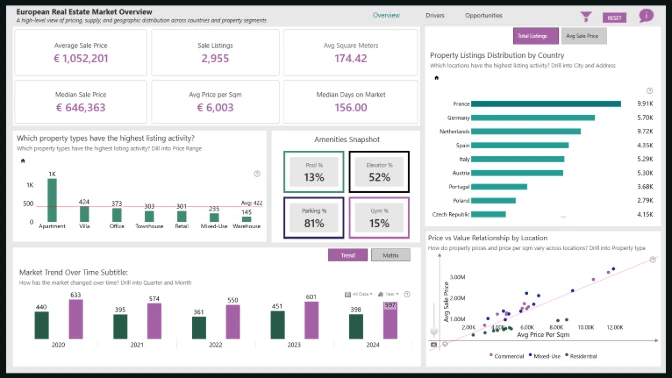
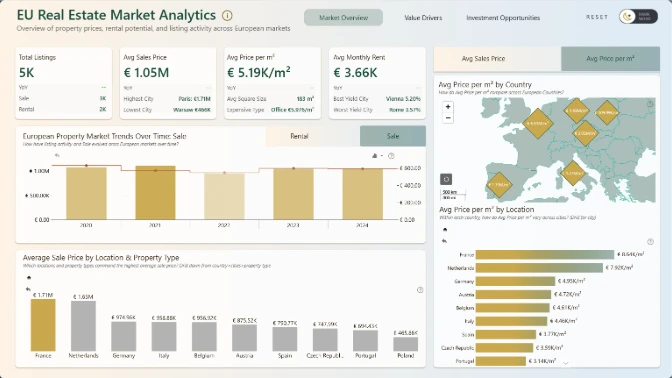
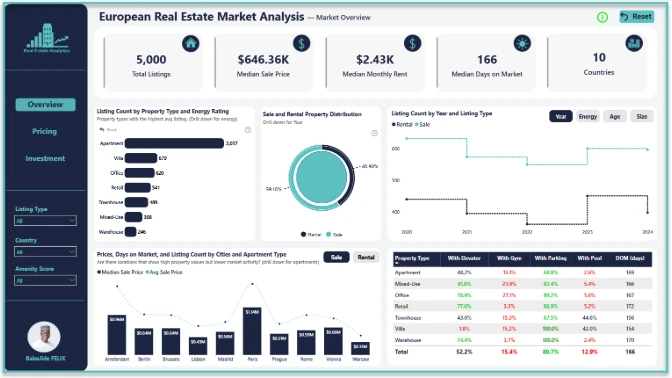
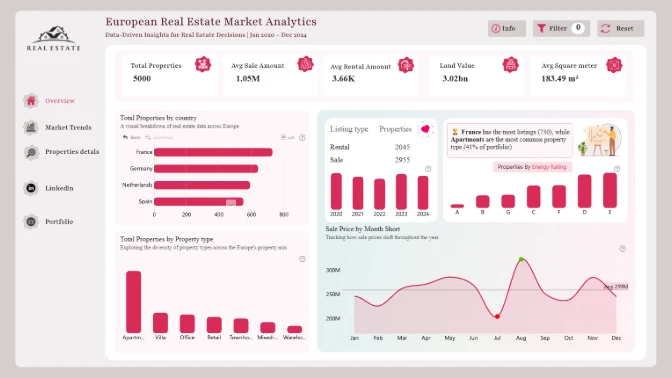
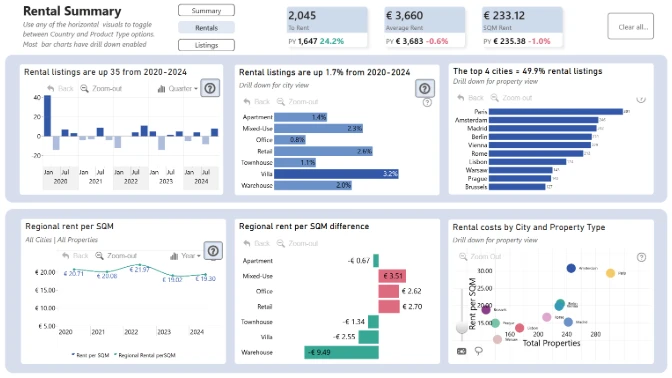
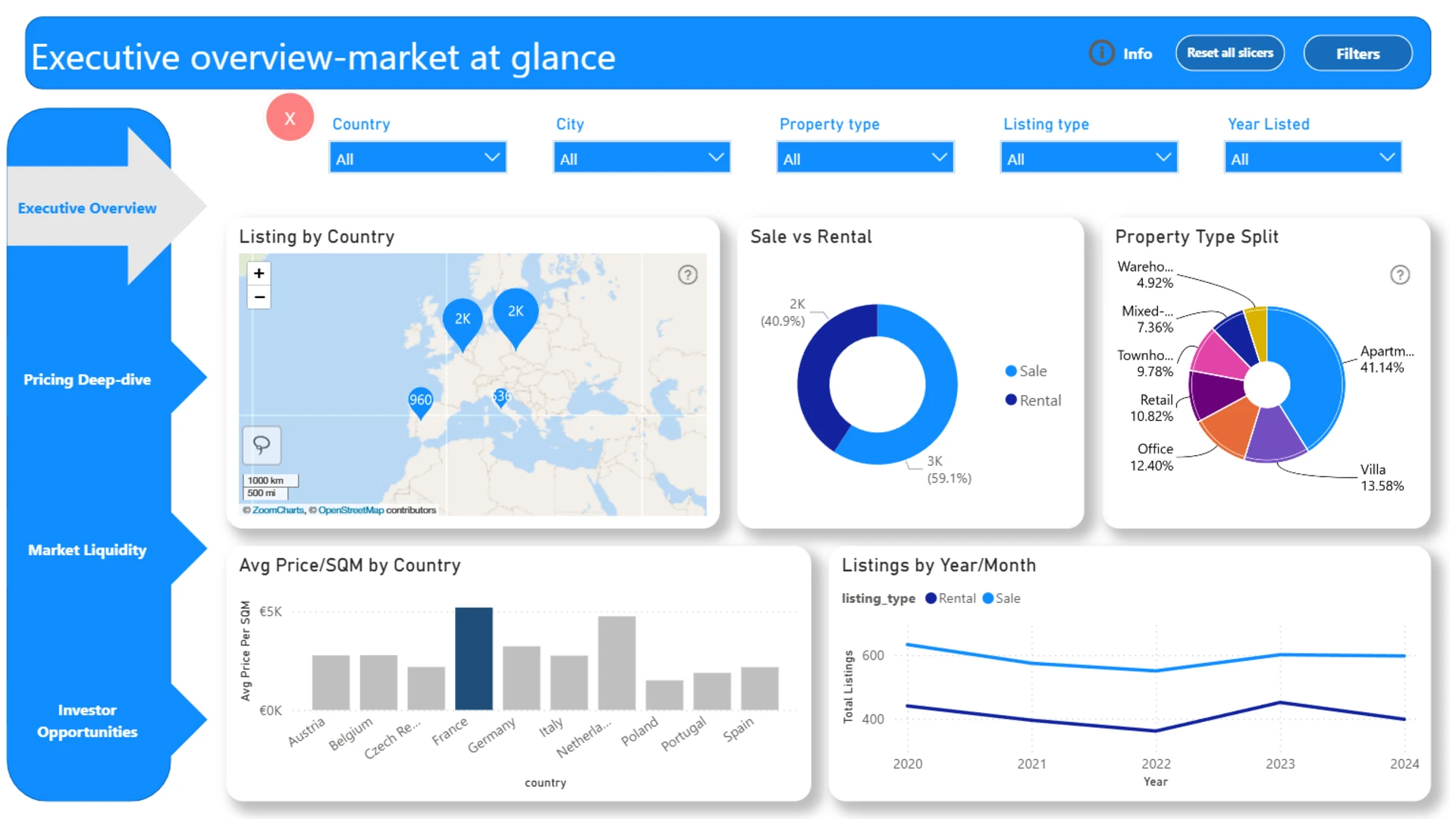
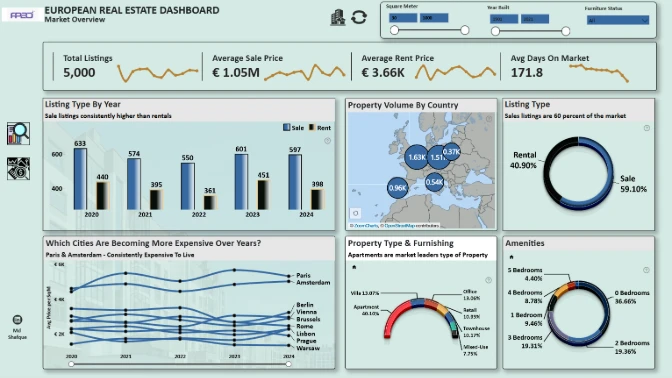
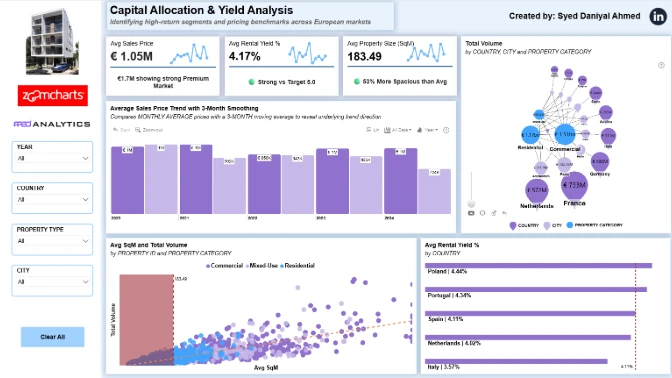
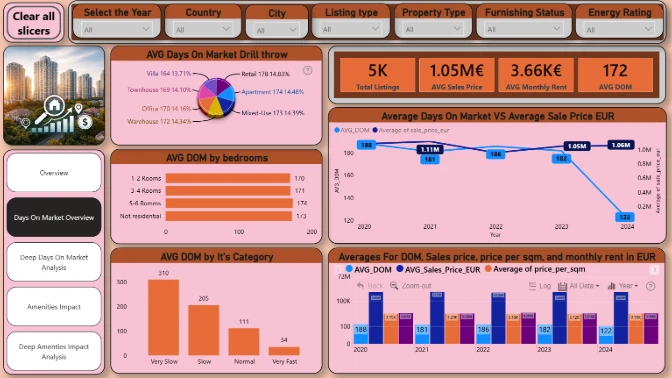
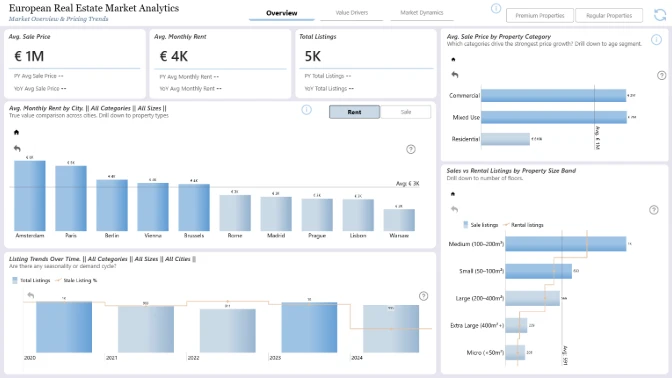
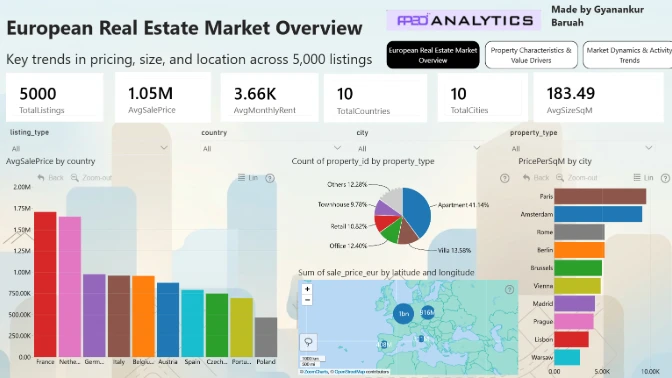
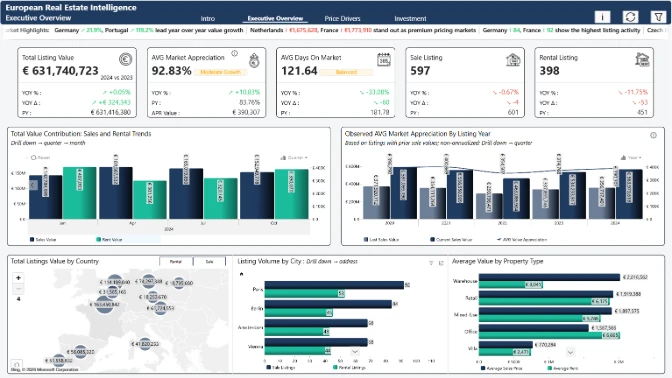
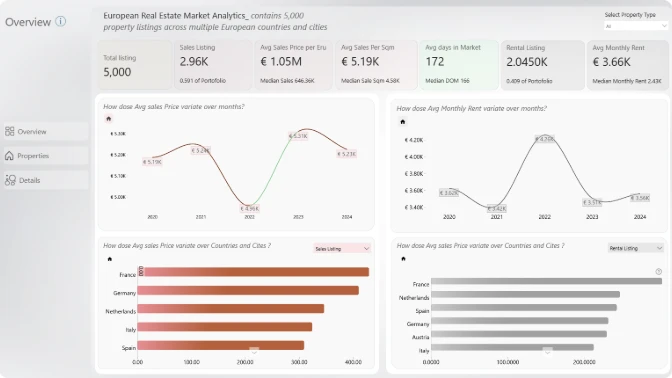
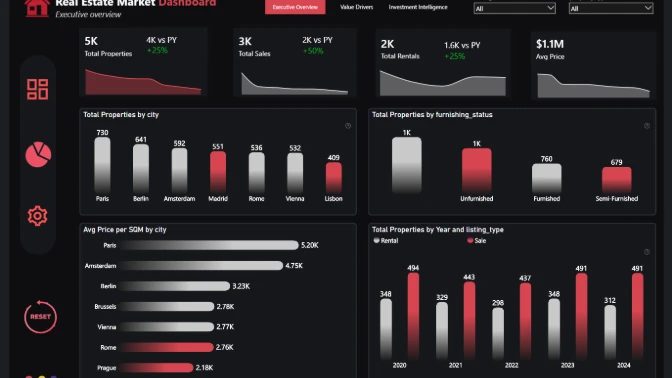
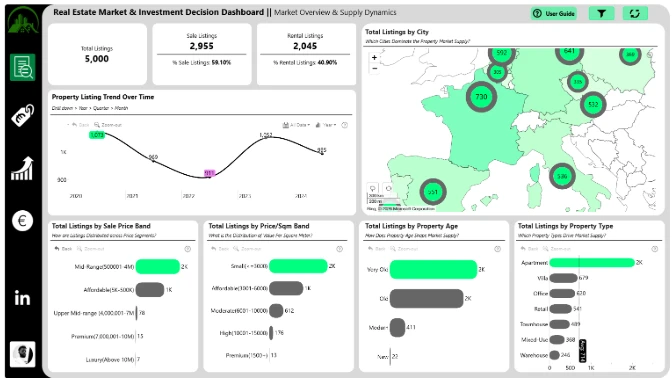
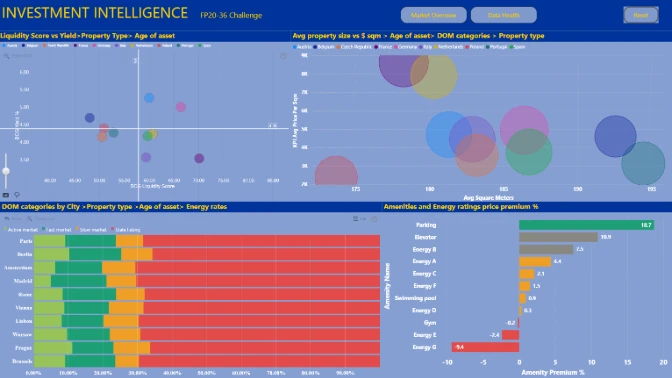
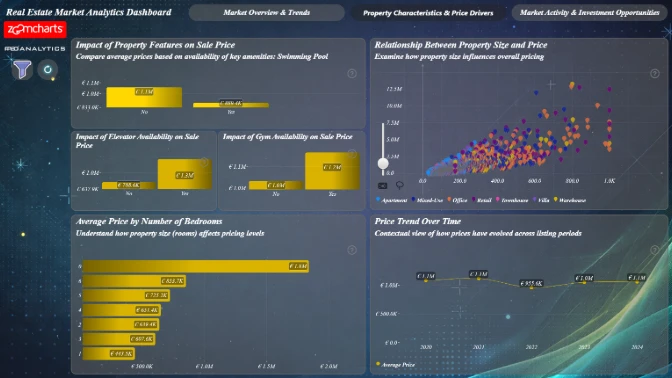
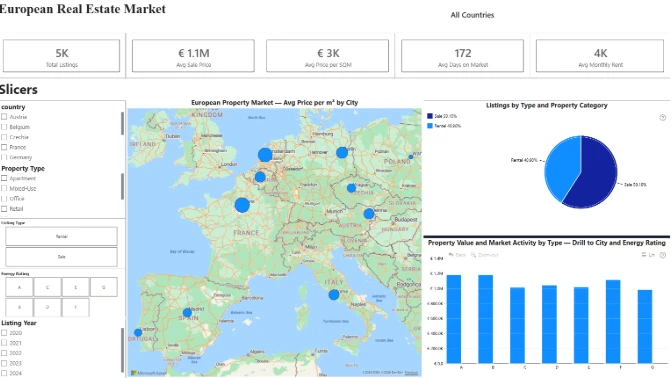
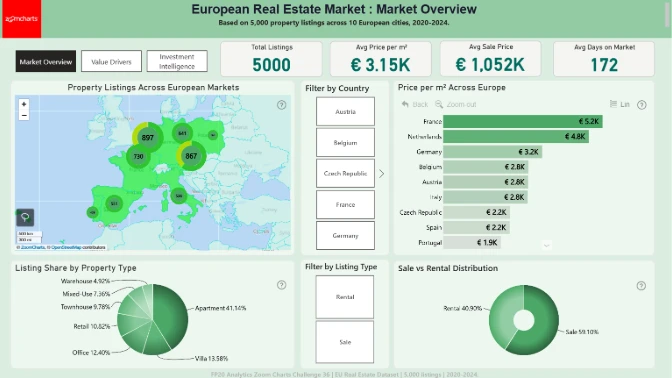
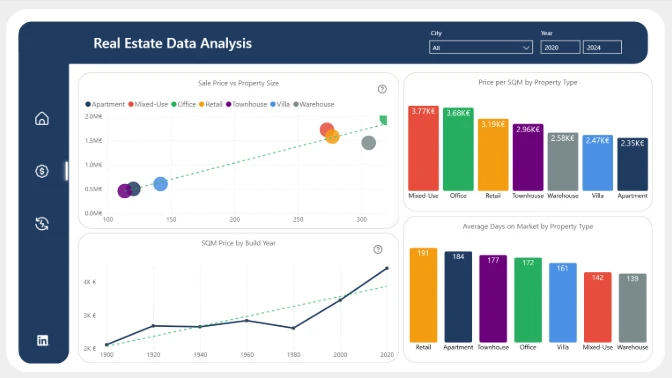
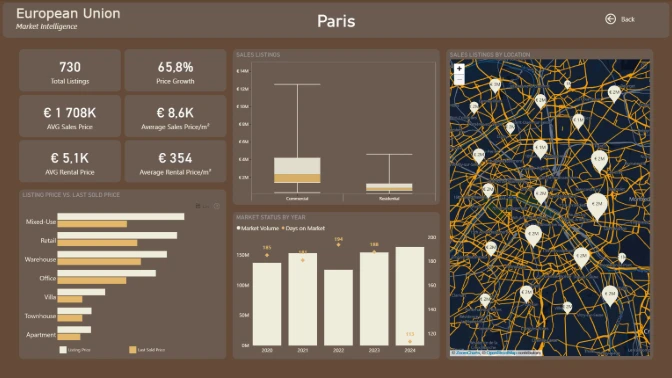
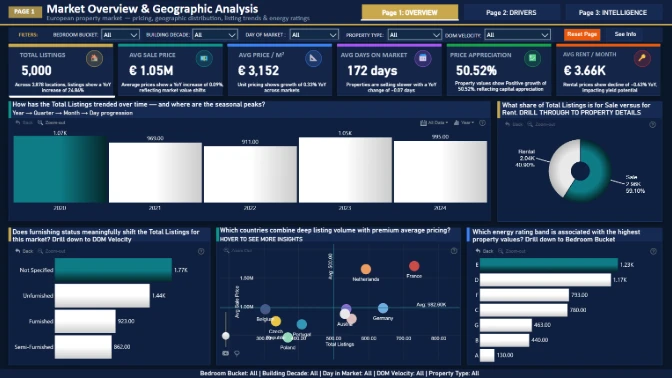
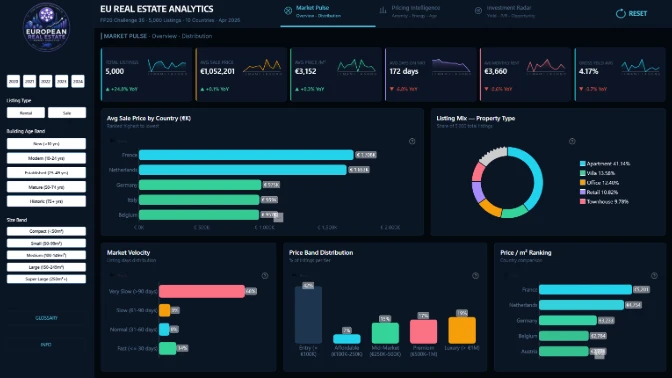
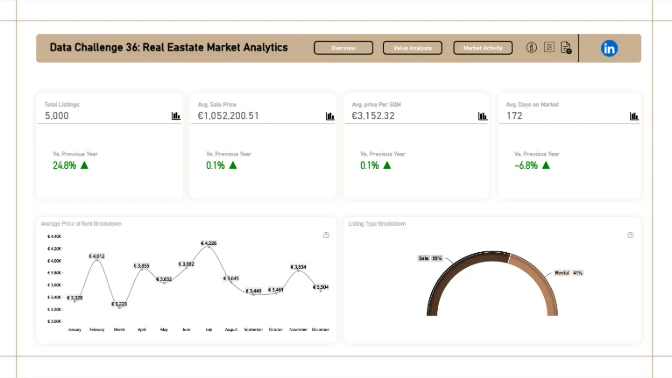
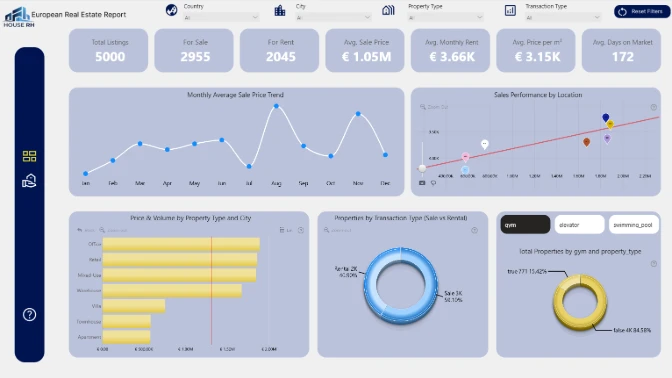
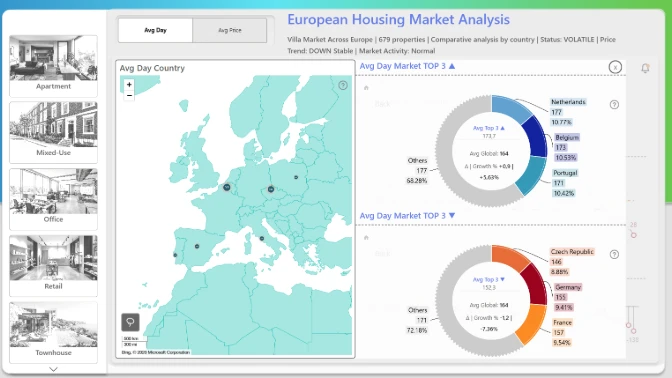
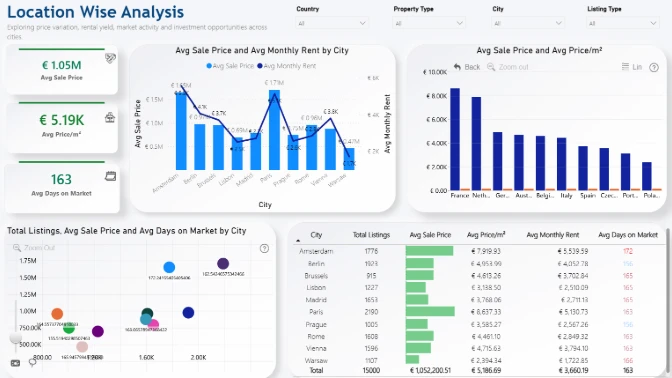
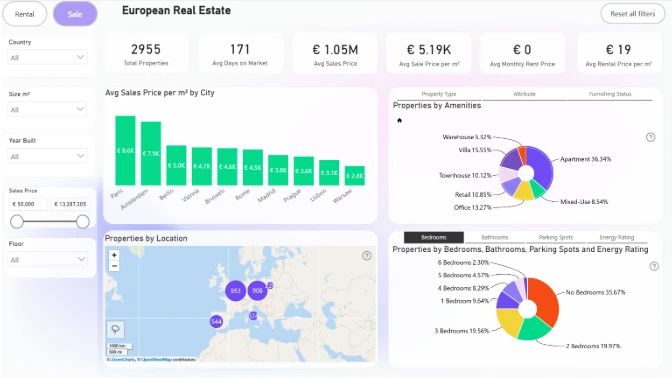
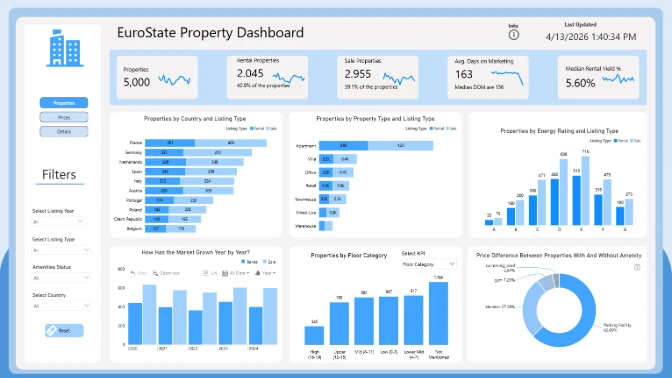
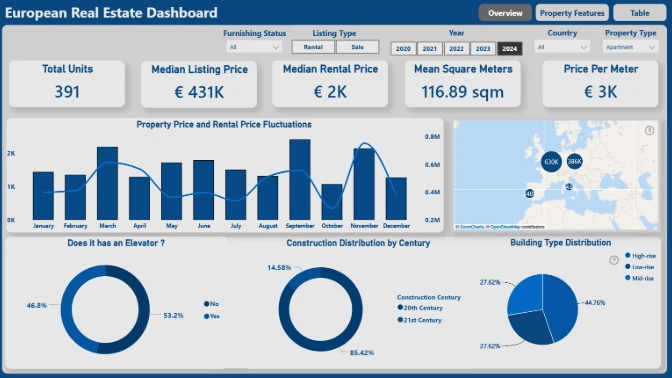
In this Power BI data challenge, you will analyze and visualize a large European real estate dataset in Power BI, containing 5,000 property listings across multiple countries and cities.

Submission deadline

00

DAYS

00

HOURS

00

MINUTES

00

SECONDS

Register Now

Make sure you provide an email address that you check regularly.


Already have an account? Sign in!

Login options
Forgot password?

Register for the FP20 Analytics Challenge with ZoomCharts!


Activate free ZoomCharts license

Get ZoomCharts Developer License Select this option if you already have a Microsoft work or school account to activate and use ZoomCharts visuals in Power BI Desktop.

Activate your free developer license to use Drill Down visuals in your challenge report.

Activate License

Create a free
Microsoft account To install ZoomCharts visuals from the Power BI marketplace, you need a Microsoft account.

Don’t have a Microsoft account yet? Create a free account to build reports and join challenges.

Activate Account

Challenge Dataset

Get the dataset

Ready to submit?

Thank you! Your report has been submitted!

View report

Submitted:

Your report will undergo validation. Once the validation of your report is complete, we will send you a Power BI Publish to Web link that you can share publicly.

Confirmed your submission fits the criteria:

Reviewed:

Rejection reason:

Sorry, we are no longer accepting entries for this competition. Stay tuned for future events!

Something went wrong, please contact support!

Timeline

Registration Open

Registration Open

16 March | 04:00

-

Submissions Open

Submissions Open

16 March | 04:00

-

Workshop | Design a Power BI Real Estate Market Report: Interactive Workshop

Workshop | Design a Power BI Real Estate Market Report: Interactive Workshop

24 March | 09:00

-

1:1 Mentoring Sessions

1:1 Mentoring Sessions

24 March | 09:00

16 March - 13 April

Entry Submission Deadline

Entry Submission Deadline

13 April | 17:59

16 March - 13 April

Webinar | Top 5 Power BI Reports: European Real Estate Market Analytics

Webinar | Top 5 Power BI Reports: European Real Estate Market Analytics

16 April | 08:00

16 March - 13 April

Winner Announced

Winner Announced

16 April | 08:00

16 March - 13 April

Dataset

Get the dataset

Share the challenge

About challenge
How to participate
The Brief
Judging criteria
Timeline
Dataset
My licenses
Mentoring

About the FP20 Analytics ZoomCharts Data Challenge

Dive into the dataset, build a Power BI report, practice your data visualization skills, and compete for prizes.

🏆 Main Prize: $300 Amazon Gift Card 

Want to build professional Power BI reports and grow your portfolio?

This challenge helps you level up with expert feedback, hands-on workshops, webinars with MVPs, and visibility in our public results showcase. It’s a great way to learn, gain recognition, and connect with a supportive data community.

The challenge is hosted in partnership with FP20 Analytics - a LinkedIn community that brings together 20k+ passionate data professionals and helps new analysts improve their craft. It’s a welcoming space where you can practice, learn, and share your work with others. Learn more about the FP20 Analytics challenge on their website.


Benefits of joining the challenge

➤ Live Workshops & 1:1 Mentoring

Learn directly from experienced Power BI professionals. Enjoy practical workshops on report-building techniques and book a one-on-one mentoring session to receive tailored advice on your submission.

➤ Personalized Feedback

Every participant receives detailed, constructive feedback on their report. It’s a valuable opportunity to improve your skills with real insights from seasoned analysts.

➤ Free ZoomCharts Custom Visuals License

All participants receive a ZoomCharts Developer License, giving you full access to the Drill Down PRO visuals library.

➤ Free Report Downloads

Each challenge participant with a validated report will receive 5 free downloads from the Power BI Report Gallery.


Prizes 🏆

  • The best report using ZoomCharts visuals will receive a $300 Amazon Gift Card.
  • Being selected in the Top 5 will grant you +10 free downloads from the Power BI Report Gallery.
  • All participants of the FP20 Analytics challenge also compete for amazing prizes from Skillwave, The Data Vis Force, and Enterprise DNA

The winners will be announced during a special live webinar on April 16. Join the live winner announcement and top submissions review here.


Webinars

Learn more about ZoomCharts visuals & gain a knowledge advantage in the contest by joining the upcoming webinars! You'll also get the chance to your ask questions and get expert answers in the Q&A section.

Upcoming webinars

Recording thumbnail

Top 5 Power BI Reports: European Real Estate Market Analytics

16th April, 2026

08:00 AM - EDT

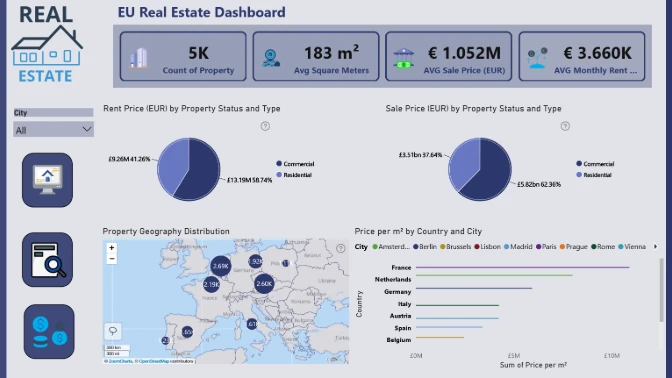
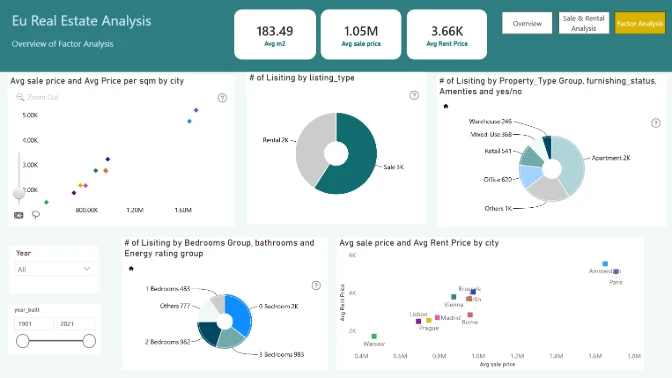
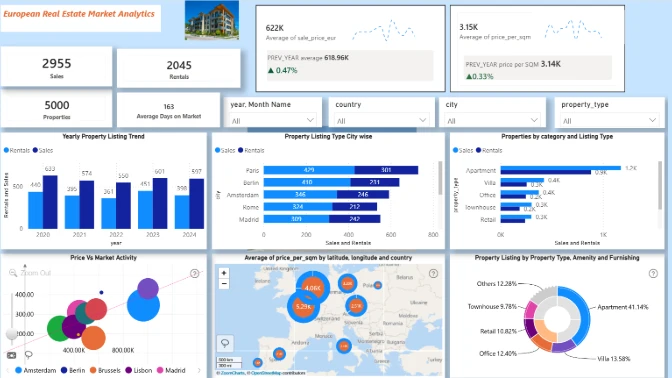
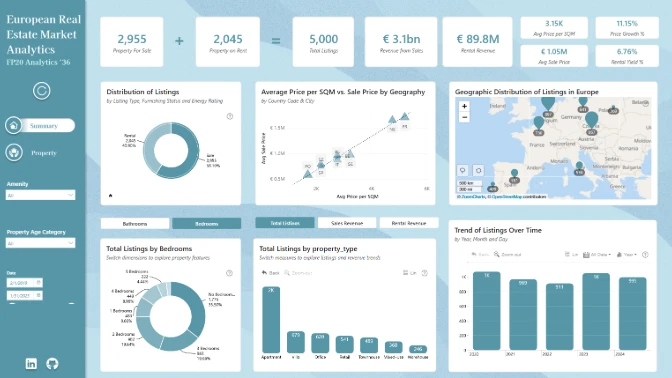
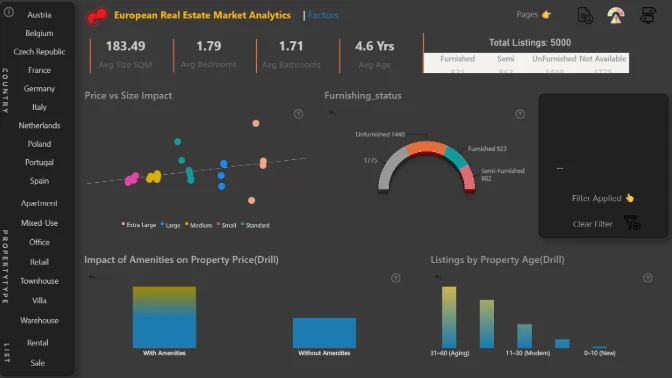
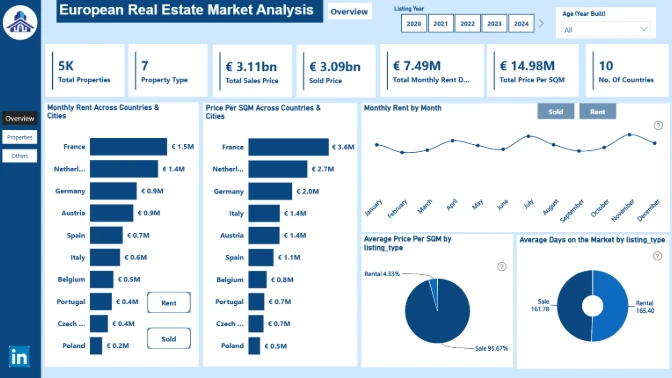
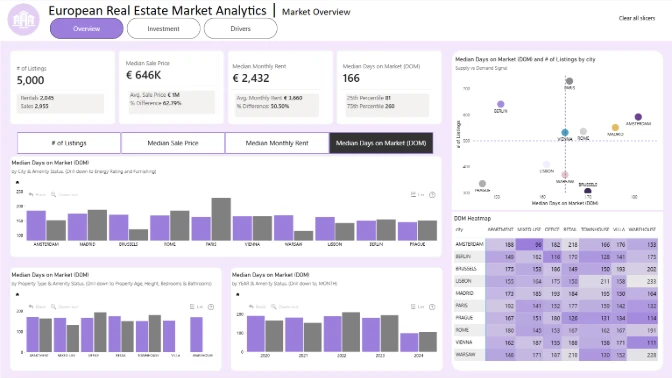
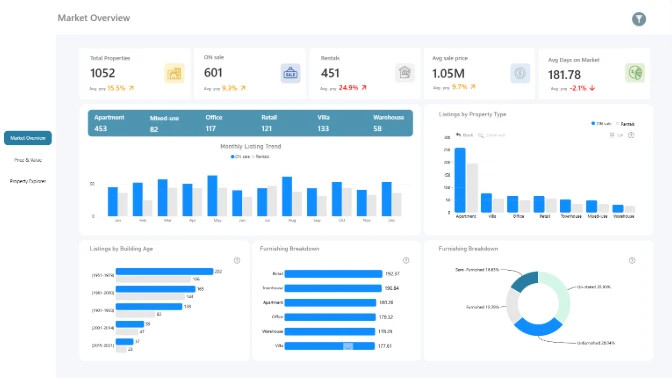
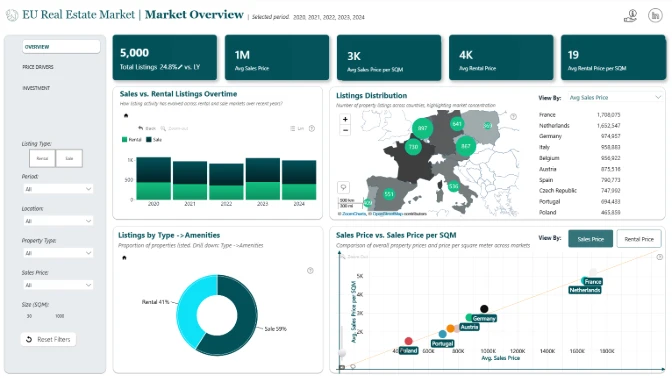
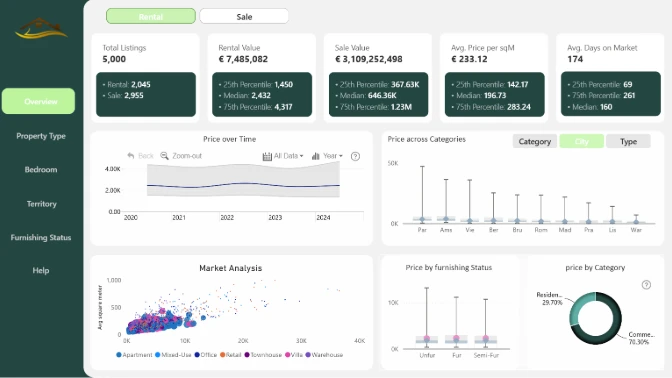
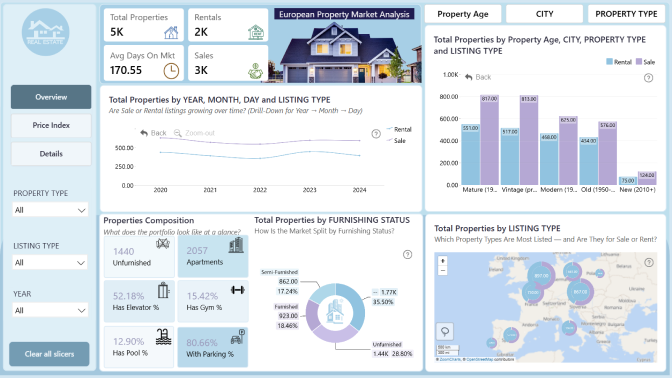
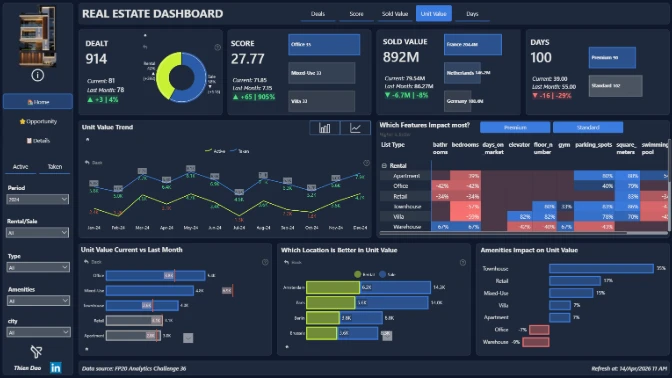
Discover the standout submissions from FP20 Analytics Challenge 36 in this live Top 5 Power BI webinar. Explore the best report design ideas, data storytelling approaches, and dashboard techniques used to analyze the European real estate market.

Learn more

Past Webinar recordings

Recording thumbnail

Design a Power BI Real Estate Market Report: Interactive Workshop

Join for a practical Power BI workshop where you will learn how to design an interactive report for the European Real Estate Market Analytics challenge. Discover dashboard ideas for comparing locations, understanding pricing drivers, and uncovering investment insights.

Watch the recording

How to Participate in the FP20 Analytics & ZoomCharts Challenge

1. Register for the Challenge

  • Register using the form above on this page.

  • Download the dataset using the "Get the Dataset" button on this page.

  • Read the challenge brief in the "The Brief" section to understand the data and requirements.

  • Activate your free Drill Down Visuals Developer License for Power BI. (watch the setup video or follow the step-by-step instructions).


2. Build Your Report in Power BI

  • Add your ZoomCharts Developers license to Power BI Desktop.

  • Add ZoomCharts visuals from the Power BI visuals library or Microsoft Marketplace.

  • Build your report using the challenge dataset.

  • Recommended report format:

    • Up to 3 pages (including any drill-through pages)

    • Canvas size: 16:9 (default) or 1920 × 1080 (Full HD)

    • Your report must include at least two ZoomCharts Drill Down Visuals on the same page.

3. Improve Your Report and Learn New Skills

  • Join the challenge workshop to learn how to use the dataset

  • If you need help, book a free 1-on-1 consultation with the ZoomCharts team to discuss your report

  • Look at previous challenge submissions for ideas and inspiration in the report gallery.


4. Submit Your Challenge Entry

  • Log in to your account on this page and upload your report in .pbix format for validation.

  • If your report does not meet all requirements:
    You will receive an email explaining what needs to be fixed.
    You can update your report and submit it again.

Validation timeline:

  • Your report will be reviewed within 1–2 business days.

  • Once validated, you will receive a Publish to Web link that you can use in your portfolio or share online.

  • You will also receive personalized feedback within 1–2 business days to help you improve your report.

Note:
You may resubmit your entry as many times as needed before the challenge deadline.


5. Finalize Your Participation to Compete for the ZoomCharts Grand Prize

To be eligible for all prizes, complete these steps:

  1. Post the final version of your report (PDF) on your LinkedIn profile.

  2. Use this caption:
    "I am participating in FP20 Analytics ZoomCharts Challenge 36"

  3. Include a short summary of your report and the Publish to Web link (if you have one).

  4. Use the hashtags #FP20Analytics and #builtwithzoomcharts and tag @Federico Pastor and @ZoomCharts.

  5. Obligatory! Share your report also in the FP20 Analytics LinkedIn Community group.

  6. Follow ZoomCharts on LinkedIn.

  7. Rate ZoomCharts visuals at Microsoft Marketplace.

6. Attend the Live Closing Webinar

  • The ZoomCharts team reviews and analyzes the Top 5 challenge submissions during the live webinar.

  • You will learn best practices, visualization tips, and new Power BI skills.

  • The winner of the best report receives a $300 Amazon gift card from ZoomCharts.

European Real Estate Market Analytics

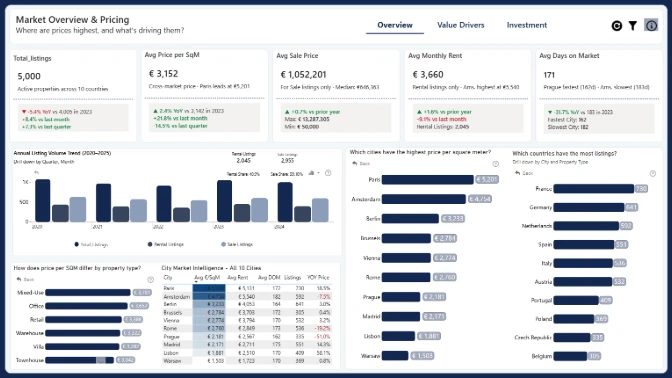
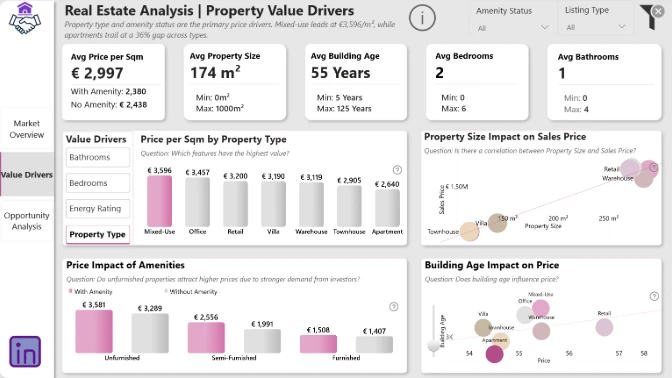
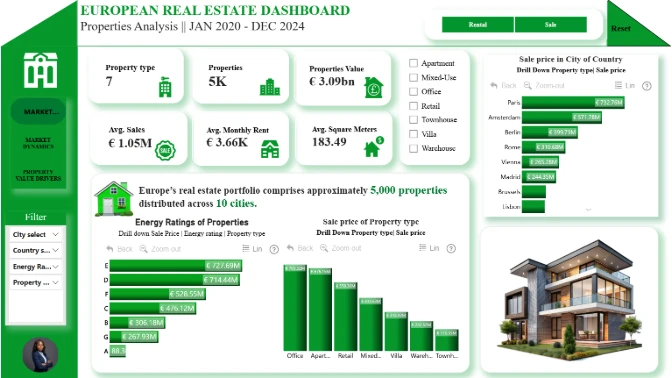
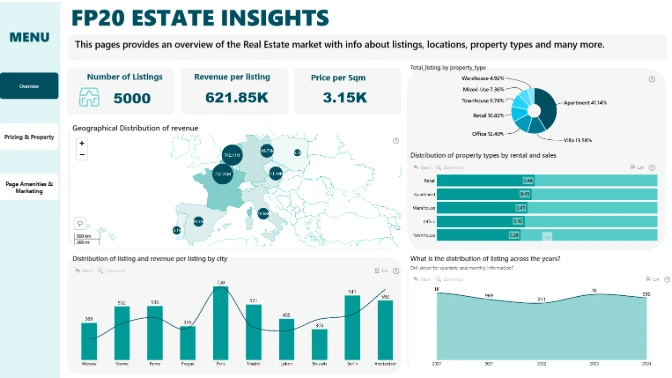
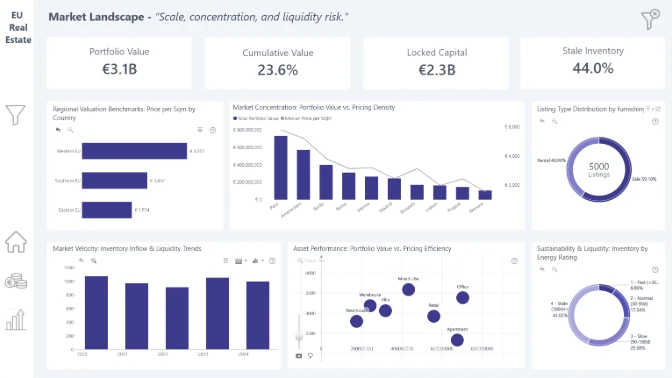
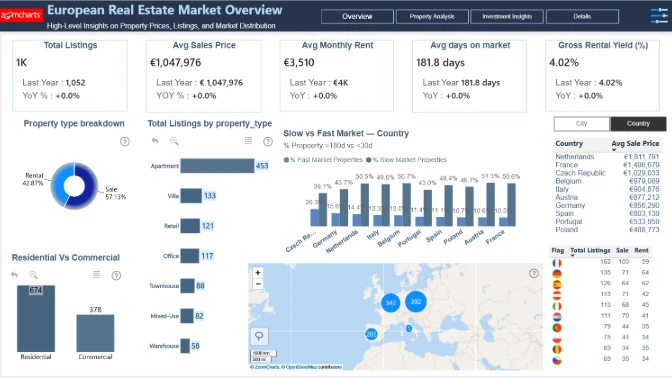
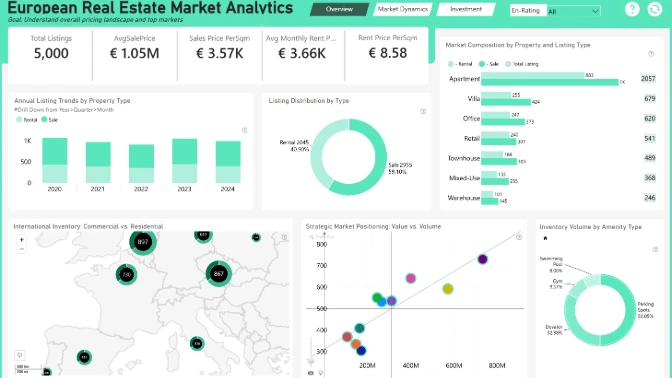
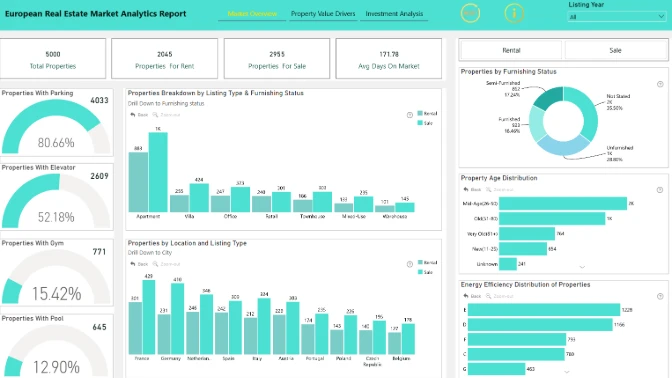
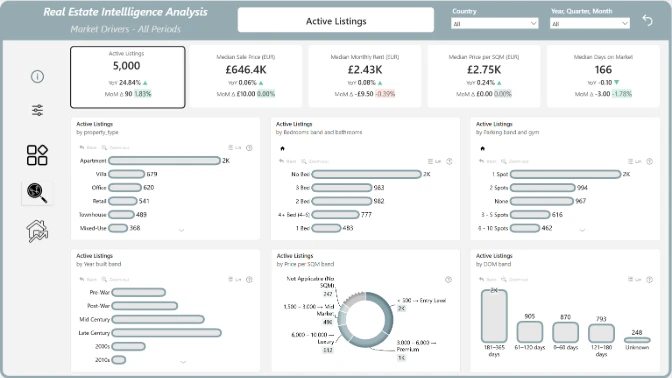
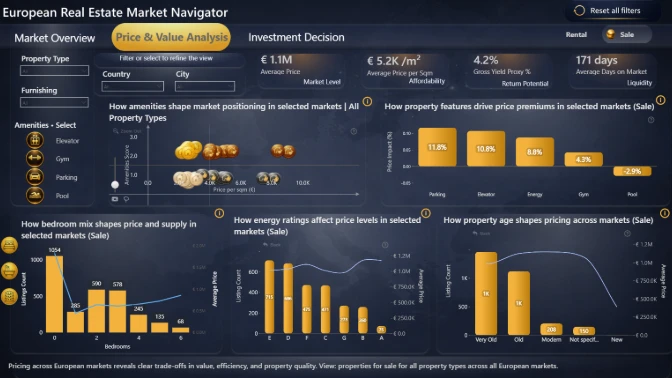
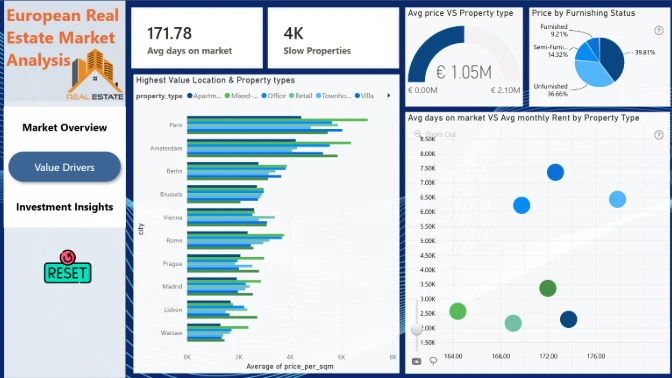
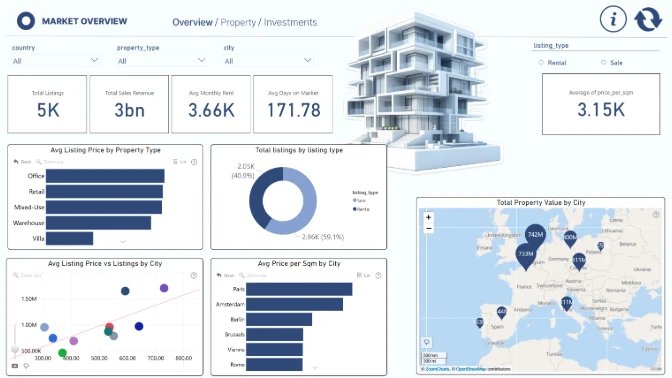
In this challenge, you will work with a realistic real estate marketplace dataset representing a European property listing platform. The dataset contains 5,000 property listings across multiple European countries and cities, including detailed information about property characteristics, pricing, amenities, and listing activity.

Your task is to build an interactive Power BI report that real estate analysts, property investors, and marketplace product teams can use as a decision-making tool for understanding market trends, comparing locations, and evaluating property value drivers.


Key Questions to Explore

  • How do property prices and price per square meter vary across countries and cities?
  • Which locations and property types have the highest average listing values?
  • How do property characteristics such as size, bedrooms, bathrooms, and building age influence pricing?
  • Do properties with premium amenities (parking, elevators, gyms, pools) command higher prices?
  • Which properties stay longest on the market, and what factors might explain it?
  • Are there locations that show high property values but lower market activity?
  • Which cities might present the most attractive opportunities for real estate investors?

✨ Note: These questions are only suggestions. Feel free to explore the dataset creatively and uncover insights that could help investors, agencies, and buyers better understand the European property market.


Your Objective

Create a Power BI report that helps analyze the European real estate listings dataset. The report should allow users to compare property prices across locations, understand differences between property types, and explore how property characteristics relate to pricing and listing activity.

Use clear visuals and filters and drill downs to help users explore the data and identify patterns in the housing market.


Judging criteria

Business users use reports to make data-driven decisions. That’s why reports are called effective if they enable users to drill down and filter data quickly and intuitively to find answers to any question they might have, and analyse data in all possible directions and dimensions.

Each report is evaluated based on three main criteria: intuitiveness, insightfulness, and interactivity. These factors ensure that the reports are not only accurate and functional, but also meet the target audience's needs and are ready to be presented to the end-users. 


  1. Intuitive: How clear and easy it is to understand the report at a glance? (max 15 points)
    • Is the report visually appealing?
    • Choice of charts and visual elements
    • Does the report tell a story?
    • Is it not overwhelming to the user?
    • Choice of tooltips, titles, and legends

  2. Interactive: How engaging and seamless is the report exploration and interaction with data? (max 15 points)
    • Clear navigation that allows user to explore the report
    • Use of slicers and other interactive elements
    • Smooth cross-chart integration
    • Is report optimized for touch devices?
    • Are tutorials and guiding elements helpful to the user?

  3. Insightful: How accurate, complete, and meaningful is the data in driving decisions? (max 15 points)
    • Depth of analysis
    • Data cleaning and preparation
    • Does data show up accurately in the report?
    • Is report optimized for quicker loading time?
    • Does the report provide deeper exploration of data (drill-down)?

Timeline

Registration Open

Registration Open

16 March | 04:00

-

Submissions Open

Submissions Open

16 March | 04:00

-

Workshop | Design a Power BI Real Estate Market Report: Interactive Workshop

Workshop | Design a Power BI Real Estate Market Report: Interactive Workshop

24 March | 09:00

-

1:1 Mentoring Sessions

1:1 Mentoring Sessions

24 March | 09:00

16 March - 13 April

Entry Submission Deadline

Entry Submission Deadline

13 April | 17:59

16 March - 13 April

Webinar | Top 5 Power BI Reports: European Real Estate Market Analytics

Webinar | Top 5 Power BI Reports: European Real Estate Market Analytics

16 April | 08:00

16 March - 13 April

Winner Announced

Winner Announced

16 April | 08:00

16 March - 13 April

Dataset

Get the dataset

My licenses

See My Licenses

1:1 mentoring sessions

You can book a personal session with Senior Product Expert at ZoomCharts, Aivis Pavlovs, to gain practical knowledge about Drill Down Visuals and how they can be used to enhance data storytelling in a report.

Book a meeting

Submit your Power BI report to the FP20 Analytics ZoomCharts Challenge!

Enter your submission by attaching the Power BI report file. Your report will be published on the web, and within 1–2 business days, we’ll email you a link to your report that you can share publicly.

Upload failed
Attach file
File requirements: 16MB
warning If you are experiencing trouble with uploading your report, please send it in .pbix format along with all required information to [email protected]


Any questions? Reach out to us at [email protected]!
Are you sure you want to delete the report?

Invalid email address

Unfortunately, we couldn't reach the email address linked to this profile "". If you wish to receive news, feedback, and the Publish to Web link for your contest submissions, you'll need to create a new ZoomCharts account with a valid email address, or log into an existing account.

Switch account

Get ZoomCharts Developer License Select this option if you already have a Microsoft work or school account to activate and use ZoomCharts visuals in Power BI Desktop.

Activate your free developer license to use Drill Down visuals in your challenge report.


Create a free Microsoft account To install ZoomCharts visuals from the Power BI marketplace, you need a Microsoft account.

Don’t have a Microsoft account yet? Create a free account to build reports and join challenges.


logo
[email protected]
+44 204 577 3993
logo

Products

Drill Down Bubble PRO Drill Down Line PRO Drill Down Network PRO Drill Down Waterfall PRO Drill Down Graph PRO Drill Down Combo PRO Drill Down Combo Bar PRO Drill Down Donut PRO Drill Down Pie PRO Drill Down TimeSeries PRO Drill Down Timeline PRO Drill Down Map PRO Drill Down Scatter PRO All Visuals

Resources

Report Examples Webinars Blog ZoomCharts Academy Visuals Gallery Documentation Custom Visual Development Subscribe to News

Solutions

Custom Visual Development

Company

Pricing About Us Partners Leave feedback Join PowerGroup EU Funding

Help

ZoomCharts Assistance Contact Sales Contact Support FAQ AI Information

Drill Down Line PRO Drill Down Bubble PRO Drill Down Network PRO Drill Down Waterfall PRO Drill Down Graph PRO Drill Down Combo PRO Drill Down Combo Bar PRO Drill Down Donut PRO Drill Down Pie PRO Drill Down TimeSeries PRO Drill Down Timeline PRO Drill Down Map PRO Drill Down Scatter PRO All Visuals

Report Examples Webinars Blog ZoomCharts Academy Visuals Gallery Documentation Custom Visual Development Subscribe to News

Custom Visual Development

Pricing About Us Partners Leave feedback Join PowerGroup EU Funding

ZoomCharts Assistance Contact Sales Contact Support FAQ AI Information
+44 204 577 3993
[email protected]

Ready to get in touch?

Contact our experts with any question about Power BI and ZoomCharts for Free!

Contact us

© 2026, Data Visualization Software Lab

U.S. Patents No. 11,645,343; 11,921,804; 12,346,389

Cookies
Privacy Policy
Global
Legal
Patent
warning

Error message

success

Success info: Done!

ZoomCharts AI Assistant

We noticed you're using an old OS version.

For the best experience, we recommend upgrading to ensure that all website features display correctly.

Cookie settings

We use necessary cookies for site functionality, as well as statistic, marketing, and preference cookies to enhance your experience. For more information and to manage your preferences, please visit our Cookie policy