19699
Power BI Financial Performance Dashboard Example
Power BI Financial Performance Dashboard Example
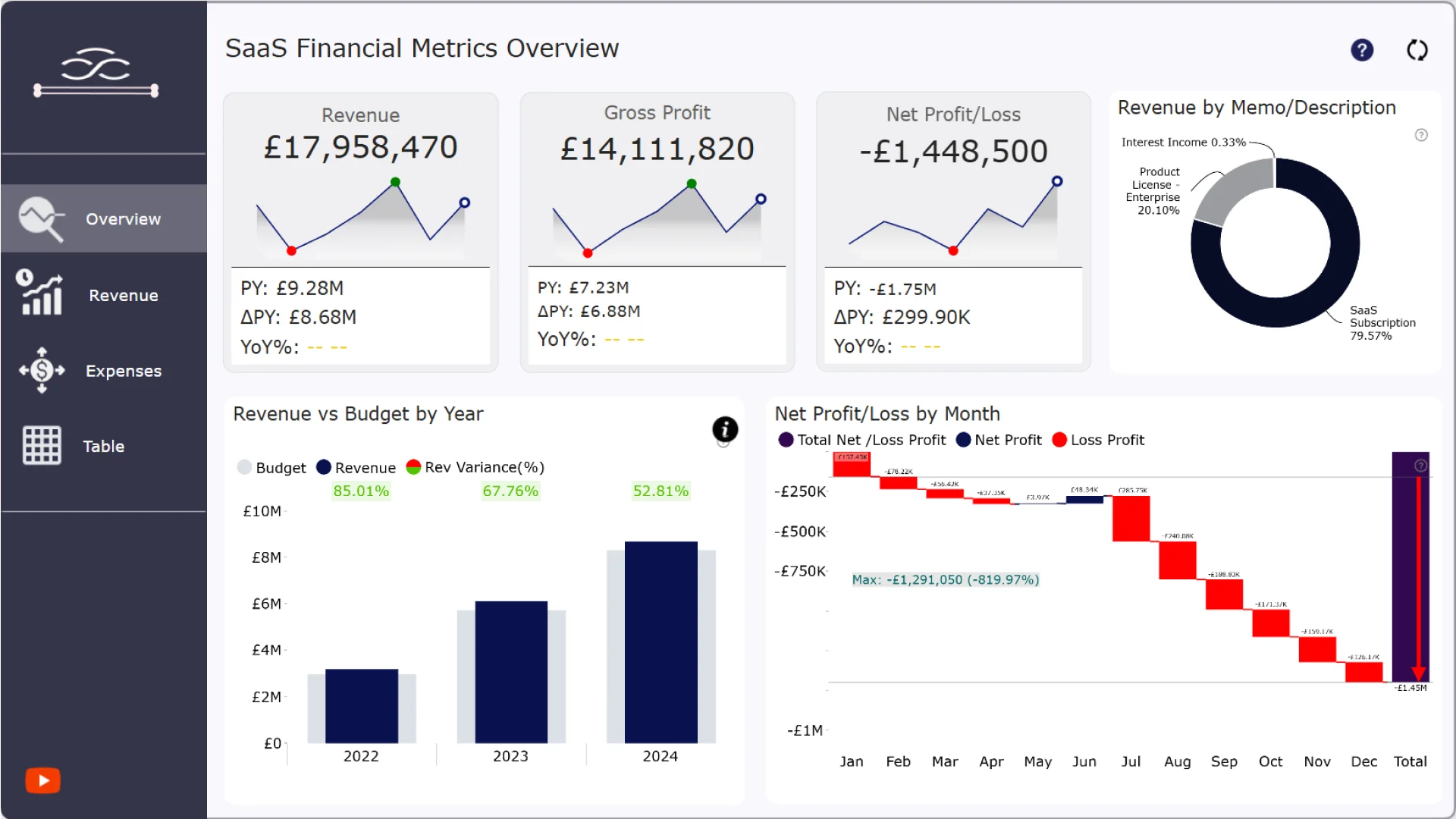
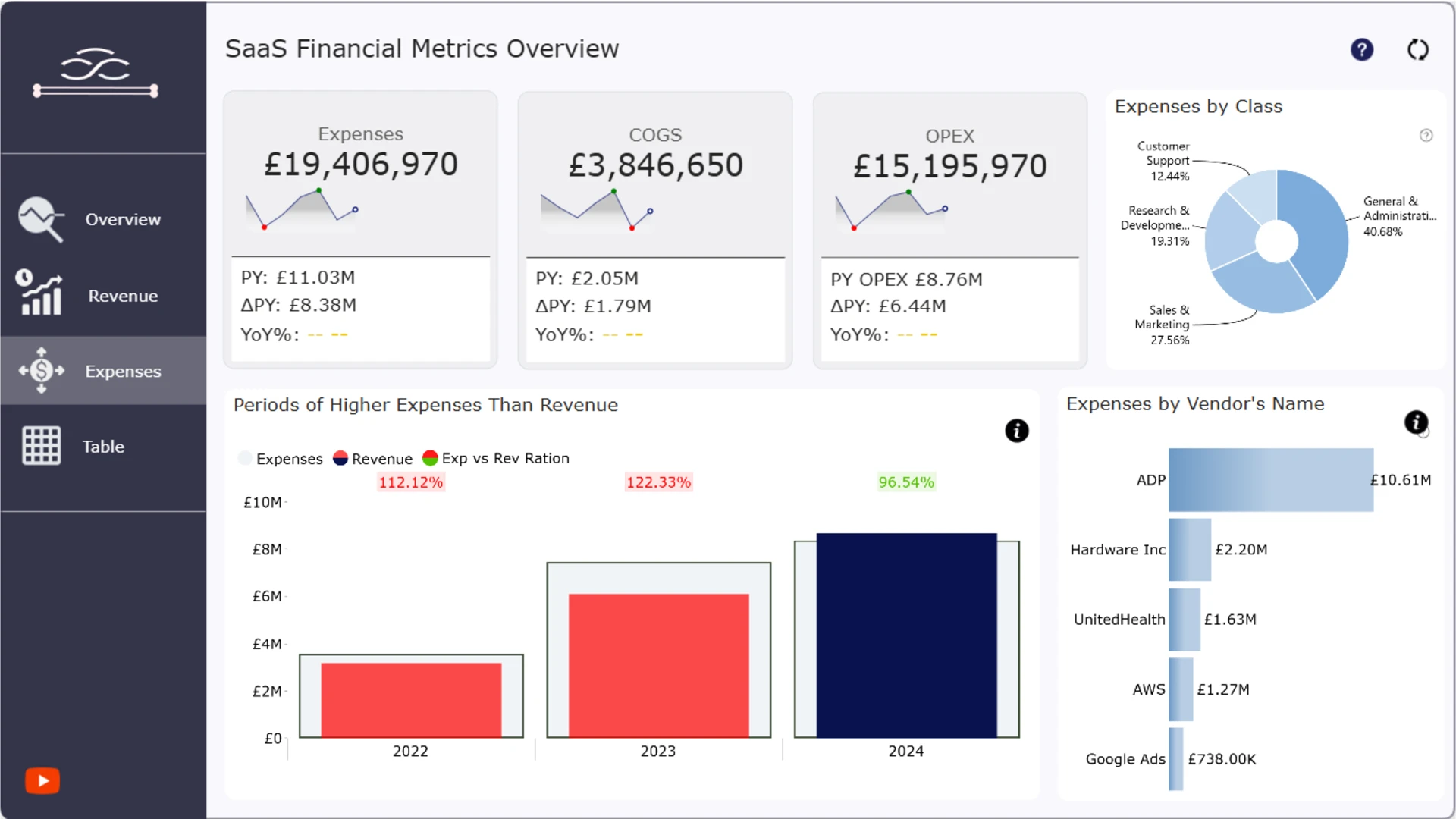
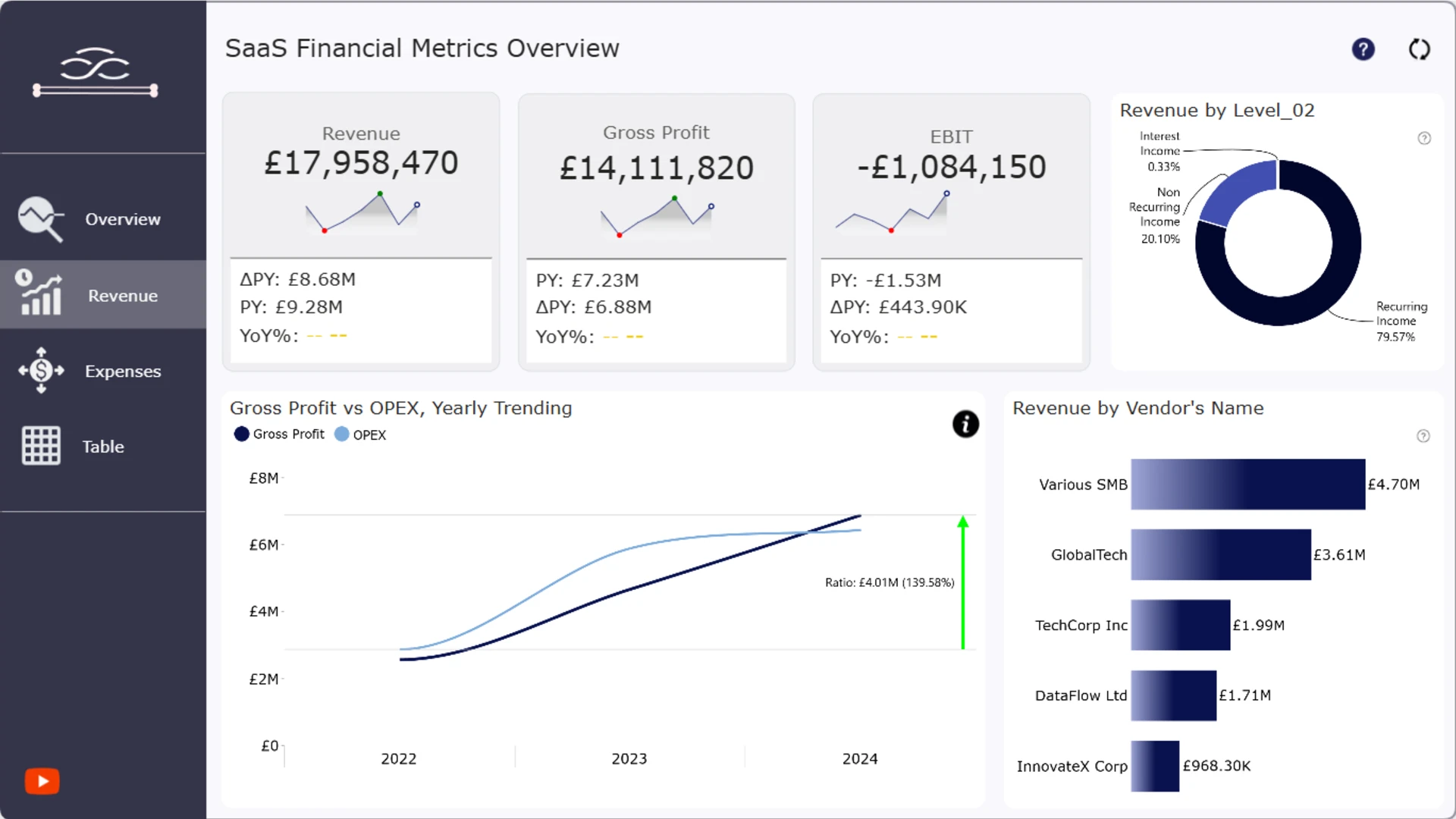
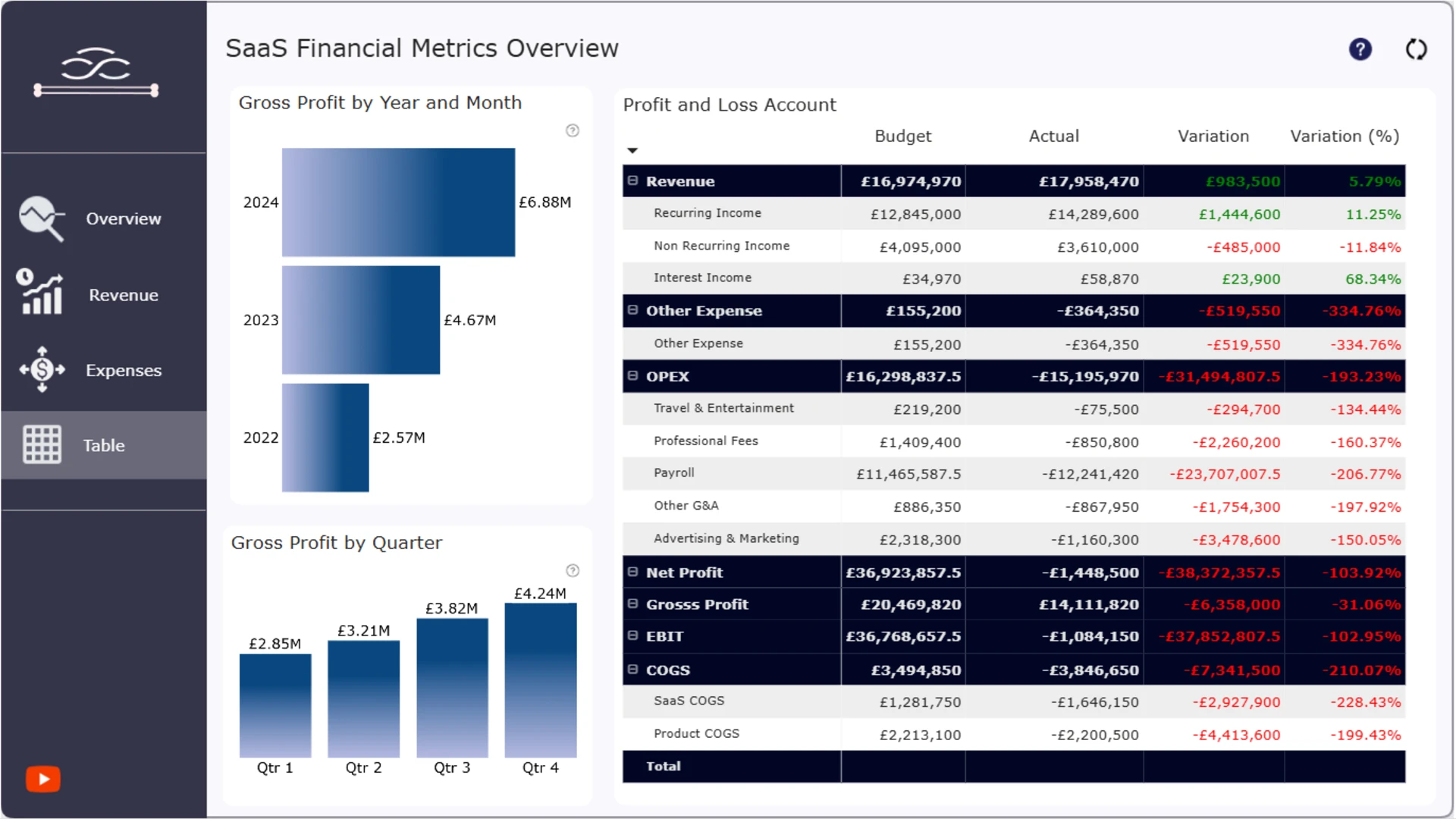
More Report pages
Report Author: Agbata Dickson Ukolojo
19699
Share template with others
Summary
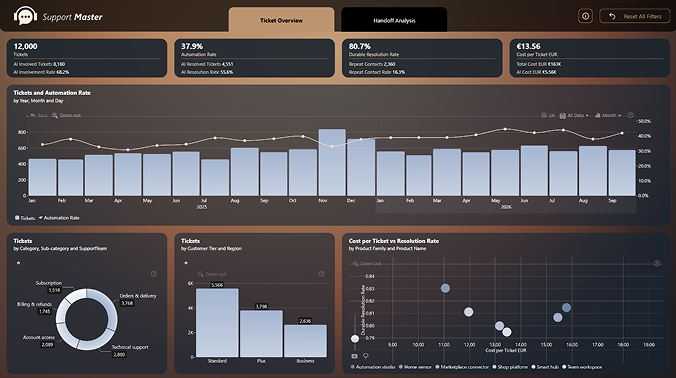
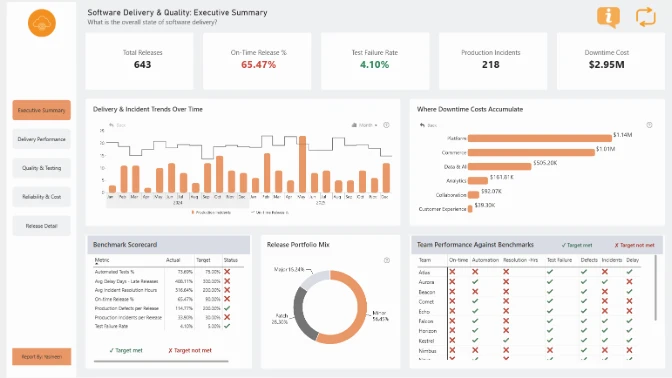
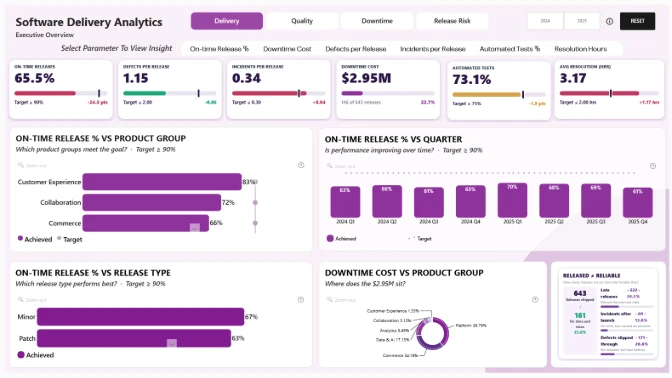
This SaaS Financial Performance Dashboard Example shows how Power BI can be used to analyze the financial performance of a software-as-a-service business. It brings important financial measures into an interactive report, helping users review overall results, compare performance, and identify the factors contributing to financial changes.
Key Insights of the SaaS Financial Performance Dashboard
This Power BI financial dashboard presents SaaS performance data from several analytical perspectives. It can help users examine:
- Financial overview: review the main financial measures included in the report
- Performance changes: examine how financial results develop across the available reporting periods
- Result comparisons: compare performance across the business dimensions included in the dashboard
- Financial drivers: investigate the data contributing to changes in overall results
Interactive Power BI visuals make it easy to move from a high-level financial overview to more focused SaaS performance analysis. Filters and chart selections update related visuals where cross-filtering is enabled, allowing users to explore the data from different perspectives.
How to Use This SaaS Financial Dashboard Template
Use the available filters and click active chart elements to focus on a particular period, category, or financial result. Related visuals update where cross-filtering is enabled, making it easier to investigate performance changes.
Download the .pbix file to review the report structure, calculations, visual settings, and interactions. Replace the sample data with your own to customize this Power BI financial dashboard template for your SaaS reporting needs.
ZoomCharts visuals used




4U Report Challenges
Participate in data challenges, build and submit reports to get free template downloads.
Join CommunityMobile view allows you to interact with the report. To Download the template please switch to desktop view.
How to use a PBIX template
Preview the interactive report, download the PBIX file, open it in Power BI Desktop, and replace the same data connection with your own dataset.
Preview and download
Explore the report online and download the PBIX template file.
Open in Power BI Desktop
Open the downloaded PBIX file in Power BI Desktop.
Connect your data
Replace the sample data source with your own dataset.
Refresh and adjust
Refresh the model and update fields or visual were needed.
Save and share
Save your report and publish it for your audience.


