1093
Onyx data DNA challenge
Onyx data DNA challenge
Report Author: Nur Zaenal Wahyu Hidayat
1093
Share template with others
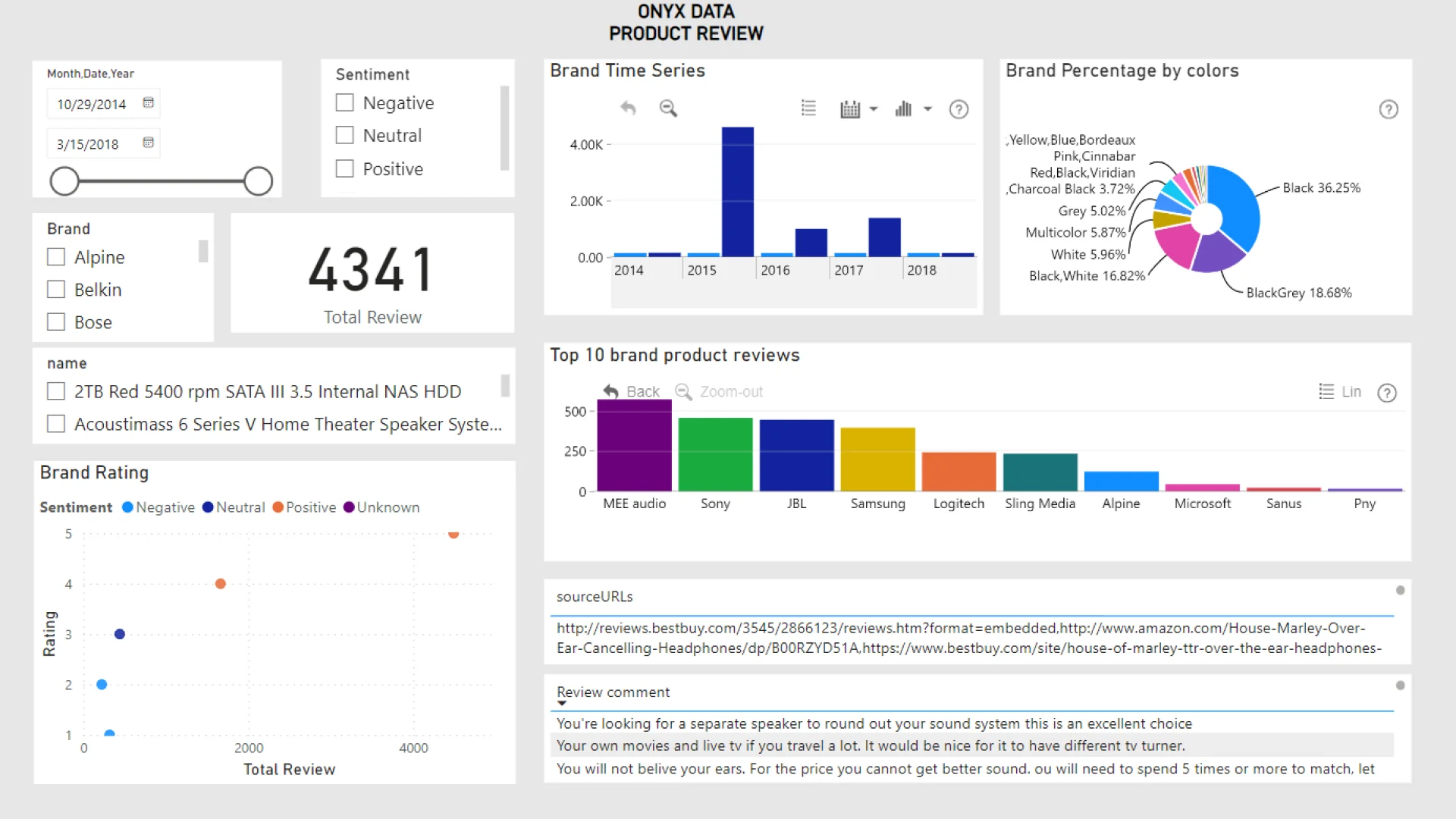
Report submitted for Onyx Data DataDNA ZoomCharts Mini Challenge, February 2024. The report was built based on Electronics Product Data Ratings dataset and includes ZoomCharts custom Drill Down PRO visuals for Power BI.
Author's description:
I want to share my Power BI dashboard Onyx Data. I am using data within removing outliers from helpful user review. Relationship between product ratings and recommendation status is Positive. We can see on the scatter plot chart visualization. The brands have the highest average customer satisfaction is MEE Audio and the most colors user like is Black. I also added 2 ZoomCharts Drill Down Visuals in one report page. You can see the Brand time series and percentage ZoomCharts Drill Down.



4U Report Challenges
Participate in data challenges, build and submit reports to get free template downloads.
Join CommunityMobile view allows you to interact with the report. To Download the template please switch to desktop view.
How to use a PBIX template
Preview the interactive report, download the PBIX file, open it in Power BI Desktop, and replace the same data connection with your own dataset.
Preview and download
Explore the report online and download the PBIX template file.
Open in Power BI Desktop
Open the downloaded PBIX file in Power BI Desktop.
Connect your data
Replace the sample data source with your own dataset.
Refresh and adjust
Refresh the model and update fields or visual were needed.
Save and share
Save your report and publish it for your audience.


