Registration Open
Registration Open
10 December | 03:00
-

Reset your password
We'll email you instructions on how to reset your password

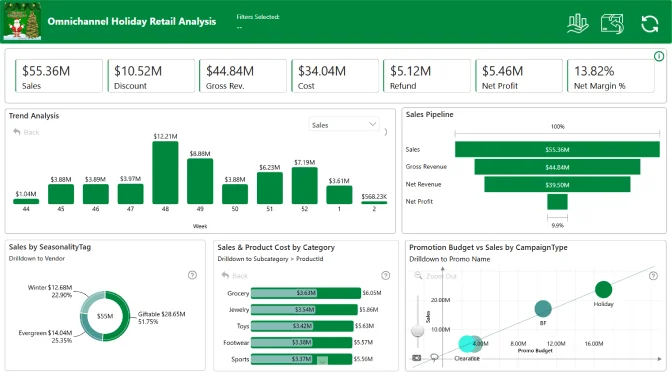
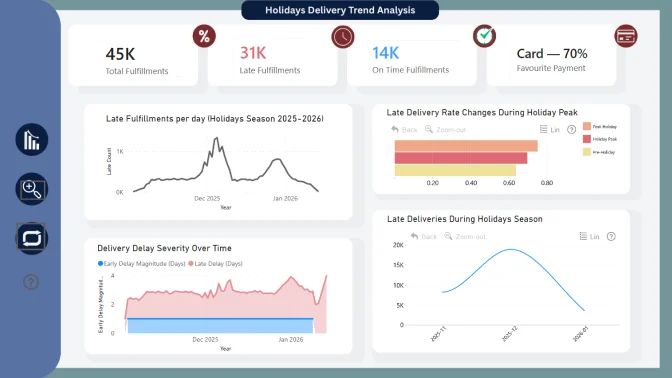
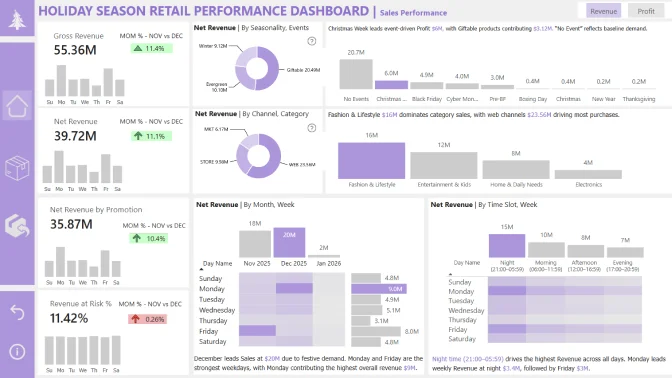
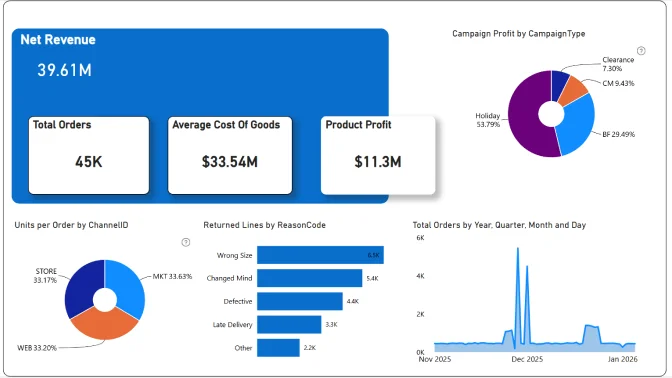
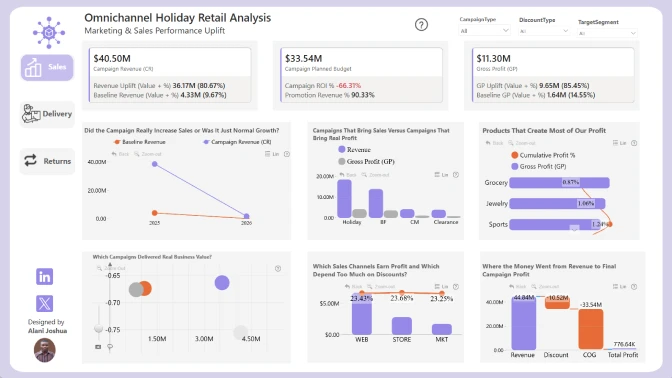
Take on the challenge of analyzing a festive season retail dataset covering sales across Web, Stores, and Marketplaces, including Christmas and holiday campaigns from Black Friday to New Year.
Workshop | Designing Interactive Christmas Retail Reports with Power BI
Workshop | Designing Interactive Christmas Retail Reports with Power BI
16 December | 08:00
-
Webinar | Reviewing the Top 5 Power BI Reports for Christmas Retail and Marketing
Webinar | Reviewing the Top 5 Power BI Reports for Christmas Retail and Marketing
09 January | 08:00
10 December - 06 January
Want to build professional Power BI reports and grow your portfolio?
This challenge helps you level up with expert feedback, hands-on workshops, webinars with MVPs, and visibility in our public results showcase. It’s a great way to learn, gain recognition, and connect with a supportive data community.
The challenge is hosted in partnership with FP20 Analytics - a LinkedIn community that brings together 20k+ passionate data professionals and helps new analysts improve their craft. It’s a welcoming space where you can practice, learn, and share your work with others. Learn more about the FP20 Analytics challenge on their website.
Learn directly from experienced Power BI professionals. Enjoy practical workshops on report-building techniques and book a one-on-one mentoring session to receive tailored advice on your submission.
Every participant receives detailed, constructive feedback on their report. It’s a valuable opportunity to improve your skills with real insights from seasoned analysts.
All participants receive a ZoomCharts Developer License, giving you full access to the Drill Down PRO visuals library.
Each challenge participant with a validated report will receive 5 free downloads from the Power BI Report Gallery.
The winners will be announced during a special live webinar on January 9: "Reviewing the Top 5 Power BI Reports for Christmas Retail and Marketing".
 Erik Svensen, Innovation Lead & Microsoft MVP
Register using the form above on this page.
Download the dataset using the Get the Dataset button on the left side of the page.
Read the challenge brief in the The Brief section to understand the data and requirements.
Activate your free Drill Down Visuals Developer License for Power BI. (watch the setup video or follow the step-by-step instructions).
Add your ZoomCharts license to Power BI Desktop.
Add ZoomCharts visuals from the Power BI visuals library or Microsoft Marketplace.
Build your report using the challenge dataset.
Your report must include at least two ZoomCharts Drill Down Visuals on the same page.
Recommended report format:
Up to 3 pages (including any drill-through pages)
Canvas size: 16:9 (default) or 1920 × 1080 (Full HD)
Join the challenge workshop to learn how to use ZoomCharts visuals effectively.
If you need help, book a free 1-on-1 consultation with the ZoomCharts team.
Look at previous challenge submissions for ideas and inspiration.
Log in to your account on this page and upload your report in .pbix format for validation.
If your report does not meet all requirements:
You will receive an email explaining what needs to be fixed.
You can update your report and submit it again.
Validation timeline:
Your report will be reviewed within 1–2 business days.
Once validated, you will receive a Publish to Web link that you can use in your portfolio or share online.
You will also receive personalized feedback within 1–2 business days to help you improve your report before the deadline.
Note:
You may resubmit your entry as many times as needed before the challenge deadline.
To be eligible for prizes, complete these steps:
Post the final version of your report (PDF) on your LinkedIn profile.
Use this caption:
"I am participating in FP20 Analytics ZoomCharts Challenge 33"
Include a short summary of your key insights and the Publish to Web link (if you have one).
Use the hashtags #FP20Analytics and #builtwithzoomcharts and tag @Federico Pastor and @ZoomCharts.
Obligatory! Share your report also in the FP20 Analytics LinkedIn Community group.
Follow ZoomCharts on LinkedIn.
The ZoomCharts team reviews and analyzes the Top 5 challenge submissions during live webinar.
You will learn best practices, visualization tips, and new Power BI skills.
The winner of the best report receives a $300 Amazon gift card from ZoomCharts.
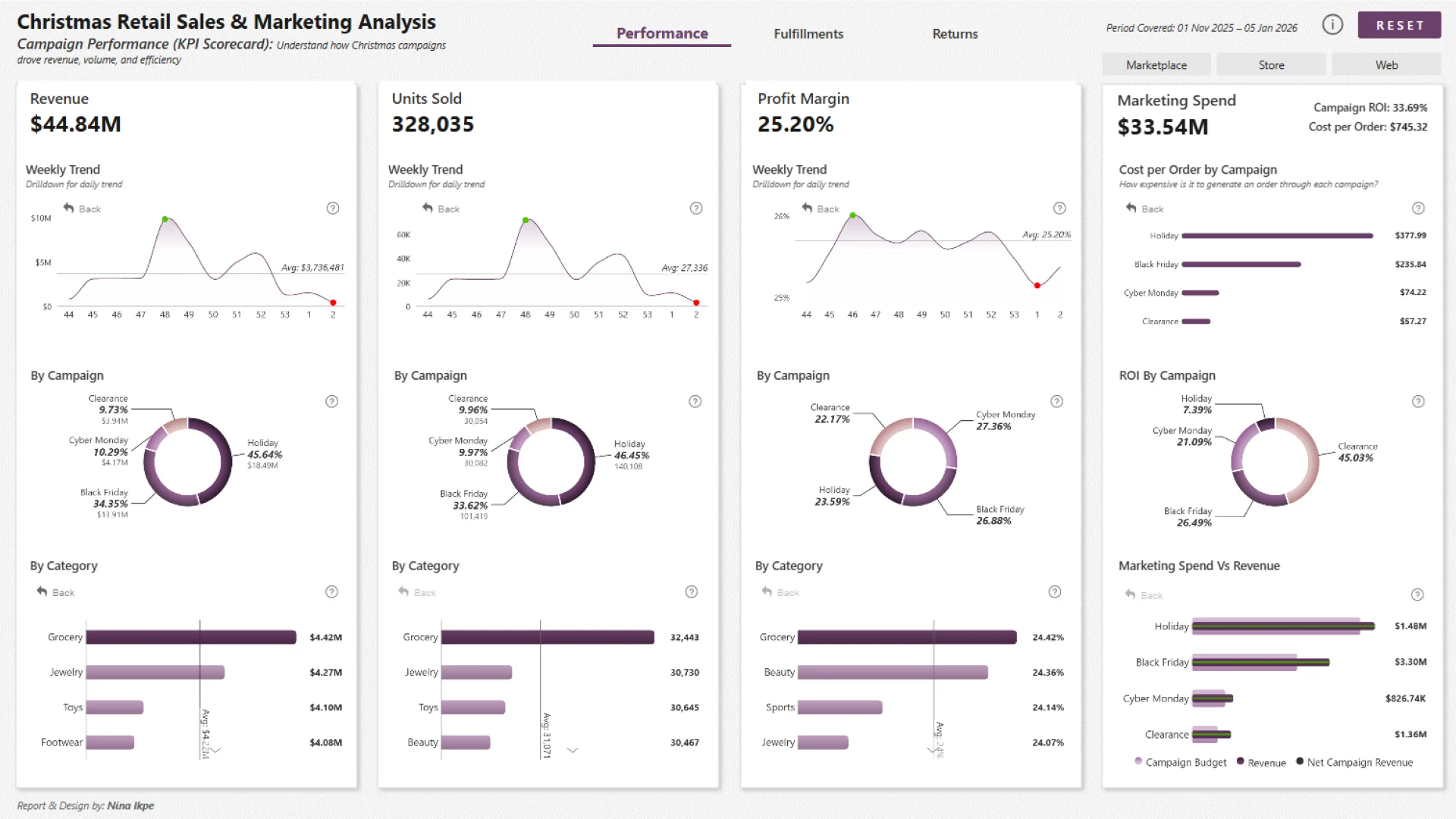
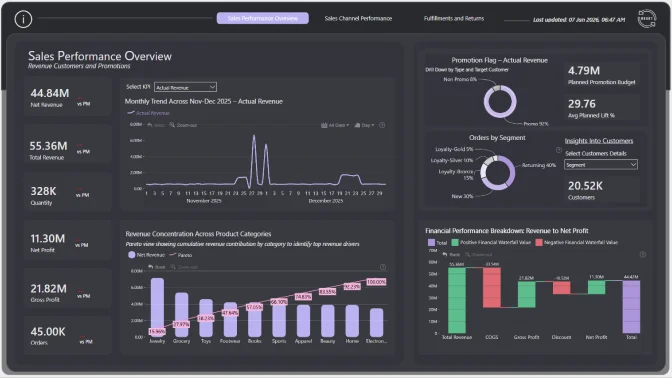
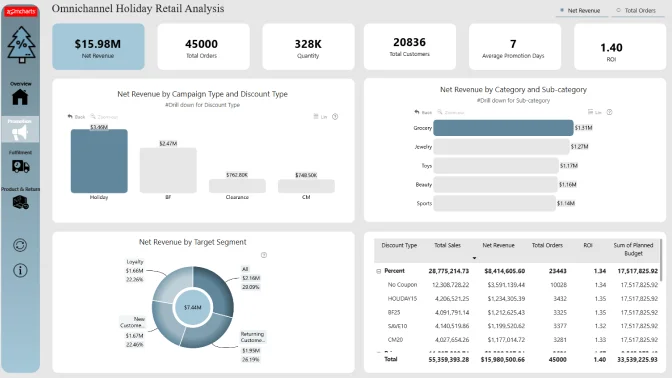
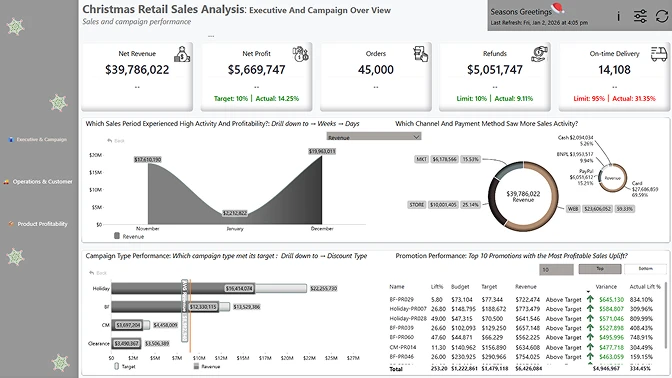
In this challenge, you will take on the role of a data analyst exploring a complete festive season retail dataset. The company operates sales across Web, Stores, and Marketplaces and runs a series of Christmas and holiday marketing campaigns from Black Friday through New Year.
The dataset captures everything that happens during this period: promotions, customer orders, deliveries, inventory levels, and returns. Your mission is to uncover insights that help improve holiday campaign performance, customer experience, and operational efficiency.
The holiday season is busy, competitive, and full of rapid decision making. This dataset gives you a chance to understand how different parts of the business worked during this peak time. By analyzing it, you will:
Use Power BI and ZoomCharts visuals to:
Here are some ideas to inspire your analysis. You can explore these or follow your own curiosity:
✨ Note: These questions are only starting points. You are encouraged to explore the data in your own way and share any interesting or unexpected findings. Your insights can help highlight how search behavior, advertising, and website performance shape the customer experience during the holiday season.
Business users use reports to make data-driven decisions. That’s why reports are called effective if they enable users to drill down and filter data quickly and intuitively to find answers to any question they might have, and analyse data in all possible directions and dimensions.
Each report is evaluated based on three main criteria: intuitiveness, insightfulness, and interactivity. These factors ensure that the reports are not only accurate and functional, but also meet the target audience's needs and are ready to be presented to the end-users.
Workshop | Designing Interactive Christmas Retail Reports with Power BI
Workshop | Designing Interactive Christmas Retail Reports with Power BI
16 December | 08:00
-
Webinar | Reviewing the Top 5 Power BI Reports for Christmas Retail and Marketing
Webinar | Reviewing the Top 5 Power BI Reports for Christmas Retail and Marketing
09 January | 08:00
10 December - 06 January