The Legend field is optional. It groups related data points using matching values, allowing you to apply Legend Colors and Legend Shapes to all data points within a group and display those groups in the legend.
The Legend field can be used without the Categories field, but it has some limitations:
- Only a single column can be added, so drill down is not available.
- A maximum of 100 unique legend values is supported.
For the best experience, it is recommended to use both Categories and Legend.
The visual behaves differently depending on whether the Categories field is populated:
- Without Categories – Each unique value in the Legend field is displayed as a data point. Rows with matching legend values are aggregated into a single data point using their X-Axis and Y-Axis values.
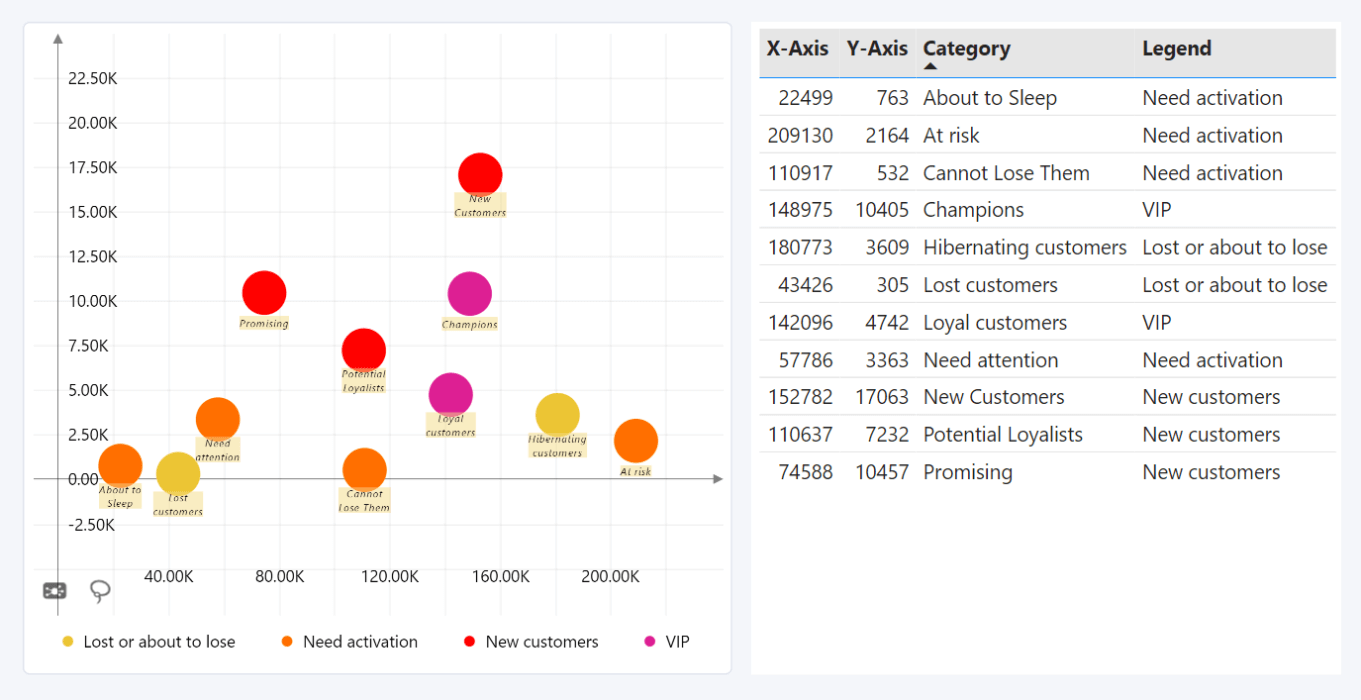
- With Categories – The Categories field defines the data point hierarchy, while the Legend field groups data points independently for legend display and marker color or shape customization.
If neither the Categories nor Legend field contains data, the visual cannot separate values into individual data points and instead displays aggregated values.
Was this helpful? Thank you for your feedback!
Sorry about that.
How can we improve it?