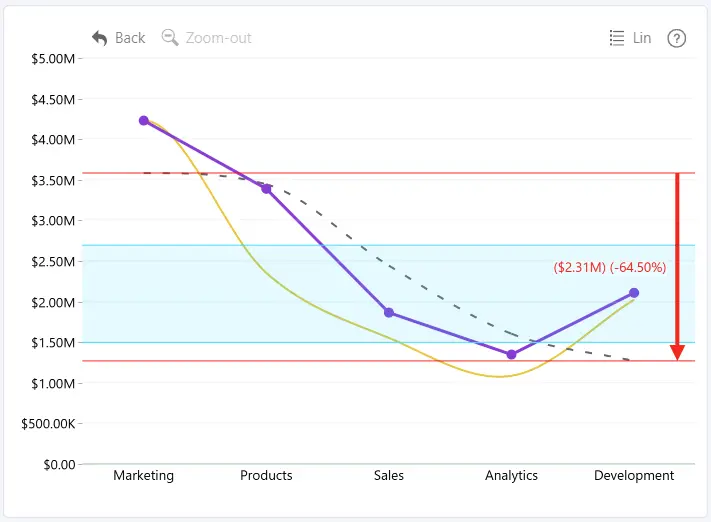
Thresholds can be used to visually compare your data against KPIs, performance targets, or other benchmarks. Drill Down Line PRO supports up to four horizontal thresholds on the same chart, displayed as lines, areas, or change arrows.
The Thresholds section in the Format visual pane contains the following setting groups:
- Enabled Thresholds – select which thresholds are displayed in the chart.
- General – configure the threshold type and the values used to determine its position.
- Style – customize the appearance and layering of threshold lines and areas.
- Label – enable and configure threshold labels.
- Label Background1 – customize the background, border, and shadow of threshold labels.
- Label Position1 – configure the position and offset of threshold labels.
- Change Arrows2 – customize the position and appearance of change arrows.
To customize an individual threshold, select it under Apply Settings to. Each enabled threshold can be configured independently.
1 Label Background and Label Position are available when Label is enabled.
2 Change Arrows is available when Threshold Type is set to Change.
Was this helpful? Thank you for your feedback!
Sorry about that.
How can we improve it?