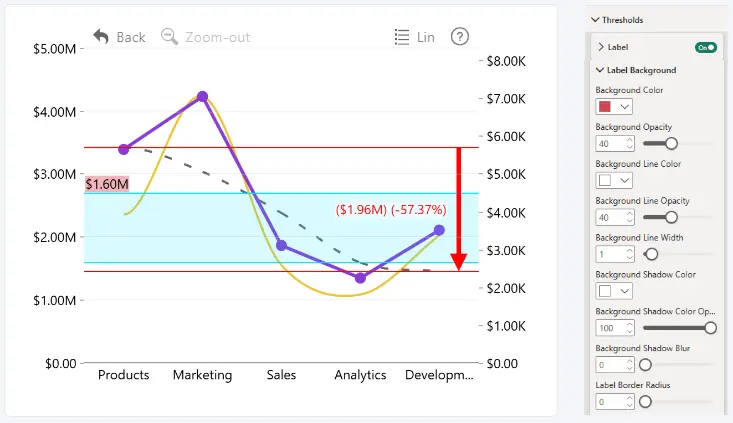
Use the Label Background settings to customize the appearance of the selected threshold label background, border, and shadow.
- Color: select the background color of the threshold label.
- Opacity: adjust the transparency of the label background.
- Line Color: choose the color of the label border.
- Line Opacity: adjust the transparency of the label border.
- Line Width: set the thickness of the label border.
- Shadow Color: select the color of the label shadow
- Shadow Opacity: Adjust the transparency of the label shadow.
- Shadow Blur: control the blur intensity of the label shadow.
- Label Border Radius: control the corner radius of the threshold label background.
The Label Background settings are available when Label is enabled for the selected threshold.
Was this helpful? Thank you for your feedback!
Sorry about that.
How can we improve it?