Use the Style settings to customize the appearance and layering of the selected threshold.
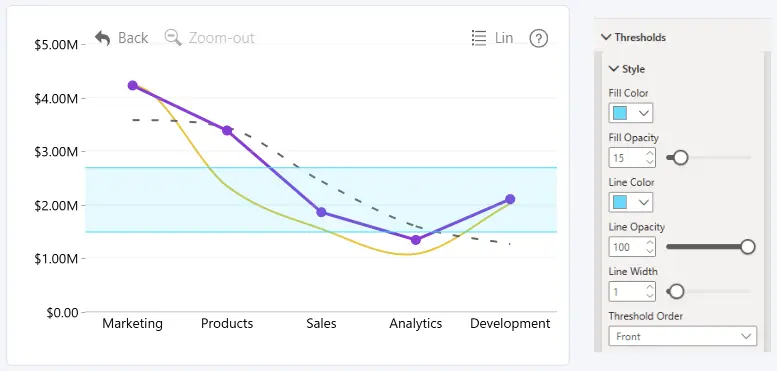
Fill Color
Choose the fill color of the threshold area.
Fill Color Opacity
Set the opacity of the threshold area fill.
- Range: 0–100
- 0: Fully transparent
- 100: Fully opaque
Fill Color and Fill Color Opacity are available when Threshold Type is set to Area or Change.
Line Color
Choose the color of the threshold line or boundaries.
Line Color Opacity
Set the opacity of the threshold line or boundaries.
- Range: 0–100
- Default: 100
- 0: Fully transparent
- 100: Fully opaque
Line Width
Set the width of the threshold line or boundaries.
- Range: 0–10
- 0: Hides the line or boundaries
For a Line threshold, the line settings are applied to the threshold line. For Area and Change thresholds, they are applied to the From Value and To Value boundaries.
Threshold Order
Choose the layering order of the threshold relative to other chart elements.
- Front – displays the threshold in front of the chart elements.
- Back – displays the threshold behind the chart elements.
Was this helpful? Thank you for your feedback!
Sorry about that.
How can we improve it?