1305
Data Quality Power BI Report 2
Data Quality Power BI Report 2
More Report pages
Report Author: WalaaHafeez
1305
Share template with others
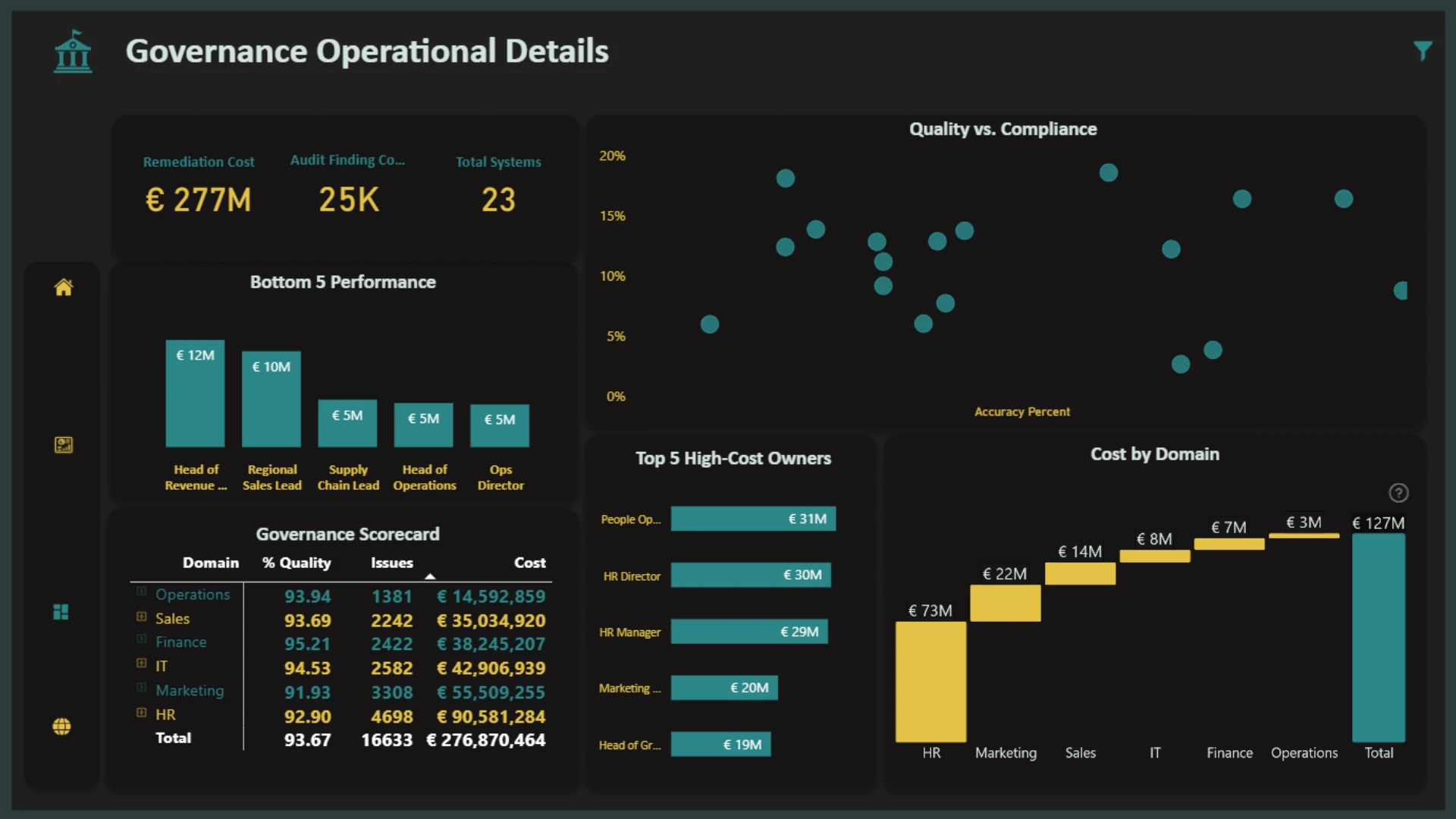
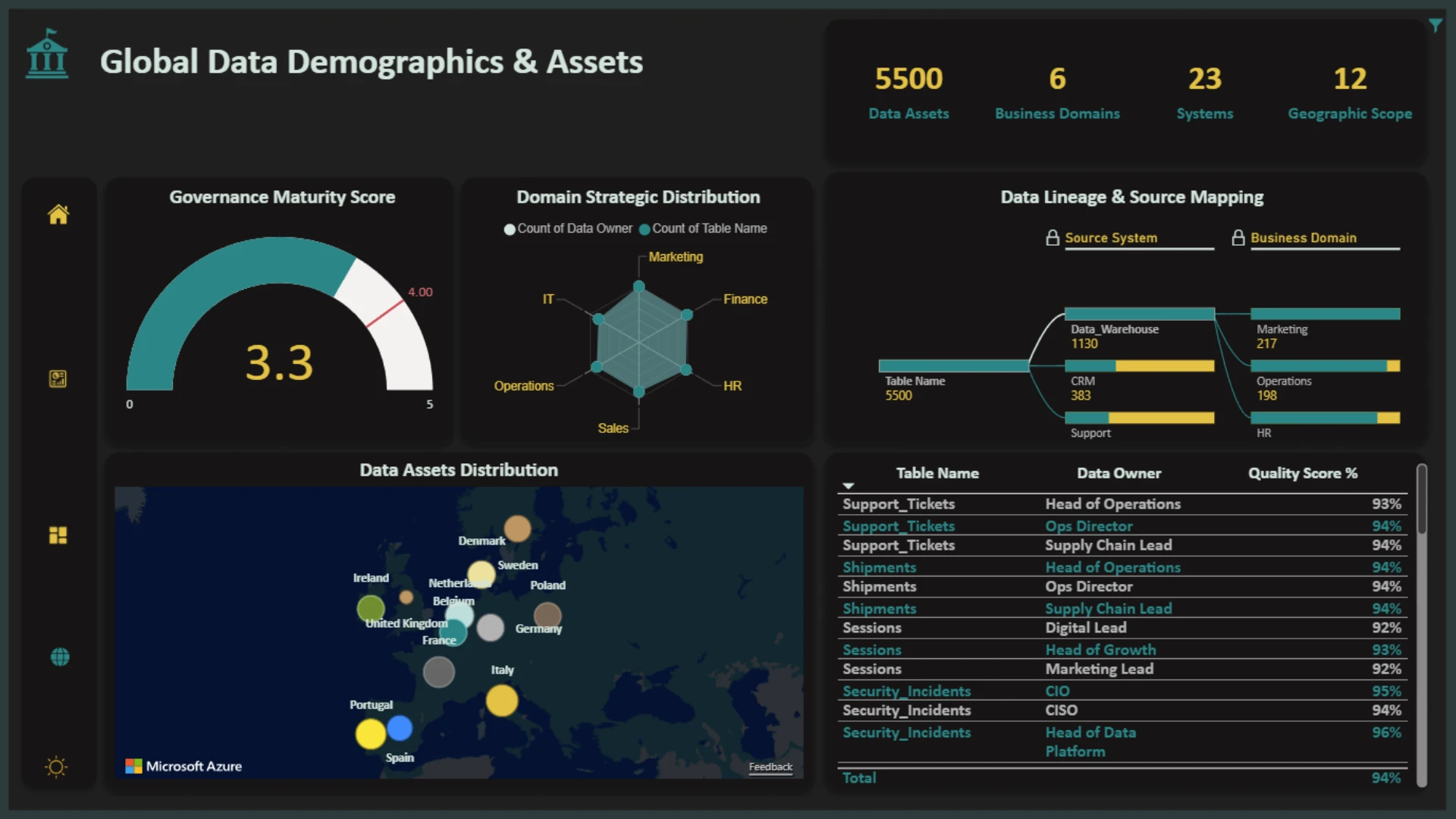
This Power BI report is built using the Enterprise Data Governance Dataset and features ZoomCharts Drill Down PRO custom visuals for Power BI. It was submitted to the FP20 Analytics ZoomCharts Data Challenge #34 (January 2026 – February 2026).
Author's Description:
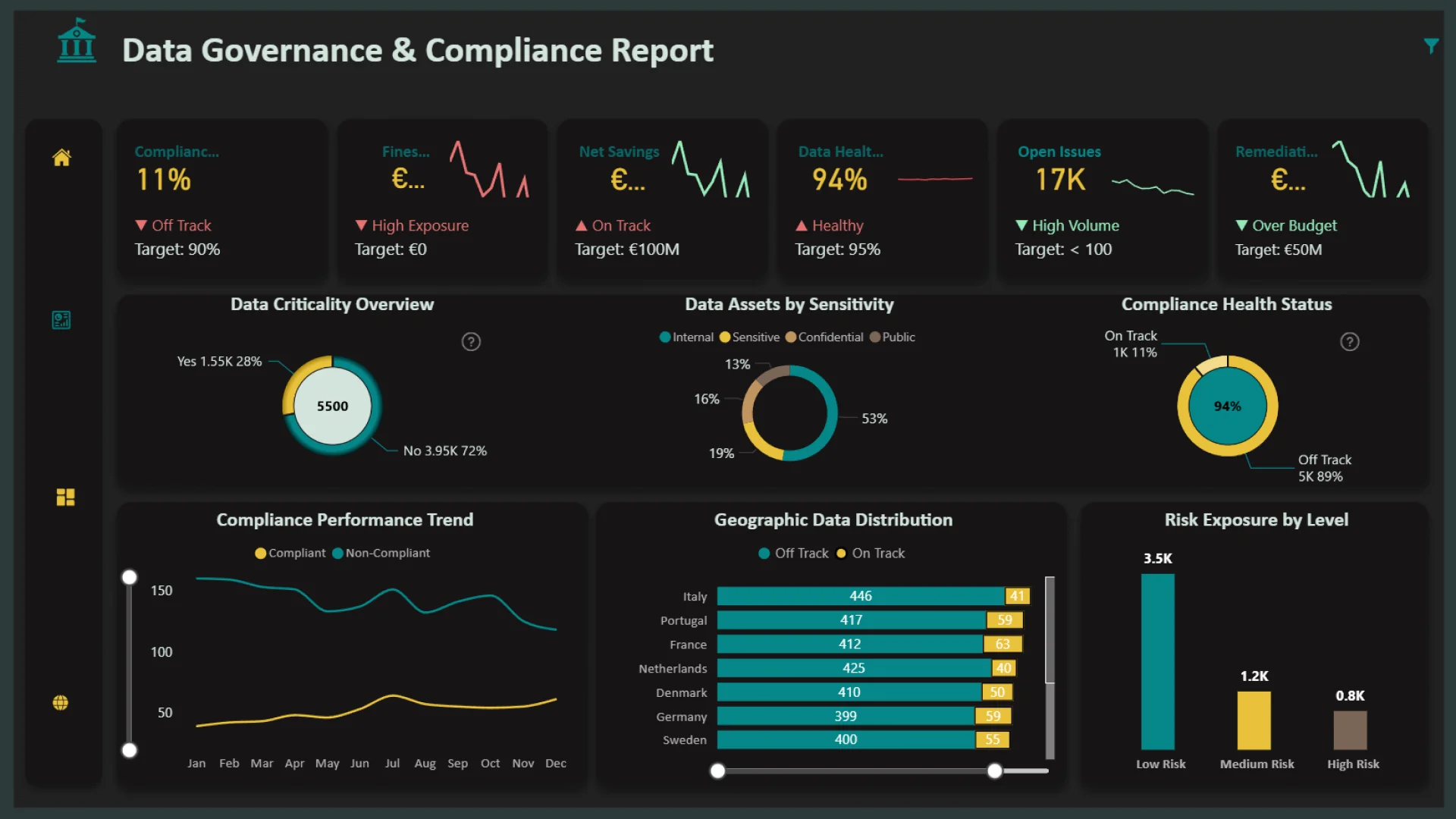
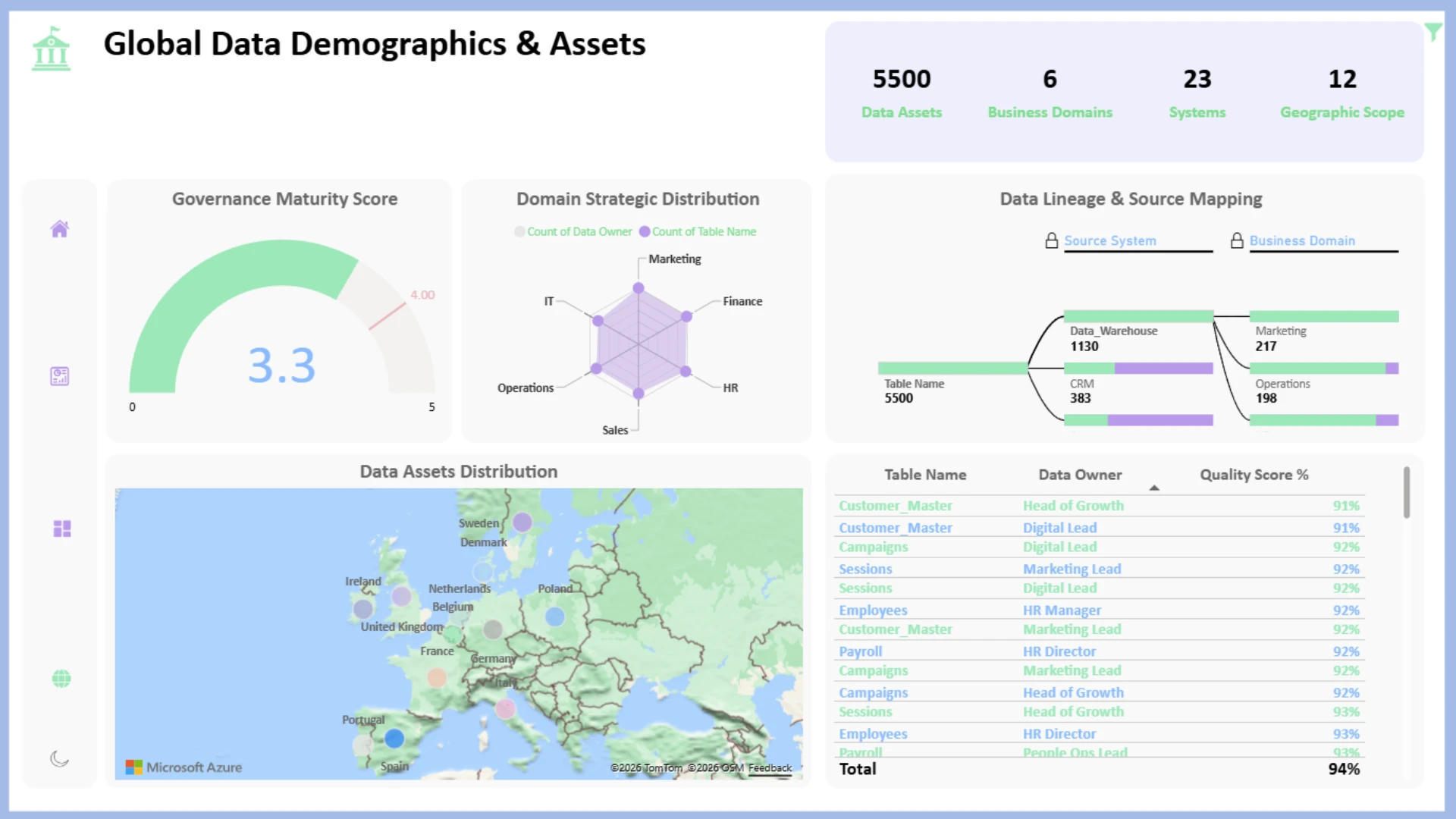
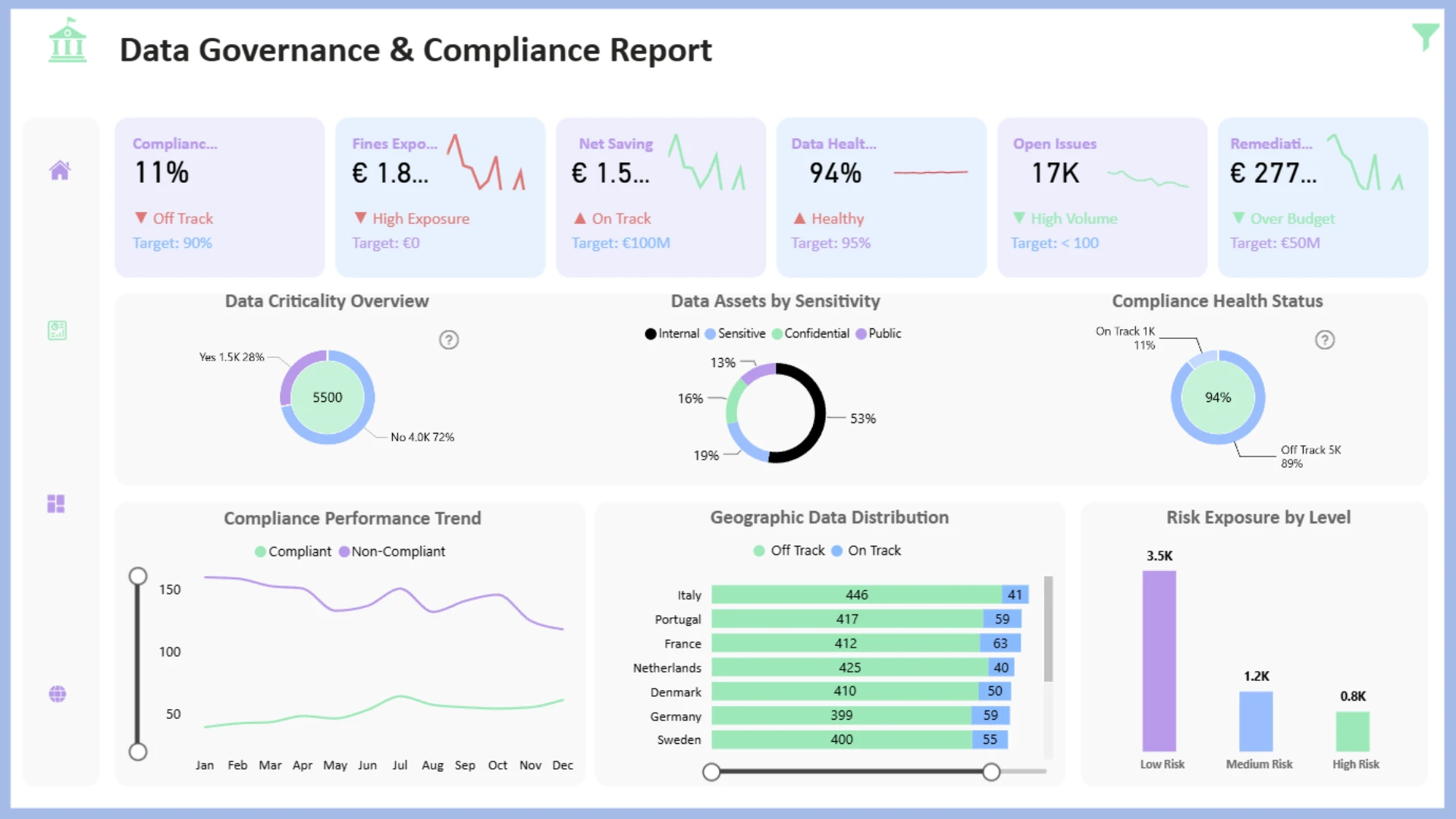
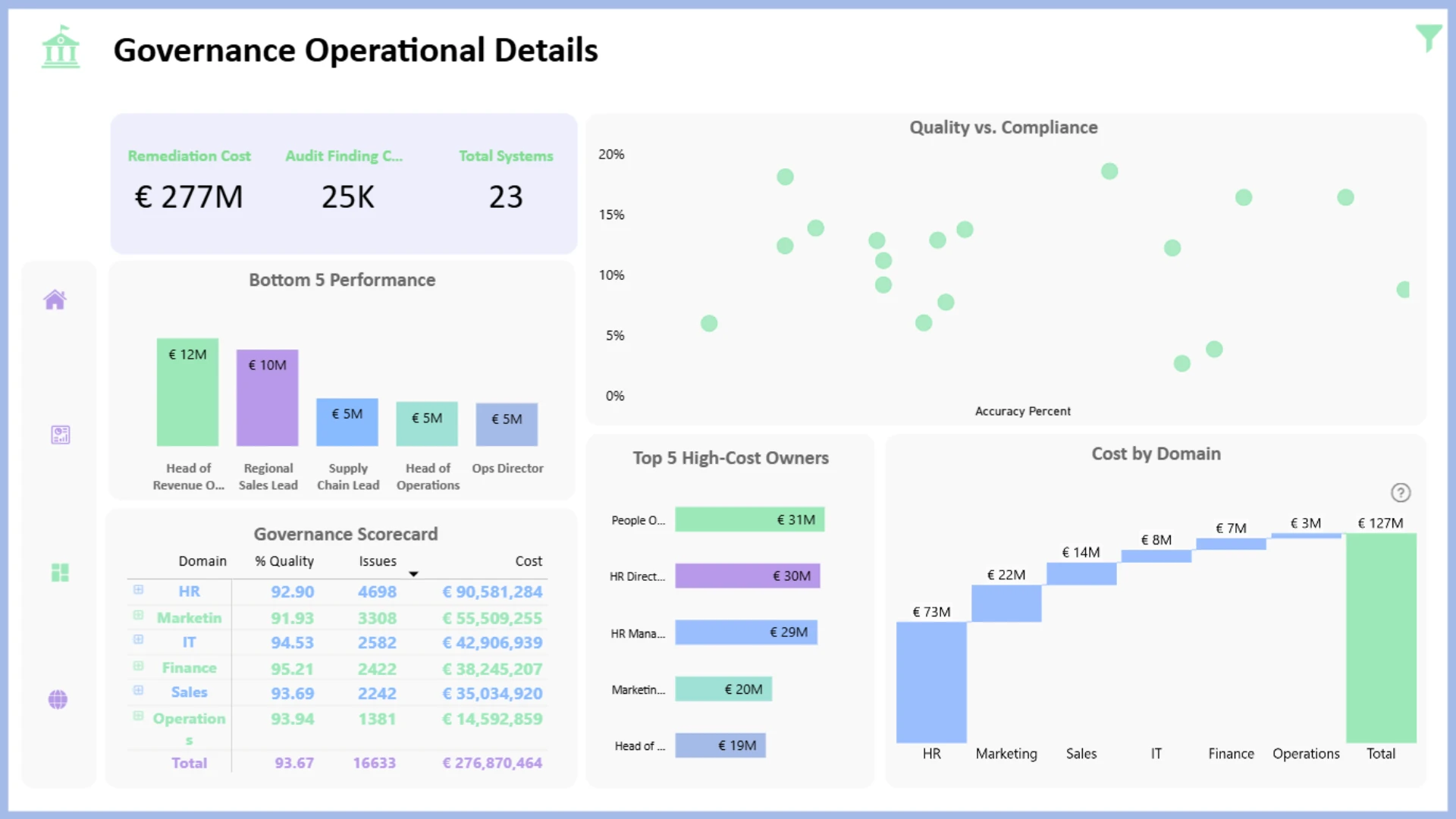
This report provides a comprehensive analysis of IT Governance and Risk Management, with a focus on asset criticality and compliance health. Key features include advanced visualisations using integrated ZoomCharts Drill Down Donut PRO visuals for an interactive user experience, centralised KPIs displayed directly within charts for immediate insight, and seamless drill-downs across risk levels and compliance statuses. The dashboard also uses a dual-mode design, balancing clarity and visual appeal to support high data density without compromising readability.
ZoomCharts visuals used



4U Report Challenges
Participate in data challenges, build and submit reports to get free template downloads.
Join CommunityMobile view allows you to interact with the report. To Download the template please switch to desktop view.
How to use a PBIX template
Preview the interactive report, download the PBIX file, open it in Power BI Desktop, and replace the same data connection with your own dataset.
Preview and download
Explore the report online and download the PBIX template file.
Open in Power BI Desktop
Open the downloaded PBIX file in Power BI Desktop.
Connect your data
Replace the sample data source with your own dataset.
Refresh and adjust
Refresh the model and update fields or visual were needed.
Save and share
Save your report and publish it for your audience.


