logo
For Power BI Report Templates
  • Products

    Drill Down Visuals for Power BI

    Discover the most customizable custom visuals for Power BI.

    Pricing & licensing
    • Drill Down Donut Pro
      Drill Down Donut Category Composition
    • Drill Down Pie Pro
      Drill Down Pie Proportional Breakdown
    • Drill Down Combo Pro
      Drill Down Combo Multi-Metric Trends
    • Drill Down Combo Bar Pro
      Drill Down Combo Bar Cross-Metric Trends
    • Drill Down Line Pro
      Drill Down Line Trend Analysis
    • Drill Down Bubble Pro
      Drill Down Bubble Value Relationships
    • Drill Down Scatter Pro
      Drill Down Scatter Correlation Analysis
    • Drill Down Network Pro
      Drill Down Network Entity Connections
    • Drill Down Graph Pro
      Drill Down Graph Relationship Mapping
    • Drill Down Map Pro
      Drill Down Map Geographic Insights
    • Drill Down Waterfall Pro
      Drill Down Waterfall Change Breakdown
    • Drill Down Timeline Pro
      Drill Down Timeline Time-Based Metrics
    • Drill Down TimeSeries Pro
      Drill Down TimeSeries Temporal Patterns
    • Drill Down Line Pro
      Drill Down Line Trend Analysis

    Visuals in Planning

    Discover visuals we’re exploring, share your feedback, and help us decide what to build next.

    Browse concepts
  • Template Reports
    • Browse Report Templates
      Browse Report Templates Explore 2000+
      Power BI reports
    • Pricing Report Templates
      unlimited access

    Explore Report Templates

    Industry

    • Logistics
    • Education
    • Healthcare
    • Transportation
    • Banking
    • Ecommerce
    • Crime analytics
    • Retail
    • Manufacturing

    Business Domain

    • Sales
    • Marketing
    • Accounting & Finance
    • Human Resources
    • Research
    • Project Management
    • CRM
    • Support
    • Customer experience
  • Resources

      Learn

    • Video Tutorials Step-by-step Power BI guides
    • Webinars Live and recorded expert sessions
    • Visuals Gallery Explore all custom Power BI visuals
    • Blog Power BI tips, updates, and guides
    • Documentation Setup, features, and API reference

    Support

    • ZoomCharts Assistance Help from our product experts
    • Contact Sales Questions about pricing or licensing
    • Contact Support Technical help and troubleshooting
    • FAQ Quick answers to common questions
  • Services
    • Power BI Report Development
      Power BI Report Development End-to-end custom
      Power BI reports.
    • Custom Visual Development
      Custom Visual Development Custom visuals for
      your business needs.
  • Challenges
  • Pricing
Request a quote Get Developer License Sign in
Request a quote Book a Demo Get Developer License Sign in
Get it now
Go back

Contents

Webinars Explore the Top 5 Power BI Reports for Procurement Analysis
Go back

WEBINAR

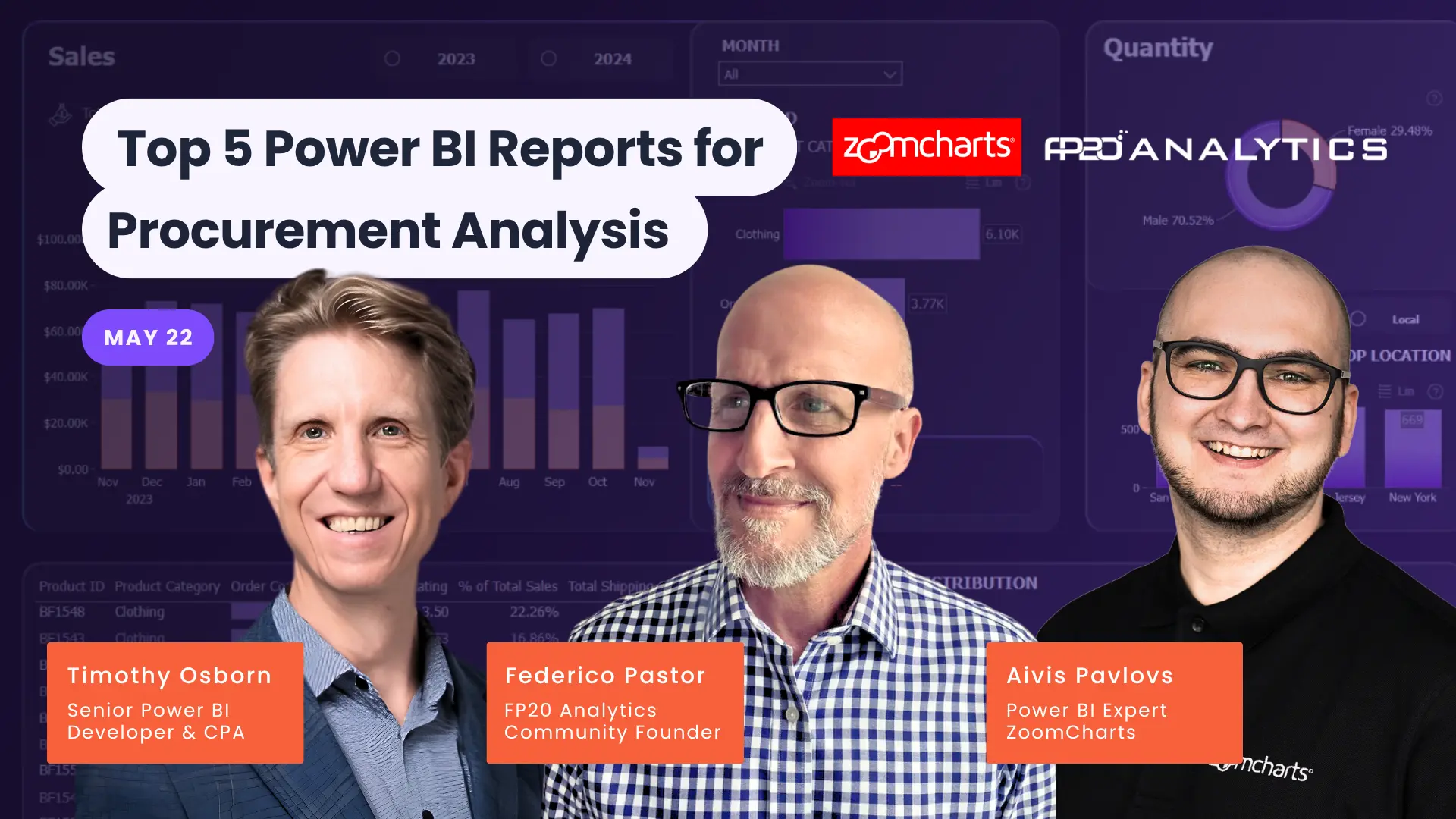
Explore the Top 5 Power BI Reports for Procurement Analysis

22 May, 2026 | 06:00 AM - EDT

We’ll walk through the top 5 submissions from the challenge and talk through what works, what could be improved, and different ways people approached the same dataset.

WATCH RECORDING


About webinar

We’ll walk through the top 5 submissions from the Procurement Data Challenge and talk through what works, what could be improved, and different ways people approached the same dataset.


Each submission takes a different approach to the same dataset. Some focus on spend and budgets, others on supplier performance or delivery issues. Seeing these side by side is a good way to understand what choices matter when building a report.


This session will be joined by guest speaker Tim Osborn, Senior Power BI Developer and CPA, who will share his perspective while we go through each report.


Together, we’ll discuss things like:

  • how clearly the data is presented
  • whether the key questions are easy to answer
  • how well the report handles complexity, such as supplier risk or contract compliance
  • what works well in terms of layout and navigation

We’ll also look at small details that make a difference. What makes a report easy to follow, and where things can become confusing.


If you’re participating in the challenge, this is a chance to see how others approached it. If not, it’s still a useful session for picking up practical ideas you can apply to your own Power BI reports.

Date and time

22 May, 2026

06:00 AM - EDT

Speakers

Aivis Pavlovs

Aivis Pavlovs, Senior Product Expert at ZoomCharts

Federico Pastor

Federico Pastor, Power BI Trainer and FP20 Analytics Community Founder

Timothy Osborn

Timothy Osborn, Senior Power BI Developer & CPA

Share this event

Watch recording


About webinar

We’ll walk through the top 5 submissions from the Procurement Data Challenge and talk through what works, what could be improved, and different ways people approached the same dataset.


Each submission takes a different approach to the same dataset. Some focus on spend and budgets, others on supplier performance or delivery issues. Seeing these side by side is a good way to understand what choices matter when building a report.


This session will be joined by guest speaker Tim Osborn, Senior Power BI Developer and CPA, who will share his perspective while we go through each report.


Together, we’ll discuss things like:

  • how clearly the data is presented
  • whether the key questions are easy to answer
  • how well the report handles complexity, such as supplier risk or contract compliance
  • what works well in terms of layout and navigation

We’ll also look at small details that make a difference. What makes a report easy to follow, and where things can become confusing.


If you’re participating in the challenge, this is a chance to see how others approached it. If not, it’s still a useful session for picking up practical ideas you can apply to your own Power BI reports.

Date and time

22 May, 2026

06:00 AM - EDT

Speakers

Aivis Pavlovs

Aivis Pavlovs, Senior Product Expert at ZoomCharts

Federico Pastor

Federico Pastor, Power BI Trainer and FP20 Analytics Community Founder

Timothy Osborn

Timothy Osborn, Senior Power BI Developer & CPA

Share this event

Webinar Recording

logo
[email protected]
+44 204 577 3993
logo

Products

Drill Down Bubble PRO Drill Down Line PRO Drill Down Network PRO Drill Down Waterfall PRO Drill Down Graph PRO Drill Down Combo PRO Drill Down Combo Bar PRO Drill Down Donut PRO Drill Down Pie PRO Drill Down TimeSeries PRO Drill Down Timeline PRO Drill Down Map PRO Drill Down Scatter PRO All Visuals

Resources

Report Examples Webinars Blog ZoomCharts Academy Visuals Gallery Documentation Custom Visual Development Subscribe to News

Solutions

Custom Visual Development

Company

Pricing About Us Partners Leave feedback Join PowerGroup EU Funding

Help

ZoomCharts Assistance Contact Sales Contact Support FAQ AI Information

Drill Down Line PRO Drill Down Bubble PRO Drill Down Network PRO Drill Down Waterfall PRO Drill Down Graph PRO Drill Down Combo PRO Drill Down Combo Bar PRO Drill Down Donut PRO Drill Down Pie PRO Drill Down TimeSeries PRO Drill Down Timeline PRO Drill Down Map PRO Drill Down Scatter PRO All Visuals

Report Examples Webinars Blog ZoomCharts Academy Visuals Gallery Documentation Custom Visual Development Subscribe to News

Custom Visual Development

Pricing About Us Partners Leave feedback Join PowerGroup EU Funding

ZoomCharts Assistance Contact Sales Contact Support FAQ AI Information
+44 204 577 3993
[email protected]

Ready to get in touch?

Contact our experts with any question about Power BI and ZoomCharts for Free!

Contact us

© 2026, Data Visualization Software Lab

U.S. Patents No. 11,645,343; 11,921,804; 12,346,389

Cookies
Privacy Policy
Global
Legal
Patent
warning

Error message

success

Success info: Done!

ZoomCharts AI Assistant

We noticed you're using an old OS version.

For the best experience, we recommend upgrading to ensure that all website features display correctly.

Cookie settings

We use necessary cookies for site functionality, as well as statistic, marketing, and preference cookies to enhance your experience. For more information and to manage your preferences, please visit our Cookie policy