1026
Udemy Courses Analysis 8
Udemy Courses Analysis 8
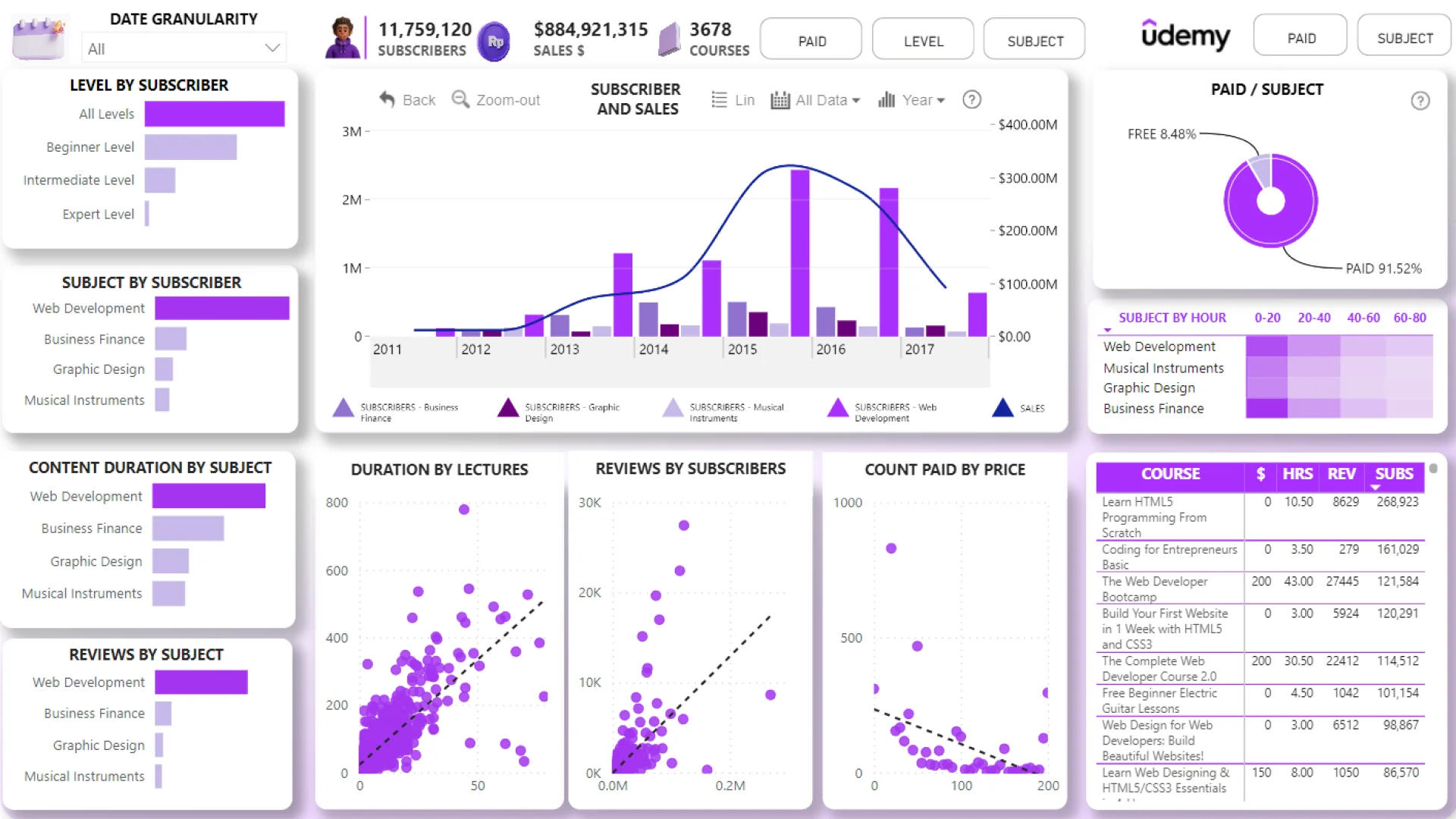
Report Author: Cesar Juarez
1026
Share template with others
Report submitted for Onyx Data DataDNA ZoomCharts Mini Challenge, January 2024. The report was built based on Udemy Courses dataset and includes ZoomCharts custom Drill Down PRO visuals for Power BI.
Author's description:
ANALYSIS OF THE DATASET TO ANSWER AS A PRIORITY:
*Analyze the correlations between different variables to understand how they are related.
*What is the relationship between course level and number of subscribers?
*What is the growth trend in the number of subscribers over time?
*What are the most reviewed courses, and how do they relate to the length of the content?
*What is the distribution of courses by level and subject category?


4U Report Challenges
Participate in data challenges, build and submit reports to get free template downloads.
Join CommunityMobile view allows you to interact with the report. To Download the template please switch to desktop view.
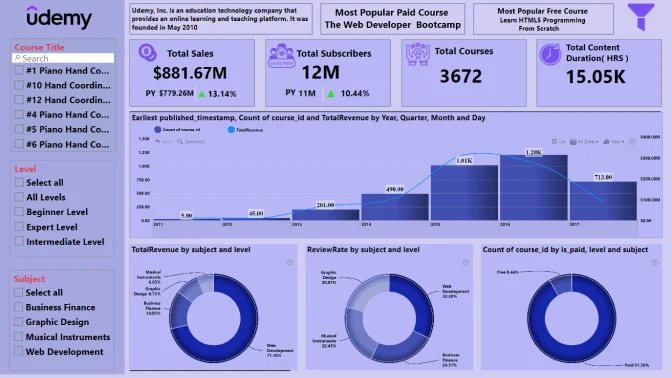
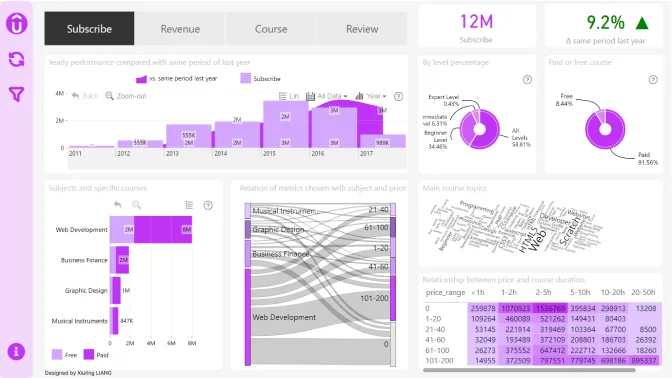
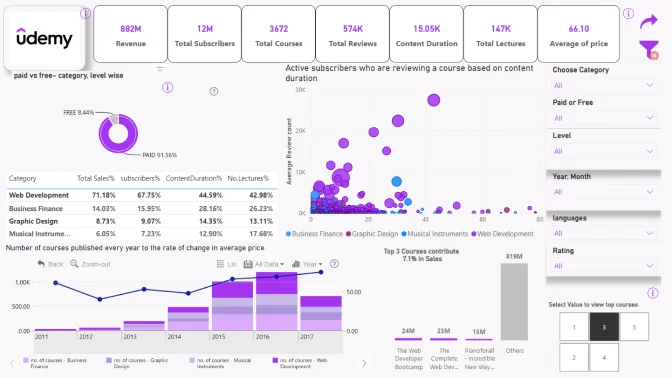
How to use a PBIX template
Preview the interactive report, download the PBIX file, open it in Power BI Desktop, and replace the same data connection with your own dataset.
Preview and download
Explore the report online and download the PBIX template file.
Open in Power BI Desktop
Open the downloaded PBIX file in Power BI Desktop.
Connect your data
Replace the sample data source with your own dataset.
Refresh and adjust
Refresh the model and update fields or visual were needed.
Save and share
Save your report and publish it for your audience.


