1658
Power BI Retail Supply Chain & Sales Analytics Dashboard Template
Power BI Retail Supply Chain & Sales Analytics Dashboard Template
More Report pages
Report Author: Montse Collantes
1658
Share template with others
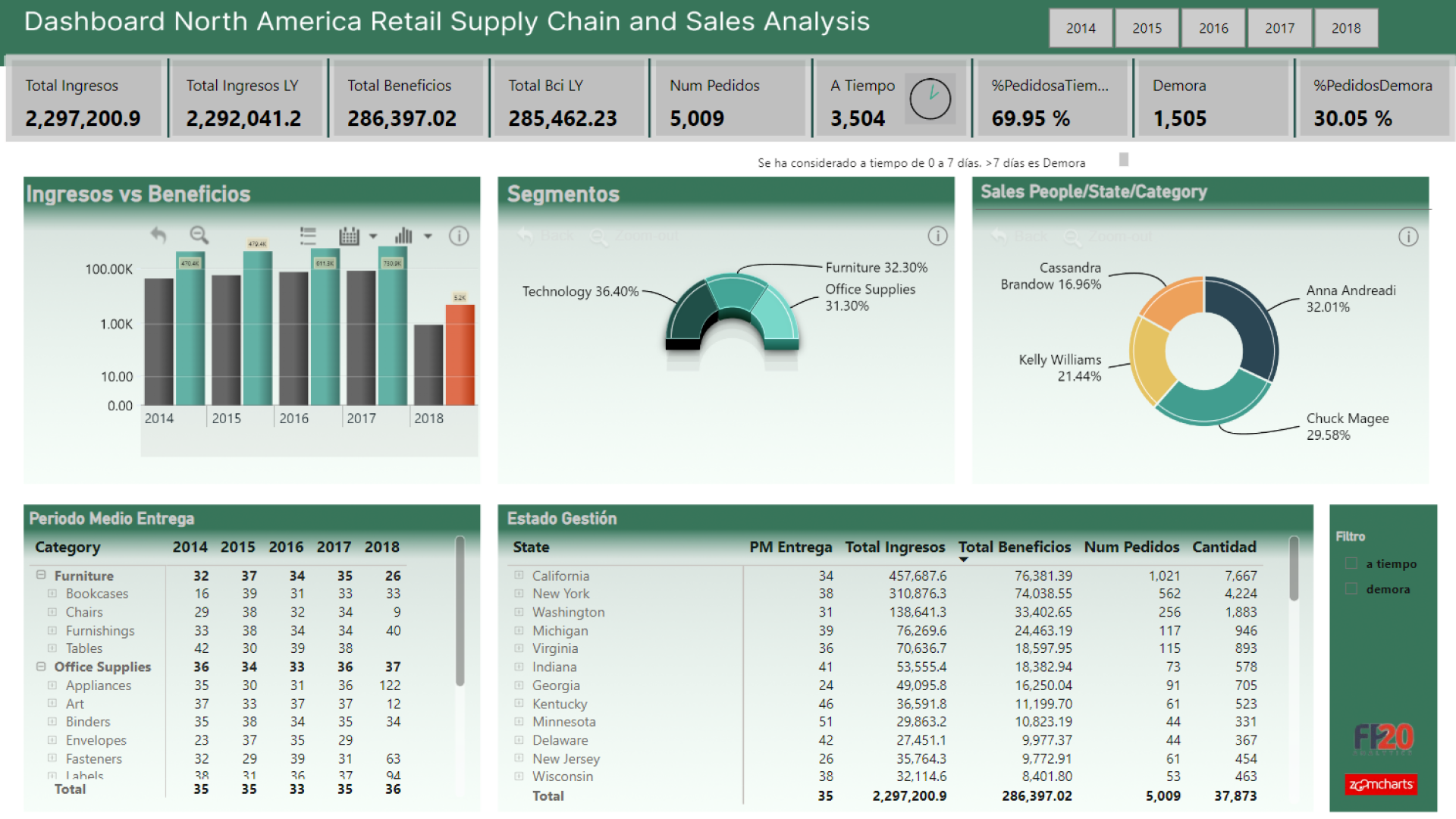
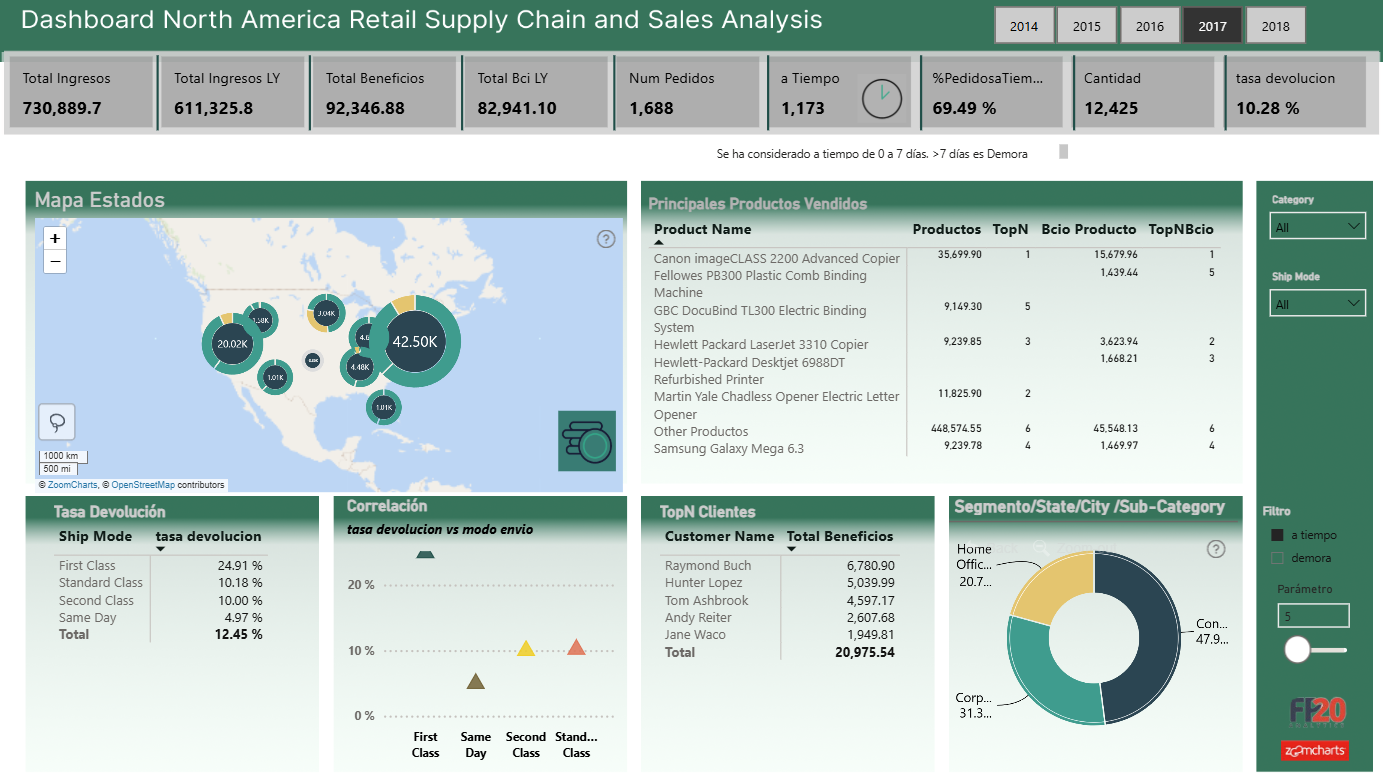
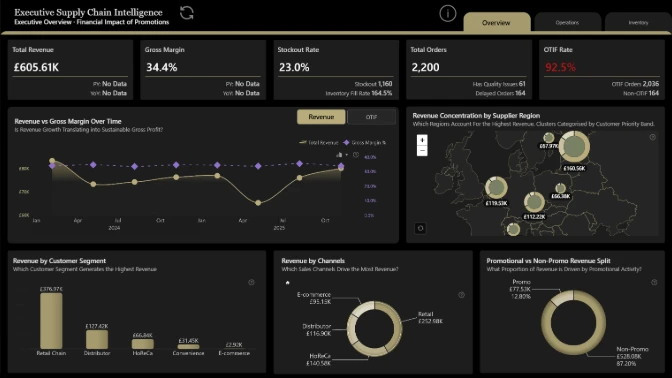
The Power BI Retail Supply Chain & Sales Analytics Dashboard Template gives retail executives, supply chain analysts, and operations teams complete visibility into North American retail sales and logistics fulfillment. This interactive report merges sales performance metrics with supply chain operational health to help businesses optimize inventory distribution and reduce fulfillment delays.
Powered by ZoomCharts Drill Down PRO visuals, users can transition seamlessly from high-level geographic performance down to store-level sales and timeline trends with a single click. Download the customizable .PBIX template file to connect your own retail and supply chain data.
Built by Montse Collantes for FP20 Analytics Challenge | Dataset: North American Retail & Logistics
Strategic Retail & Supply Chain KPIs
-
Regional Supply Chain Map: Visualized using Drill Down Map PRO to track regional sales volume, fulfillment centers, and distribution bottlenecks across North America.
-
Timeline Sales Analytics: Powered by Drill Down Timeline PRO to analyze seasonal sales spikes, quarterly growth, and daily transaction flows.
-
Product & Order Category Composition: Built with Drill Down Donut PRO (Pin) to cross-filter product breakdown, order fulfillment status, and category revenue share.
How to Use This Power BI Template
-
Interactive Demo: Click on map points, donut segments, or timeline slices to cross-filter the report dynamically.
-
Download .PBIX File: Download the pre-built template file directly to Power BI Desktop.
-
Connect Your Dataset: Remap the data model to your own SQL server, Excel sheet, or ERP system to generate instant supply chain insights.
ZoomCharts visuals used




4U Report Challenges
Participate in data challenges, build and submit reports to get free template downloads.
Join CommunityMobile view allows you to interact with the report. To Download the template please switch to desktop view.
How to use a PBIX template
Preview the interactive report, download the PBIX file, open it in Power BI Desktop, and replace the same data connection with your own dataset.
Preview and download
Explore the report online and download the PBIX template file.
Open in Power BI Desktop
Open the downloaded PBIX file in Power BI Desktop.
Connect your data
Replace the sample data source with your own dataset.
Refresh and adjust
Refresh the model and update fields or visual were needed.
Save and share
Save your report and publish it for your audience.


