2877
Power BI Revenue Dashboard Example for Executive Reporting
Power BI Revenue Dashboard Example for Executive Reporting
More Report pages
Report Author: Ivan Baldin
2877
Share template with others
Summary
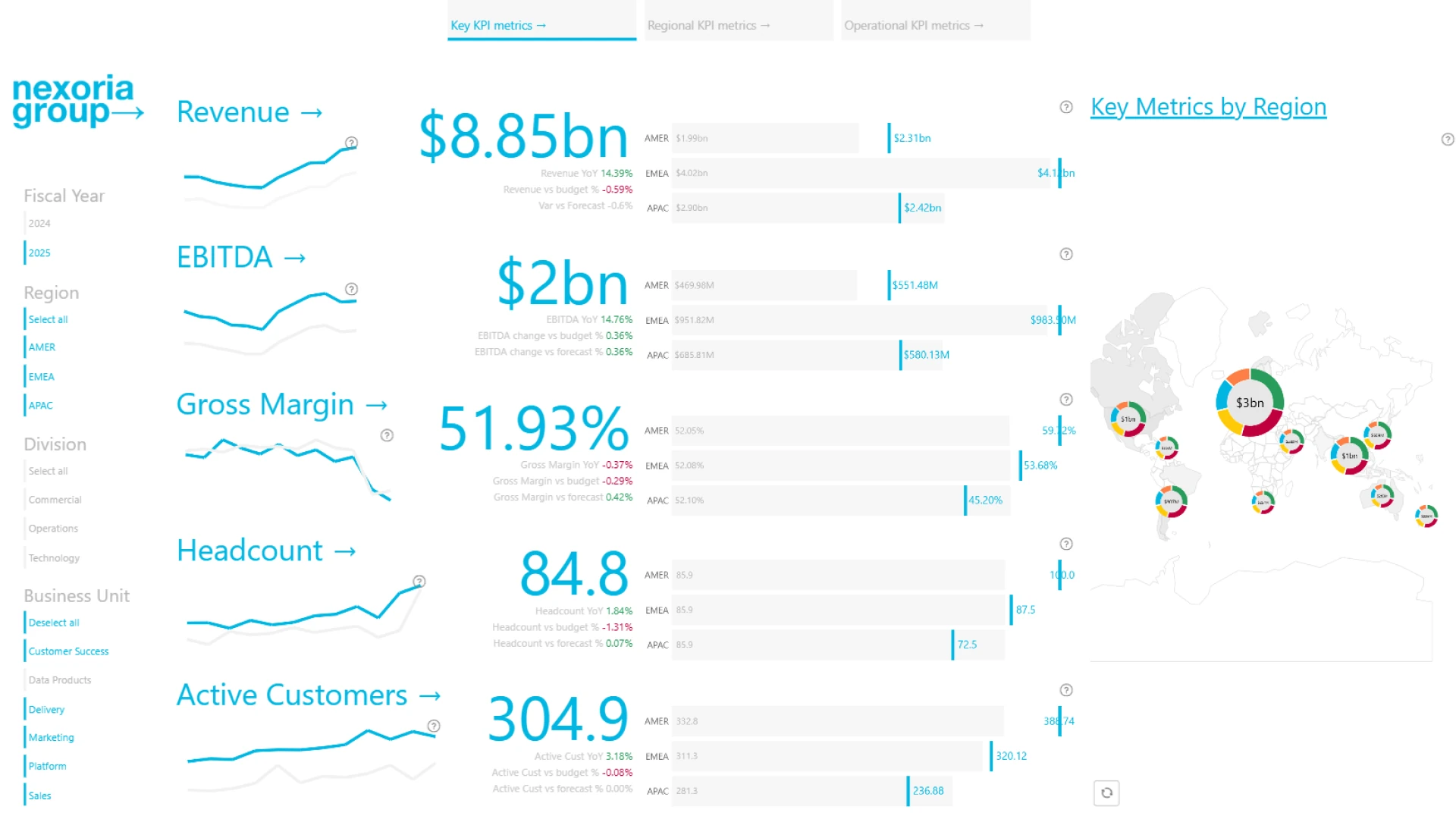
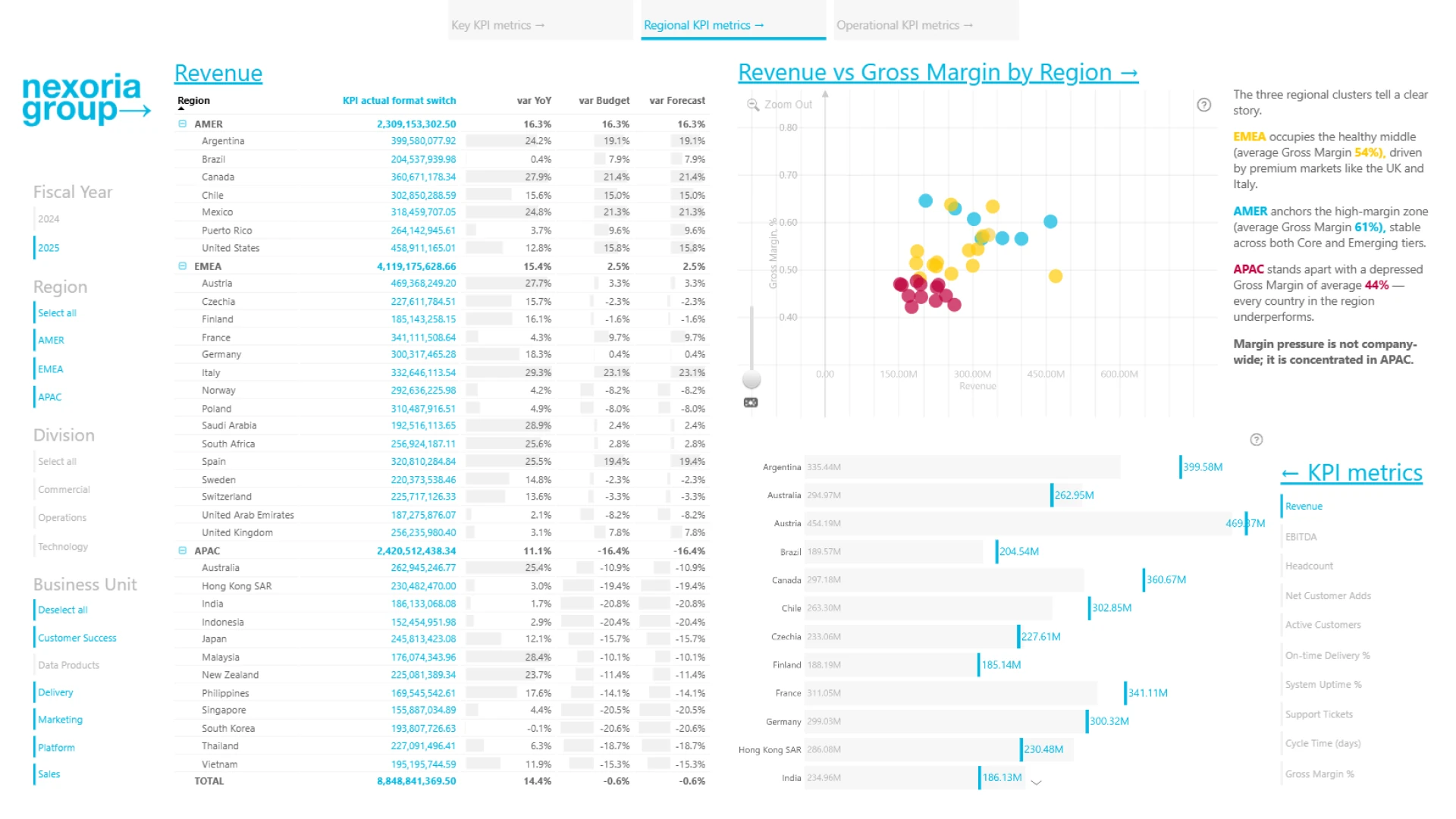
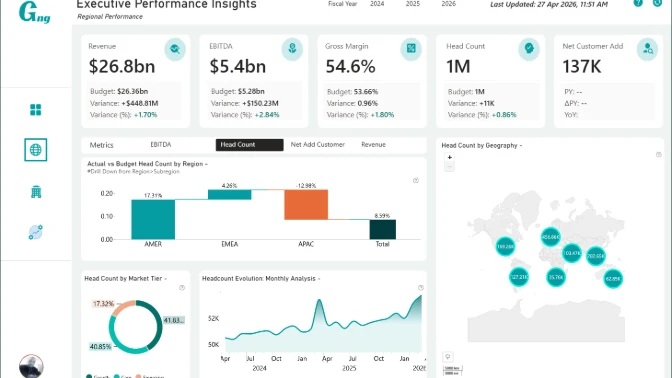
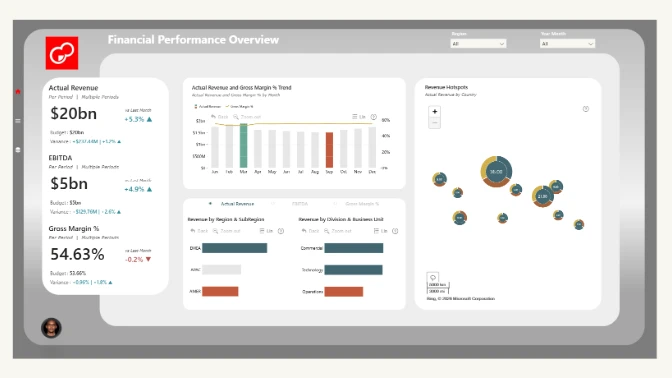
This three-page Power BI executive revenue dashboard brings financial, regional, customer, and operational KPIs into one interactive report. It helps executives and business leaders compare actual results with budgets, forecasts, and prior-year performance while identifying areas that require attention.
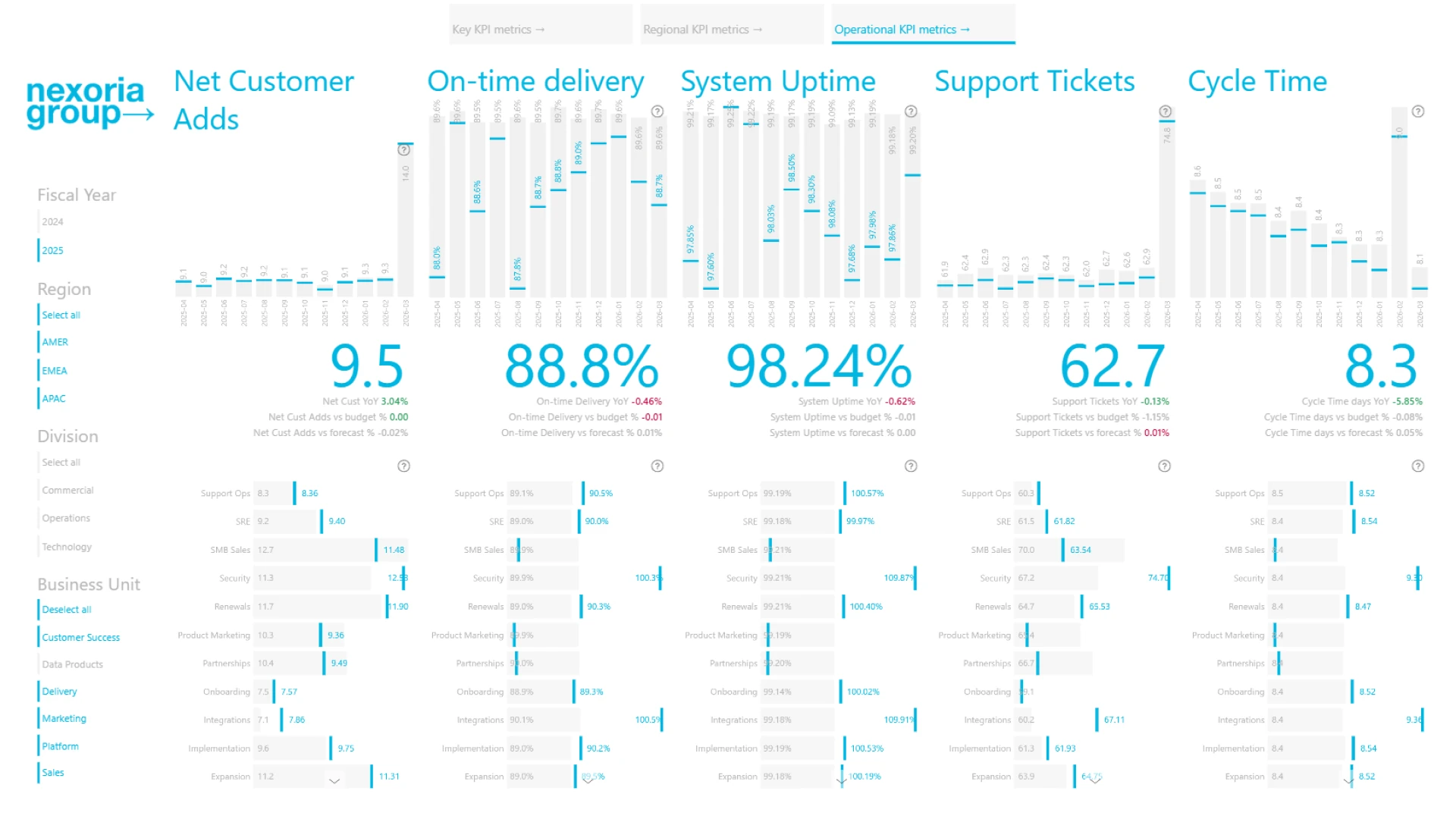
Created by Ivan Baldin, the dashboard covers revenue, EBITDA, gross margin, headcount, customer growth, delivery performance, system uptime, support activity, and cycle time. It was submitted to the ZoomCharts 4U Reports Challenge in April 2026.
Key Insights of the Power BI Executive Revenue & KPI Performance Dashboard
- Revenue performance: Monitor revenue alongside EBITDA, gross margin, and other executive financial KPIs.
- Plan comparison: Compare actual results with budget, forecast, and prior-year performance.
- Regional results: Analyze revenue and gross margin across AMER, EMEA, APAC, and individual countries.
- Customer growth: Review active customers, net customer additions, and related growth measures.
- Operational performance: Track on-time delivery, system uptime, support tickets, and cycle time.
- Organizational analysis: Compare performance by division and business unit to identify stronger and weaker areas.
How to Use This Power BI Executive Revenue & KPI Performance Dashboard
Navigate between the executive KPI, regional KPI, and operational KPI pages to examine performance from different perspectives. Filter the dashboard by fiscal year, region, division, or business unit, and switch between KPI categories to focus the analysis.
Select elements within the charts and map to drill into regional results or compare related measures. Download the PBIX template and open it in Power BI Desktop to review the calculations, interactions, and report structure before adapting it to your own executive reporting data.
ZoomCharts visuals used




4U Report Challenges
Participate in data challenges, build and submit reports to get free template downloads.
Join CommunityMobile view allows you to interact with the report. To Download the template please switch to desktop view.
How to use a PBIX template
Preview the interactive report, download the PBIX file, open it in Power BI Desktop, and replace the same data connection with your own dataset.
Preview and download
Explore the report online and download the PBIX template file.
Open in Power BI Desktop
Open the downloaded PBIX file in Power BI Desktop.
Connect your data
Replace the sample data source with your own dataset.
Refresh and adjust
Refresh the model and update fields or visual were needed.
Save and share
Save your report and publish it for your audience.