646
Power BI Energy Site Comparison Dashboard
Power BI Energy Site Comparison Dashboard
More Report pages
Report Author: Pooja Nair
646
Share template with others
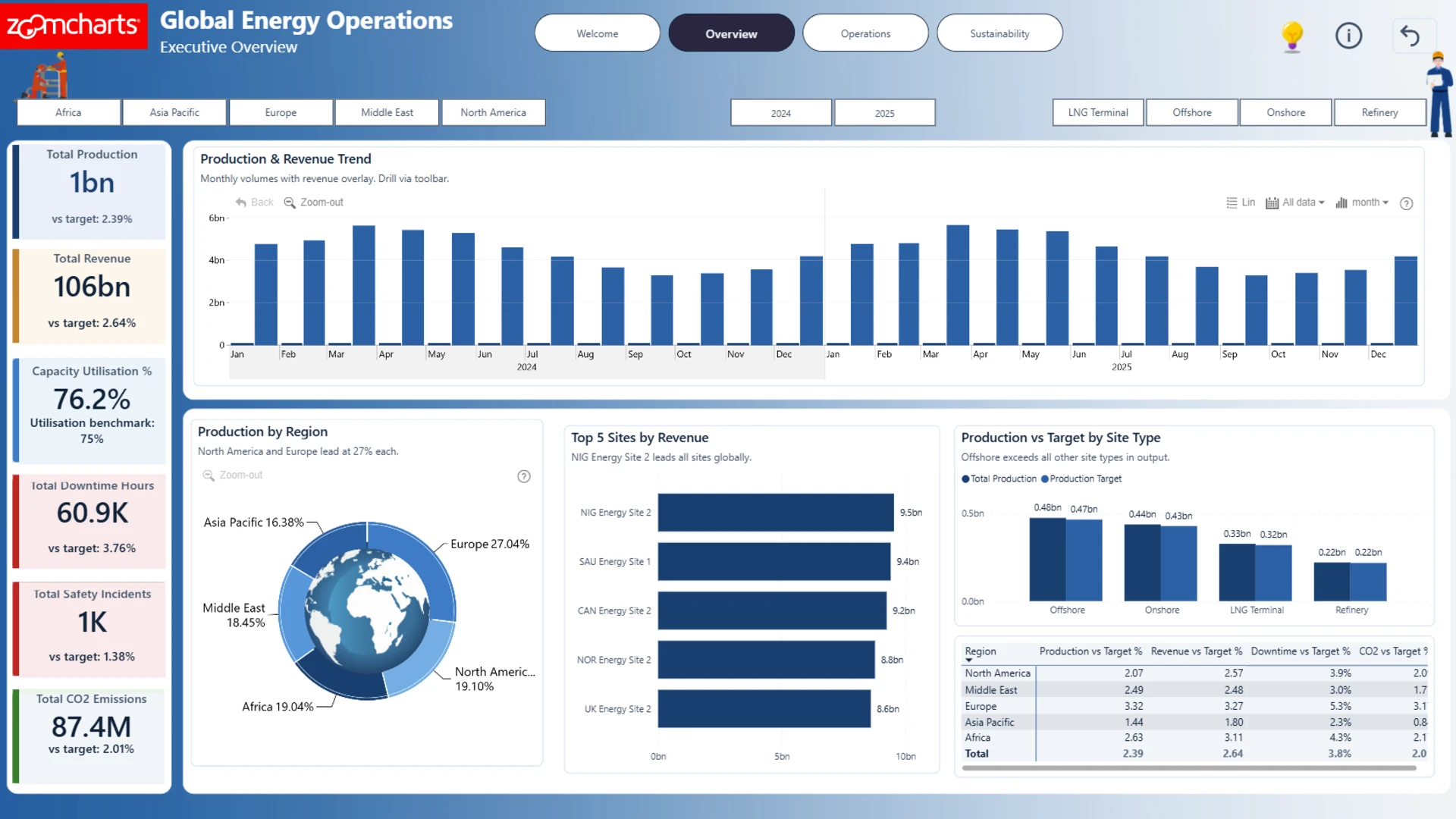
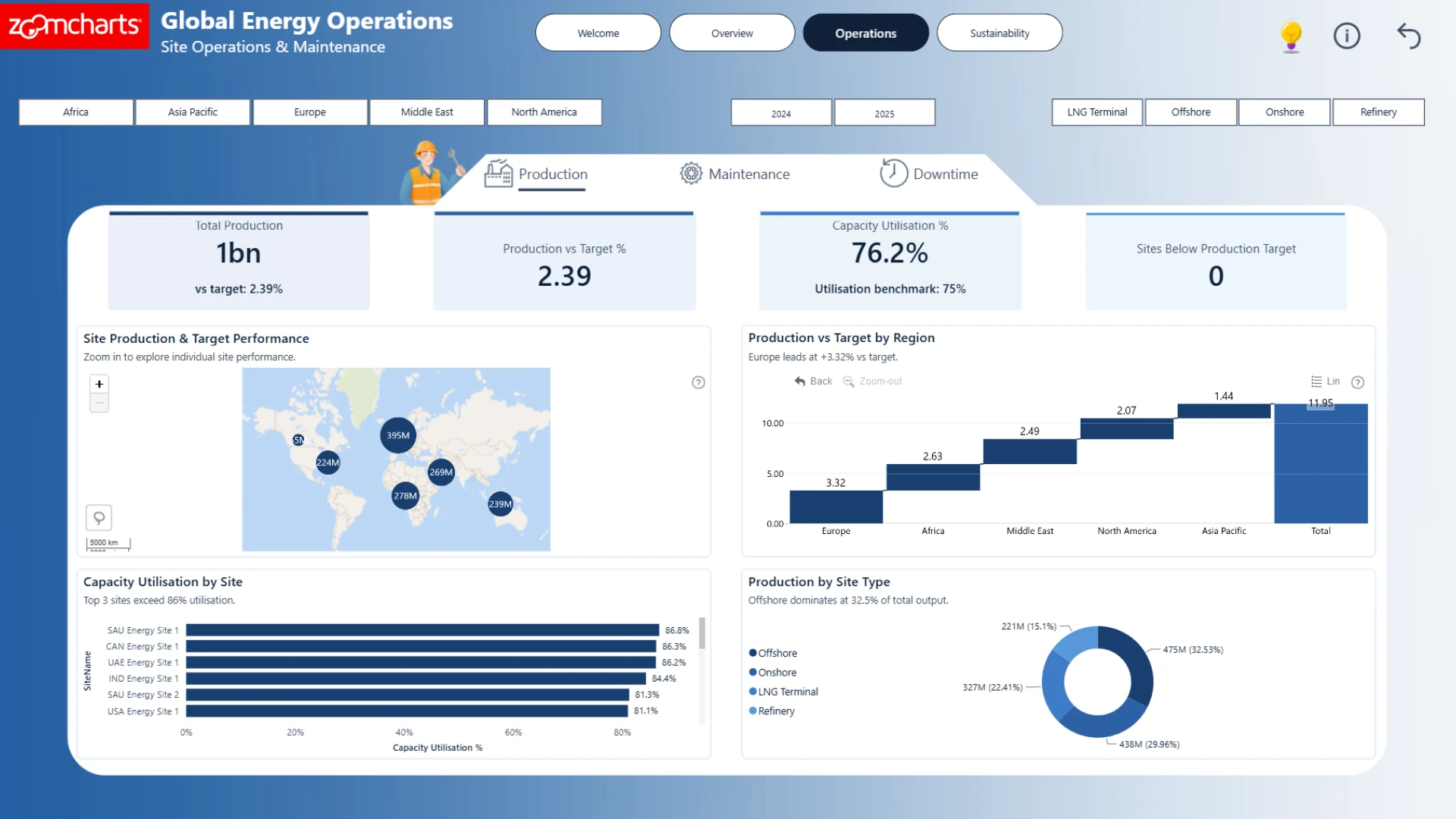
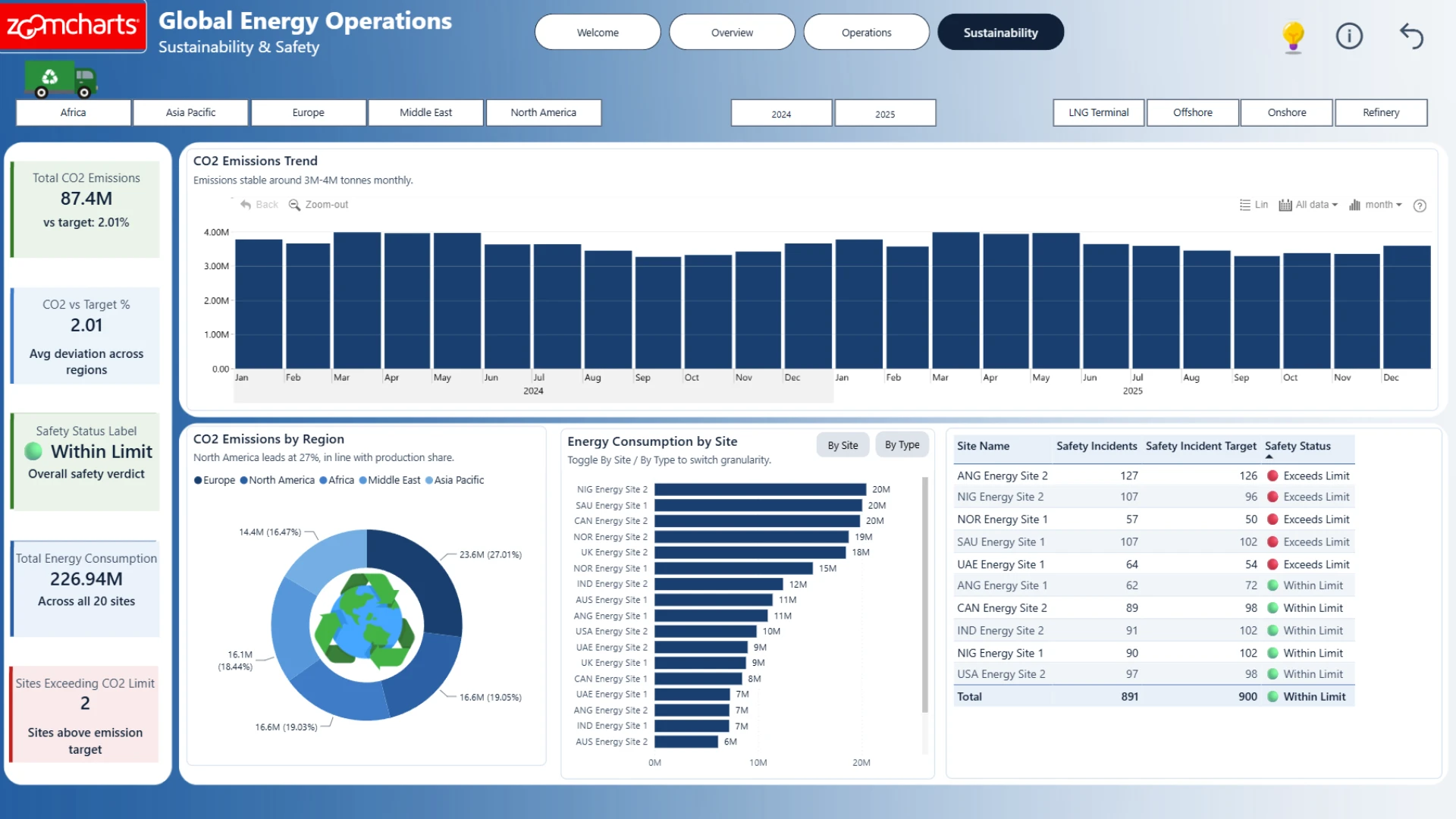
Explore an interactive Power BI dashboard for energy site comparison. Built with native Power BI visuals and ZoomCharts Drill Down Visuals, the report helps analyze production, maintenance, downtime, safety, sustainability, operational performance, and financial KPIs to support better business decisions. This report was created for the ZoomCharts 4U Report Challenge June 2026, where Power BI developers showcase their data visualization expertise by solving real-world business use cases using native Power BI visuals together with ZoomCharts Drill Down Visuals.
Author's description: A ZoomCharts 4U Challenge June 2026 submission built in Power BI, analysing executive intelligence across 20 oil, gas and energy sites spanning 5 global regions for FY 2024–25. Covers production performance vs target, site operations and maintenance, capacity utilisation, sustainability metrics, CO₂ emissions trends, and safety incidents by region and site type. Features ZoomCharts custom visuals, an animated oil rig welcome page, bookmark-driven interactivity, and a dark navy design system with amber accents. Built by Pooja Nair.
ZoomCharts visuals used




4U Report Challenges
Participate in data challenges, build and submit reports to get free template downloads.
Join CommunityMobile view allows you to interact with the report. To Download the template please switch to desktop view.
How to use a PBIX template
Preview the interactive report, download the PBIX file, open it in Power BI Desktop, and replace the same data connection with your own dataset.
Preview and download
Explore the report online and download the PBIX template file.
Open in Power BI Desktop
Open the downloaded PBIX file in Power BI Desktop.
Connect your data
Replace the sample data source with your own dataset.
Refresh and adjust
Refresh the model and update fields or visual were needed.
Save and share
Save your report and publish it for your audience.


