164
PMO Portfolio: From Strategy to Success
PMO Portfolio: From Strategy to Success
More Report pages
Report Author: Mohammed Ali Jamaludeen
164
Share template with others
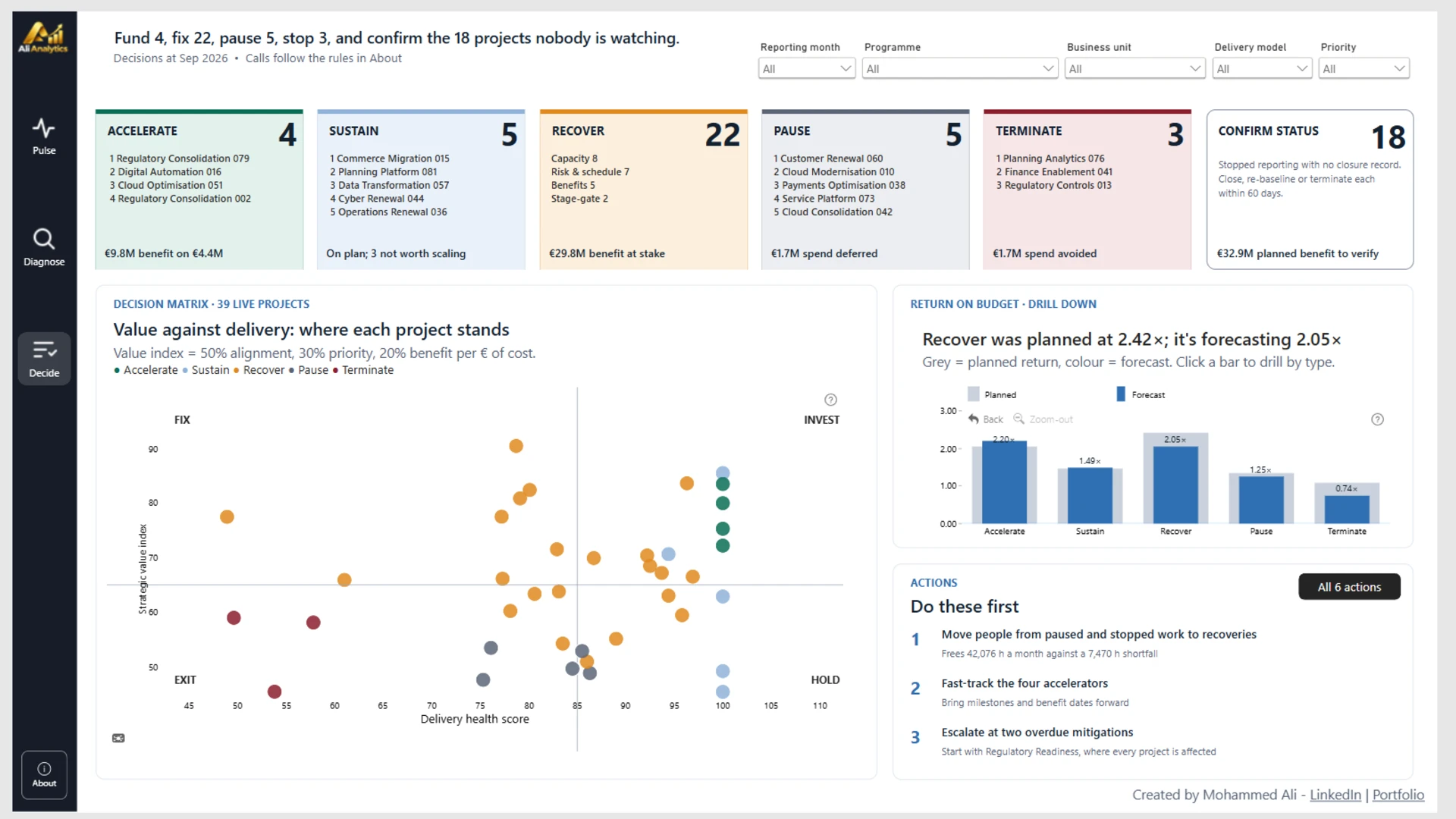
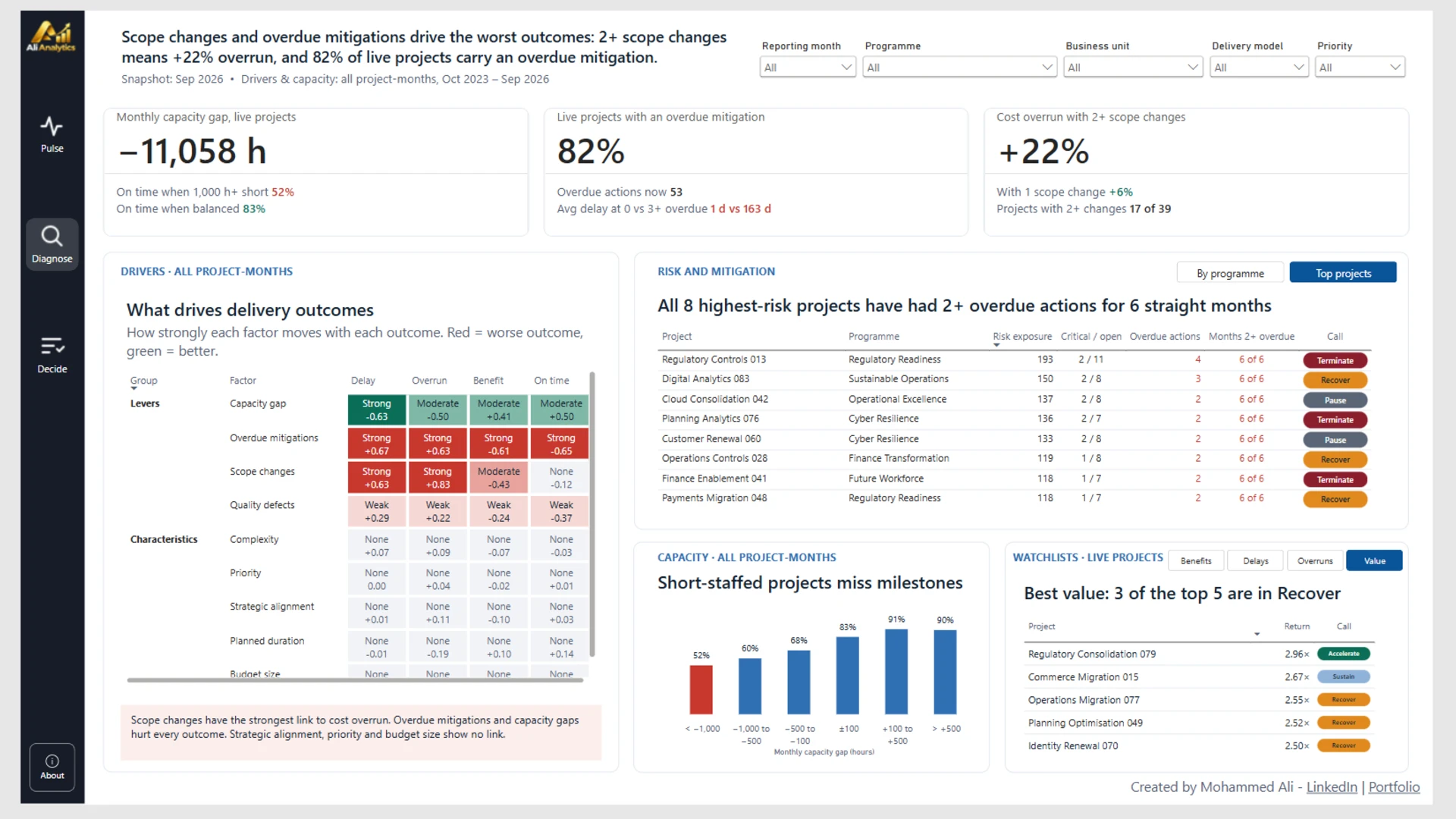
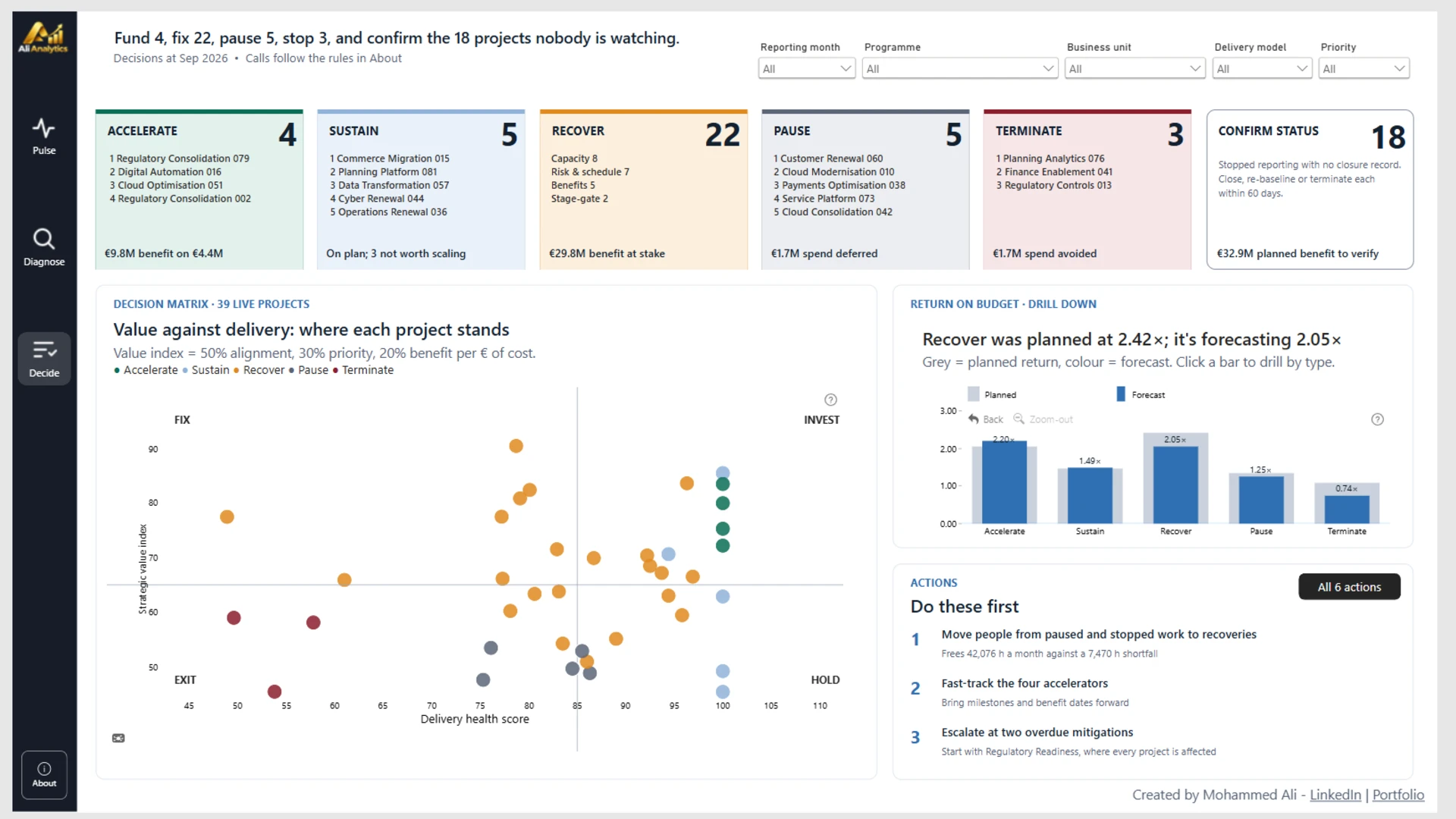
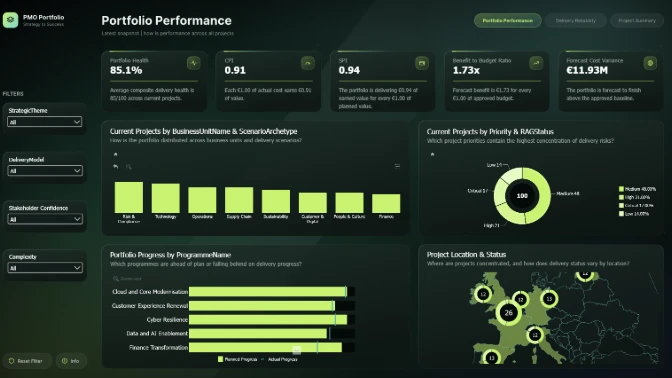
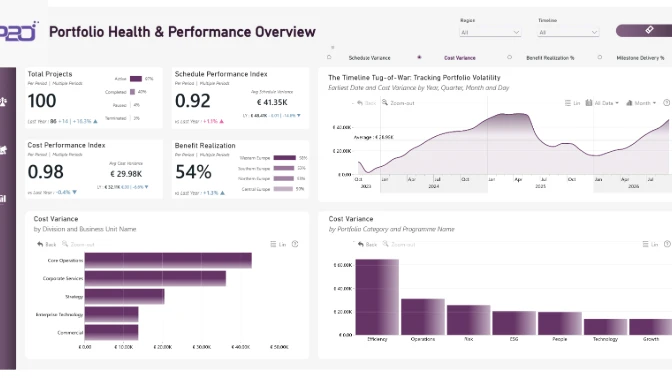
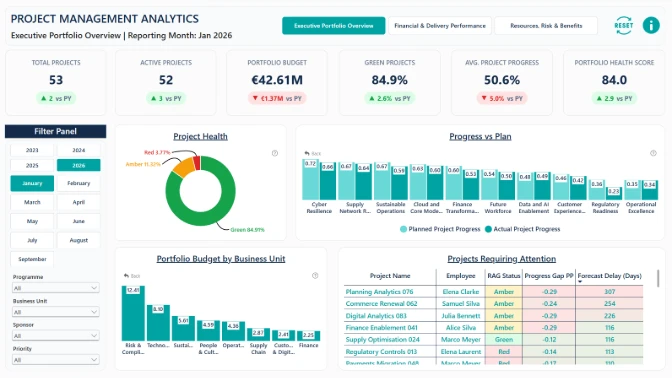
An interactive Power BI project portfolio dashboard designed to transform PMO performance data into actionable business insights. Monitor portfolio health, project delivery performance, forecast cost overruns, schedule delays, and expected benefits across 39 active projects. Explore monthly KPI trends, compare year-over-year performance, and identify whether portfolio health is improving or deteriorating. Analyze performance gaps across programmes, business units, project categories, locations, delivery models, and strategic priorities to uncover the key drivers of delivery inefficiencies. The report combines executive-level portfolio monitoring with interactive drill-down analysis to help decision-makers identify underperforming initiatives, prioritize recovery actions, optimize resource allocation, and determine which projects to accelerate, recover, pause, or terminate.
Built with Power BI and ZoomCharts Drill Down PRO visuals as part of the FP20 Analytics & ZoomCharts Challenge 41, focused on PMO Project Portfolio Data Analysis and Visualization.


4U Report Challenges
Participate in data challenges, build and submit reports to get free template downloads.
Join CommunityMobile view allows you to interact with the report. To Download the template please switch to desktop view.
How to use a PBIX template
Preview the interactive report, download the PBIX file, open it in Power BI Desktop, and replace the same data connection with your own dataset.
Preview and download
Explore the report online and download the PBIX template file.
Open in Power BI Desktop
Open the downloaded PBIX file in Power BI Desktop.
Connect your data
Replace the sample data source with your own dataset.
Refresh and adjust
Refresh the model and update fields or visual were needed.
Save and share
Save your report and publish it for your audience.


