1042
Onyx Data Merchandise Sales Report
Onyx Data Merchandise Sales Report
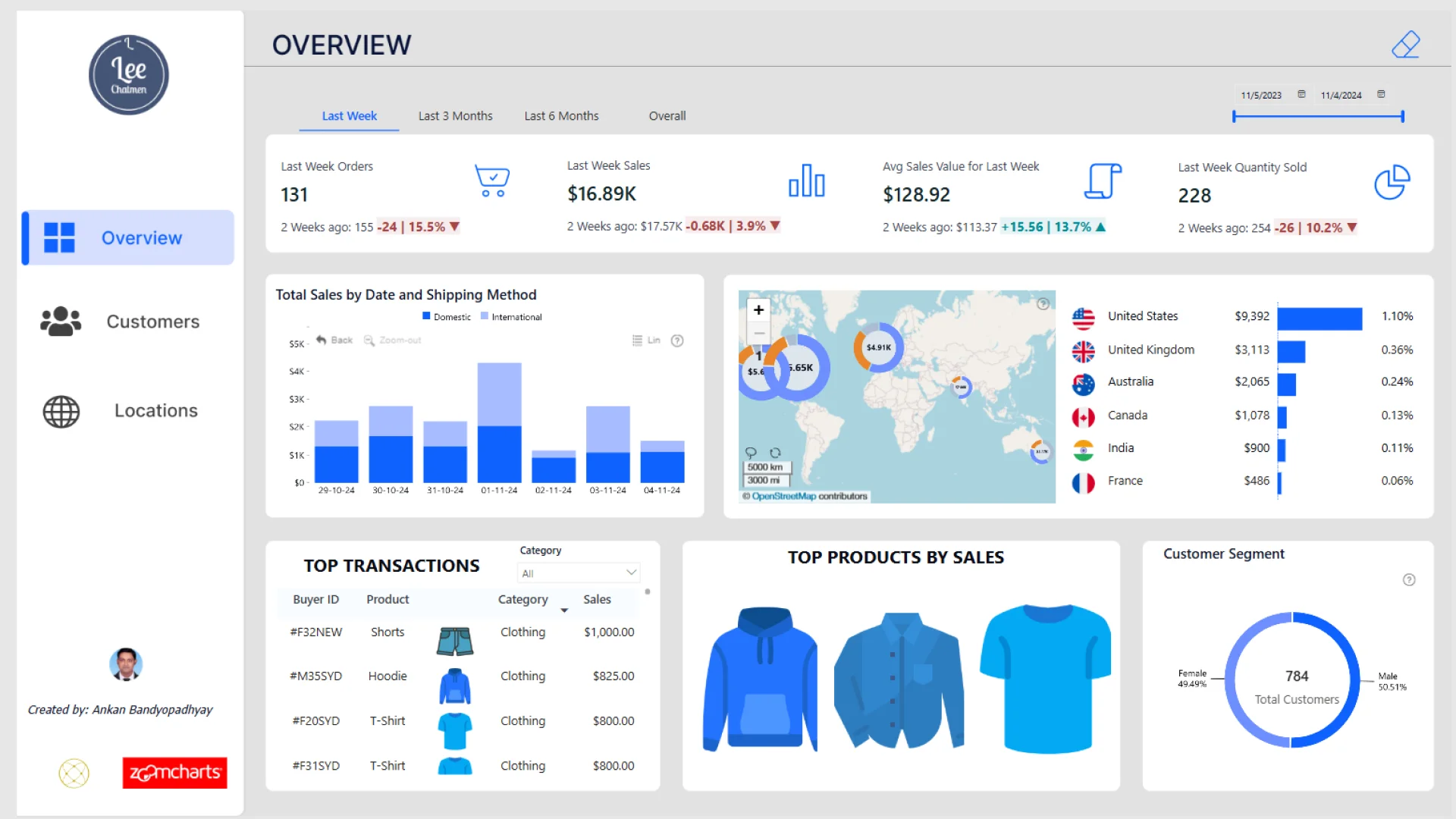
Report Author: Ankan Bandyopadhyay
1042
Share template with others
Report submitted for Onyx Data DataDNA ZoomCharts Mini Challenge, January 2025. The report is based on the Merchandise Sales dataset and includes ZoomCharts custom Drill Down PRO visuals for Power BI.
Author's description:
This interactive Power BI report provides a comprehensive analysis of Lee Chatmen's merchandise sales. It is divided into three key pages: Overview: A snapshot of key metrics like total sales, orders, and quantity sold, with breakdowns by shipping method, top transactions, and products. Customers: Insights into customer demographics, purchase patterns, average ratings, and age group analysis with detailed visuals for repeat purchases and spending trends. Locations: A geographic analysis of sales, shipping charges, and average ratings across cities and countries, highlighting top-performing regions. The report is designed with dynamic filters (Last Week, Last 3 Months, Last 6 Months) to provide actionable insights and enhance decision-making.
ZoomCharts visuals used





4U Report Challenges
Participate in data challenges, build and submit reports to get free template downloads.
Join CommunityMobile view allows you to interact with the report. To Download the template please switch to desktop view.
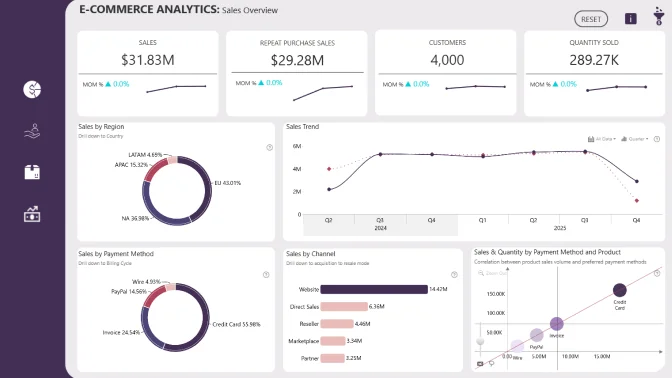
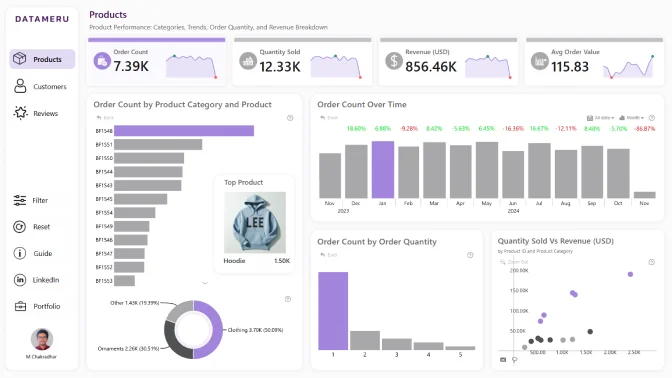
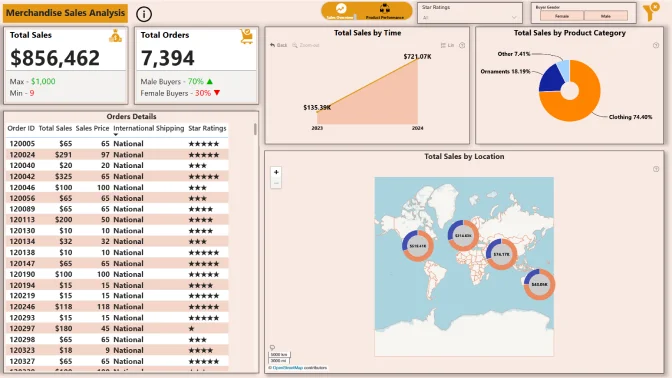
How to use a PBIX template
Preview the interactive report, download the PBIX file, open it in Power BI Desktop, and replace the same data connection with your own dataset.
Preview and download
Explore the report online and download the PBIX template file.
Open in Power BI Desktop
Open the downloaded PBIX file in Power BI Desktop.
Connect your data
Replace the sample data source with your own dataset.
Refresh and adjust
Refresh the model and update fields or visual were needed.
Save and share
Save your report and publish it for your audience.


