3244
Power BI Ecommerce Merchandise Sales Analytics Dashboard
Power BI Ecommerce Merchandise Sales Analytics Dashboard
More Report pages
Report Author: Chakradhar Mantena
3244
Share template with others
Summary
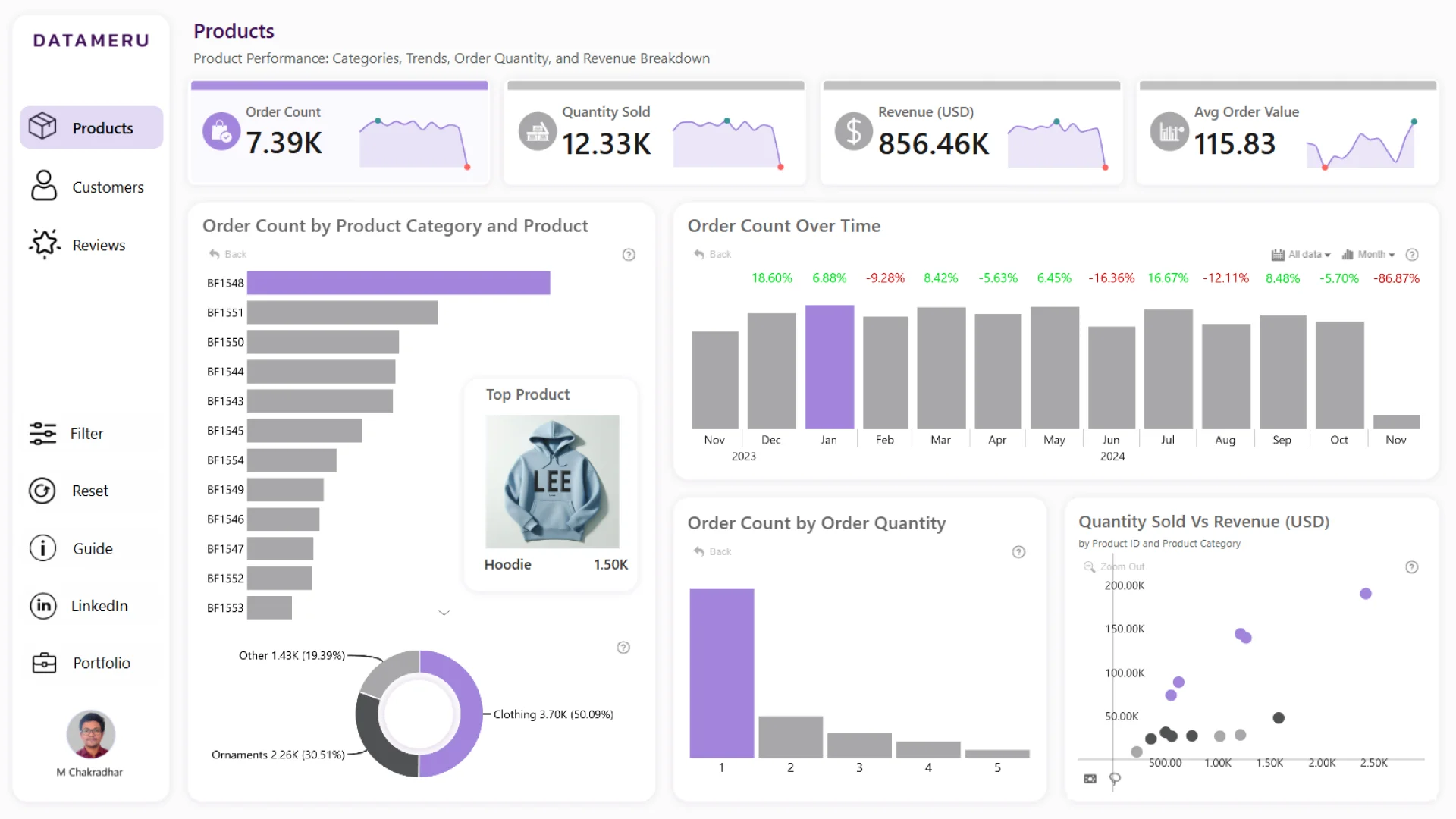
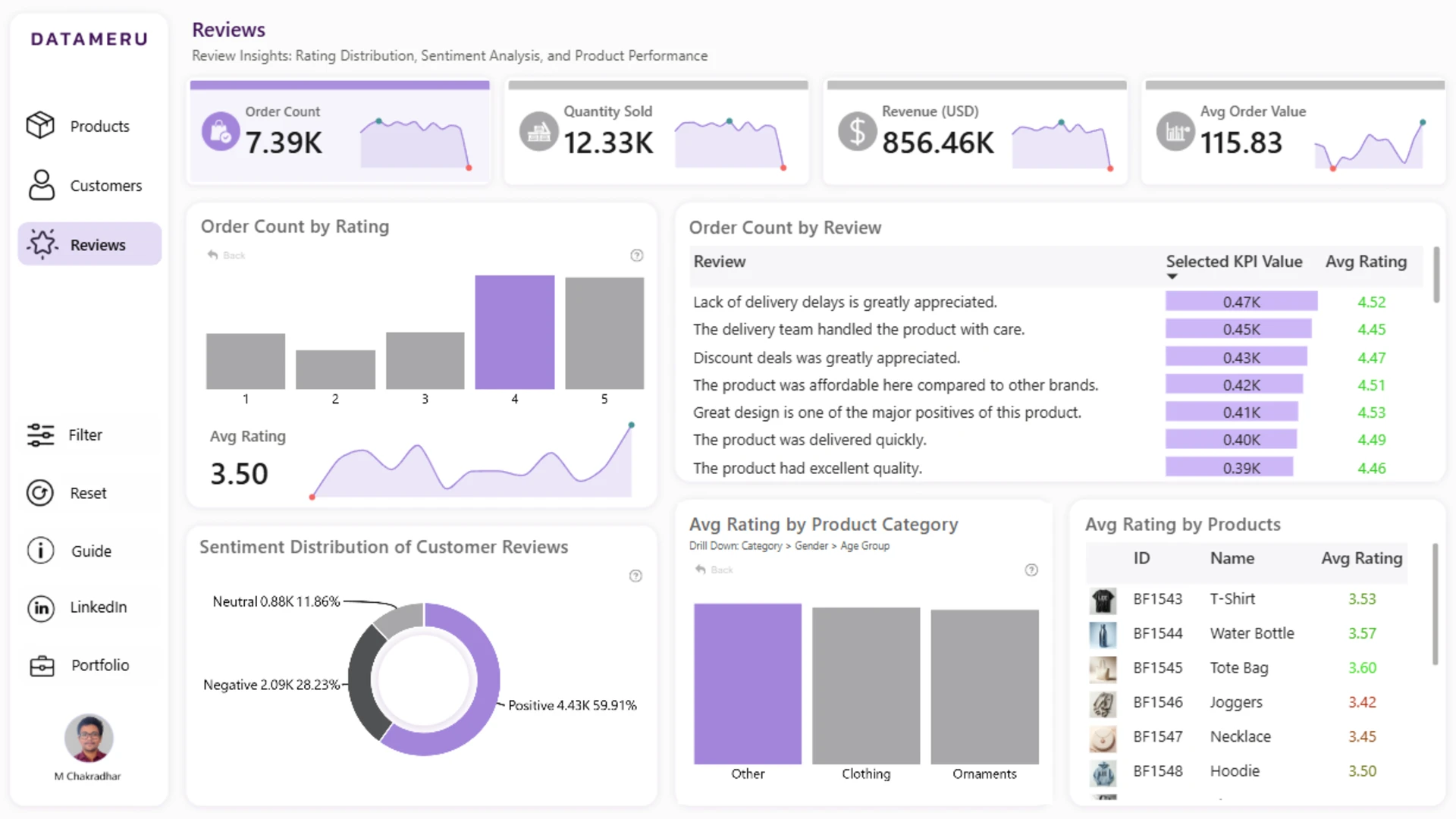
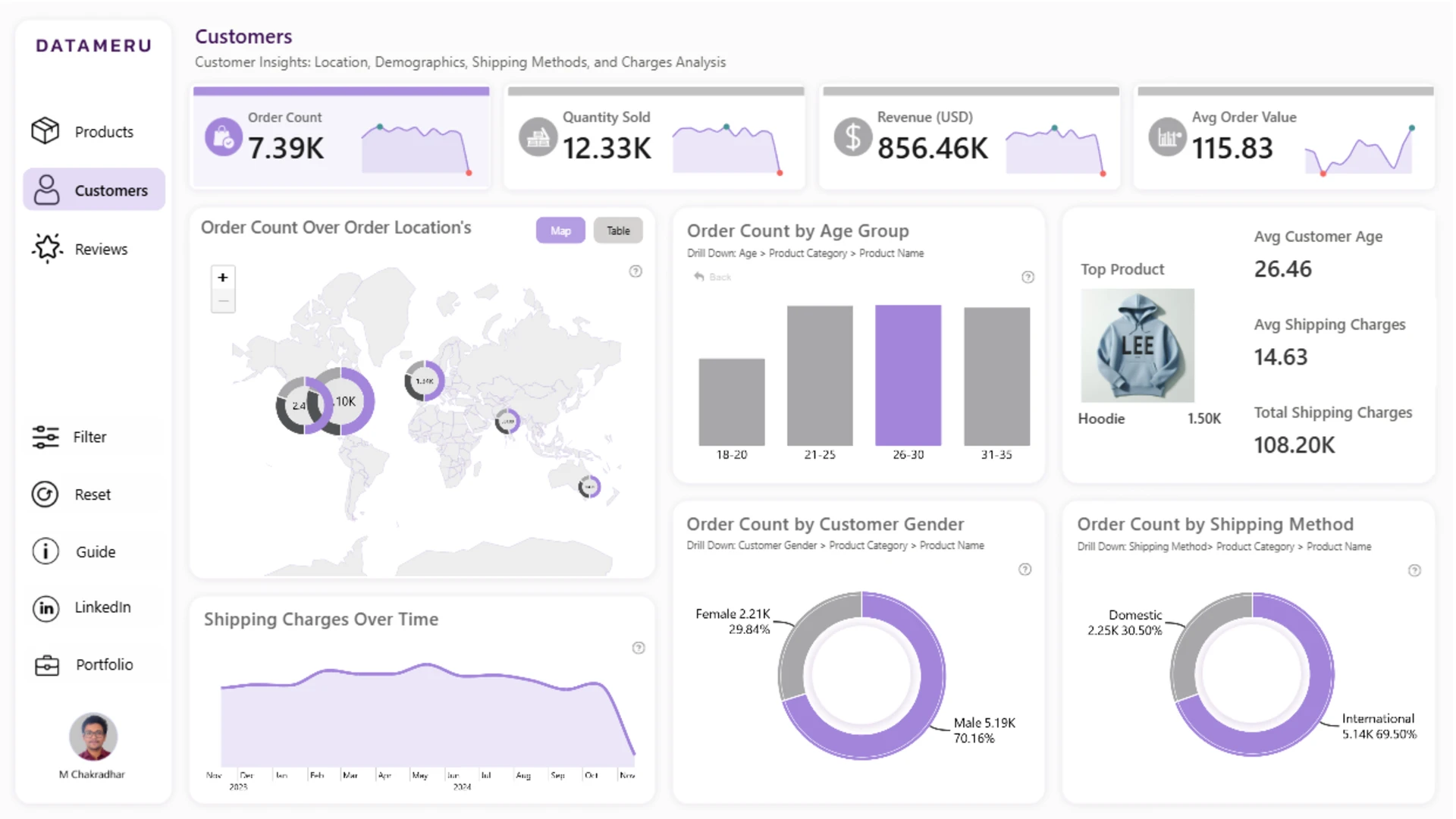
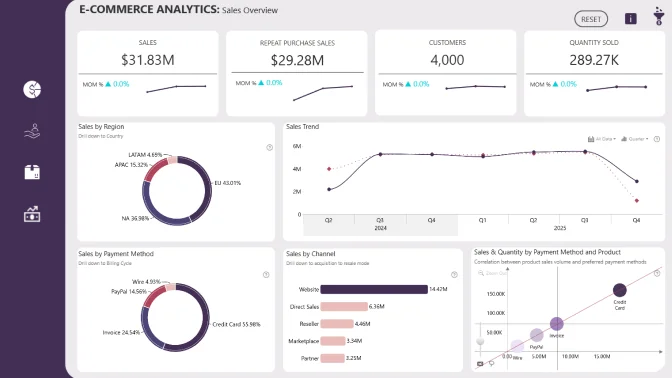
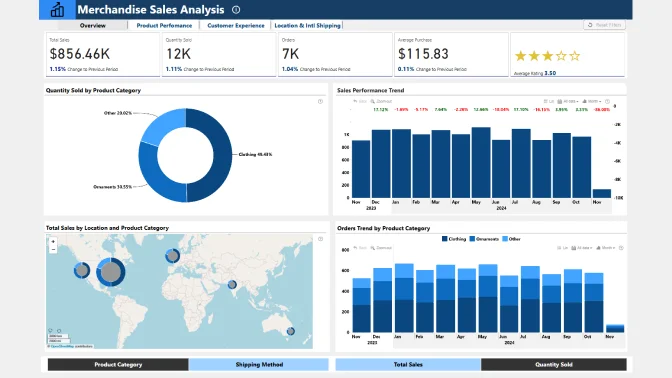
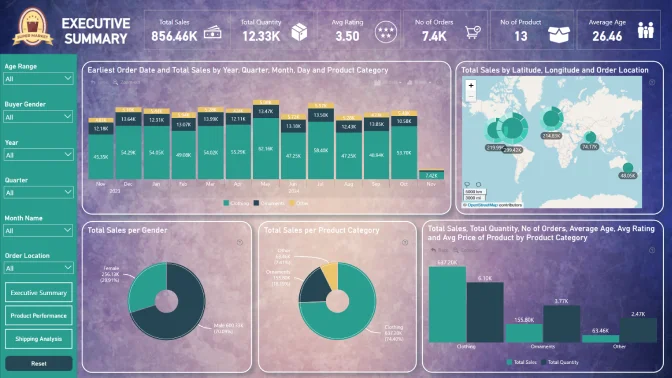
This Power BI ecommerce merchandise sales dashboard helps users analyze sales performance, product trends, customer behavior, and regional results. It provides several interactive views for comparing merchandise categories, time periods, customer segments, and locations.
The report was created by Chakradhar Mantena and combines ZoomCharts Drill Down PRO visuals with native Power BI visuals.
Key Insights of the Power BI Ecommerce Merchandise Sales Analytics Dashboard
The report presents merchandise sales data from several complementary perspectives. Its main analytical capabilities include:
- Sales performance: compare ecommerce sales results across the dimensions available in the report
- Product trends: examine how merchandise categories and products perform over time
- Customer behavior: explore patterns across the available customer groups and sales segments
- Regional results: compare merchandise sales performance across locations
- Category composition: understand how individual merchandise groups contribute to overall results
- Metric relationships: identify correlations, clusters, and unusual observations within the sales data
Scatter, Combo, Combo Bar, Timeline, Map, and Donut visuals provide correlation, trend, comparison, time-based, geographic, and category-composition views. Interactive filtering helps users move from an overall sales picture to a selected category, customer segment, period, or location.
How to Use This Power BI Ecommerce Merchandise Sales Analytics Dashboard
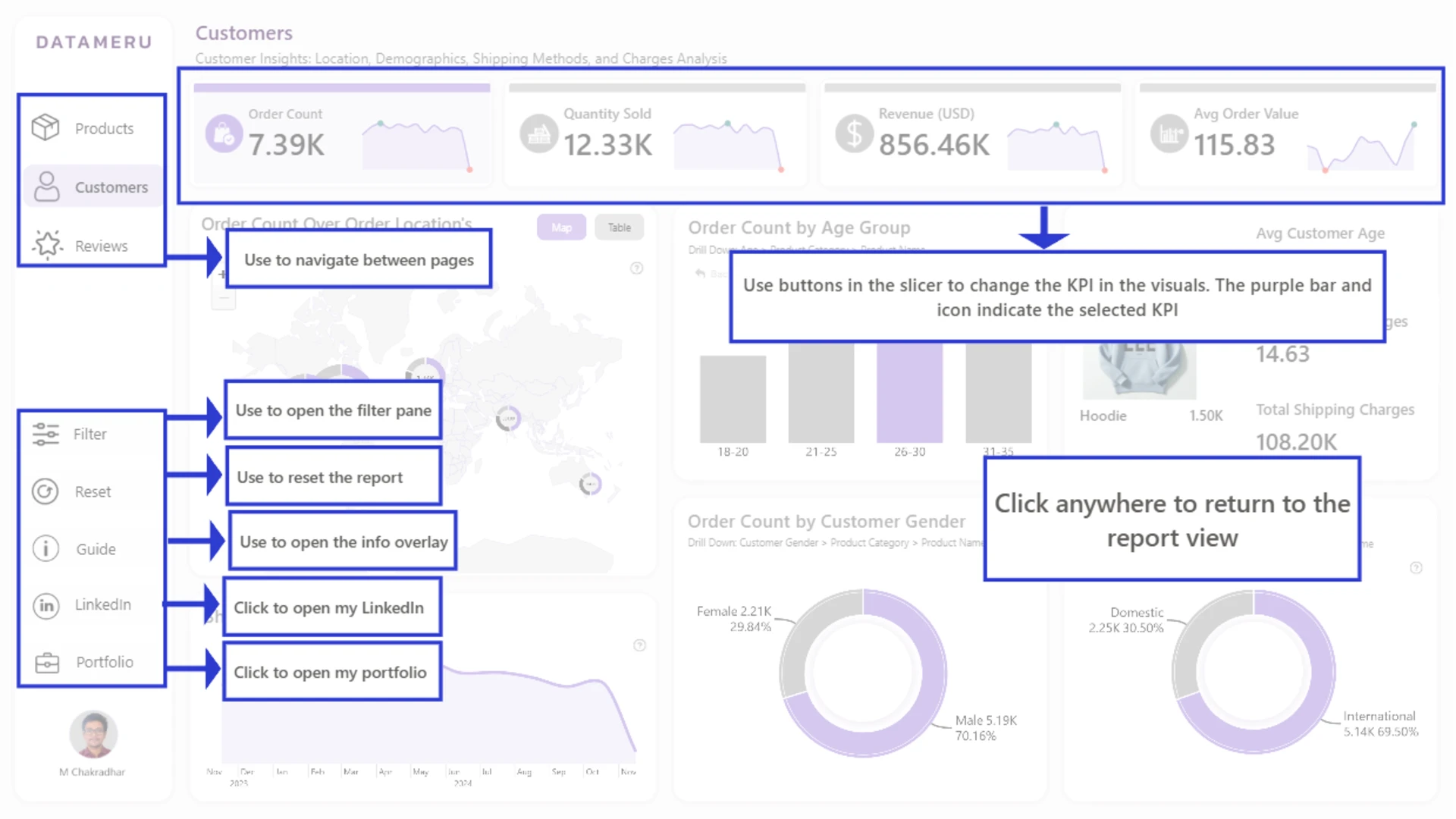
Click a scatter point, chart series, timeline period, map location, or donut segment to filter the related sales data. Use the visuals together to compare merchandise performance and investigate product, customer, regional, and time-based patterns.
Download the PBIX template to review the report structure, calculations, data model, and visual settings in Power BI Desktop. Connect it to your own ecommerce data and adjust the products, merchandise categories, customer fields, locations, dates, and sales measures as needed.
ZoomCharts visuals used






4U Report Challenges
Participate in data challenges, build and submit reports to get free template downloads.
Join CommunityMobile view allows you to interact with the report. To Download the template please switch to desktop view.
How to use a PBIX template
Preview the interactive report, download the PBIX file, open it in Power BI Desktop, and replace the same data connection with your own dataset.
Preview and download
Explore the report online and download the PBIX template file.
Open in Power BI Desktop
Open the downloaded PBIX file in Power BI Desktop.
Connect your data
Replace the sample data source with your own dataset.
Refresh and adjust
Refresh the model and update fields or visual were needed.
Save and share
Save your report and publish it for your audience.


