799
Oil & Gas Production Analytics Report for Power BI
Oil & Gas Production Analytics Report for Power BI
More Report pages
Report Author: Akindele Omolayo
799
Share template with others
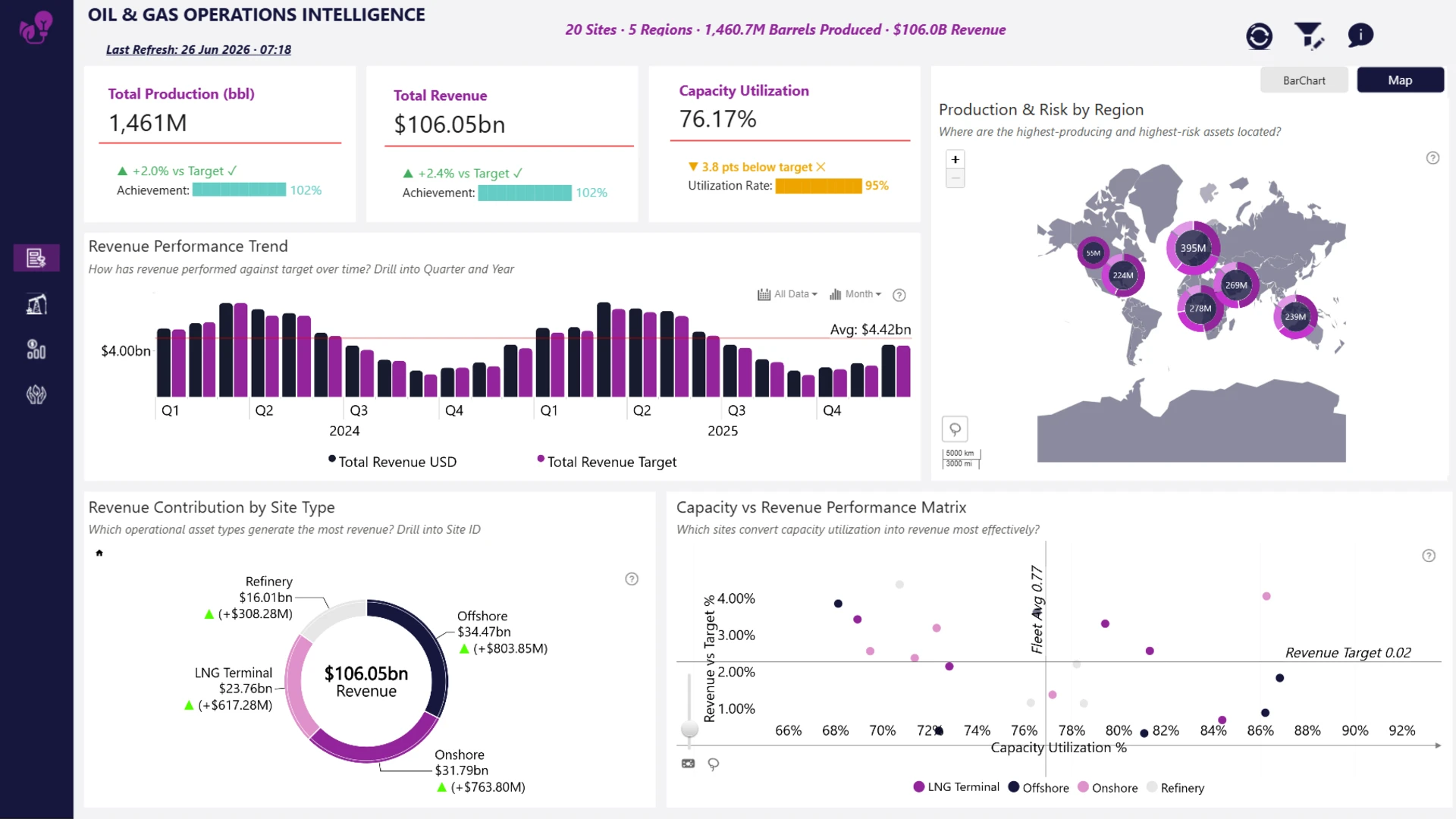
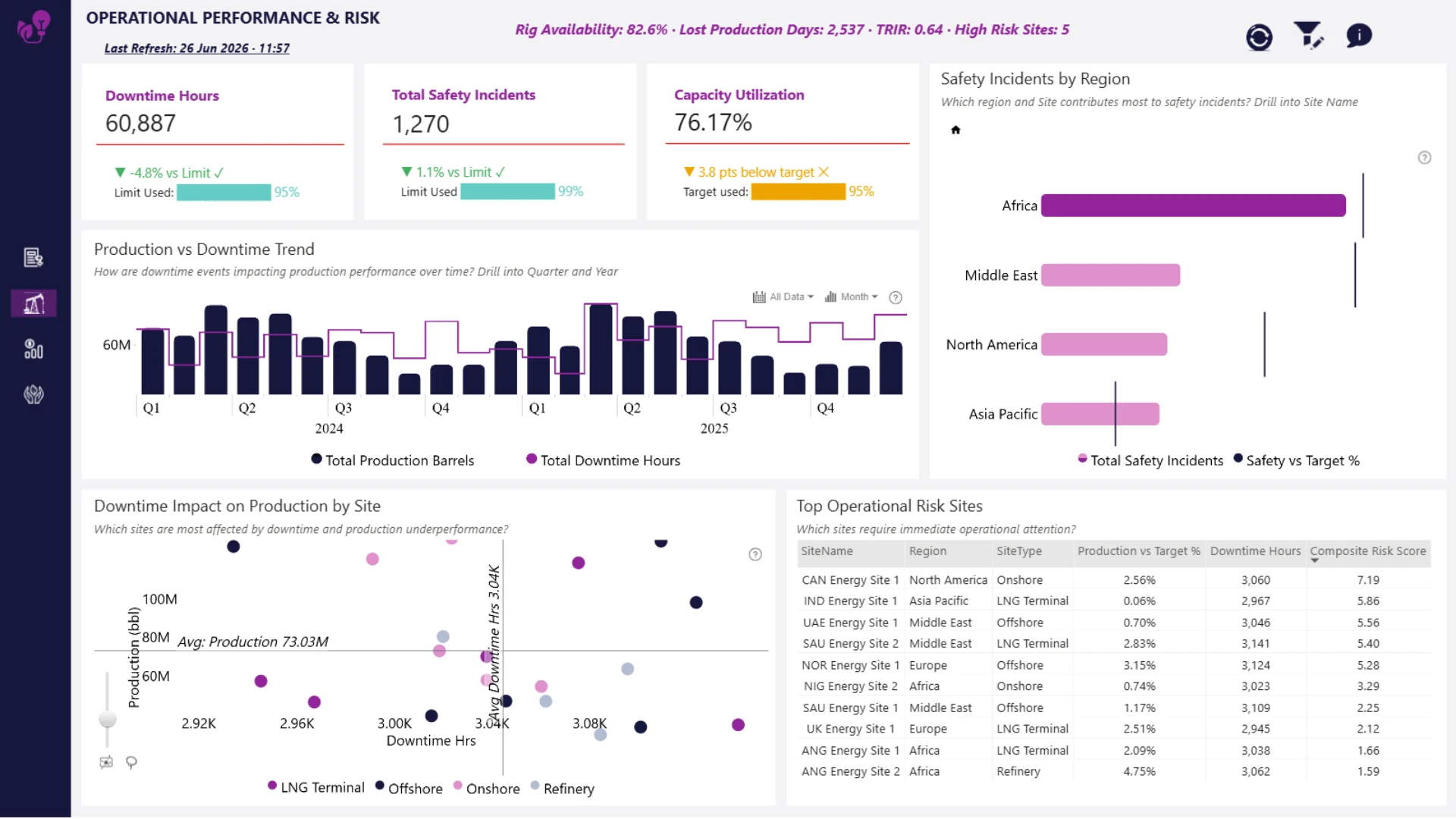
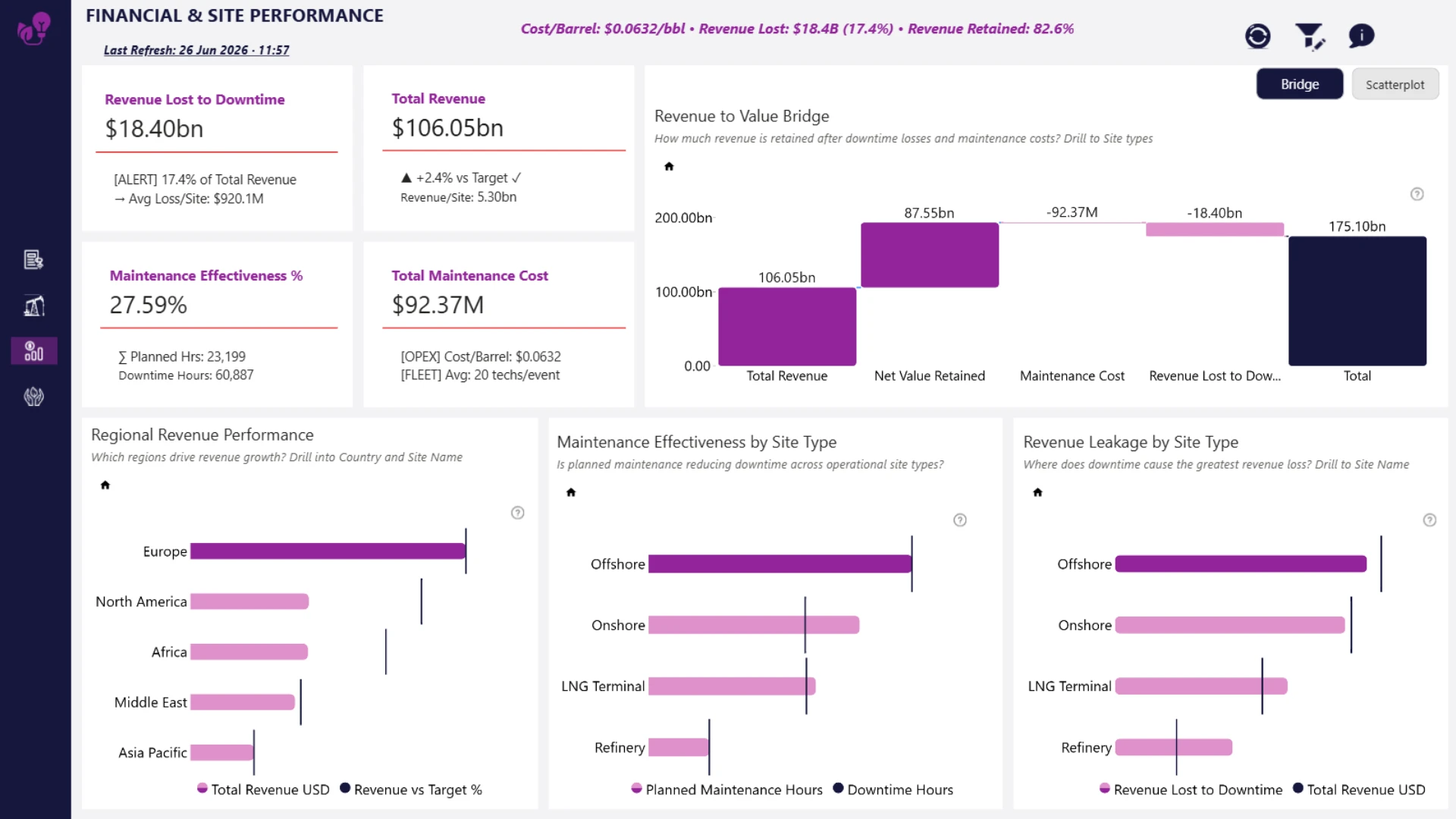
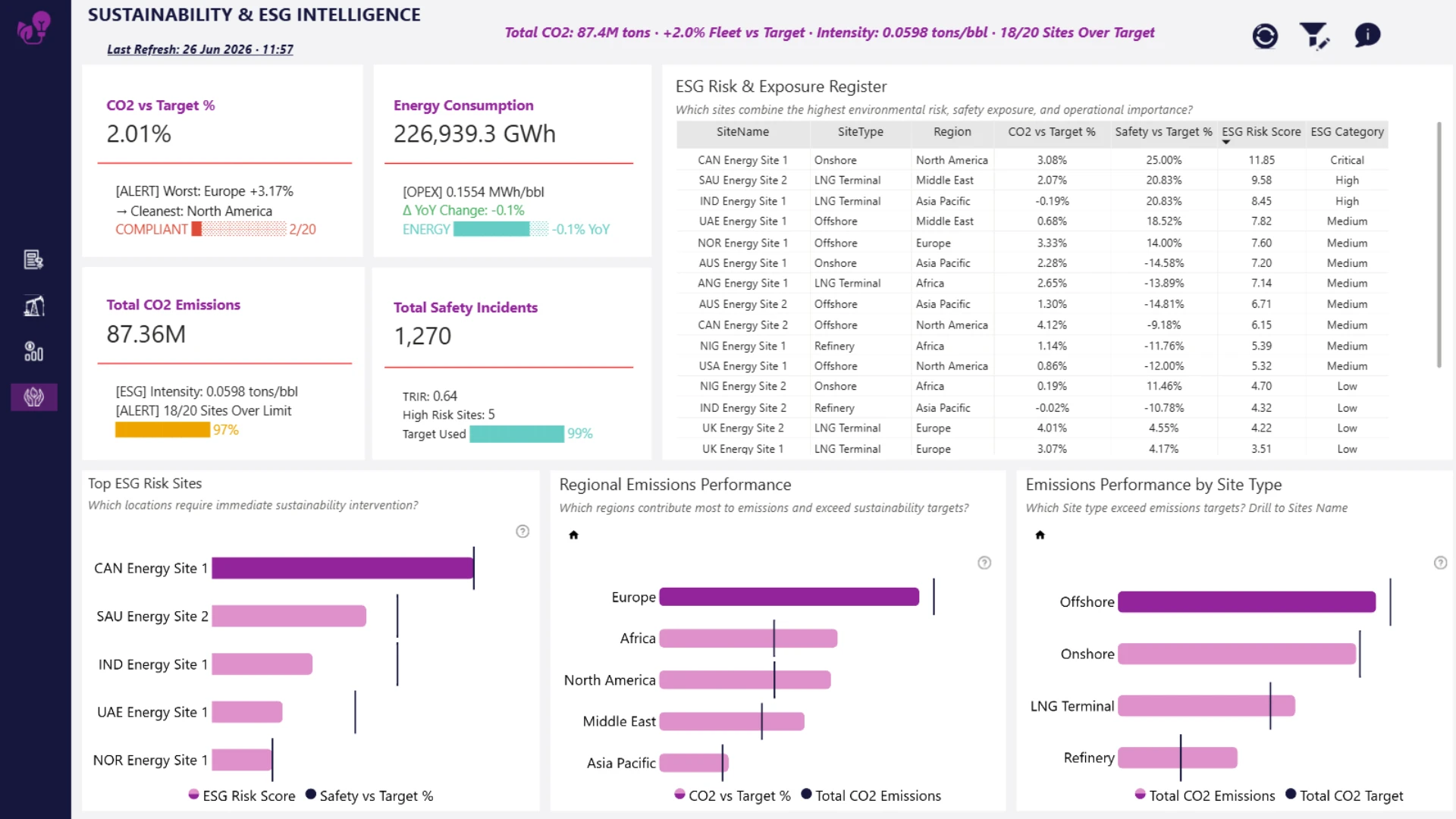
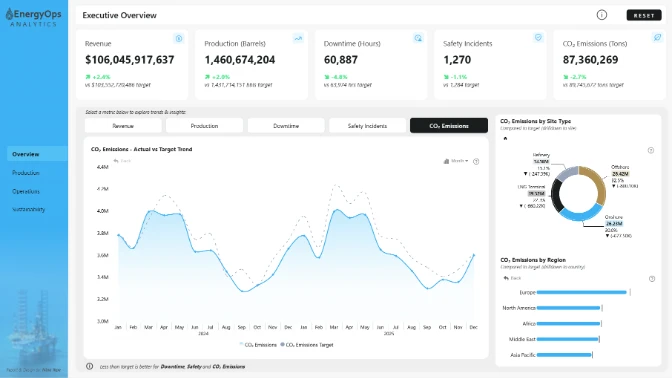
Explore an interactive Power BI dashboard for production analytics. Built with native Power BI visuals and ZoomCharts Drill Down Visuals, the report helps analyze production, maintenance, downtime, safety, sustainability, operational performance, and financial KPIs to support better business decisions. This report was created for the ZoomCharts 4U Report Challenge June 2026, where Power BI developers showcase their data visualization expertise by solving real-world business use cases using native Power BI visuals together with ZoomCharts Drill Down Visuals.
Author's description: This report provides an integrated executive view of global oil and gas operations across five regions and twenty operational sites. The solution combines operational performance, financial outcomes, risk exposure, and sustainability metrics into a single decision-support platform. Key features include interactive drill-down analysis, regional benchmarking, target-based performance monitoring, risk scoring, financial impact assessment, and ESG exposure tracking. The report is designed to support executive decision-making by transforming operational data into actionable business insights while maintaining a clear narrative from performance, to risk, to financial impact, and finally sustainability outcomes. The dashboard enables stakeholders to identify high-performing assets, prioritize operational interventions, reduce revenue leakage, and focus sustainability efforts on the locations with the greatest business and environmental impact.
ZoomCharts visuals used






4U Report Challenges
Participate in data challenges, build and submit reports to get free template downloads.
Join CommunityMobile view allows you to interact with the report. To Download the template please switch to desktop view.
How to use a PBIX template
Preview the interactive report, download the PBIX file, open it in Power BI Desktop, and replace the same data connection with your own dataset.
Preview and download
Explore the report online and download the PBIX template file.
Open in Power BI Desktop
Open the downloaded PBIX file in Power BI Desktop.
Connect your data
Replace the sample data source with your own dataset.
Refresh and adjust
Refresh the model and update fields or visual were needed.
Save and share
Save your report and publish it for your audience.


