1062
Enterprise Sales Pipeline Analytics
Enterprise Sales Pipeline Analytics
More Report pages
Report Author: Emilia Łapczyńska
1062
Share template with others
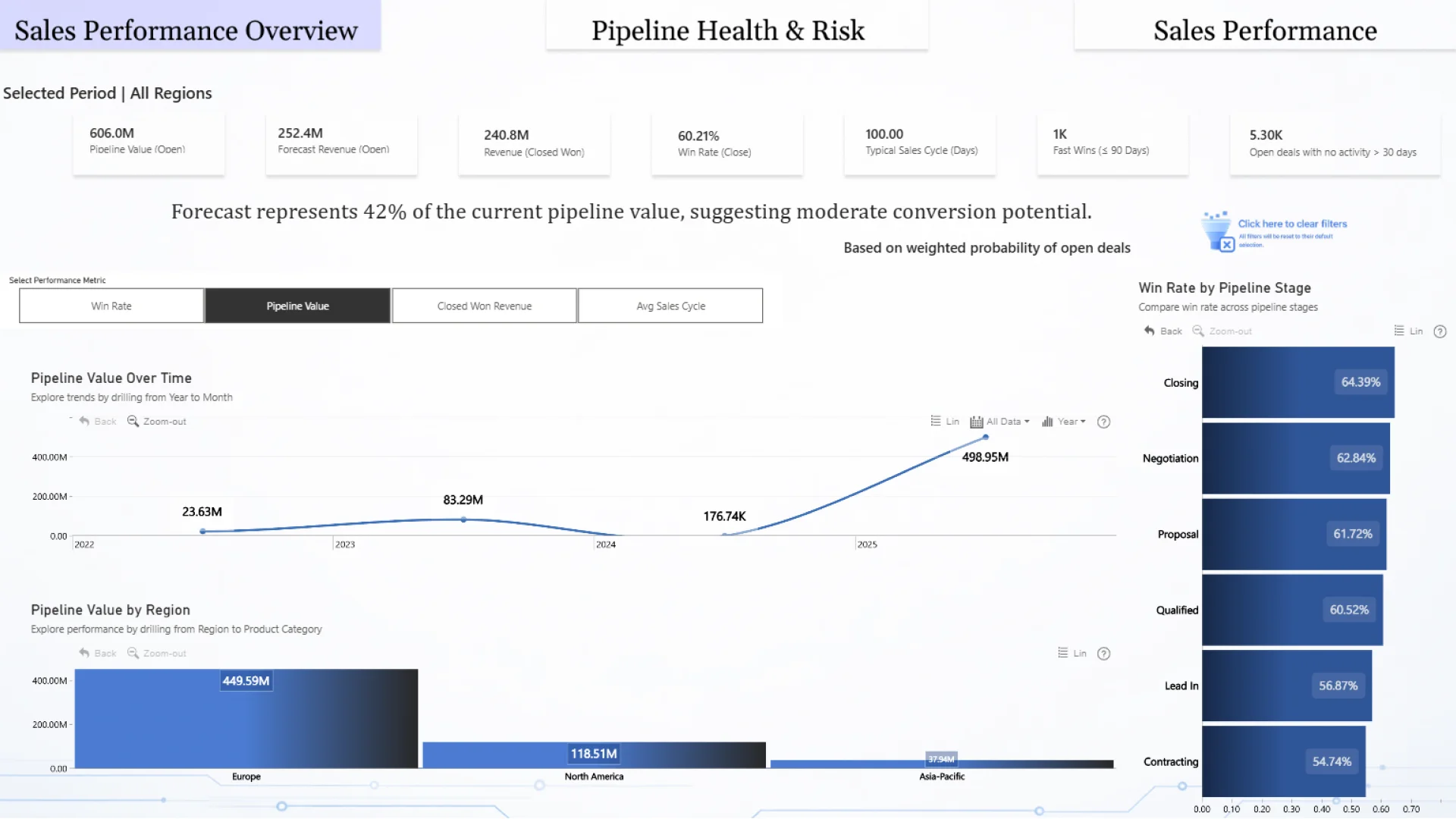
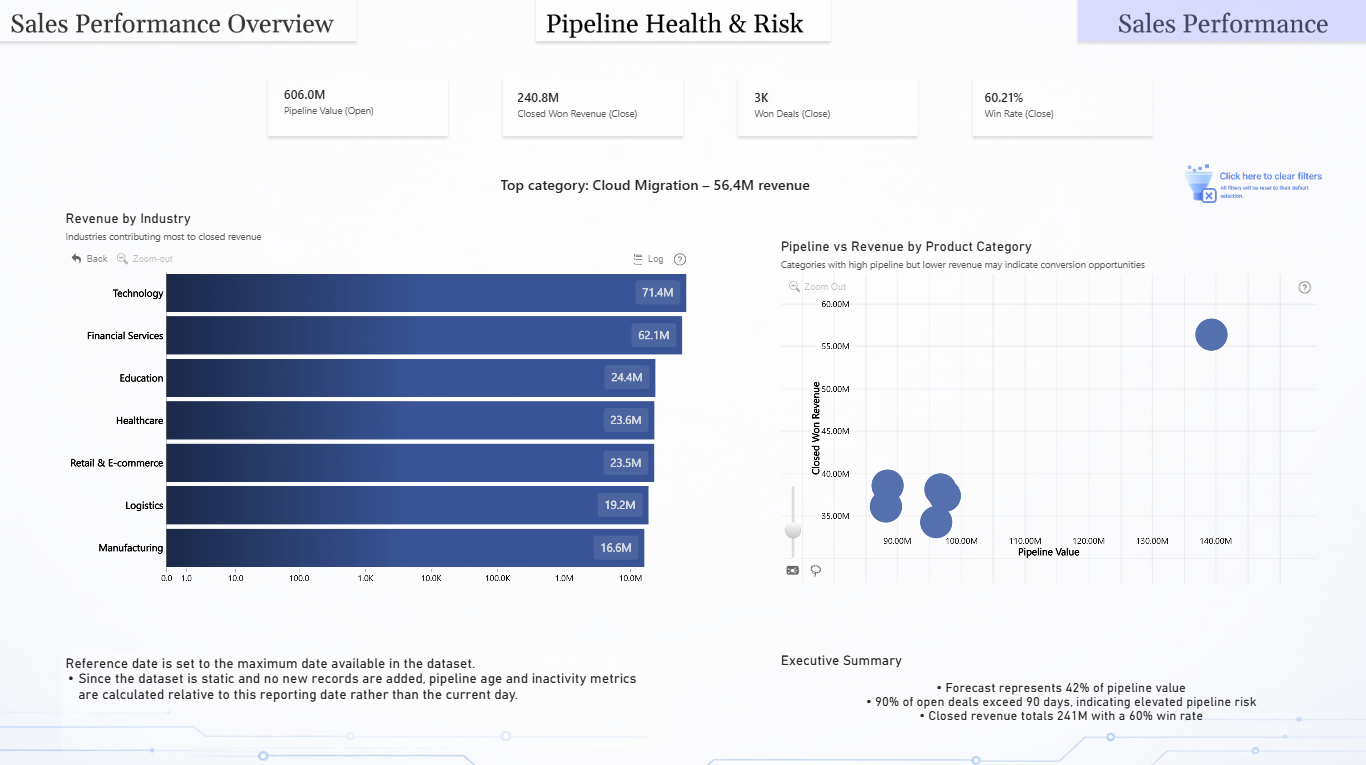
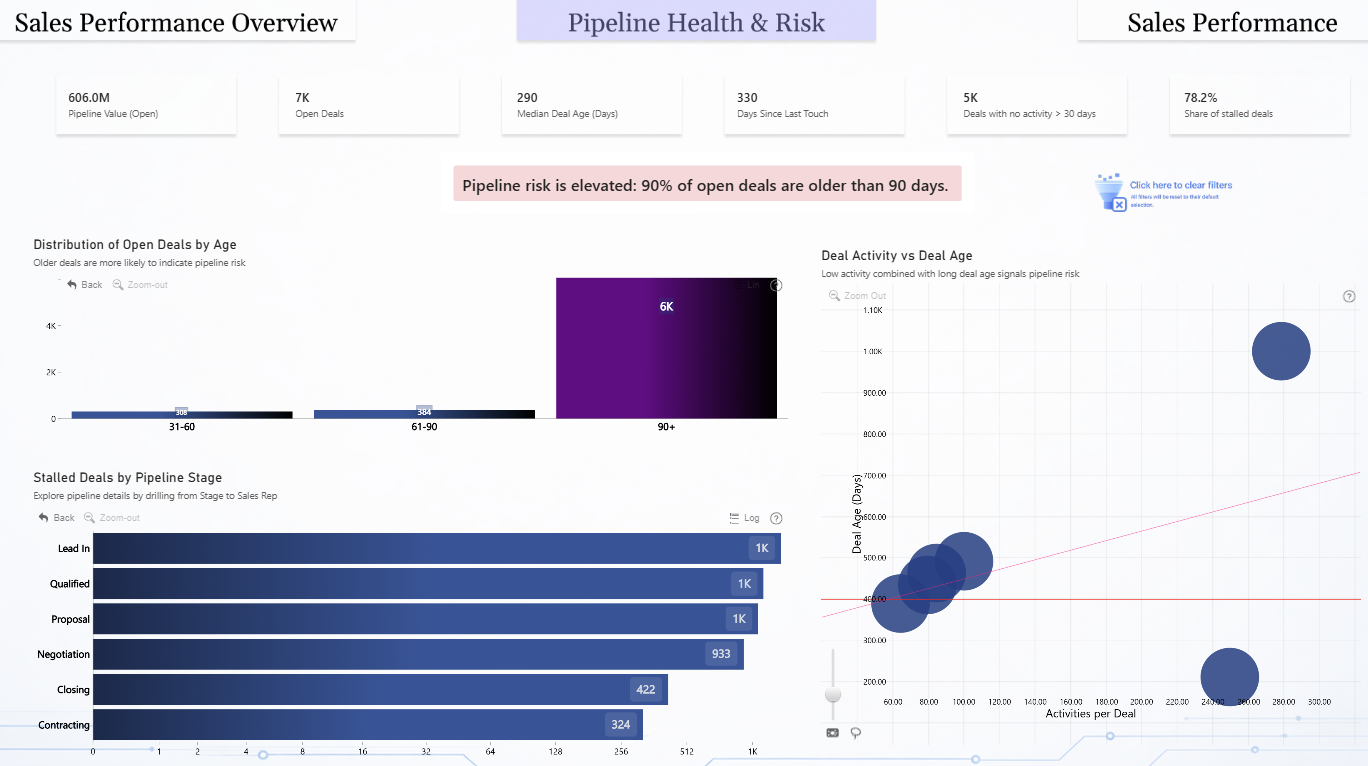
This interactive Power BI report explores the Global B2B Sales Pipeline & Deals Analytics dataset using ZoomCharts Drill Down PRO custom visuals for Power BI. It highlights pipeline value, deal progression, sales activity, and client engagement across regions and industries, helping teams monitor pipeline health and identify stalled or high-risk deals.
The report was submitted to the FP20 Analytics ZoomCharts Data Challenge #35 (February – March 2026).
Author’s Description:
This report analyzes the performance and health of an enterprise sales pipeline using ZoomCharts visuals in Power BI. The dashboard focuses on three key analytical areas:
-
Sales performance and revenue trends
-
Conversion effectiveness across pipeline stages
-
Pipeline risk related to deal aging and inactivity
Interactive visuals enable users to explore revenue drivers, deal progression, and potential bottlenecks in the sales process. The goal of this report is to support sales leaders in identifying growth opportunities and potential pipeline risks.
ZoomCharts visuals used





4U Report Challenges
Participate in data challenges, build and submit reports to get free template downloads.
Join CommunityMobile view allows you to interact with the report. To Download the template please switch to desktop view.
How to use a PBIX template
Preview the interactive report, download the PBIX file, open it in Power BI Desktop, and replace the same data connection with your own dataset.
Preview and download
Explore the report online and download the PBIX template file.
Open in Power BI Desktop
Open the downloaded PBIX file in Power BI Desktop.
Connect your data
Replace the sample data source with your own dataset.
Refresh and adjust
Refresh the model and update fields or visual were needed.
Save and share
Save your report and publish it for your audience.


