1016
Candy Market Share Analysis Project Challenge
Candy Market Share Analysis Project Challenge
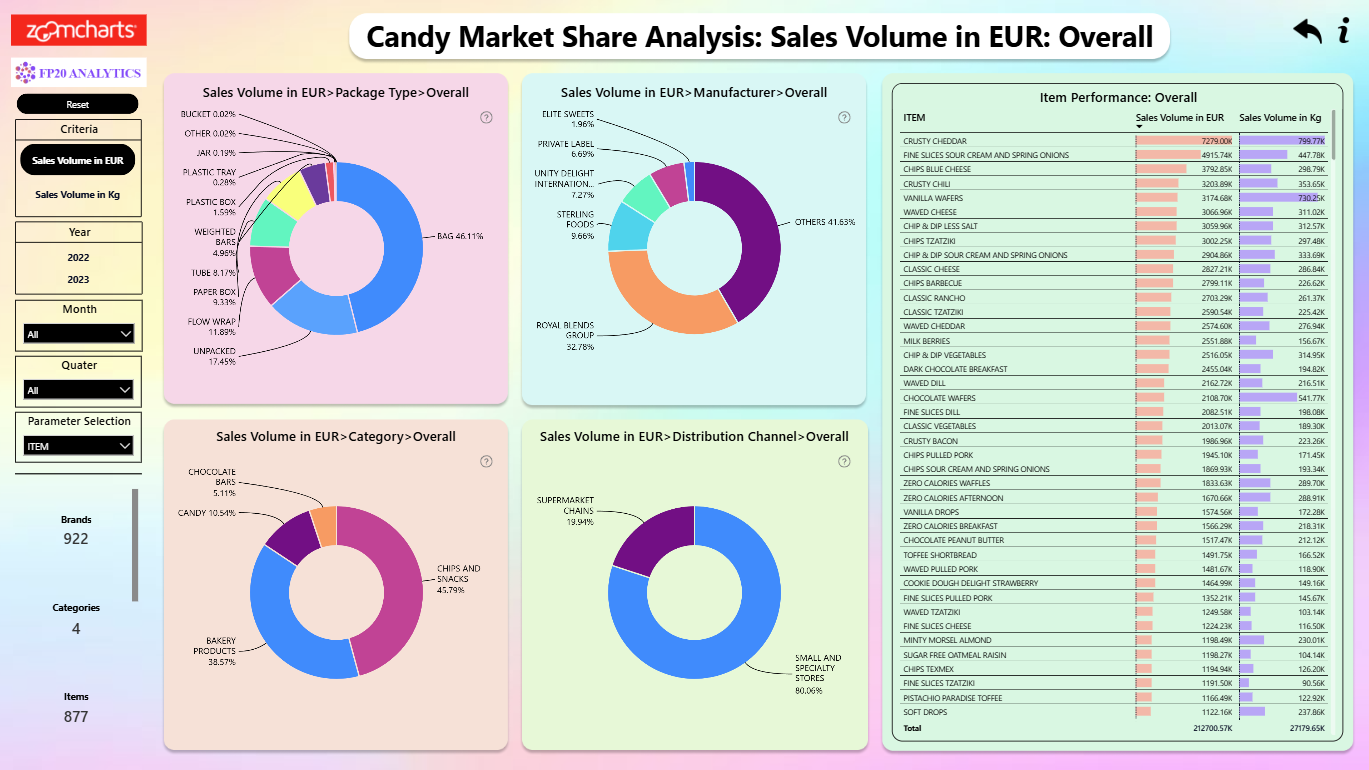
More Report pages
Report Author: Shelly Nagar
1016
Share template with others
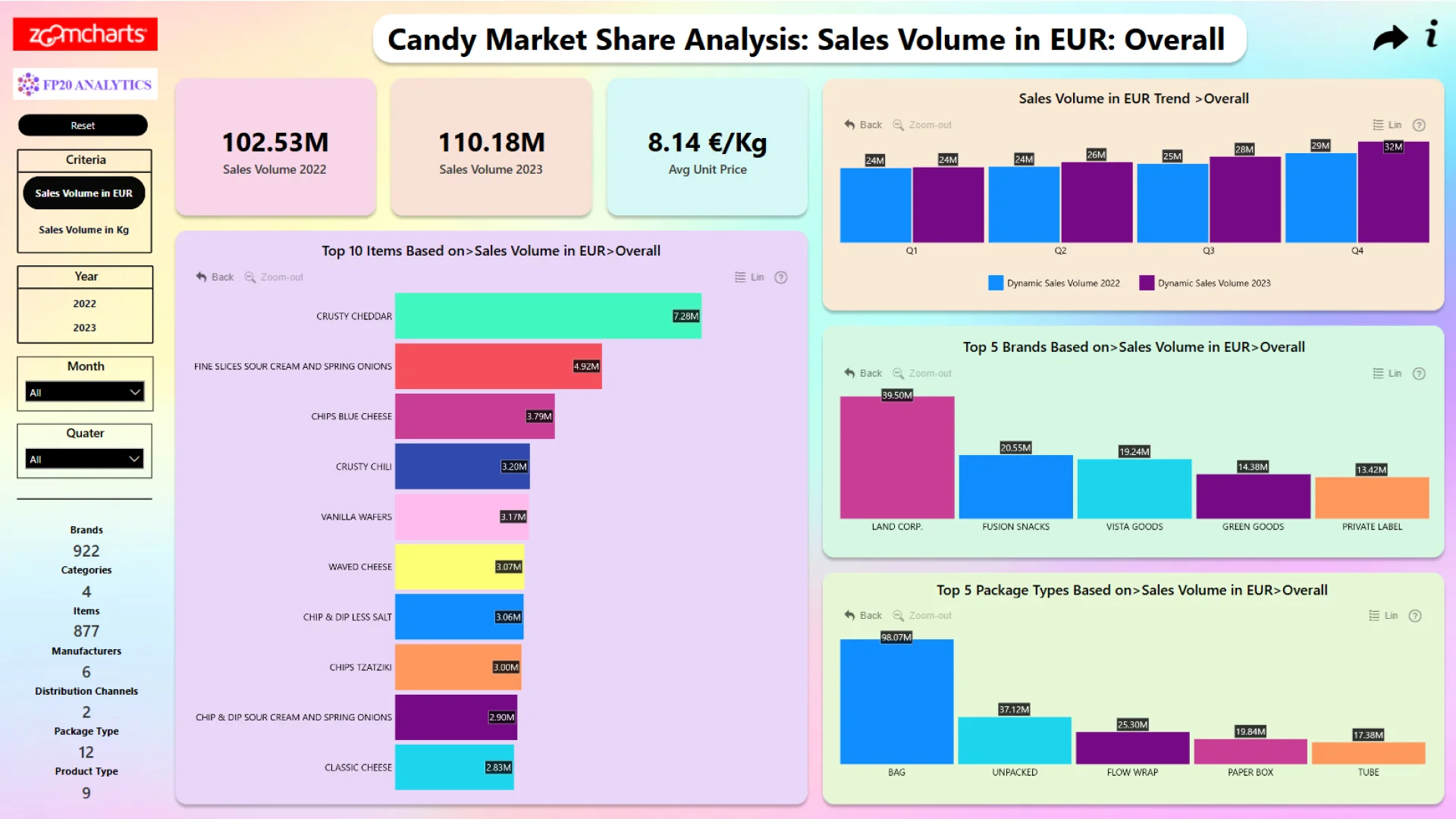
Report submitted for the FP20 Analytics ZoomCharts Challenge, November 2024. The report was built using the Candy Market Share dataset and includes ZoomCharts custom Drill Down PRO visuals for Power BI.
Author's description:
This Power BI project analyzes confectionery market data from a leading European market research company, focusing on manufacturers, brands, packaging types, and sales volumes. The interactive report visualizes market share dynamics, sales trends, and category-level insights, addressing key business questions such as identifying top-selling candy items, analyzing sales by weight and revenue, and evaluating the performance of manufacturers, brands, and distribution channels. Using custom DAX measures and calculated tables, the report enhances interactivity and provides actionable insights to support strategic decision-making, helping stakeholders optimize product strategies and drive business growth.



4U Report Challenges
Participate in data challenges, build and submit reports to get free template downloads.
Join CommunityMobile view allows you to interact with the report. To Download the template please switch to desktop view.
How to use a PBIX template
Preview the interactive report, download the PBIX file, open it in Power BI Desktop, and replace the same data connection with your own dataset.
Preview and download
Explore the report online and download the PBIX template file.
Open in Power BI Desktop
Open the downloaded PBIX file in Power BI Desktop.
Connect your data
Replace the sample data source with your own dataset.
Refresh and adjust
Refresh the model and update fields or visual were needed.
Save and share
Save your report and publish it for your audience.


