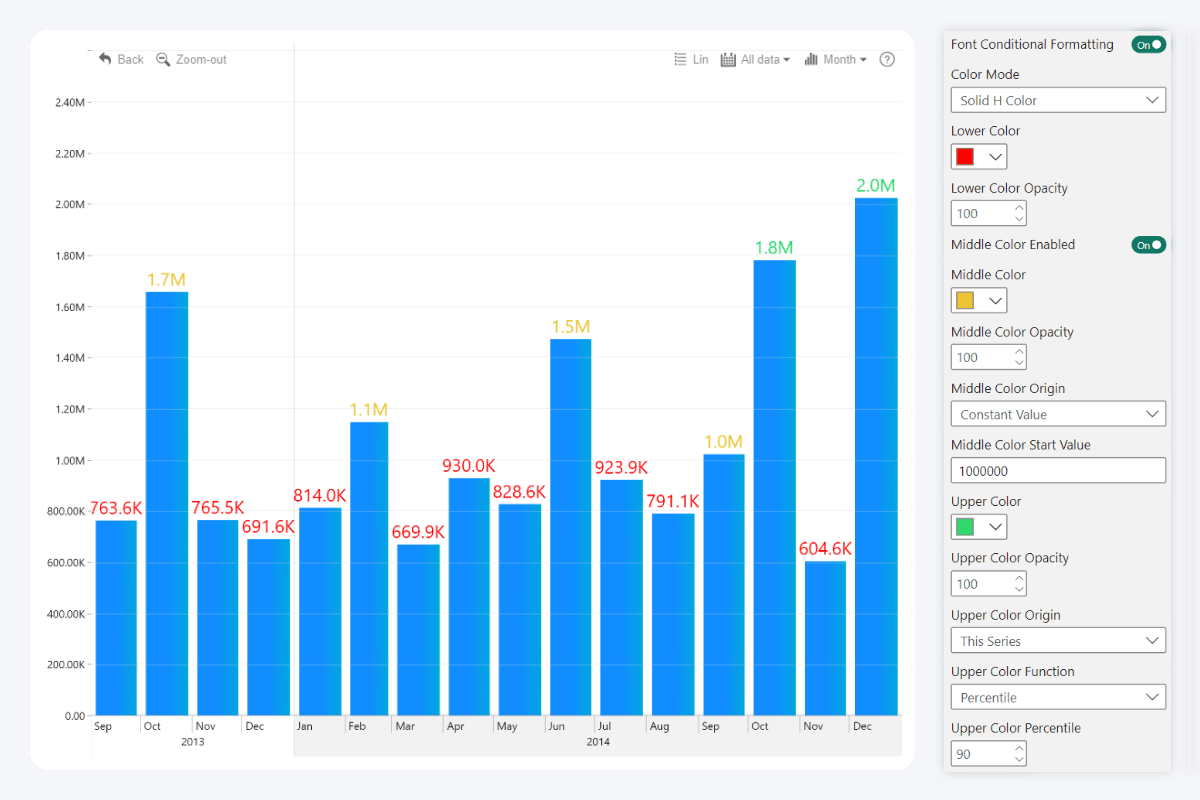
This toggle enables conditional formatting for the value label font. This feature can automatically apply specific formatting rules depending on your chosen conditions (for example, apply green font color for values that exceed a specific target value, and red for those below it).
Once enabled, additional settings will be revealed:
- Color Mode
- Lower Color
- Lower Color Opacity
- Lower Color Origin1
- Lower Color Function1, 3
- Middle Color Enabled
- Middle Color2
- Middle Color Opacity2
- Middle Color Origin2
- Middle Color Function2, 3
- Upper Color
- Upper Color Opacity
- Upper Color Origin
- Upper Color Function3
1Available if Color Mode is Stepped Color.
2Available if the Middle Color Enabled toggle is on.
3Available if the Origin setting for the color is This Series.
2Available if the Middle Color Enabled toggle is on.
3Available if the Origin setting for the color is This Series.
This setting governs only the 'text' part of the value labels. If you wish to configure conditional formatting for the 'background' part of the value labels, use Background Conditional Formatting instead.
Was this helpful? Thank you for your feedback!
Sorry about that.
How can we improve it?