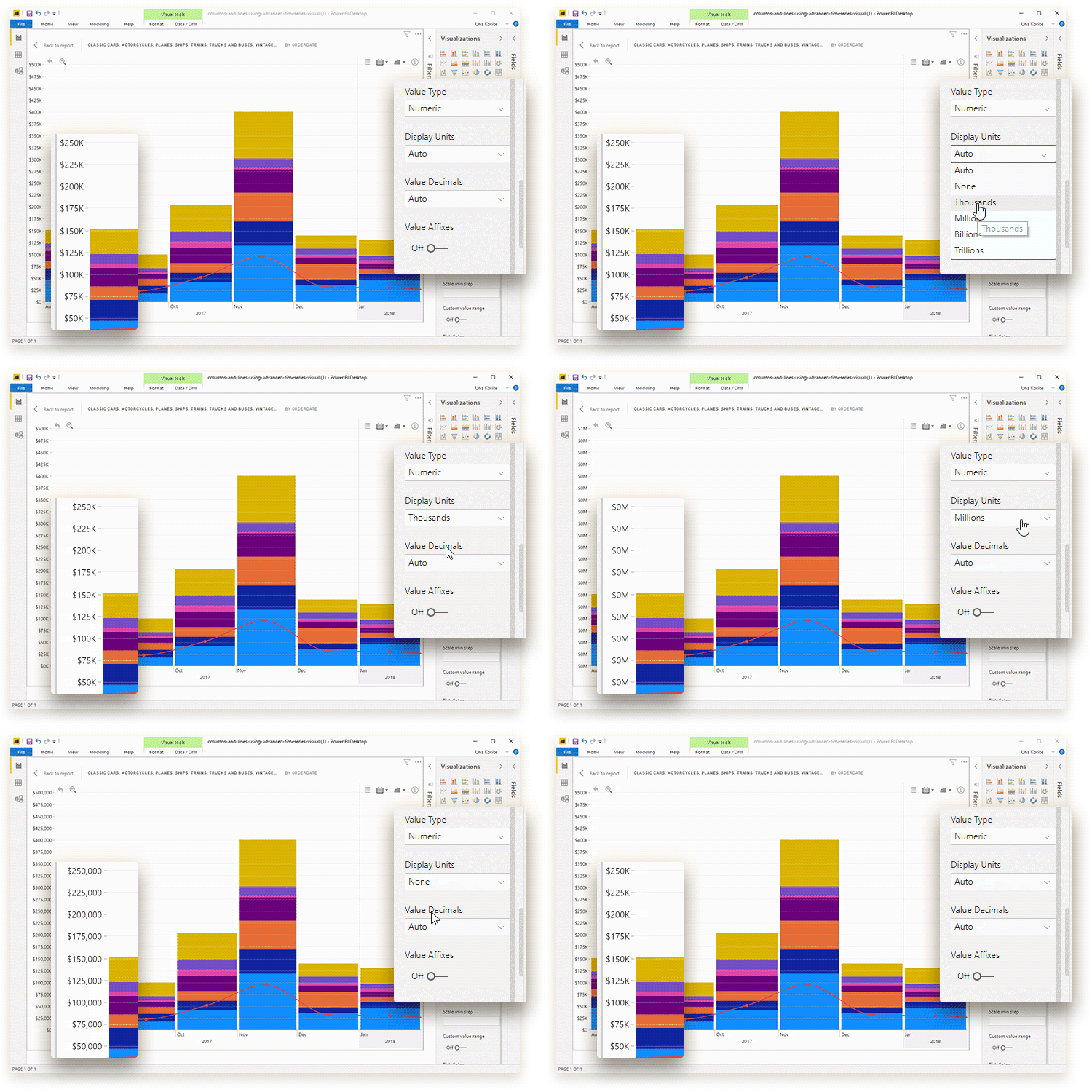
With this setting, you can choose the way large numerical
values are abbreviated in the Primary Y-axis value labels. This setting will be
displayed if your selected Value Type for this axis is Numeric.
- Auto: The visual will automatically choose the abbreviation for each value. Default setting.
- None: The values will not be shortened (example - 453,240,000.00).
- Thousands: The values will be shortened to thousands with K (example - 453,240K).
- Millions: The values will be shortened to millions with M (example – 453.2M).
- Billions: The values will be shortened to billions with B (example – 0.45B).
- Trillions: The values will be shortened to trillions with T (example – 0.00045T).
Make sure that you have chosen the appropriate amount of Value Decimals for your selected display units to ensure that the values are displayed correctly.
Was this helpful? Thank you for your feedback!
Sorry about that.
How can we improve it?