This is an optional field that contains data to be displayed
in the target node tooltips when the user right-clicks the node. This way, you
can provide additional data to the user without cluttering the visual.
The content of this field will be applied to the target node
of each data point. If you wish to apply tooltip content to the source nodes, use
Source Tooltip Field instead.
If you are using both fields, and a data point is a source and target node at the same time, then Source Tooltip Field will take priority over Target Tooltip Field.
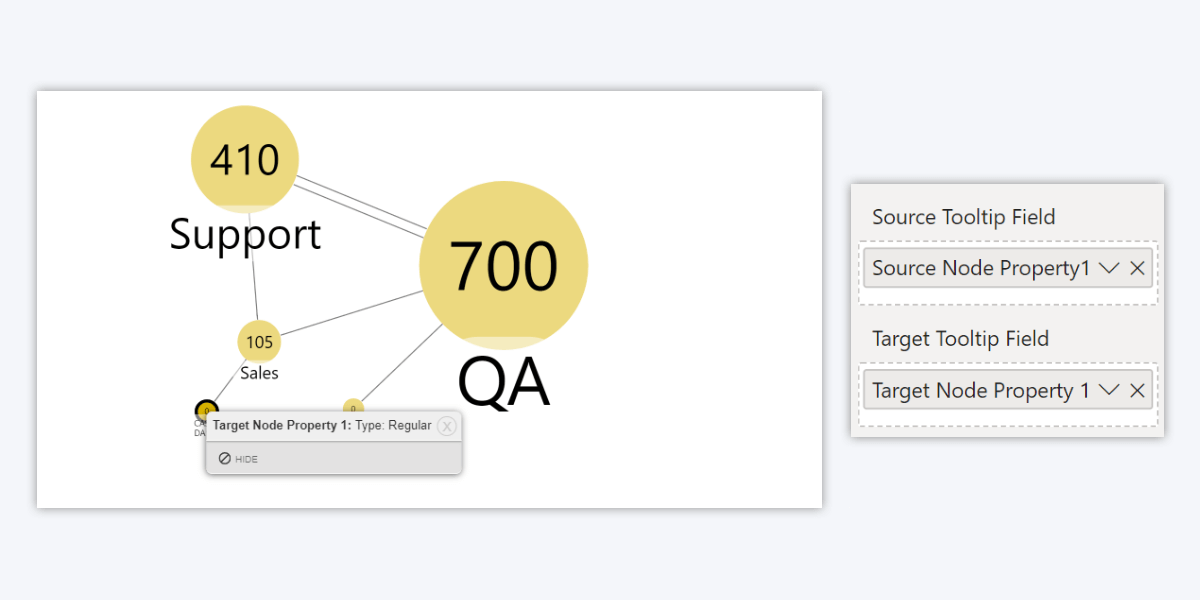
You can also enter URLs in this field, and they will be
clickable when displayed in the tooltip (some example use-cases: providing
social media profile links or email addresses for each employee node, or
website links for external stakeholders).
If you wish to use custom display text for the link, simply
format it using HTML hyperlink syntax. Replace the example text with the URL
and display text you want to use.
<a href=“Example link”>Example Display
Text</a>
Was this helpful? Thank you for your feedback!
Sorry about that.
How can we improve it?