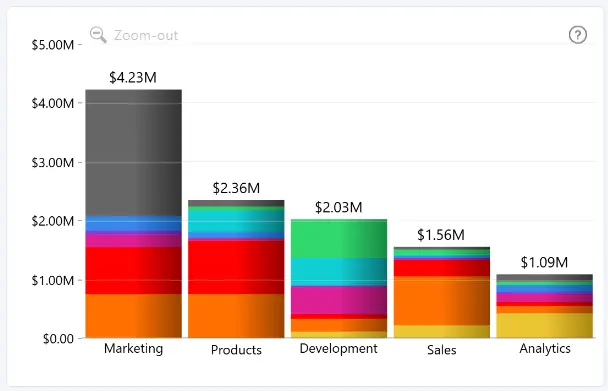
Series Total Value Labels display the cumulative value of an entire stack, making it easier to identify the total across stacked series or Legend segments.
These labels can be enabled and formatted independently from Series Value Labels, allowing you to visually distinguish stack totals from individual series values.
Series Total Value Labels are available when a series is stacked and split by the Legend field, or when two or more series are placed on the same stack.
Use the following settings to customize series total value labels:
- Enabled Labels – enable total value labels for the default configuration or individual series.
- Apply Settings to – configure default formatting or customize an individual series.
- Values – configure display units and decimal places.
- Position & Layout – control label position, horizontal placement, angle, border radius, and padding.
- Text – configure the total value label font and font color.
- Background – configure the total value label background and border.
- Shadow – configure the total value label shadow.
- Font Conditional Formatting – apply conditional colors to total value label text.
- Background Conditional Formatting – apply conditional colors to total value label backgrounds.
Was this helpful? Thank you for your feedback!
Sorry about that.
How can we improve it?