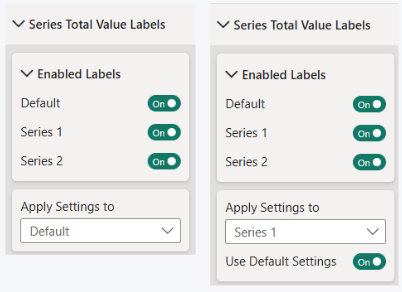
Use Apply Settings to to configure the default appearance of series total value labels or customize the settings for an individual series.
- Default – apply the default total value label formatting.
- Individual series – customize total value label formatting for the selected series.
When an individual series is selected, the Use Default Settings toggle controls whether it inherits the default formatting.
- On (default) – use the default total value label settings.
- Off – use customized settings for the selected series.
Use Default Settings automatically switches off when you modify a total value label property for an individual series. Turn it back on to restore the default formatting.
Was this helpful? Thank you for your feedback!
Sorry about that.
How can we improve it?