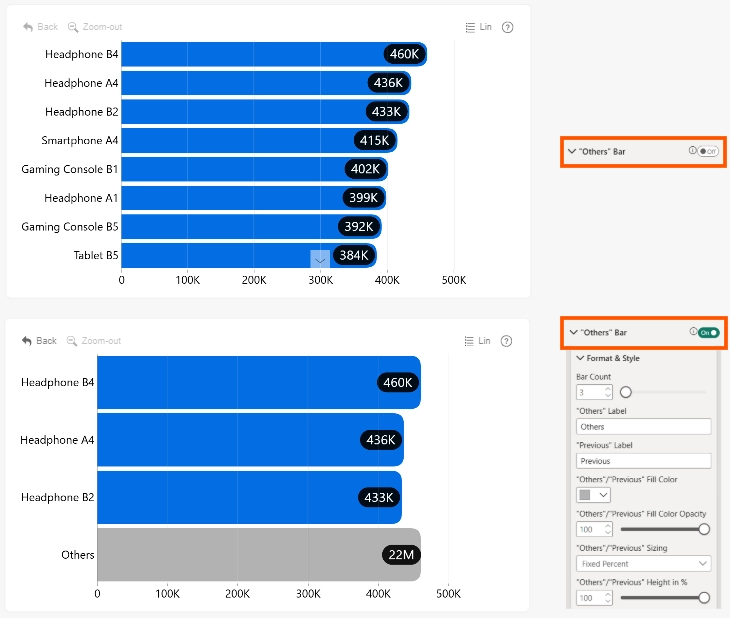
Use "Others" Bar settings to limit the number of categories displayed as individual bars. Remaining categories are grouped into an "Others" Bar, creating a Top N-style view for charts with many categories.
Select the "Others" bar to display the next set of categories. A "Previous" bar is also displayed, allowing users to return to the preceding set.
"Others" Bar settings are available only when the visual contains a single series displayed as bars.
Enable "Others" Bar to make the Format & Style settings available.
- Bar Count
- "Others" Label
- "Previous" Label
- "Others"/"Previous" Fill Color
- "Others"/"Previous" Fill Color opacity
- "Others"/"Previous" Sizing
- "Others"/"Previous" Height in %
Was this helpful? Thank you for your feedback!
Sorry about that.
How can we improve it?