Select how the fill color is applied to each chart element.
You can choose between three Fill Mode options:
- Solid fill: The fill color will be applied without any additional effects. Default setting.
- Gradient to a derived color: A linear gradient will be applied to each chart element, using its fill color as one point and an automatically derived color variation as the other point.
- Gradient to a single color: A linear gradient will be applied to each chart element, using its fill color as one point and a custom color as the other point.
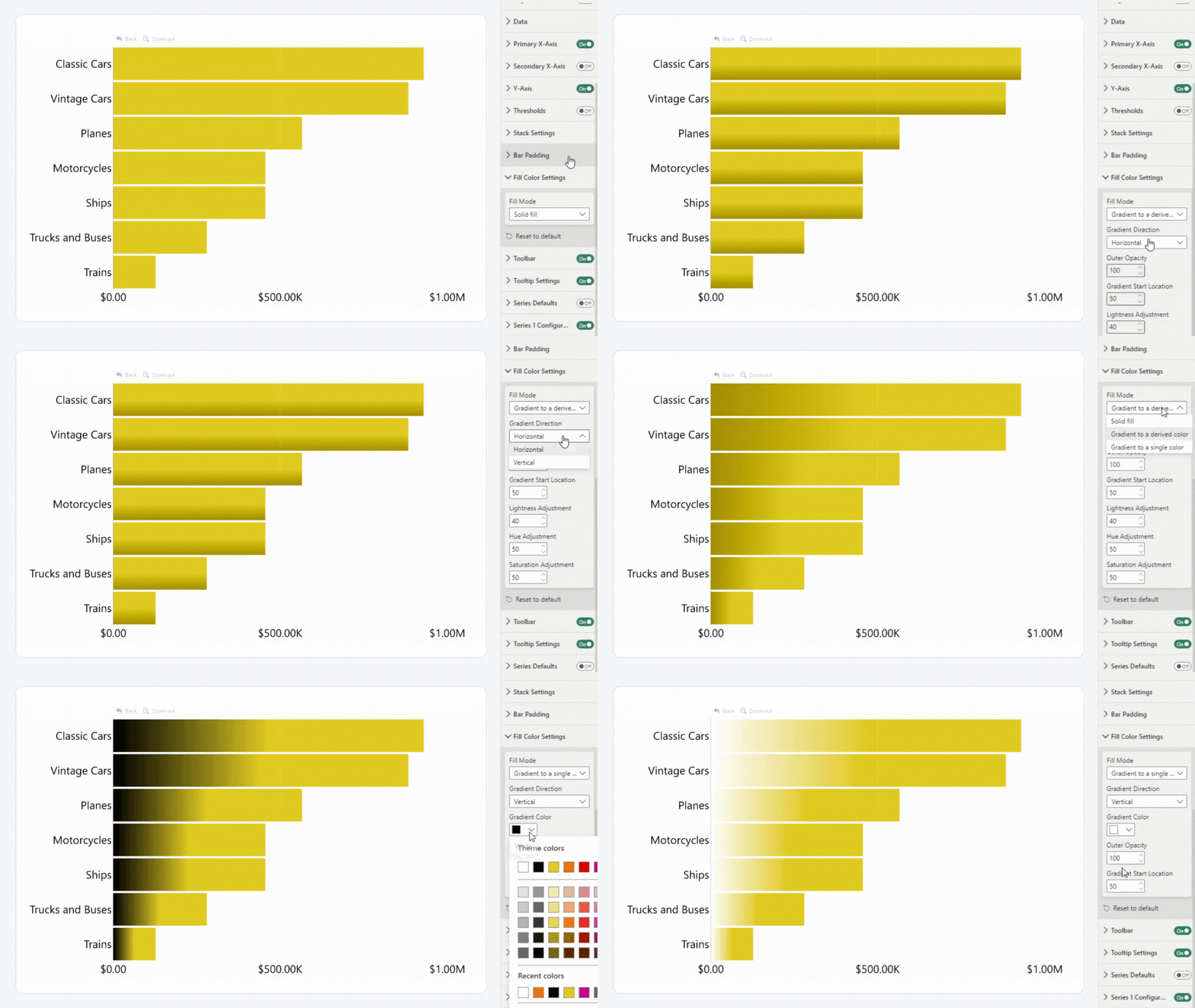
Selecting Gradient to a derived color will reveal Gradient Direction, Outer Opacity, Gradient Start Location, Lightness Adjustment, Hue Adjustment, and Saturation Adjustment settings.
Selecting Gradient to a single color will reveal Gradient Direction, Outer Opacity, Gradient Start Location, and Gradient Color settings.
Was this helpful? Thank you for your feedback!
Sorry about that.
How can we improve it?