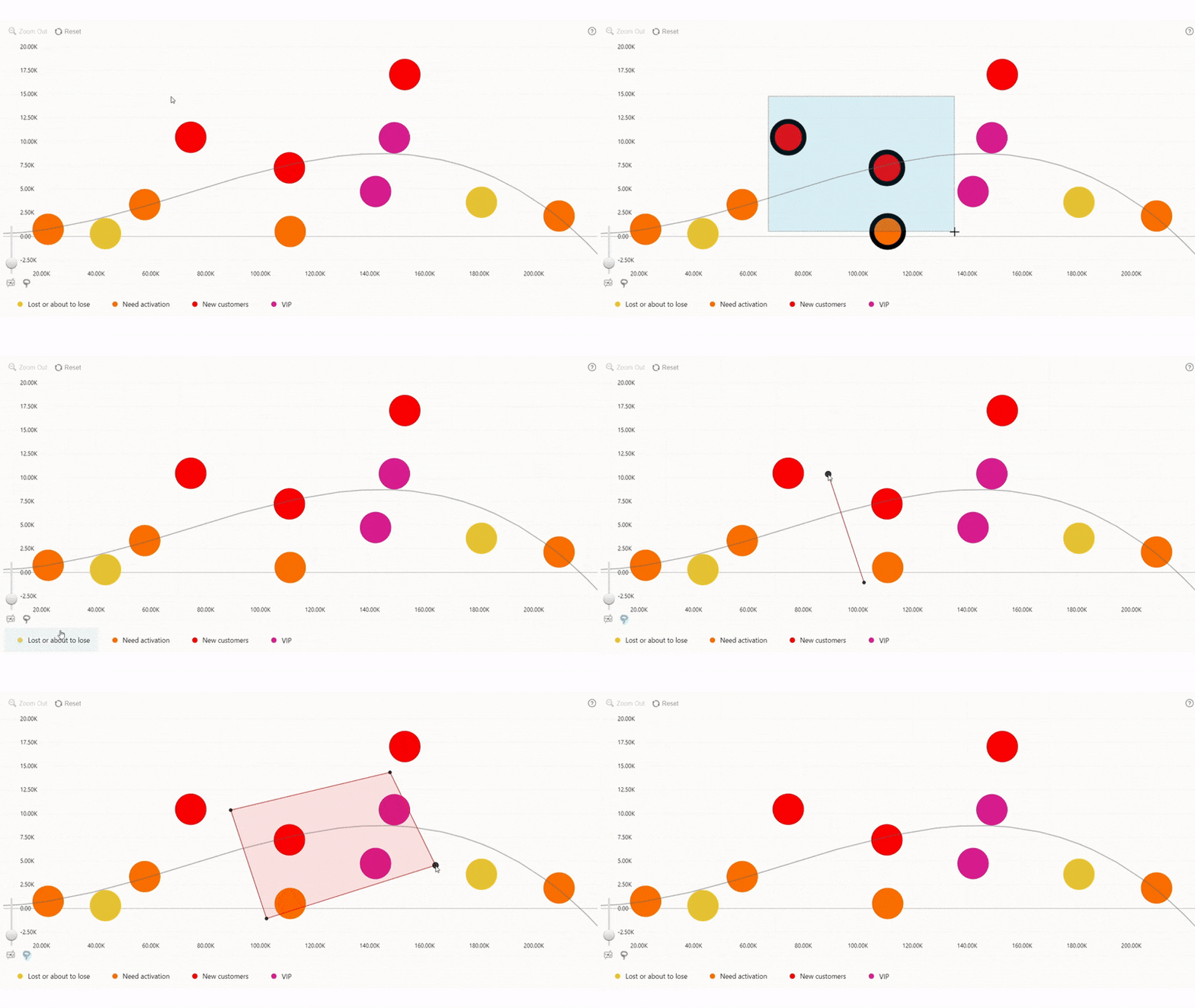
Drill Down Bubble PRO offers multiple ways to select one or multiple data points, allowing each user to use your bubble chart in their preferred way.
- Left click or tap to select a single data point.
- Ctrl+Left click or Shift+Left click to add an additional data point to the selection.
- Hold Left click or tap on blank area within the visual and then drag to make a rectangular selection area for multiple nodes.
- Press the Lasso Tool button in the toolbar (if it is enabled) to activate the lasso selection mode.
If you have enabled cross-chart filtering with the Use as Filter setting, the selection will apply a filter to other visuals on the report.
Was this helpful? Thank you for your feedback!
Sorry about that.
How can we improve it?