1224
Student Performance Power BI Report 21
Student Performance Power BI Report 21
More Report pages
Report Author: Ana Di Nezio
1224
Share template with others
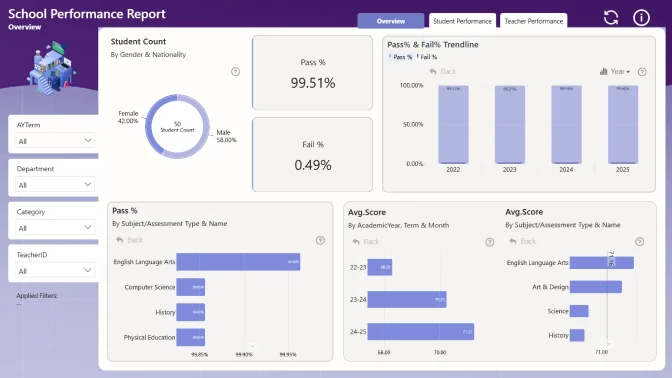
This Power BI report uses the Education/Student Performance dataset and features ZoomCharts Drill Down PRO custom visuals for Power BI. It was submitted to the FP20 Analytics ZoomCharts Data Challenge 31 in October 2025.
Author Description:
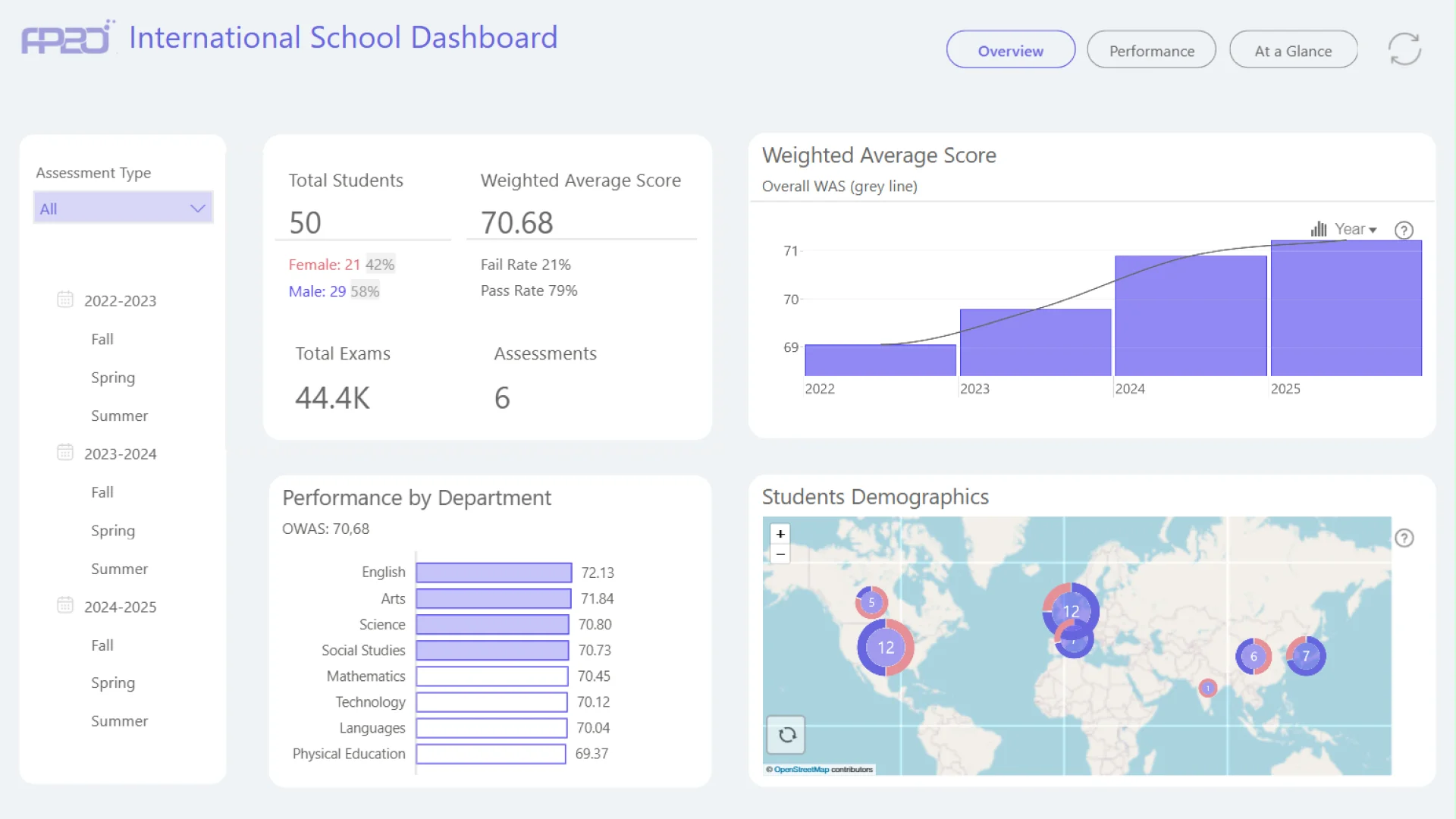
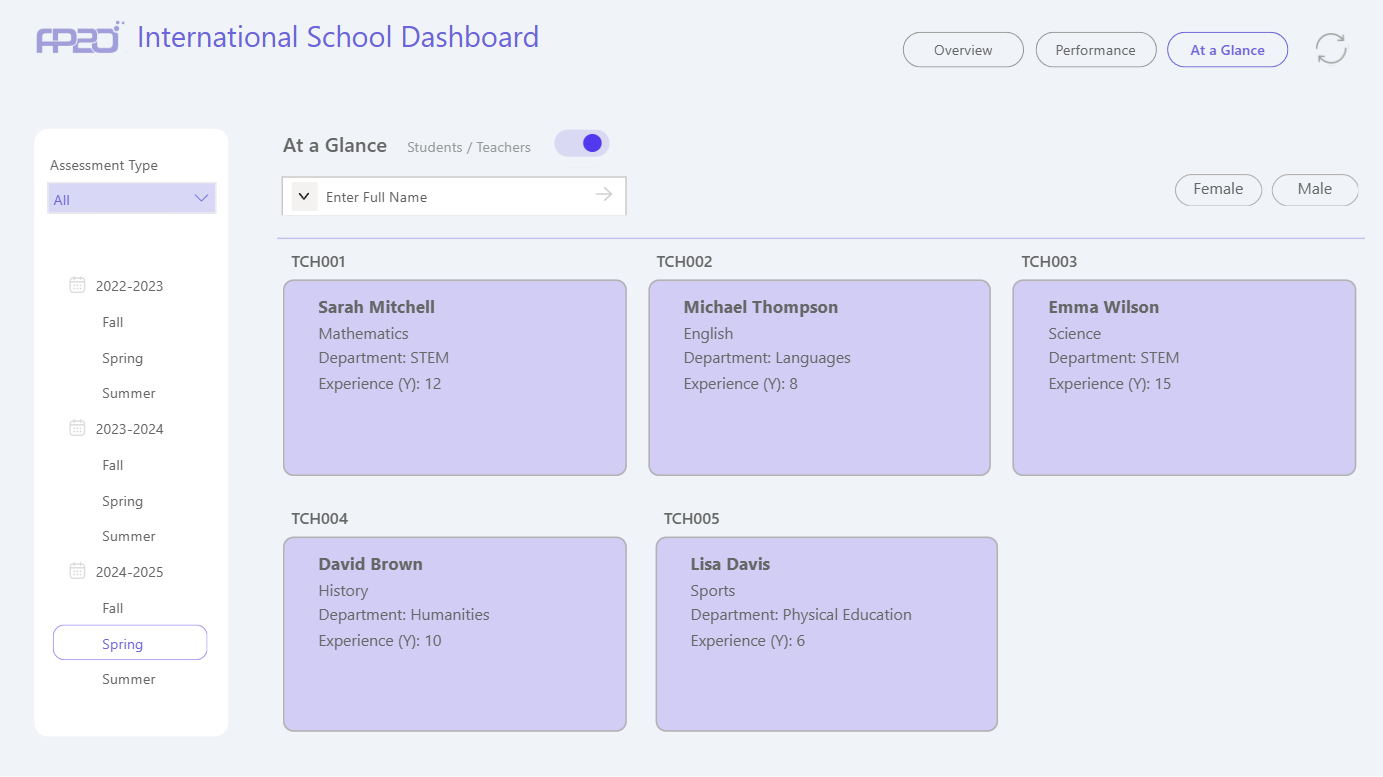
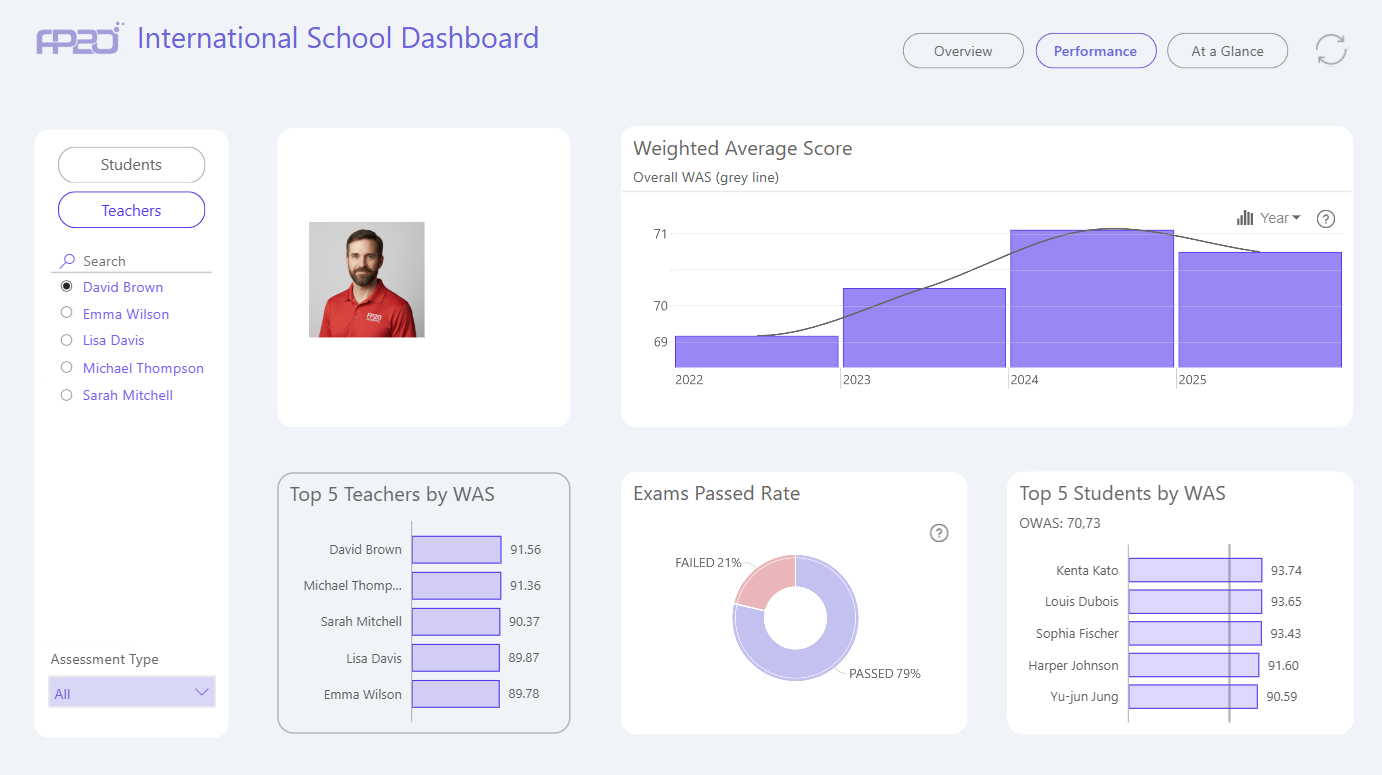
The International School Performance Dashboard is a Power BI solution developed for the FP20 Analytics Challenge 31, analyzing 50 students across 8 departments over 3 academic years. It features key metrics such as a Weighted Average Score of 70.68, a 79% pass rate, and insights from 44,392 assessments. The dashboard includes pages for overall institutional performance, individual student and teacher analysis, and a card-style summary view comparing demographics and performance across cohorts. Built with a star schema model and over 30 DAX measures, it offers dynamic rankings, year-over-year comparisons, and interactive filtering for deeper insights.



4U Report Challenges
Participate in data challenges, build and submit reports to get free template downloads.
Join CommunityMobile view allows you to interact with the report. To Download the template please switch to desktop view.
How to use a PBIX template
Preview the interactive report, download the PBIX file, open it in Power BI Desktop, and replace the same data connection with your own dataset.
Preview and download
Explore the report online and download the PBIX template file.
Open in Power BI Desktop
Open the downloaded PBIX file in Power BI Desktop.
Connect your data
Replace the sample data source with your own dataset.
Refresh and adjust
Refresh the model and update fields or visual were needed.
Save and share
Save your report and publish it for your audience.


