2191
Power BI Social Media Analytics Dashboard
Power BI Social Media Analytics Dashboard
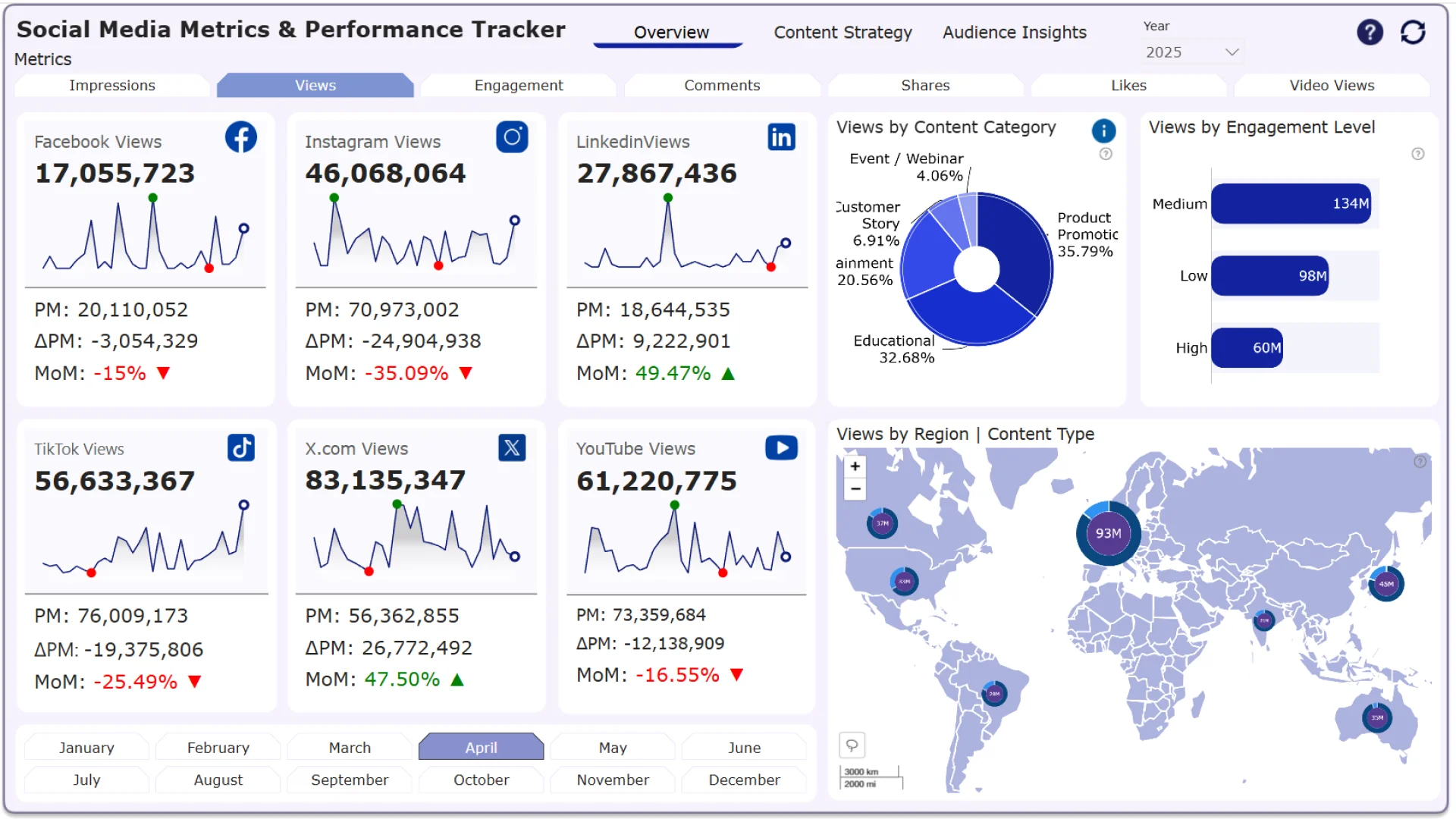
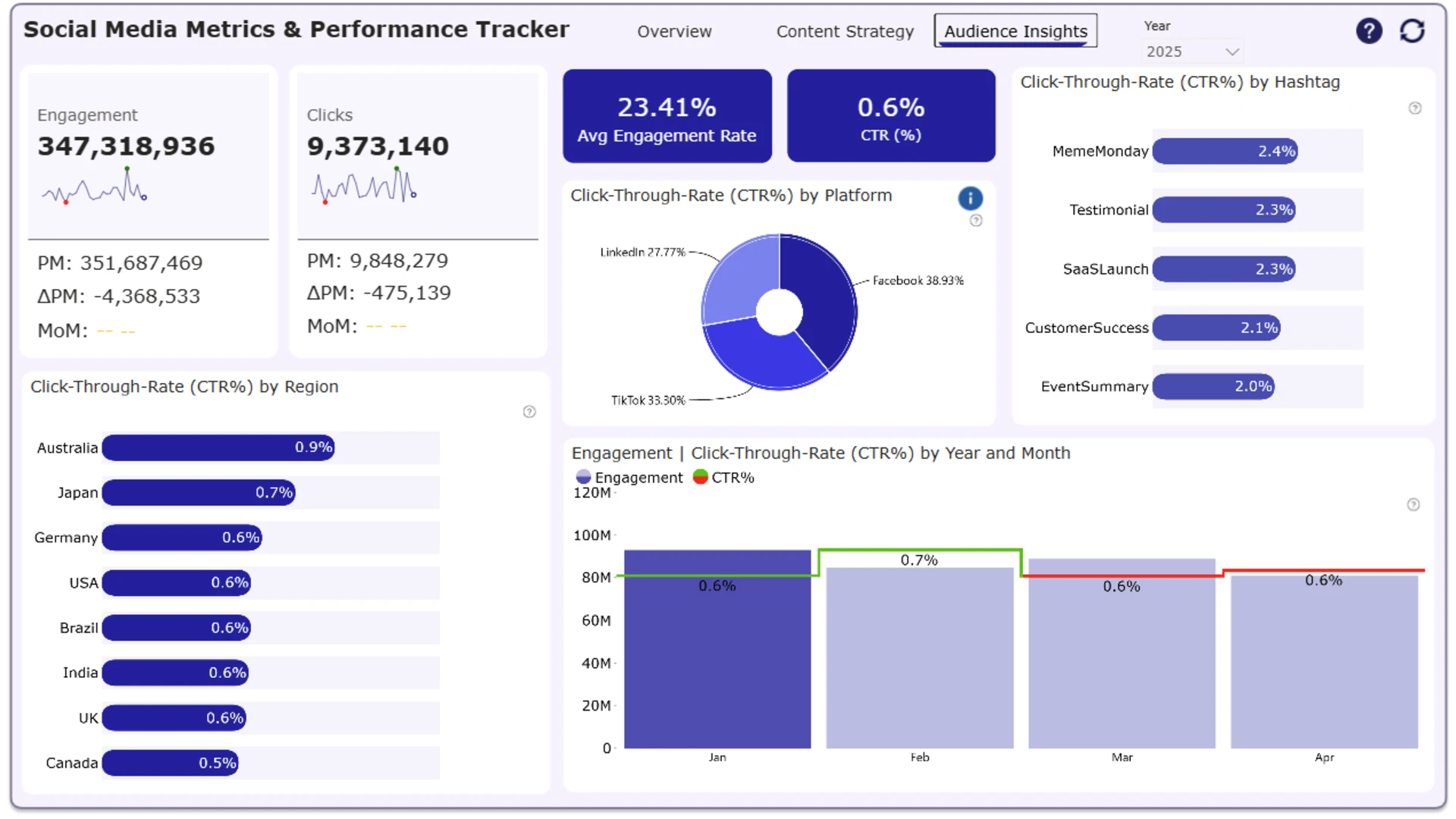
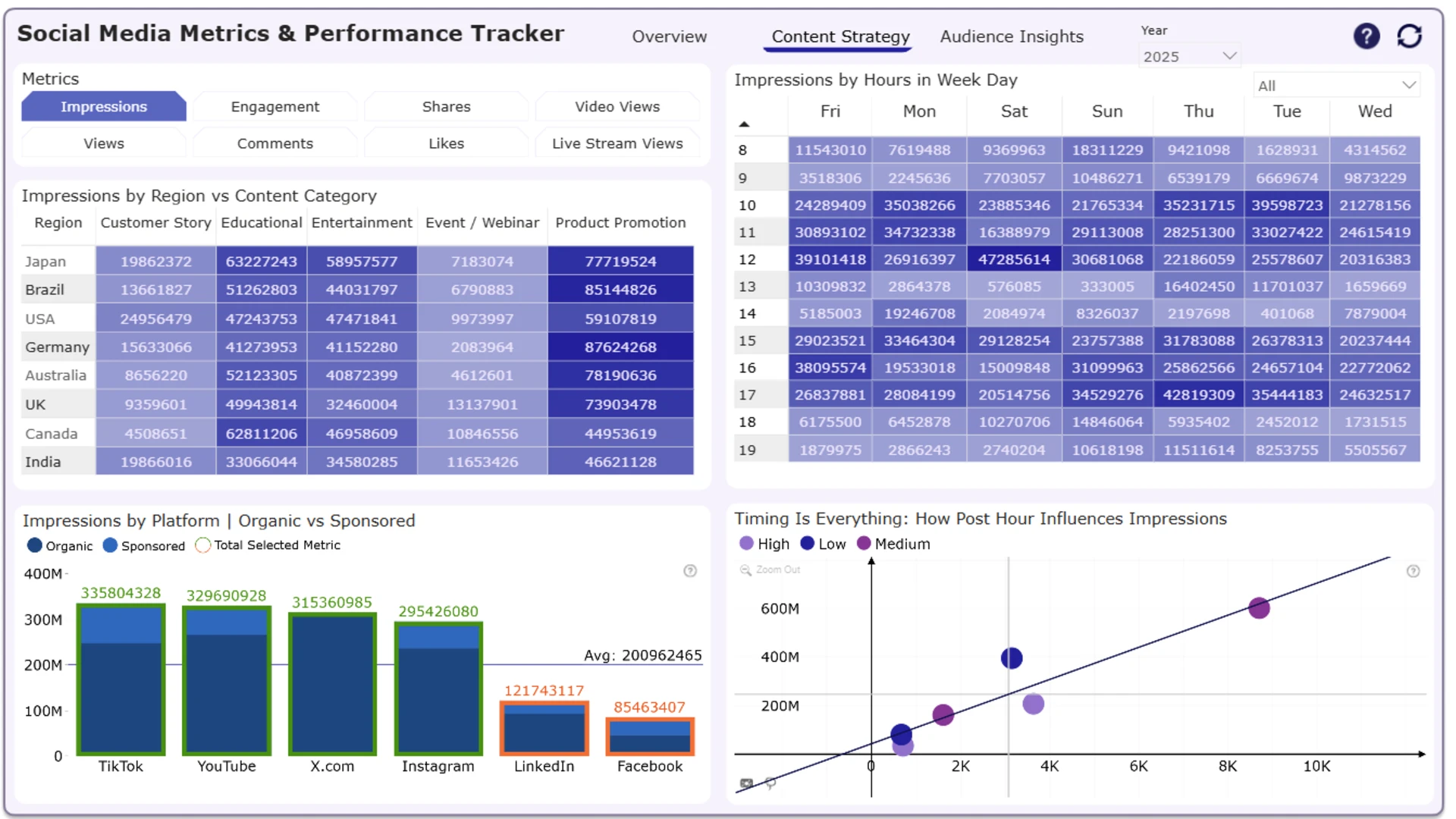
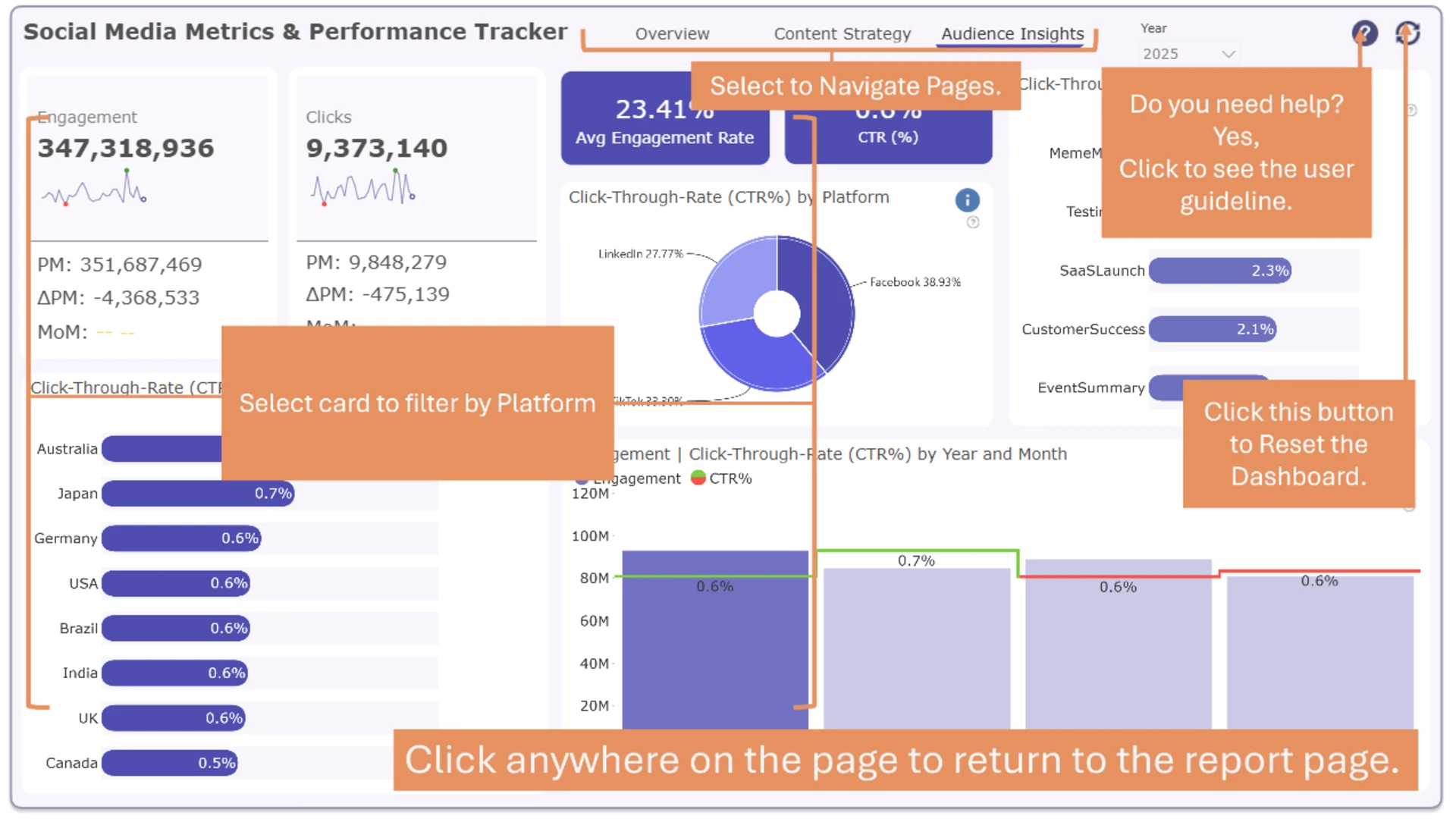
More Report pages
Report Author: Agbata Dickson Ukolojo
2191
Share template with others
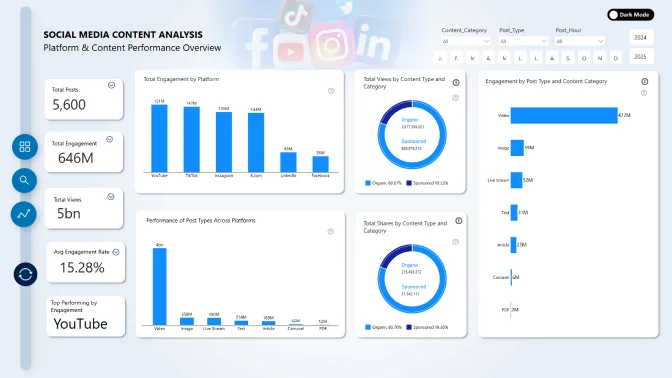
Explore a Power BI social media dashboard for tracking performance across platforms, content categories, regions, and audience engagement metrics. This report helps marketing teams review impressions, views, engagement, clicks, CTR, likes, shares, comments, video views, organic versus sponsored performance, and posting-time patterns to better understand which channels and content types are driving results.
ZoomCharts visuals used





4U Report Challenges
Participate in data challenges, build and submit reports to get free template downloads.
Join CommunityMobile view allows you to interact with the report. To Download the template please switch to desktop view.
How to use a PBIX template
Preview the interactive report, download the PBIX file, open it in Power BI Desktop, and replace the same data connection with your own dataset.
Preview and download
Explore the report online and download the PBIX template file.
Open in Power BI Desktop
Open the downloaded PBIX file in Power BI Desktop.
Connect your data
Replace the sample data source with your own dataset.
Refresh and adjust
Refresh the model and update fields or visual were needed.
Save and share
Save your report and publish it for your audience.


