1723
Power BI B2B Sales Pipeline Analytics Dashboard
Power BI B2B Sales Pipeline Analytics Dashboard
More Report pages
Report Author: AashriyaRawat Rawat
1723
Share template with others
Summary
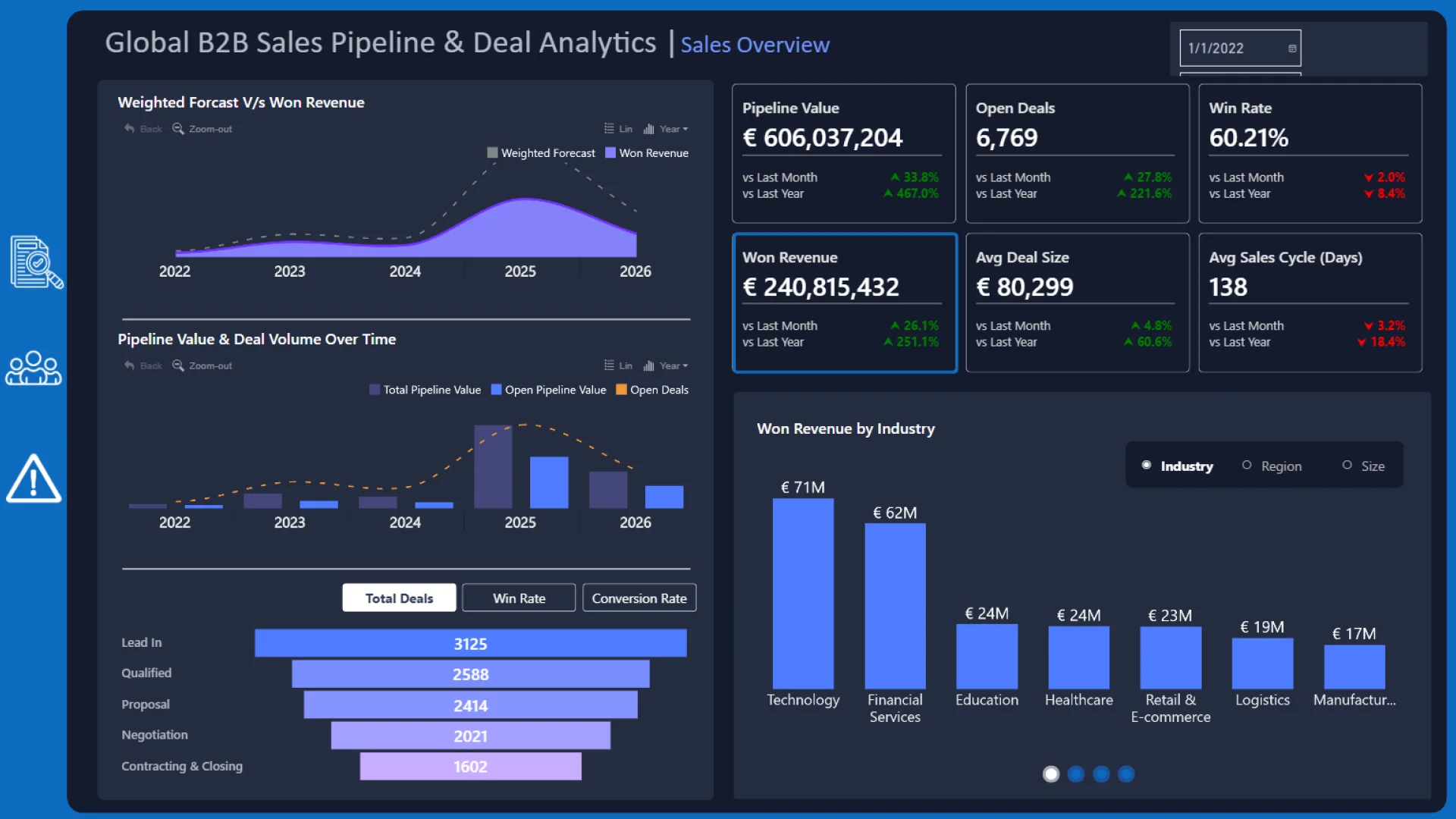
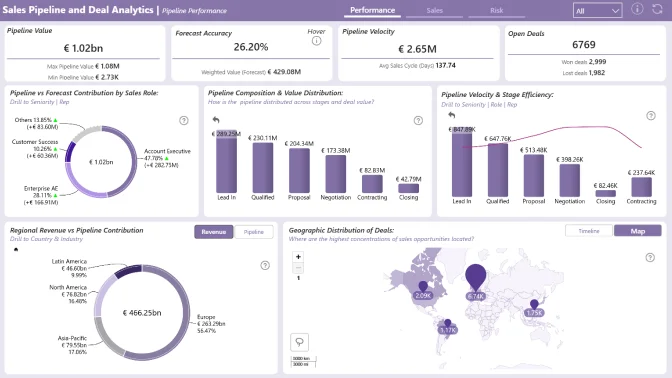
This Power BI B2B sales pipeline dashboard helps sales teams monitor pipeline value, deal progression, sales activity, and client engagement. It provides an interactive view of pipeline health across deal stages, sales representatives, regions, and industries.
The report was created by Aashriya Rawat for FP20 Analytics ZoomCharts Data Challenge 35, held in February–March 2026. It uses the Global B2B Sales Pipeline & Deals Analytics dataset.
Key Insights of the Power BI B2B Sales Pipeline Analytics Dashboard
The report combines pipeline, deal, and sales-representative analysis. Its main insights include:
- Pipeline value: monitor the value and overall health of the B2B sales pipeline
- Deal progression: examine how opportunities are distributed across pipeline stages and outcomes
- Won revenue and win rate: track successful deals and evaluate sales conversion performance
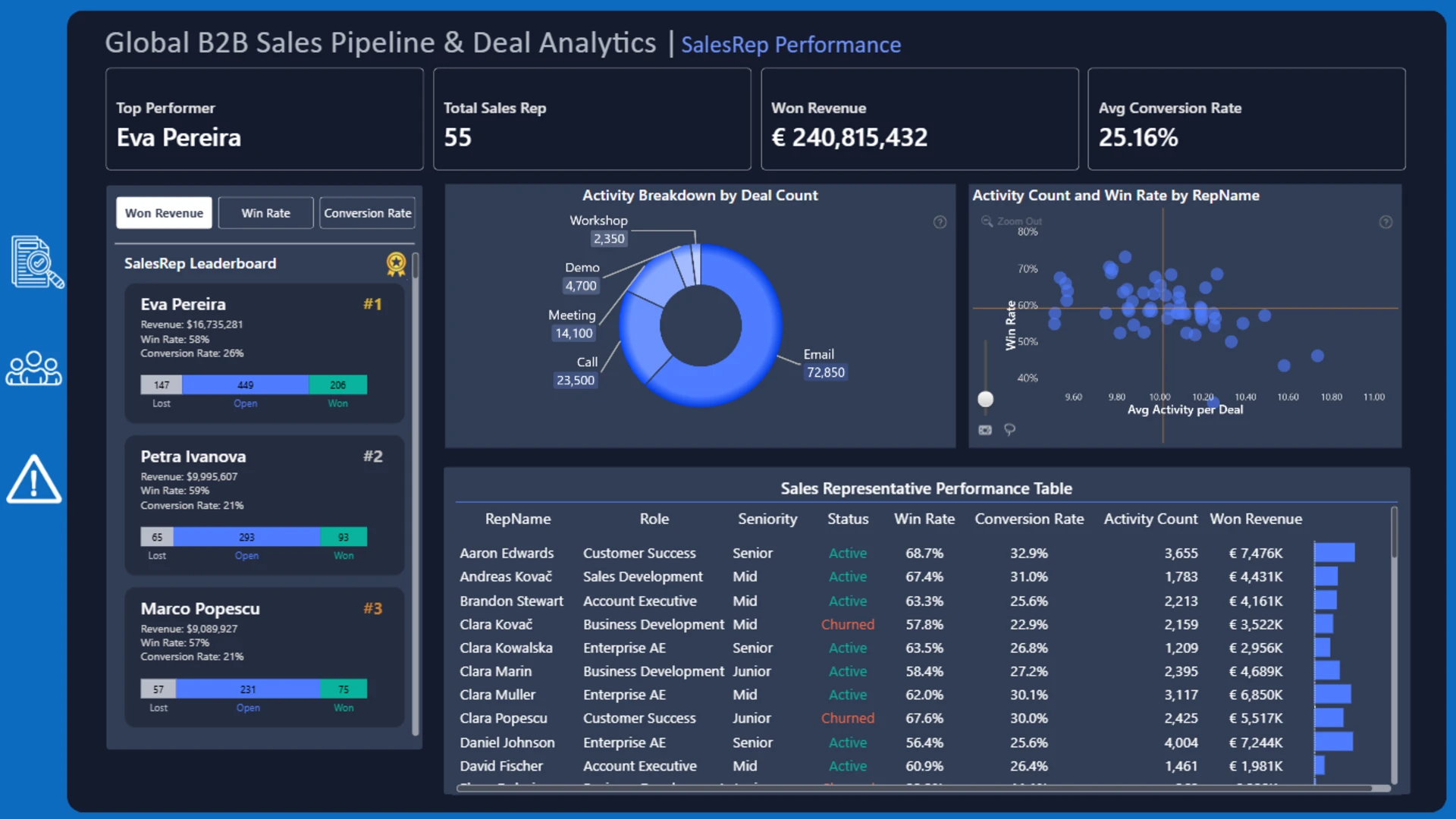
- Sales representative performance: compare won, open, and lost deals through an interactive leaderboard
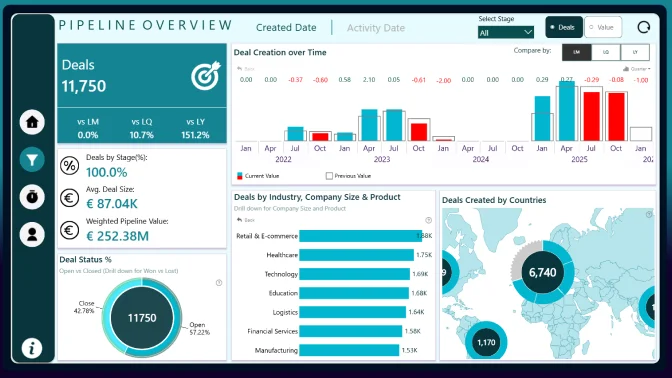
- Regional and industry analysis: explore pipeline activity and client engagement across markets
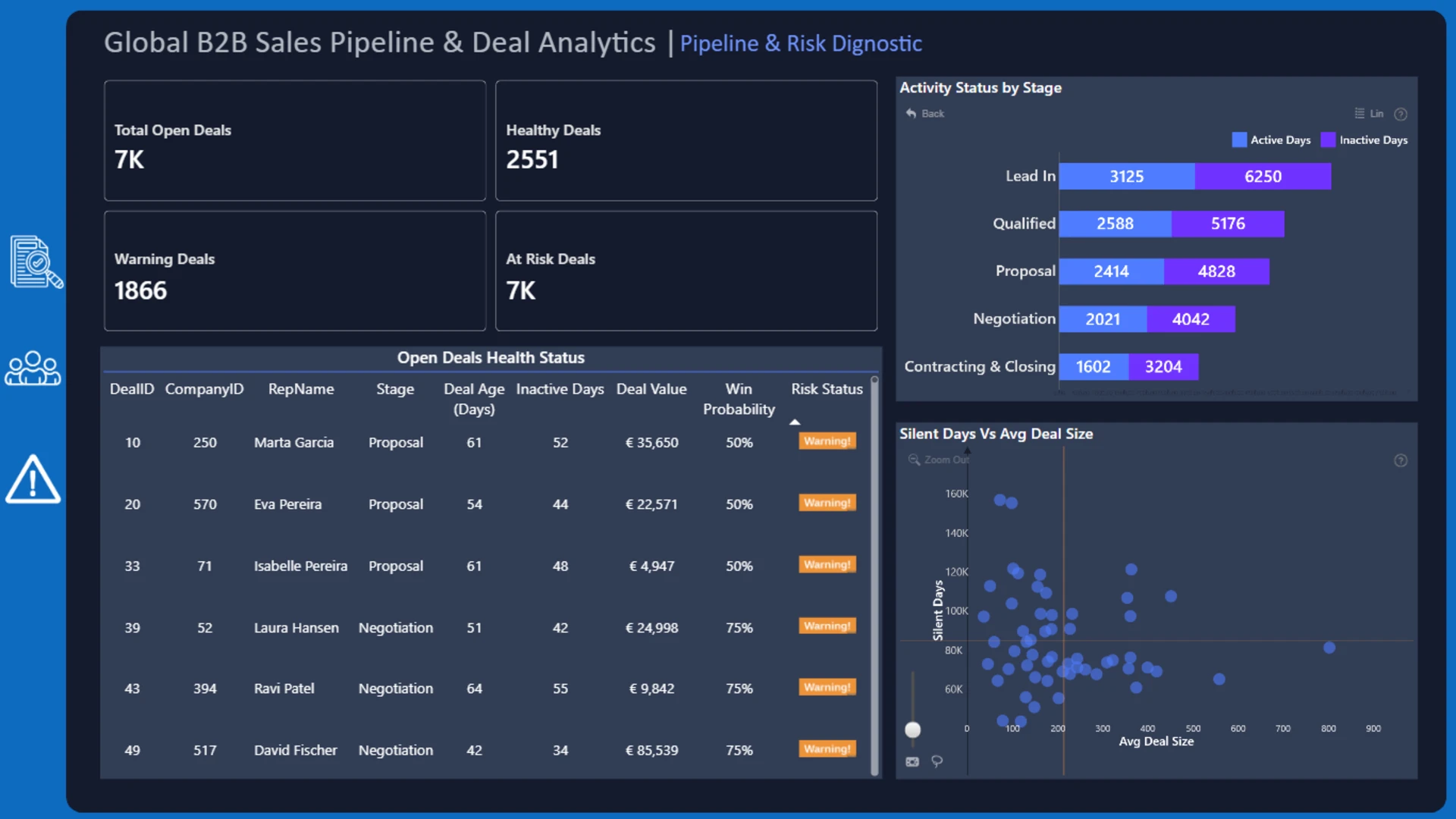
- Deals requiring attention: identify stalled or high-risk opportunities for closer review
Scatter, Combo, Combo Bar, Timeline, Map, and Donut visuals provide correlation, trend, geographic, stage-composition, and performance-comparison views. Cross-filtering makes it easy to move from the overall pipeline to a selected representative, region, industry, stage, or deal outcome.
How to Use This Power BI B2B Sales Pipeline Analytics Dashboard
Click an active chart, map location, timeline period, or deal-stage segment to filter the report. Use the interactive views together to compare sales representatives, examine deal outcomes, analyze pipeline movement, and locate opportunities that may require attention.
Download the PBIX template to review the report structure, calculations, data model, and visual settings in Power BI Desktop. Connect it to your own CRM or sales data and adjust the stages, measures, territories, and representative fields as needed.
ZoomCharts visuals used






4U Report Challenges
Participate in data challenges, build and submit reports to get free template downloads.
Join CommunityMobile view allows you to interact with the report. To Download the template please switch to desktop view.
How to use a PBIX template
Preview the interactive report, download the PBIX file, open it in Power BI Desktop, and replace the same data connection with your own dataset.
Preview and download
Explore the report online and download the PBIX template file.
Open in Power BI Desktop
Open the downloaded PBIX file in Power BI Desktop.
Connect your data
Replace the sample data source with your own dataset.
Refresh and adjust
Refresh the model and update fields or visual were needed.
Save and share
Save your report and publish it for your audience.


