32475
Retail Supply Chain Management & Sales Analysis
Retail Supply Chain Management & Sales Analysis
More Report pages
Report Author: Overhauled by ZoomCharts
32475
Share template with others
Summary
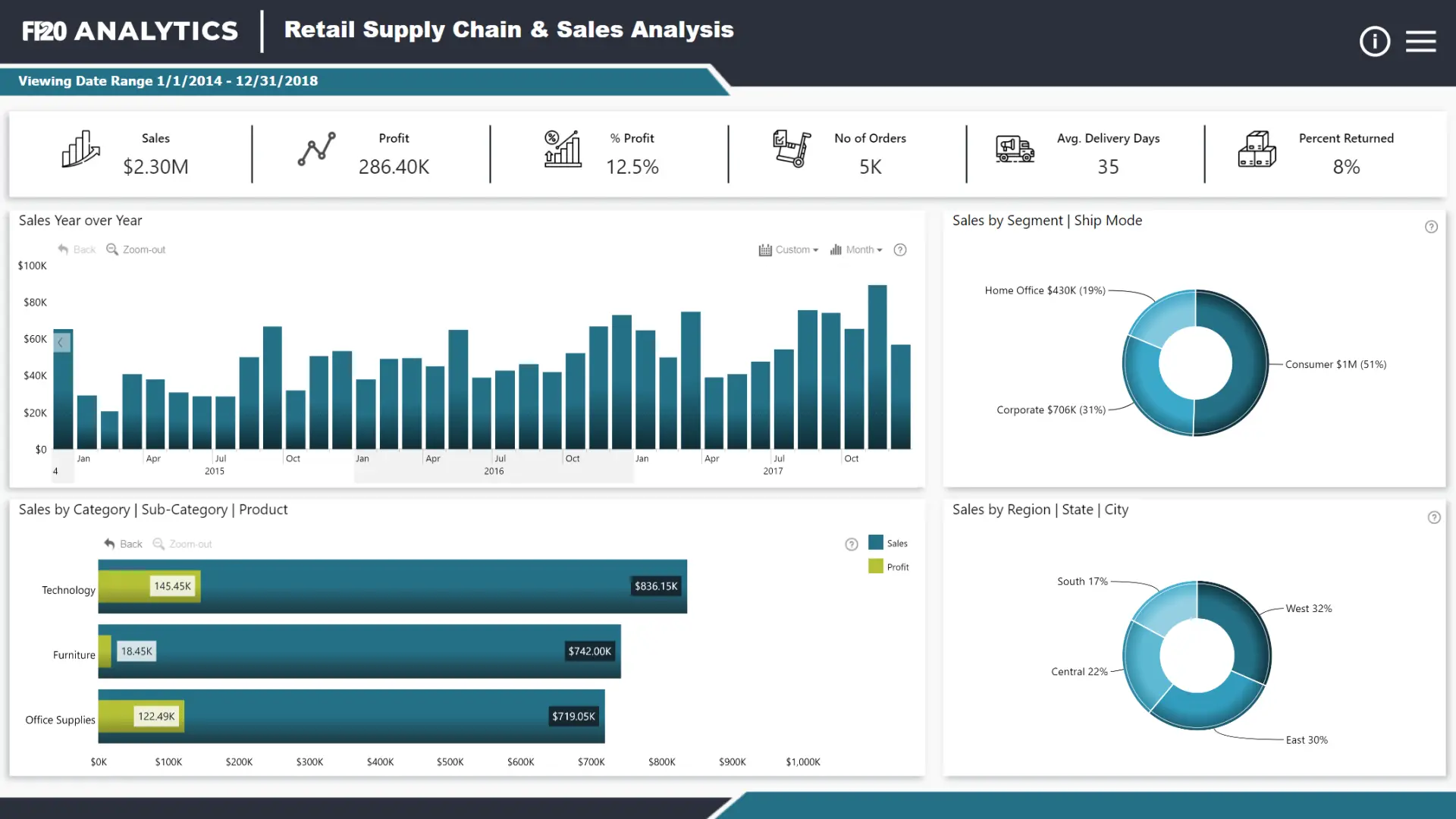
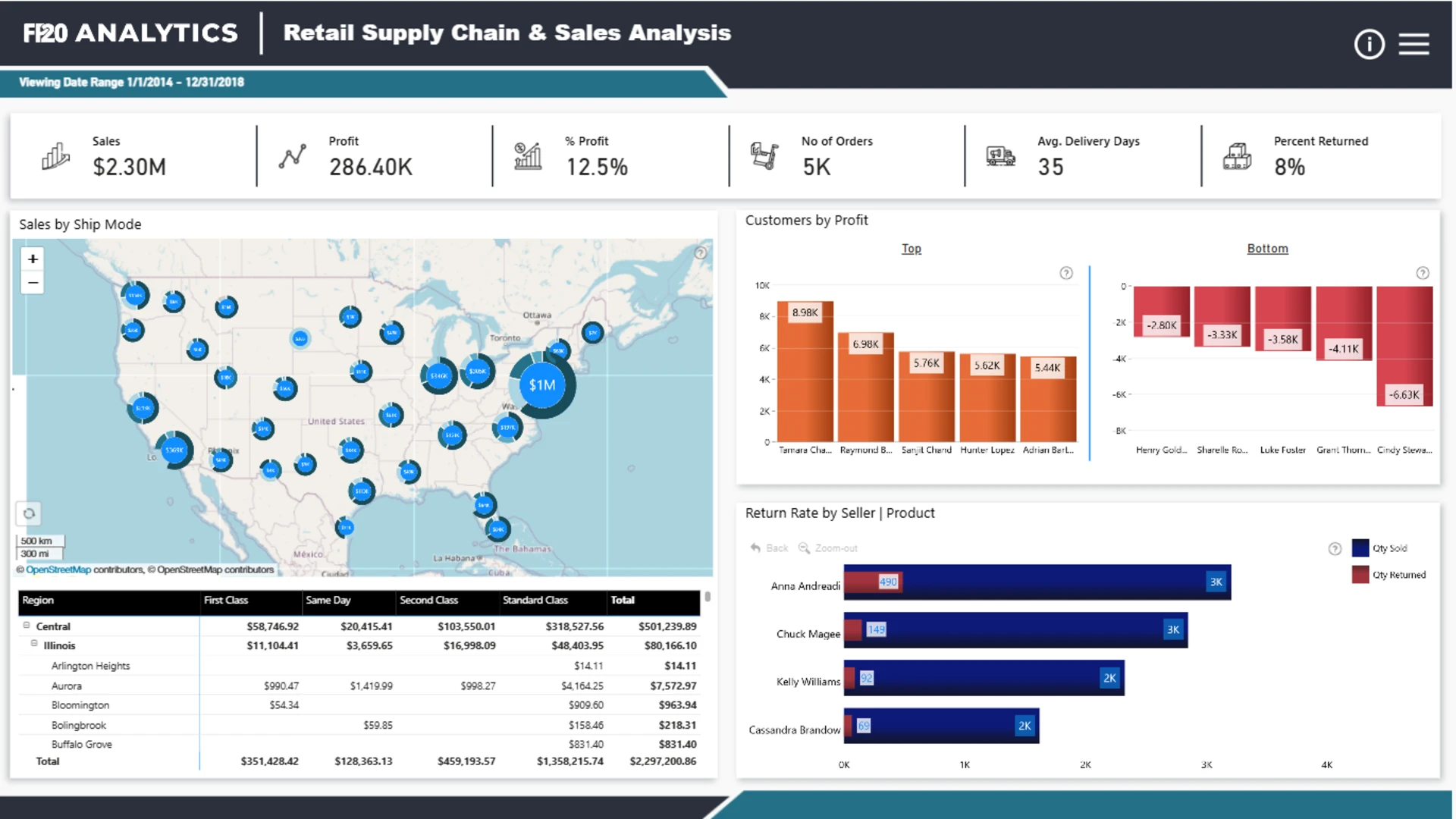
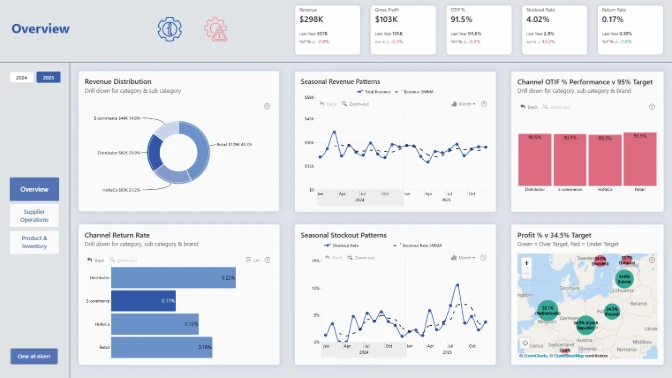
This retail supply chain management report was one of the top entries for the FP20 Analytics October 2023 ZoomCharts Challenge. The contestant visualized a challenge dataset of sales data for a North American retail network.
The report was noted by the ZoomCharts team for its simple and easy-to-read layout, which consists of a ribbon of KPI cards on the top for quick insights, and a selection of interactive visuals that not just visualize key metrics, but also act as filtering and navigation tools.
The Power BI retail analysis sample report on this page is based on the challenge submission with minor refinements by ZoomCharts. See the original submission here.
How To Use This Report Template
To interact with this Power BI report, simply click any active elements directly on the charts.
Download this report to see all the settings, formulas, and calculations. Try it out with your own data by making a few adjustments.
ZoomCharts visuals used





4U Report Challenges
Participate in data challenges, build and submit reports to get free template downloads.
Join CommunityMobile view allows you to interact with the report. To Download the template please switch to desktop view.
How to use a PBIX template
Preview the interactive report, download the PBIX file, open it in Power BI Desktop, and replace the same data connection with your own dataset.
Preview and download
Explore the report online and download the PBIX template file.
Open in Power BI Desktop
Open the downloaded PBIX file in Power BI Desktop.
Connect your data
Replace the sample data source with your own dataset.
Refresh and adjust
Refresh the model and update fields or visual were needed.
Save and share
Save your report and publish it for your audience.


