184
Power BI Project Portfolio Dashboard: Portfolio Health and Delivery Pressure
Power BI Project Portfolio Dashboard: Portfolio Health and Delivery Pressure
More Report pages
Report Author: Kenneth Amobi
184
Share template with others
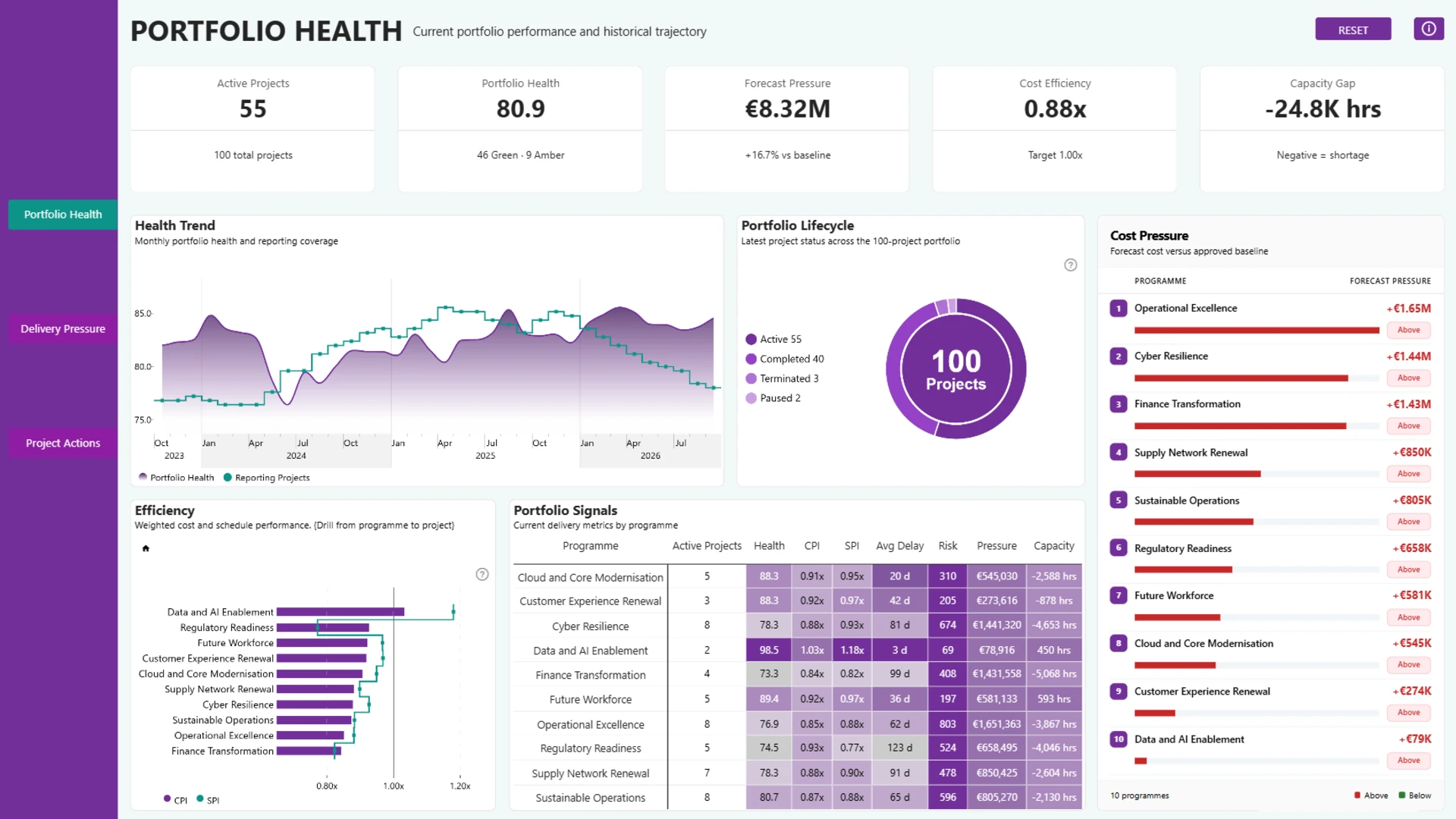
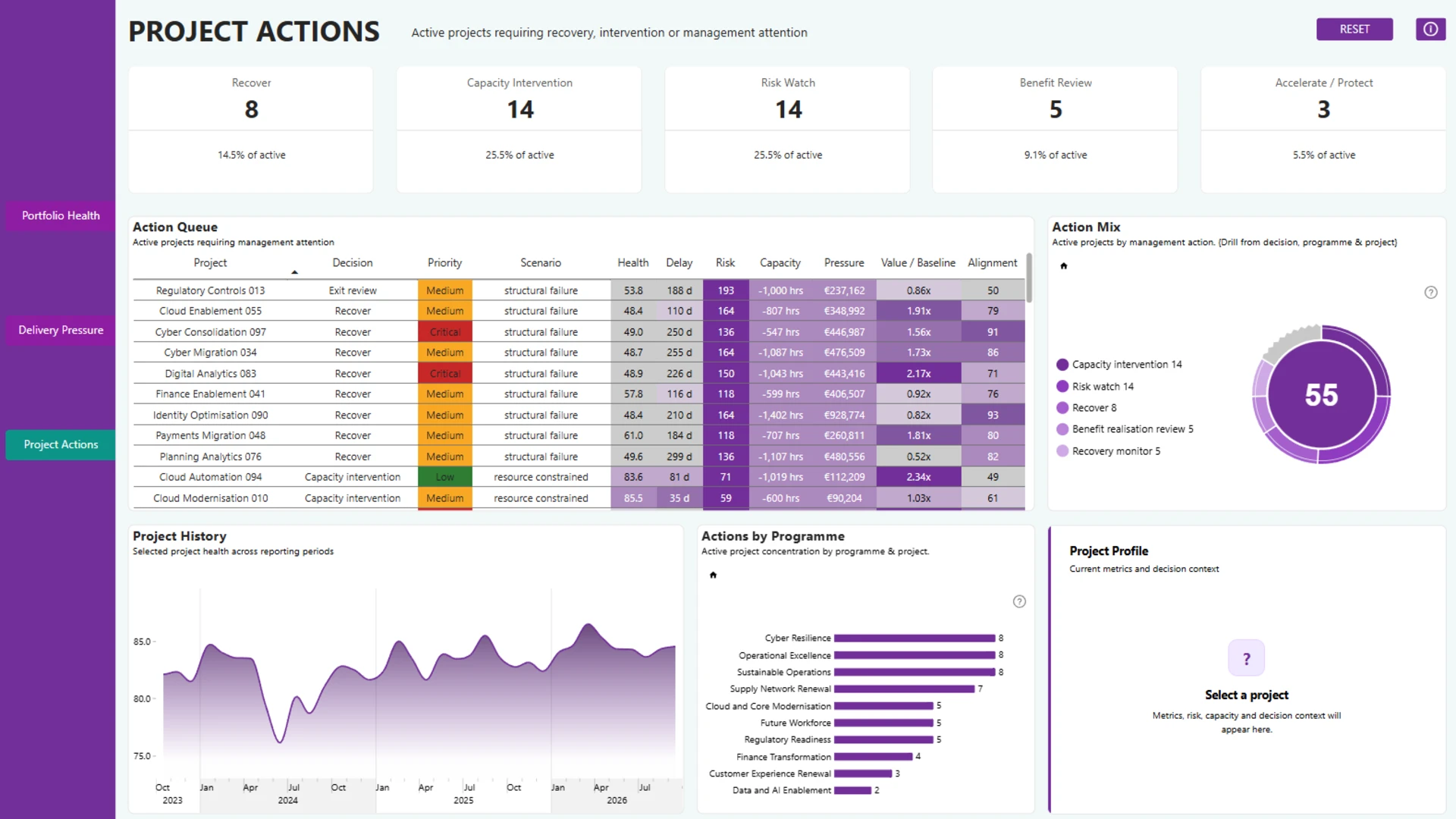
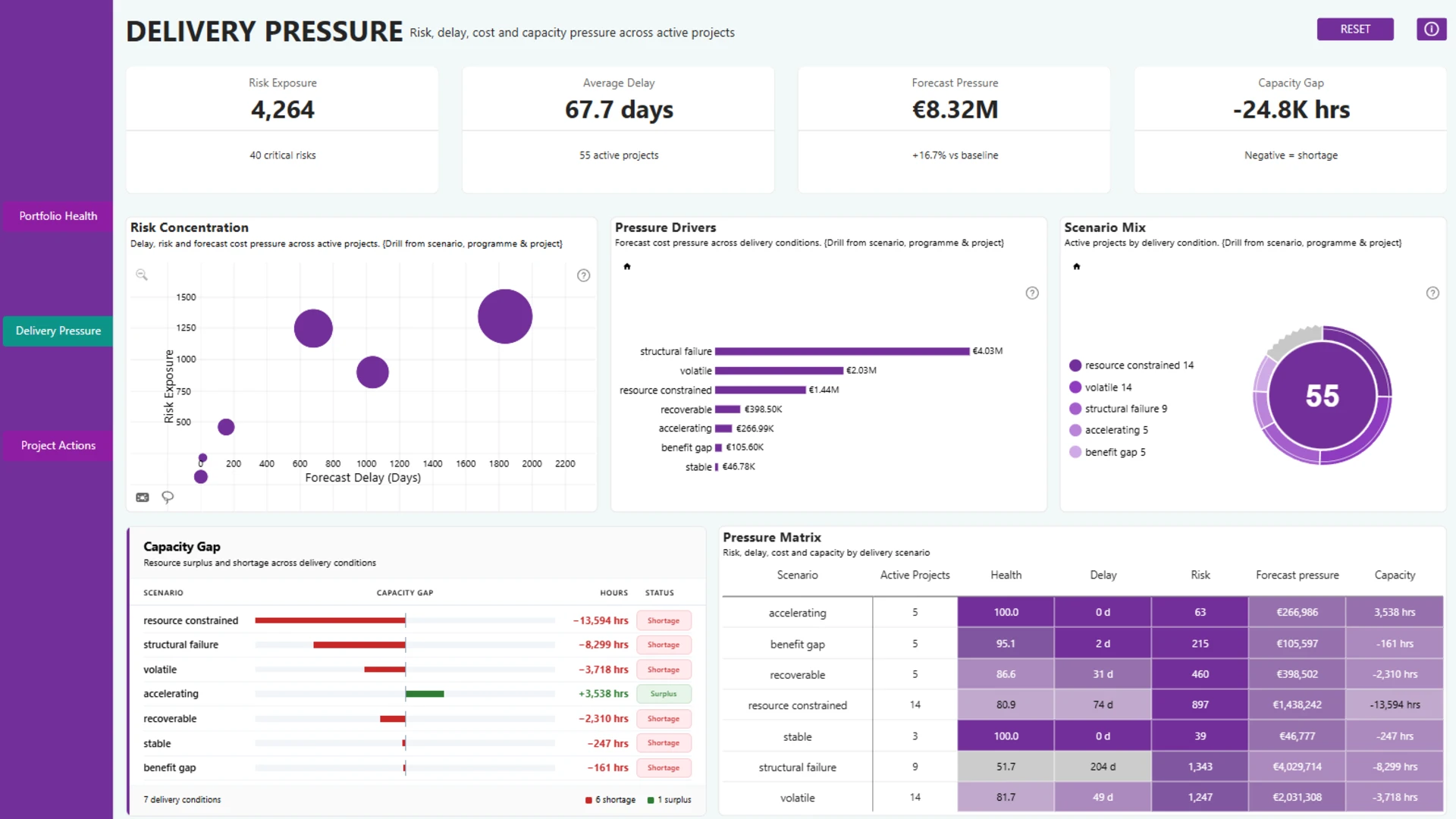
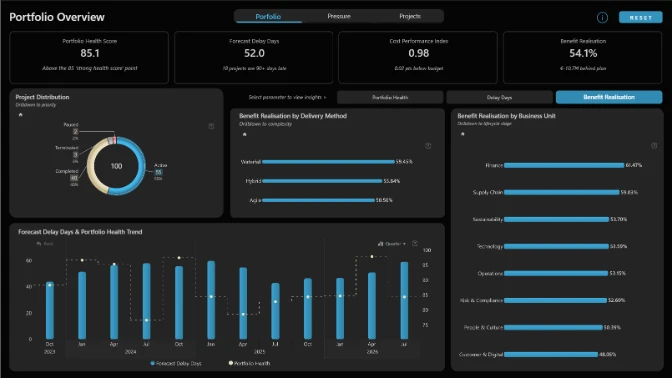
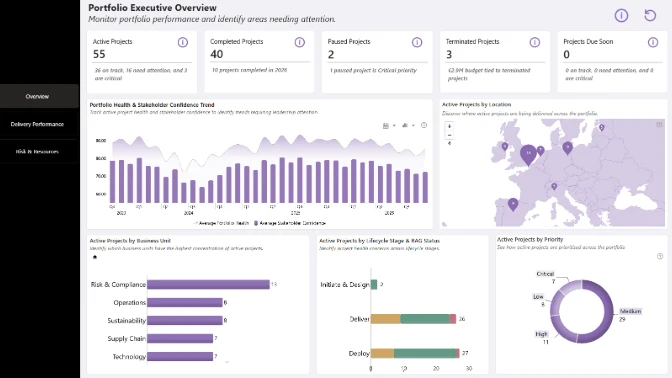
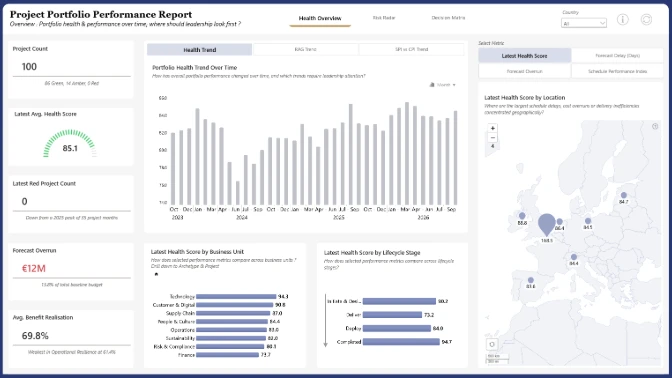
A Power BI project portfolio dashboard designed to answer three practical project management questions: what is happening across the portfolio, where is the delivery pressure coming from, and which projects need attention. This interactive Power BI report brings together portfolio health, cost and schedule efficiency, forecast pressure, risk exposure, capacity gaps, delivery scenarios, benefits, and project-level decision signals to support better PMO decision-making.
The three-page flow moves from Portfolio Health, to Delivery Pressure, and finally to Project Actions. Users can drill from portfolio-level and programme-level patterns into individual projects, inspect project history, and understand whether a project needs recovery, capacity intervention, risk monitoring, benefit review, or protection. The focus is not only on displaying KPIs, but on turning project portfolio data into a clearer management conversation: understand the current position, identify what is creating pressure, and know where to act.
Built with Power BI and ZoomCharts Drill Down PRO visuals as part of the FP20 Analytics & ZoomCharts Challenge 41, focused on PMO Project Portfolio Data Analysis and Visualization.
ZoomCharts visuals used




4U Report Challenges
Participate in data challenges, build and submit reports to get free template downloads.
Join CommunityMobile view allows you to interact with the report. To Download the template please switch to desktop view.
How to use a PBIX template
Preview the interactive report, download the PBIX file, open it in Power BI Desktop, and replace the same data connection with your own dataset.
Preview and download
Explore the report online and download the PBIX template file.
Open in Power BI Desktop
Open the downloaded PBIX file in Power BI Desktop.
Connect your data
Replace the sample data source with your own dataset.
Refresh and adjust
Refresh the model and update fields or visual were needed.
Save and share
Save your report and publish it for your audience.


