5128
Power BI Project Management Dashboard & PMO Template
Power BI Project Management Dashboard & PMO Template

More Report pages
Report Author: Agbata Dickson Ukolojo
5128
Share template with others
Summary
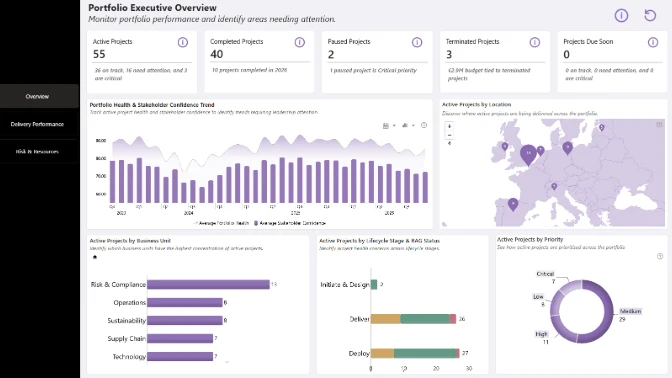
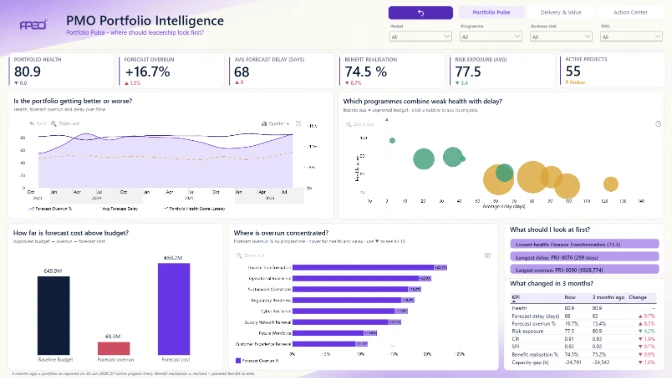
This Power BI project management dashboard template helps project managers, PMO teams, analysts, and executives monitor project performance, budgets, timelines, tasks, and delivery risks.
Created by Agbata Dickson Ukolojo, the report uses the Fintech Project Management dataset and was submitted to the FP20 Analytics ZoomCharts Data Challenge 32 in November 2025.
Key Insights of the Power BI Project Management Dashboard & PMO Template
The report includes project overview, delivery performance, and project tracking views. Its main insights include:
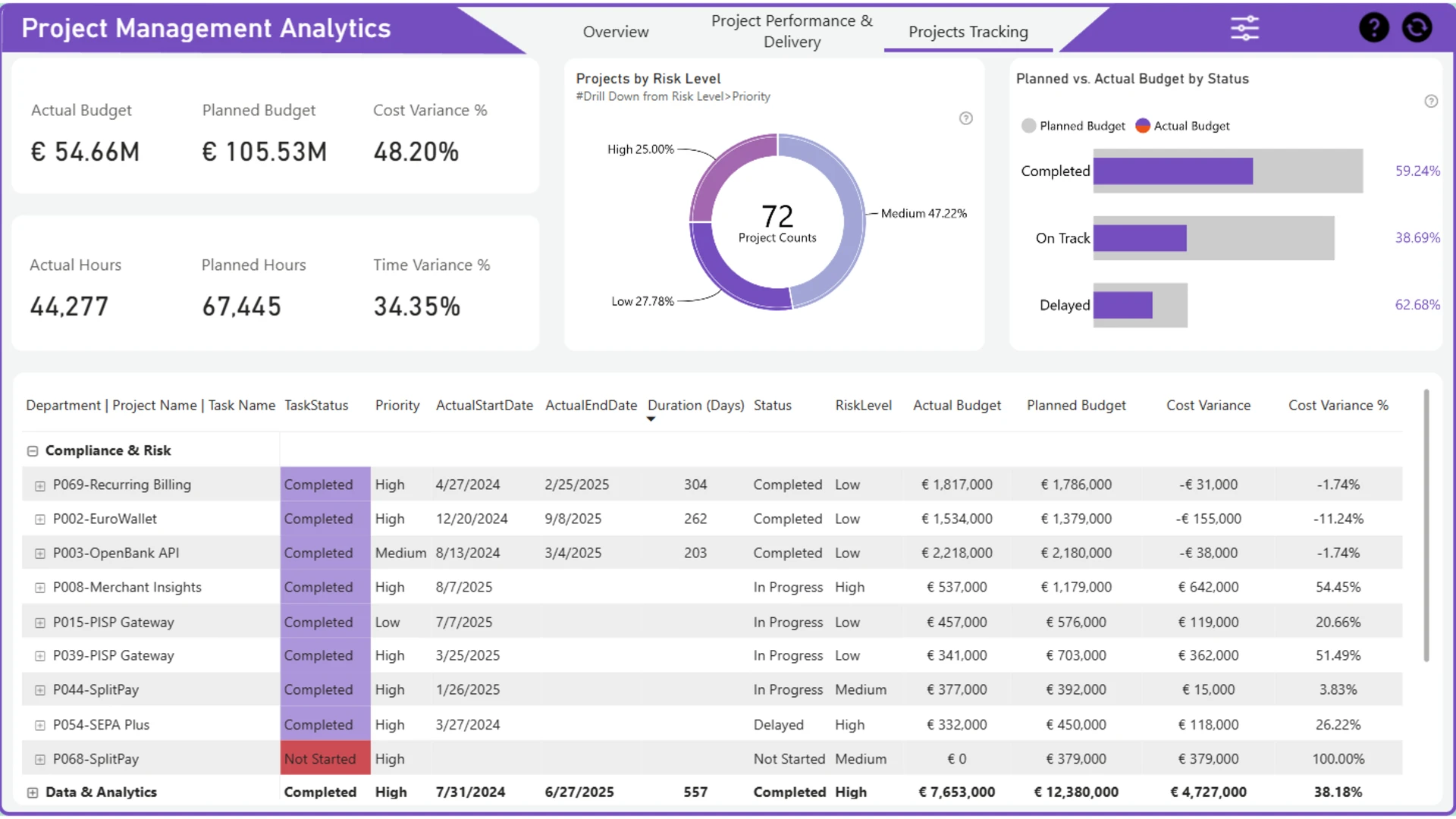
- Project budgets: compare actual and planned budgets, cost variance, and cost variance percentage
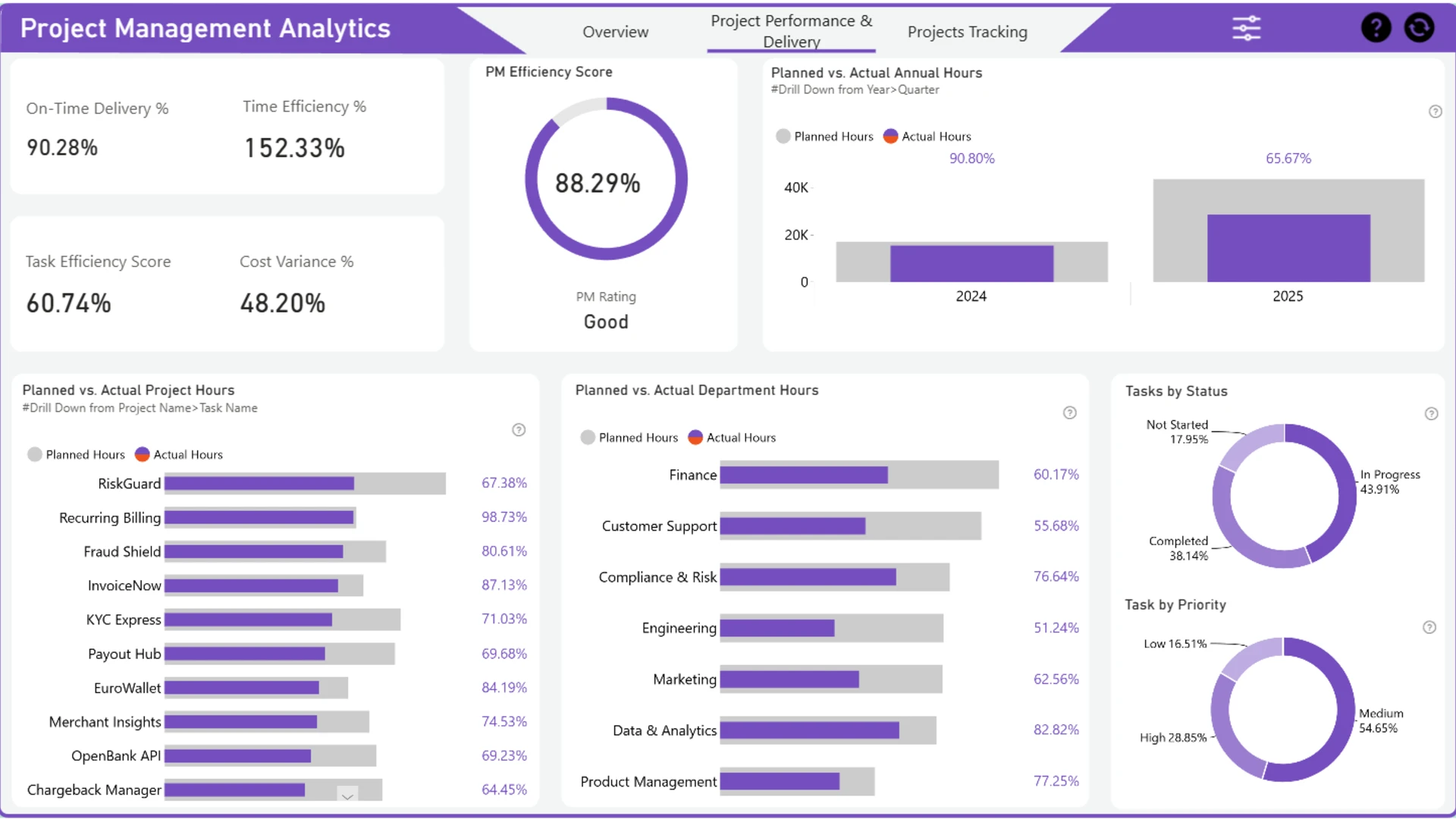
- Project hours: review actual and planned hours, time variance, and results by project or department
- Delivery performance: monitor on-time delivery, PM efficiency, and task efficiency
- Project risk: examine project counts by risk level and drill down from risk level to priority
- Task tracking: analyze tasks by status, priority, project, and task name
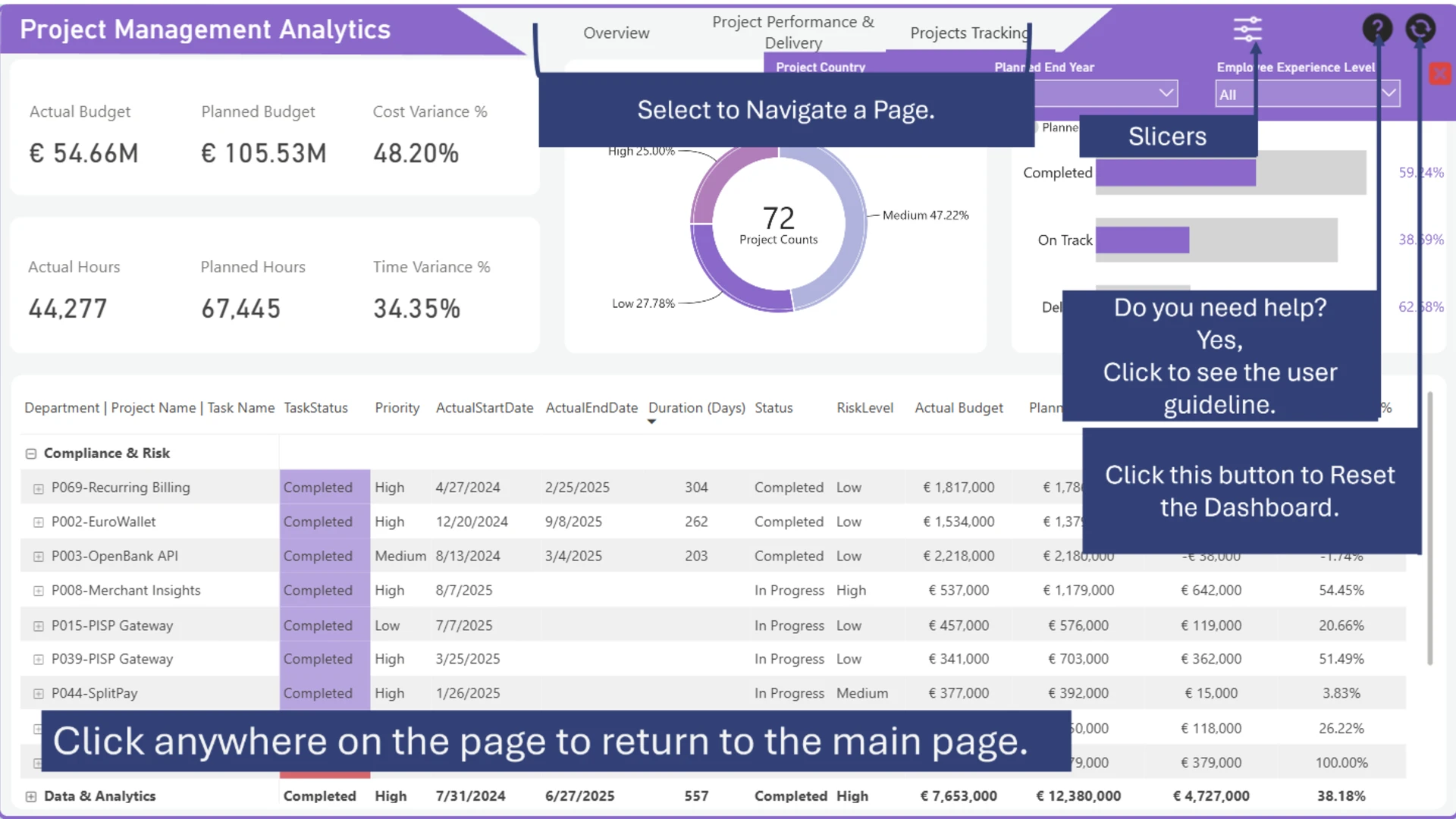
- Resource planning: filter results by country, planned completion year, and employee experience level
The dashboard combines ZoomCharts Drill Down Combo Bar PRO, Drill Down Timeline PRO, and Drill Down Donut PRO with native Power BI visuals. Interactive charts and slicers allow users to explore project performance from different perspectives.
How to Use This Power BI Project Management Dashboard & PMO Template
Click active chart and table elements to filter the report. Drill down from risk level to priority, year to quarter, or project name to task name. Use the navigation menu to move between report views or reset the dashboard with one click.
Preview the report online or download the PBIX template to examine its visuals, calculations, drill-down settings, and dashboard structure in Power BI Desktop.



4U Report Challenges
Participate in data challenges, build and submit reports to get free template downloads.
Join CommunityMobile view allows you to interact with the report. To Download the template please switch to desktop view.
How to use a PBIX template
Preview the interactive report, download the PBIX file, open it in Power BI Desktop, and replace the same data connection with your own dataset.
Preview and download
Explore the report online and download the PBIX template file.
Open in Power BI Desktop
Open the downloaded PBIX file in Power BI Desktop.
Connect your data
Replace the sample data source with your own dataset.
Refresh and adjust
Refresh the model and update fields or visual were needed.
Save and share
Save your report and publish it for your audience.


