368
Power BI HR Planning & Retention Dashboard
Power BI HR Planning & Retention Dashboard
More Report pages
Report Author: Ooviya Ra V
368
Share template with others
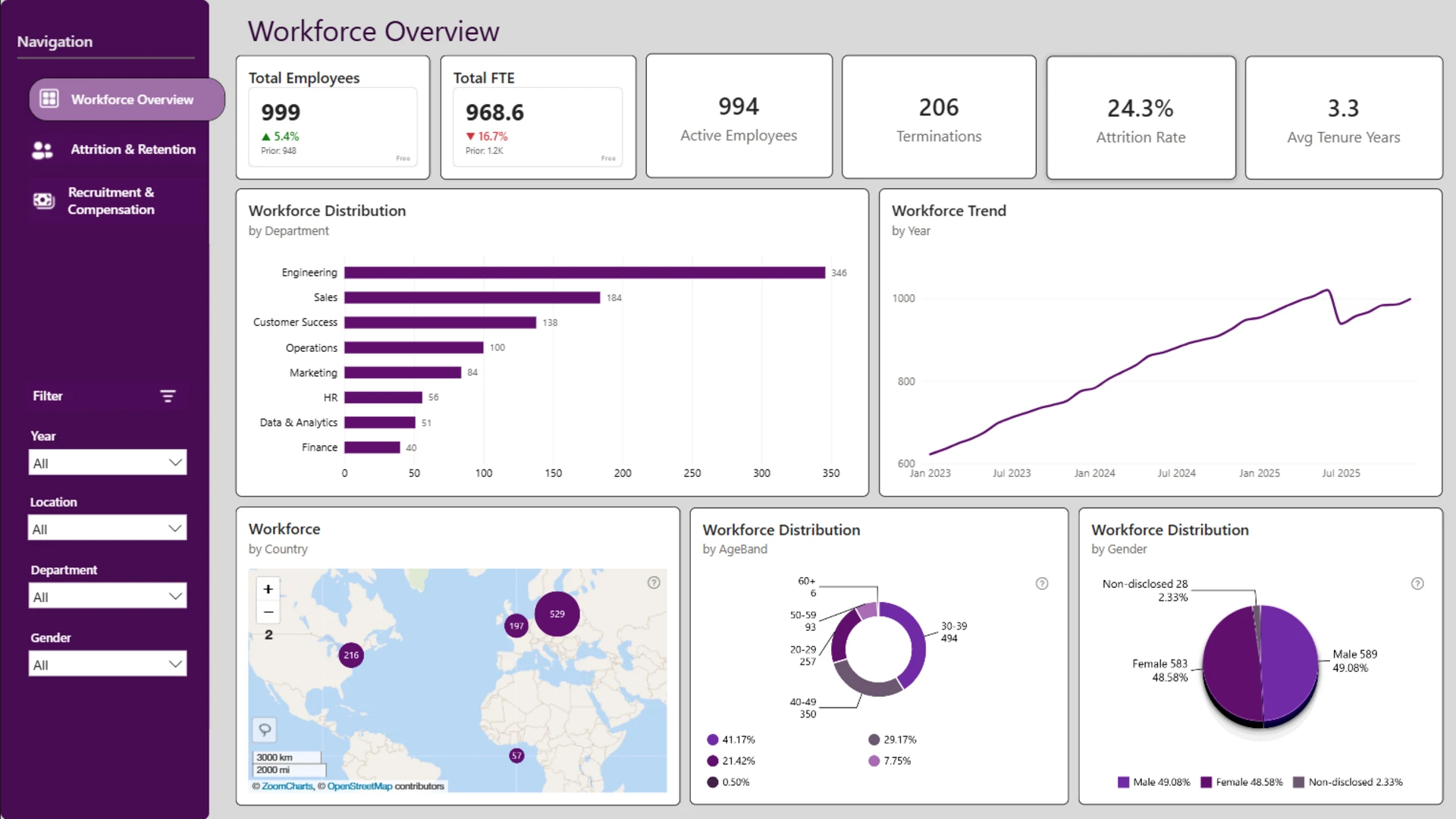
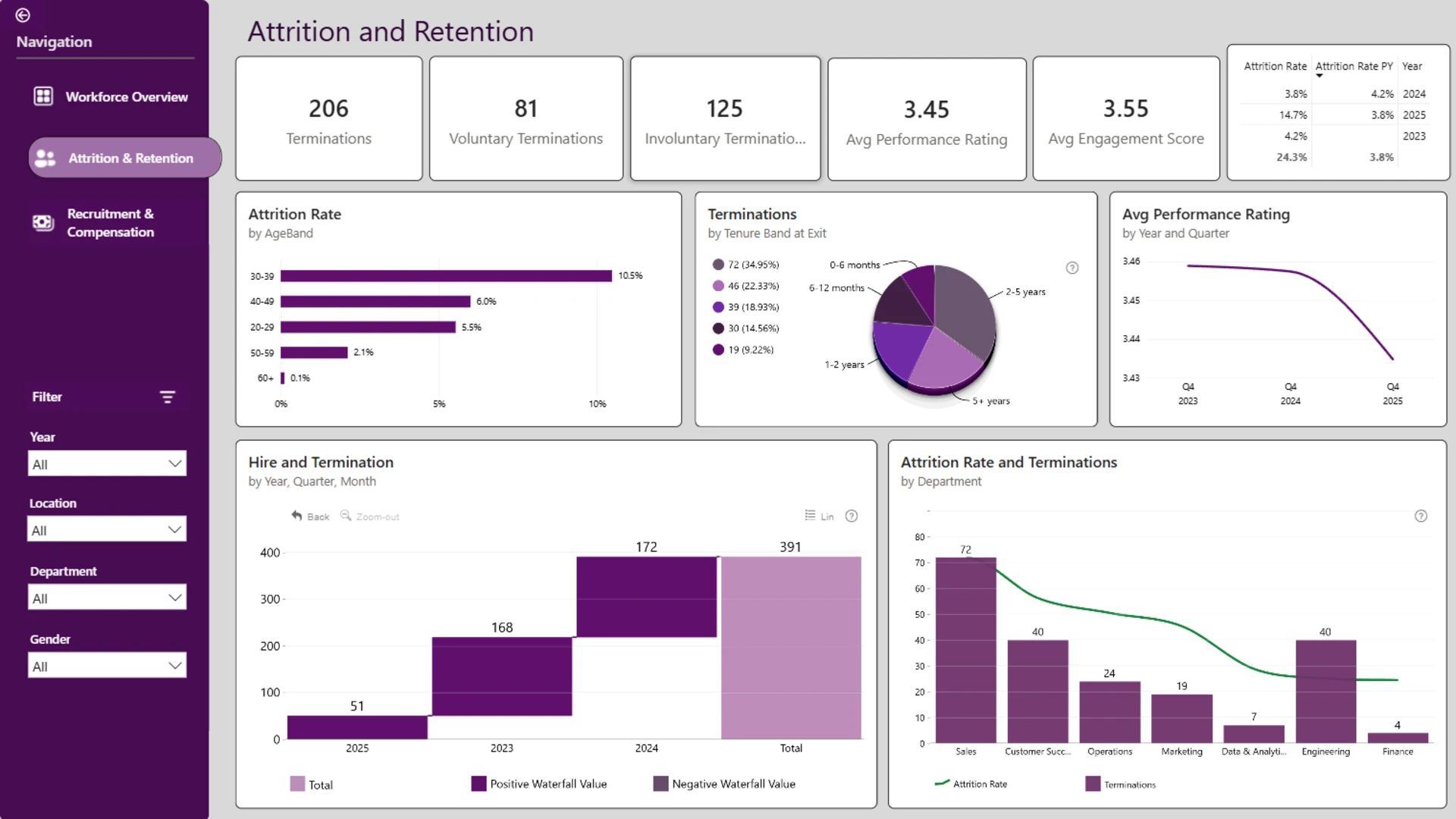
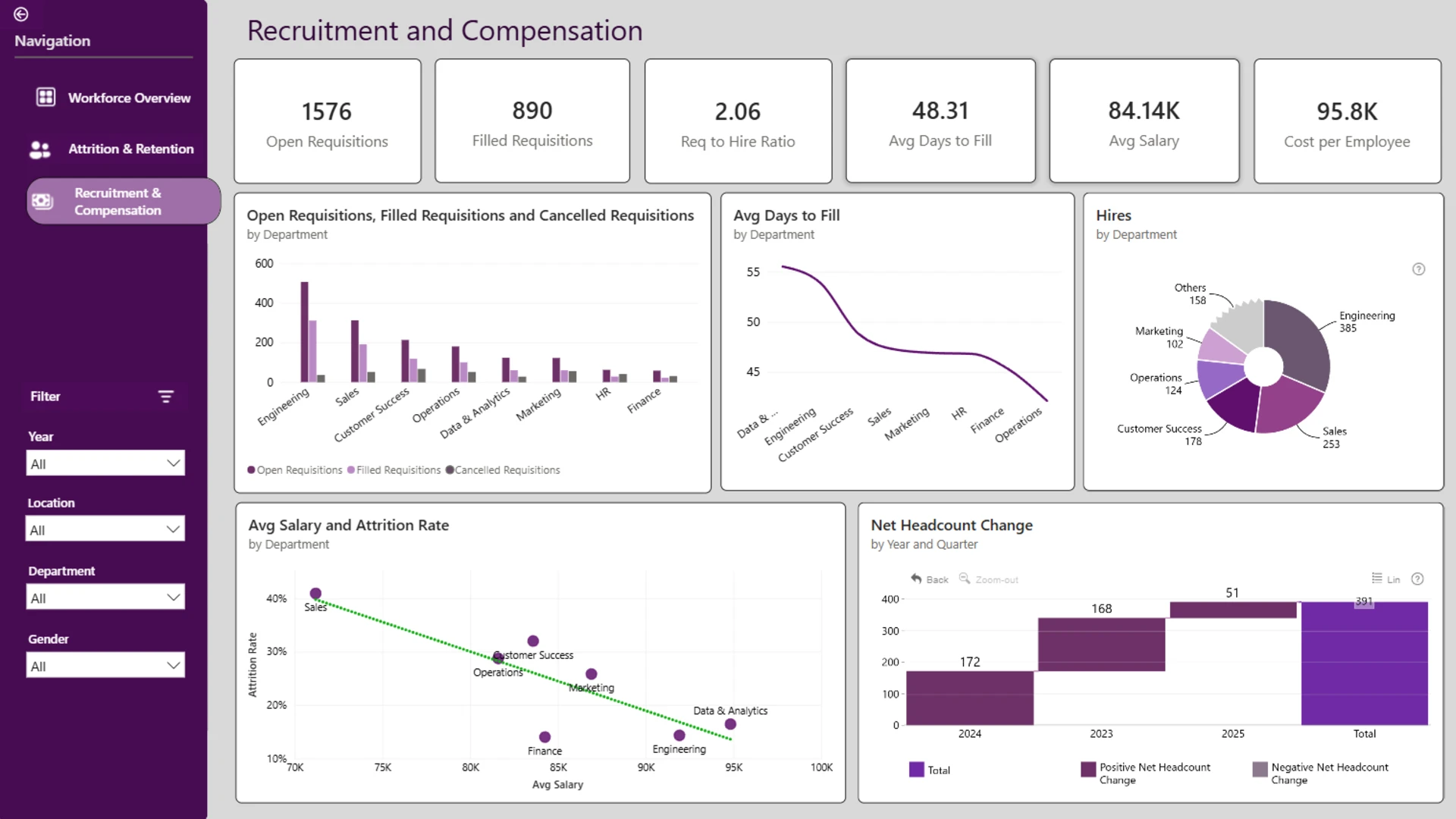
This HR analytics report uses the HR workforce planning dataset from the ZoomCharts 4U Report Challenge July 2026 to visualize workforce targets, retention drivers, employee movement, and attrition risks in Power BI.
Author's Description:
Developed an interactive HR Analytics Dashboard in Power BI to analyze workforce performance, employee attrition, recruitment, and compensation. The report includes three pages - Workforce Overview, Attrition & Retention, and Recruitment & Compensation - with executive KPIs, workforce trends, hiring and termination analysis, salary insights, and demographic breakdowns. Interactive filters, drill-down capabilities, and DAX-powered calculations enable users to explore data at multiple levels and make informed HR decisions.
ZoomCharts visuals used





4U Report Challenges
Participate in data challenges, build and submit reports to get free template downloads.
Join CommunityMobile view allows you to interact with the report. To Download the template please switch to desktop view.
How to use a PBIX template
Preview the interactive report, download the PBIX file, open it in Power BI Desktop, and replace the same data connection with your own dataset.
Preview and download
Explore the report online and download the PBIX template file.
Open in Power BI Desktop
Open the downloaded PBIX file in Power BI Desktop.
Connect your data
Replace the sample data source with your own dataset.
Refresh and adjust
Refresh the model and update fields or visual were needed.
Save and share
Save your report and publish it for your audience.


