493
Power BI HR Dashboard for Workforce Decisions
Power BI HR Dashboard for Workforce Decisions
More Report pages
Report Author: Richard I.
493
Share template with others
Author's Description:
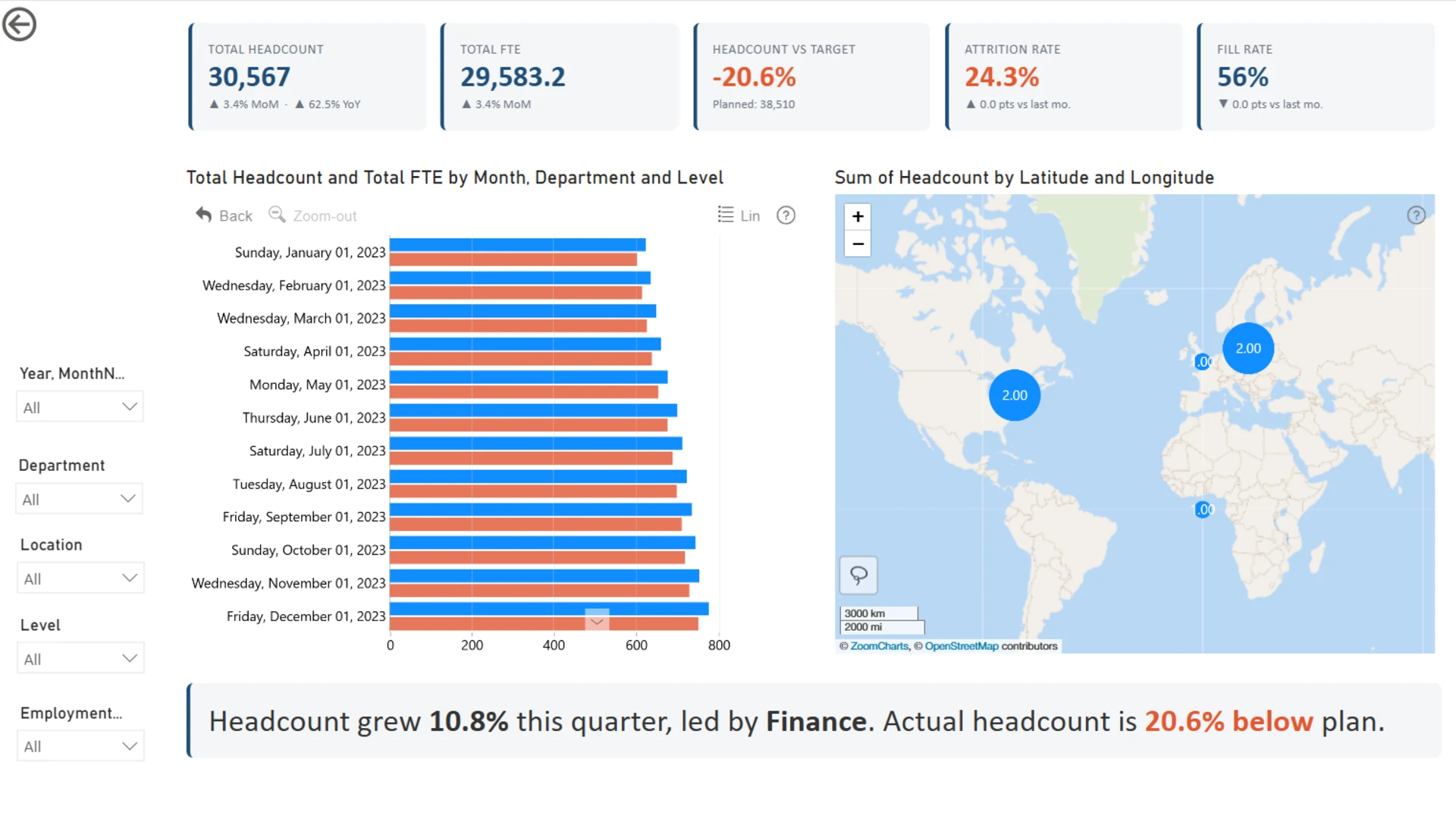
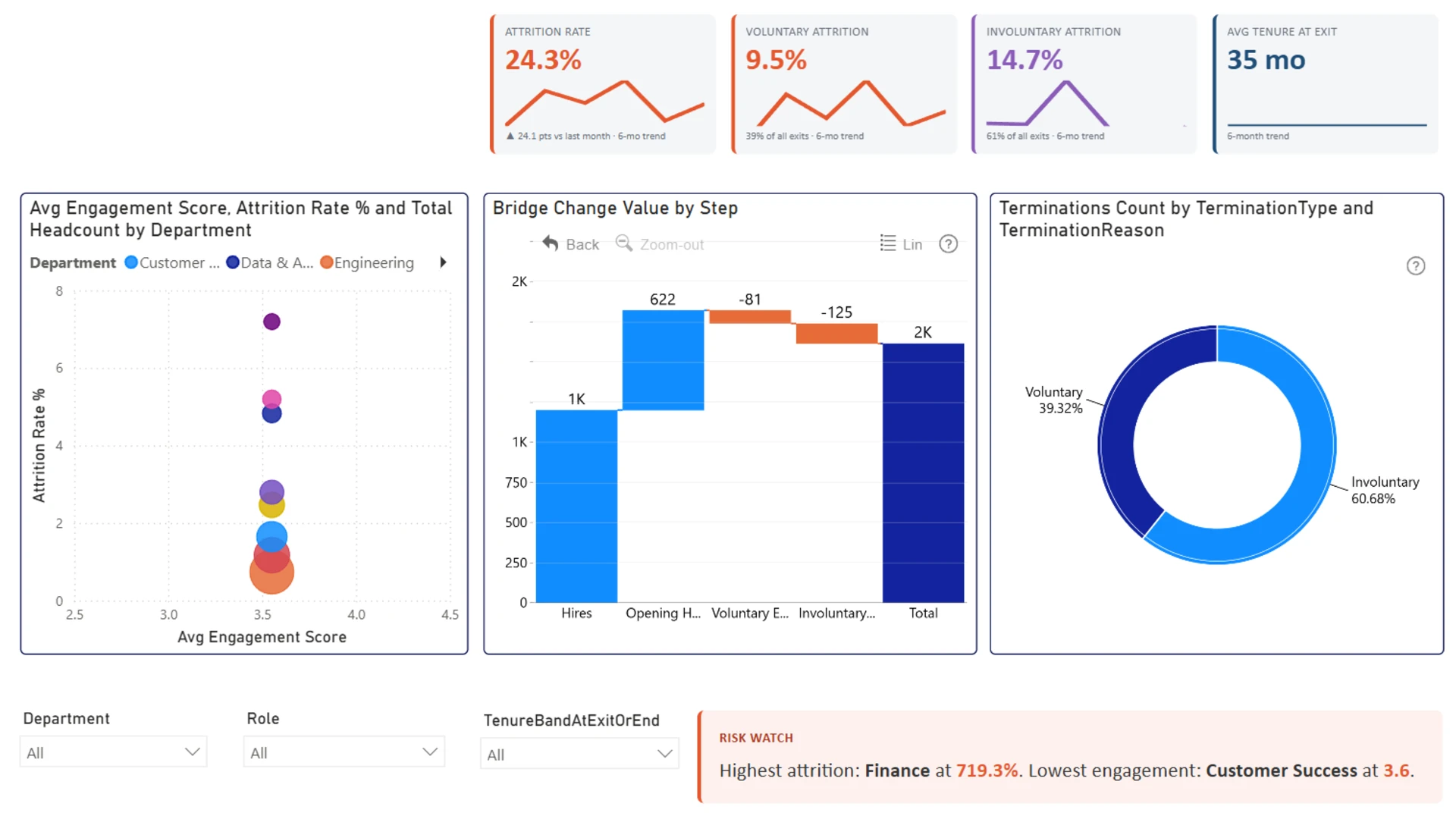
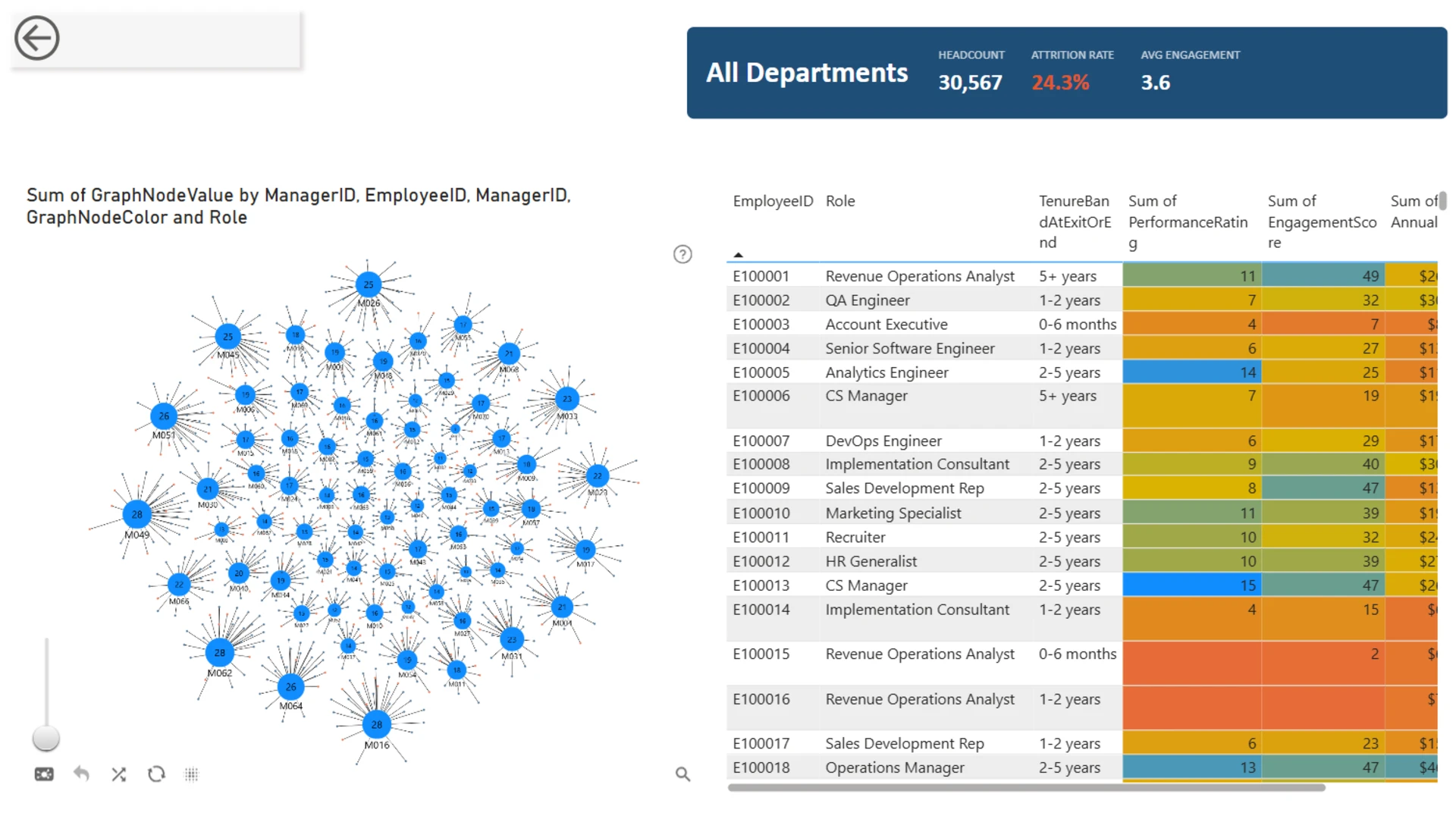
HR Workforce Planning & Attrition Analytics is an interactive Power BI report built with ZoomCharts custom visuals to help organizations monitor workforce performance, understand attrition drivers, and support strategic workforce planning. Across three interconnected pages, the report combines executive KPIs, workforce trends, geographic distribution, attrition analysis, and employee-level insights into a seamless interactive experience. Advanced features—including DAX-powered narratives, SVG KPI sparklines, dynamic HTML Content cards, drill-down visualizations, and an interactive organizational graph—transform complex HR data into clear, actionable insights. Every visual is fully filter-aware, enabling users to explore workforce changes, identify retention risks, and navigate from high-level metrics to individual employee details with a single click.
ZoomCharts visuals used





4U Report Challenges
Participate in data challenges, build and submit reports to get free template downloads.
Join CommunityMobile view allows you to interact with the report. To Download the template please switch to desktop view.
How to use a PBIX template
Preview the interactive report, download the PBIX file, open it in Power BI Desktop, and replace the same data connection with your own dataset.
Preview and download
Explore the report online and download the PBIX template file.
Open in Power BI Desktop
Open the downloaded PBIX file in Power BI Desktop.
Connect your data
Replace the sample data source with your own dataset.
Refresh and adjust
Refresh the model and update fields or visual were needed.
Save and share
Save your report and publish it for your audience.


