515
Power BI Dashboard for Crude Oil Intelligence
Power BI Dashboard for Crude Oil Intelligence
More Report pages
Report Author: Joshua Achire
515
Share template with others
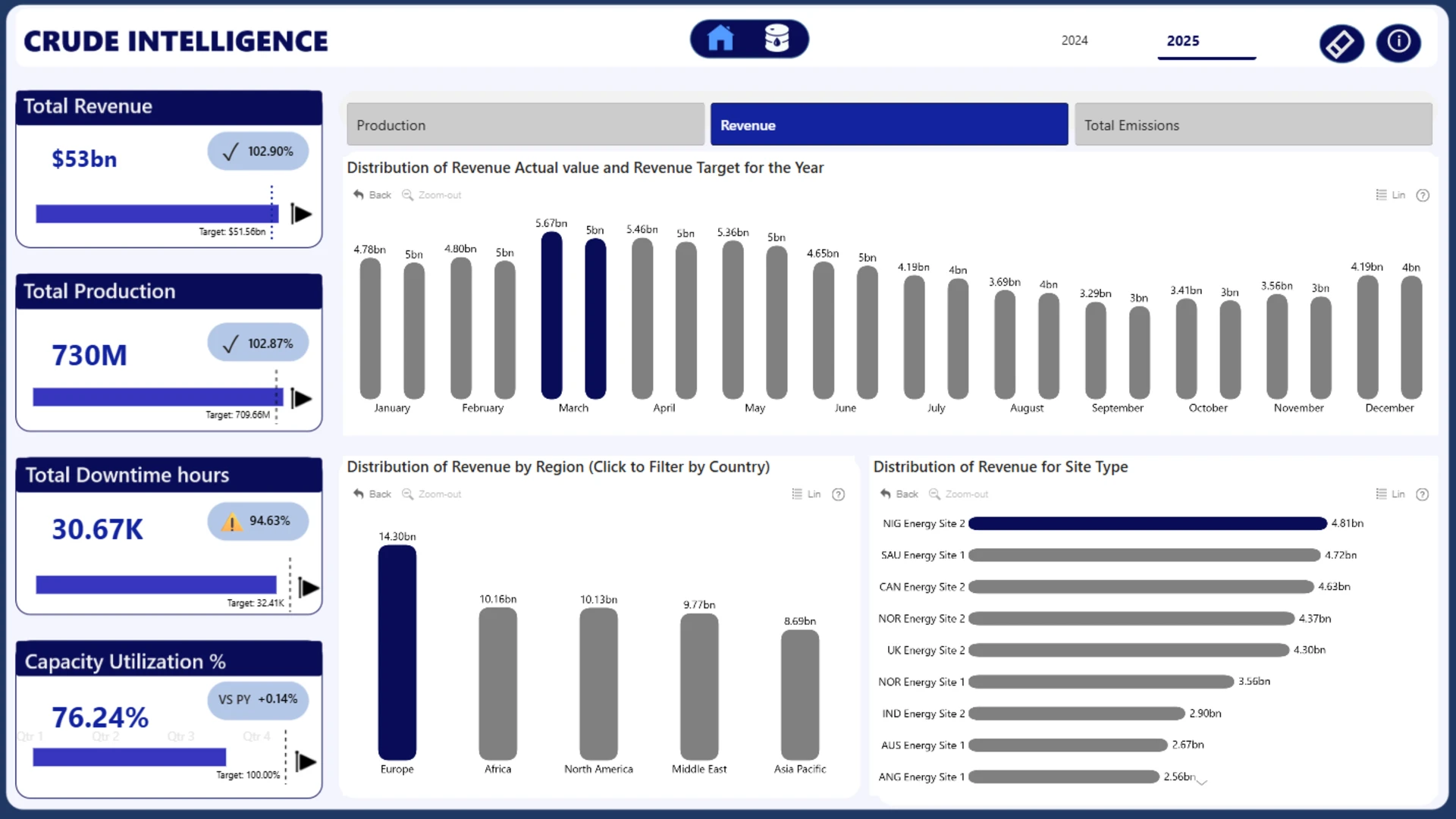
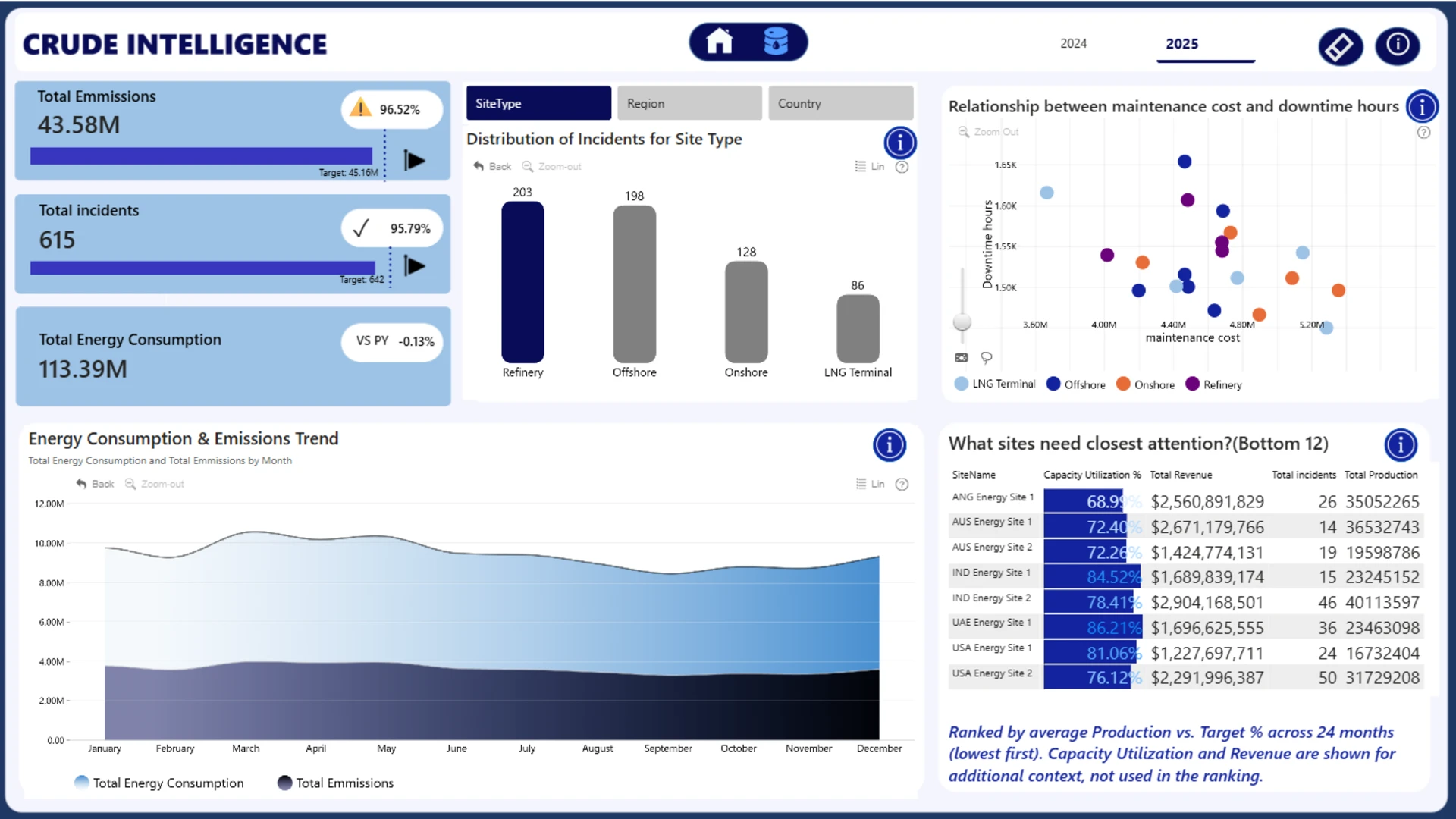
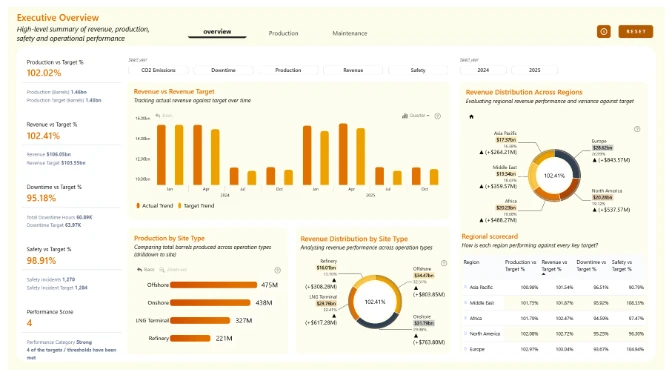
Crude Intelligence is an interactive Power BI dashboard that tracks production, revenue, safety, operational, and sustainability performance across 20 energy sites, including Offshore, Onshore, Refinery, and LNG operations.
Report overview:
-
Page 1: Executive dashboard providing a high-level view of production, revenue, capacity utilization, and KPI performance against targets.
-
Page 2: Operational analytics focused on risk assessment, safety incidents, maintenance effectiveness, and identifying sites that require immediate attention.
Interactive features:
-
Filter by year using the Year Selector.
-
Analyze performance by Site Type, Region, or Country using the dimension tabs.
-
Click charts to drill from portfolio-level insights down to individual sites with ZoomCharts Drill Down visuals.
This report was created for the ZoomCharts 4U Report Challenge – June 2026, where Power BI developers demonstrate their data visualization and analytics expertise by solving real-world business scenarios using native Power BI visuals together with ZoomCharts Drill Down Visuals.



4U Report Challenges
Participate in data challenges, build and submit reports to get free template downloads.
Join CommunityMobile view allows you to interact with the report. To Download the template please switch to desktop view.
How to use a PBIX template
Preview the interactive report, download the PBIX file, open it in Power BI Desktop, and replace the same data connection with your own dataset.
Preview and download
Explore the report online and download the PBIX template file.
Open in Power BI Desktop
Open the downloaded PBIX file in Power BI Desktop.
Connect your data
Replace the sample data source with your own dataset.
Refresh and adjust
Refresh the model and update fields or visual were needed.
Save and share
Save your report and publish it for your audience.


