1039
Logistic & Transport
Logistic & Transport
More Report pages
Report Author: Niroshan Lakmal
1039
Share template with others
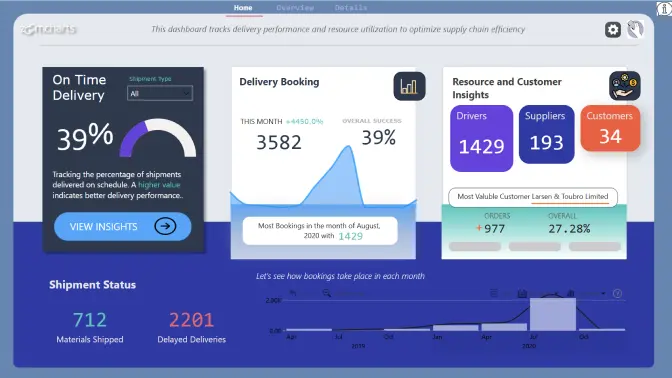
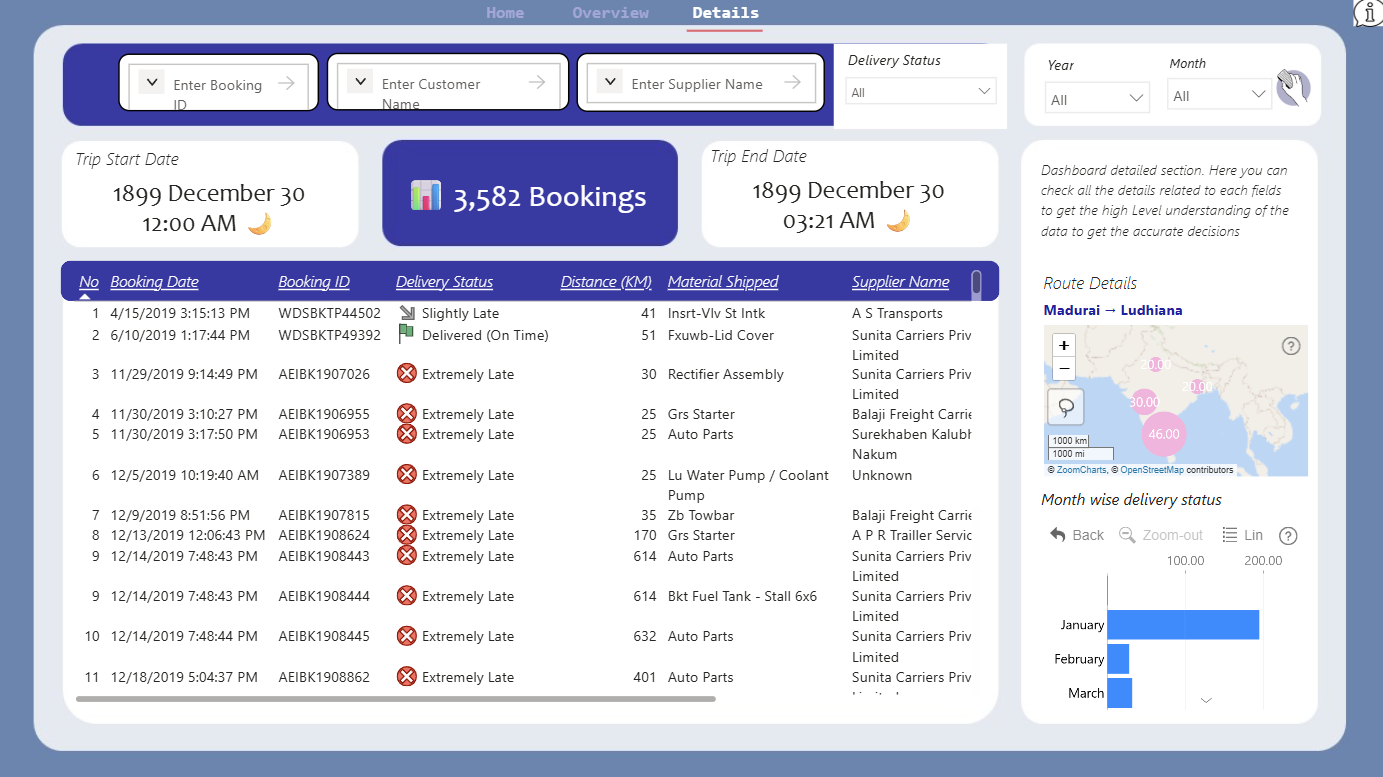
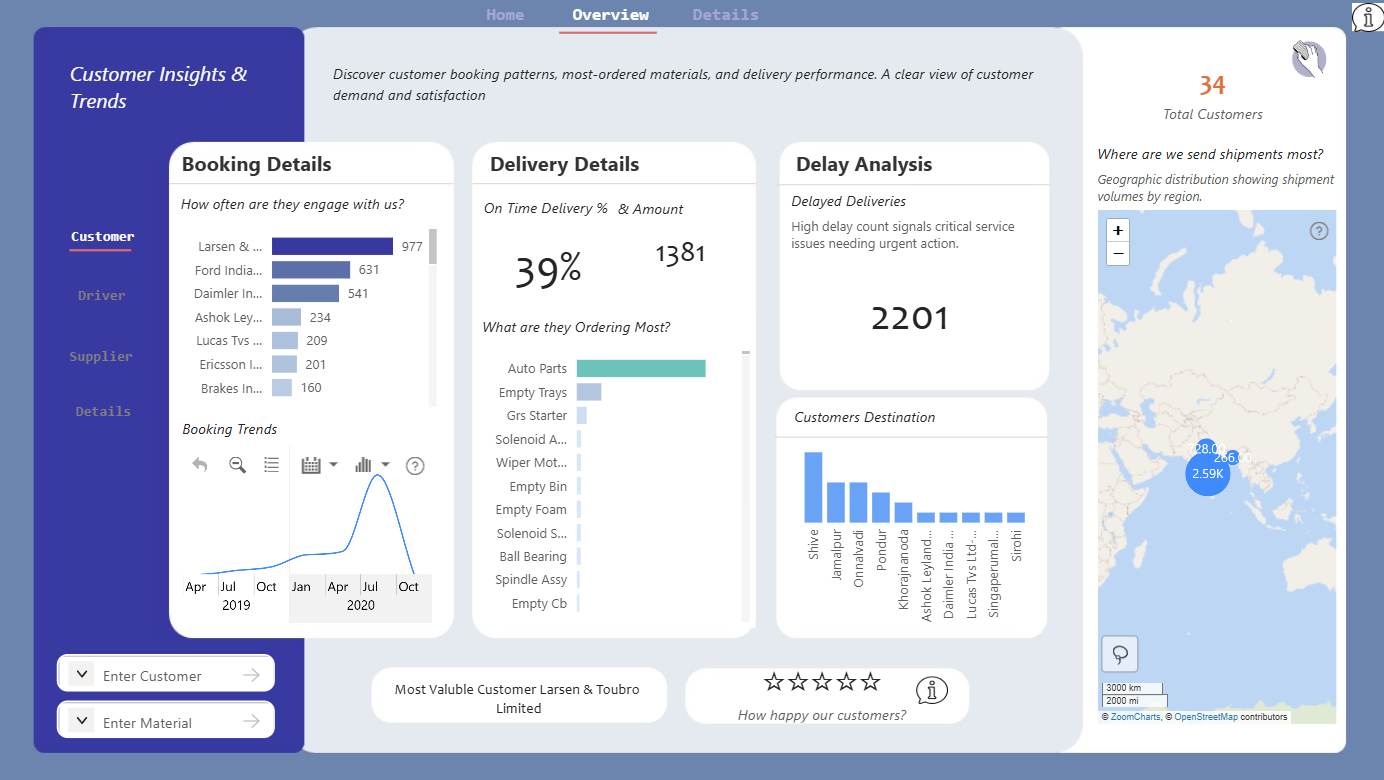
Supply Chain Performance Dashboard Challenge This dashboard addresses the critical challenge of monitoring and optimizing supply chain performance across multiple suppliers, shipments, and delivery routes. The primary business problems it solves include: 1. Poor on-time delivery performance (currently only 39% on-time rate) 2. High number of delayed deliveries (2,201 delayed shipments) 3. Need for supplier performance comparison and evaluation 4. Route optimization between delivery points (e.g., Madurai to Ludhiana) The dashboard provides actionable insights by: * Tracking delivery status and performance metrics * Identifying underperforming suppliers and routes * Monitoring material shipment patterns and supplier diversity * Visualizing geographic distribution of shipments Key Dashboard Features: * Real-time tracking of 3,582 bookings * Performance metrics for 193 suppliers and 1,429 drivers * Material shipment analysis across product categories * Geographic visualization of shipping routes and distances * Temporal analysis of booking patterns throughout the year



4U Report Challenges
Participate in data challenges, build and submit reports to get free template downloads.
Join CommunityMobile view allows you to interact with the report. To Download the template please switch to desktop view.
How to use a PBIX template
Preview the interactive report, download the PBIX file, open it in Power BI Desktop, and replace the same data connection with your own dataset.
Preview and download
Explore the report online and download the PBIX template file.
Open in Power BI Desktop
Open the downloaded PBIX file in Power BI Desktop.
Connect your data
Replace the sample data source with your own dataset.
Refresh and adjust
Refresh the model and update fields or visual were needed.
Save and share
Save your report and publish it for your audience.


