1148
FP20 Xmas Sales Analysis Dashboard
FP20 Xmas Sales Analysis Dashboard
More Report pages
Report Author: Thamizhselvi Kesavan
1148
Share template with others
Report submitted for FP20 Analytics ZoomCharts Challenge, December 2023. The report was built with Xmas Gift Sales dataset and includes ZoomCharts custom Drill Down PRO visuals for Power BI.
Author's description:
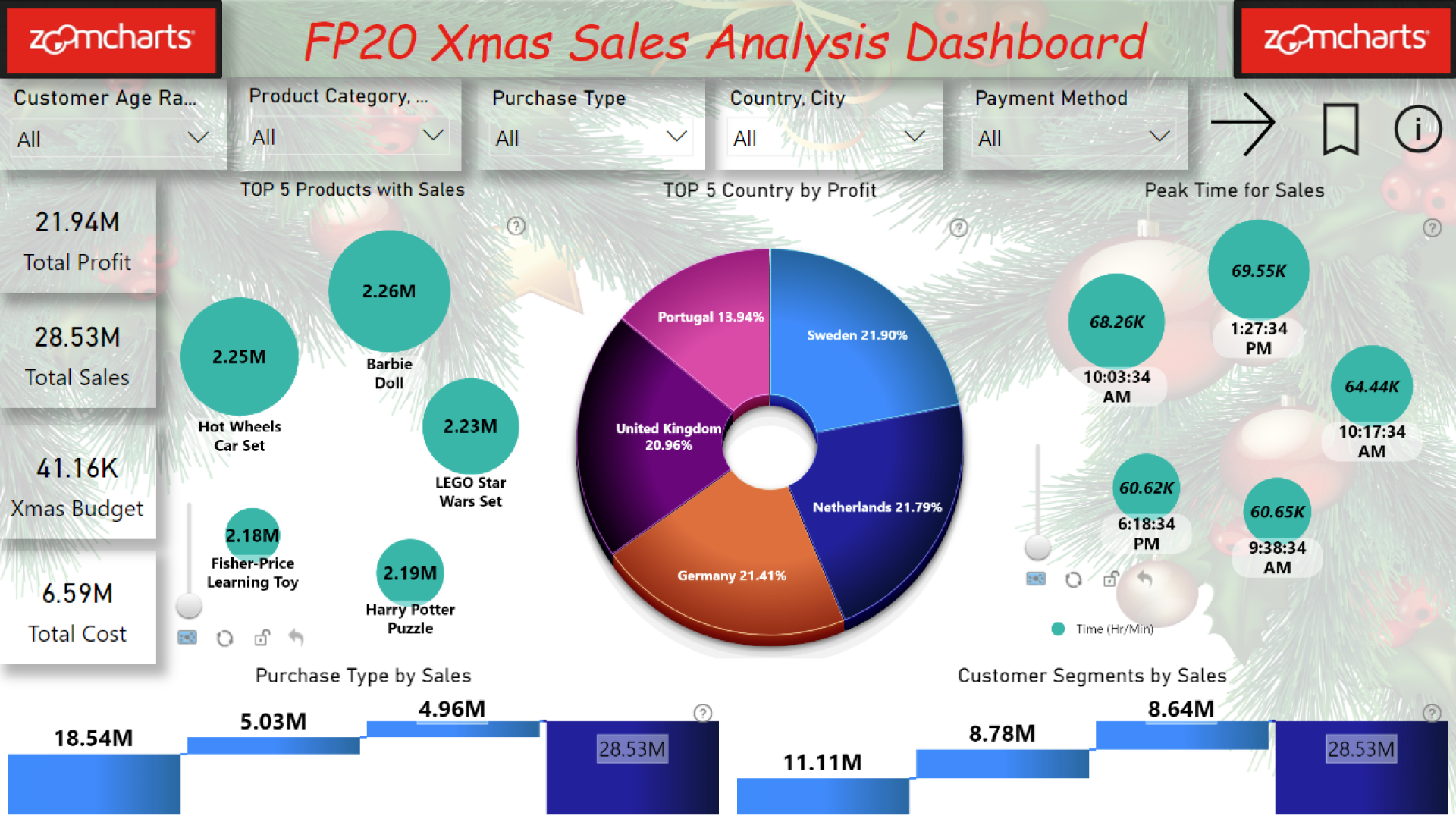
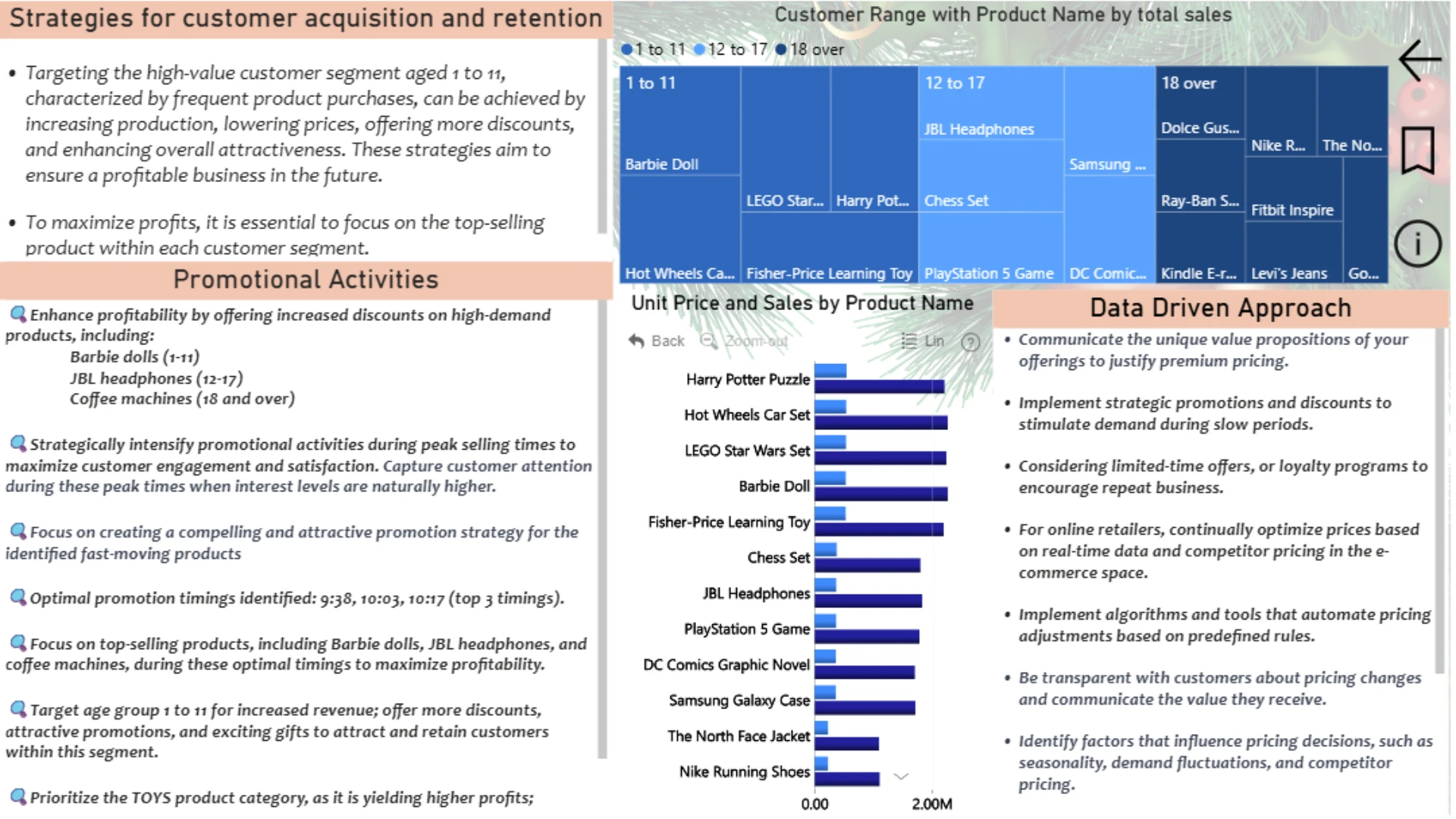
⭐️Product Focus: Concentrate efforts on boosting sales for specific products: Barbie Doll JBL Headphones Coffee Machine
⭐️Key Product Categories: Prioritize attention towards top-performing product categories: Toys Clothing Accessories
⭐️Strategic Payment Discounts: Offer compelling discounts on the most profitable payment types: Cash Credit Card
⭐️Purchase Type: Implement attractive promotions for in-store purchases: Recognizing in-store customers as the most profitable segment.
⭐️Targeted Age Group Gifts: Provide appealing gifts for customers aged 1 to 11: Recognizing this age group as a significant source of profit.
⭐️Gender-Specific Promotions: Tailor promotions towards the most profitable gender: women: Offering feminine gift items to attract and retain female customers.
⭐️Geographic Profit Maximization: Identify and focus on the most profitable: Country (Sweden, Netherlands, Germany) City
ZoomCharts visuals used




4U Report Challenges
Participate in data challenges, build and submit reports to get free template downloads.
Join CommunityMobile view allows you to interact with the report. To Download the template please switch to desktop view.
How to use a PBIX template
Preview the interactive report, download the PBIX file, open it in Power BI Desktop, and replace the same data connection with your own dataset.
Preview and download
Explore the report online and download the PBIX template file.
Open in Power BI Desktop
Open the downloaded PBIX file in Power BI Desktop.
Connect your data
Replace the sample data source with your own dataset.
Refresh and adjust
Refresh the model and update fields or visual were needed.
Save and share
Save your report and publish it for your audience.


