891
FP20 RH Data Analysis Maria Neves
FP20 RH Data Analysis Maria Neves
More Report pages
Report Author: Maria Neves
891
Share template with others
Report submitted for FP20 Analytics ZoomCharts Challenge 15 (April 2024). The report was built with the HR Analysis dataset and includes ZoomCharts custom Drill Down PRO visuals for Power BI.
Author's description:
Some Key Insights:
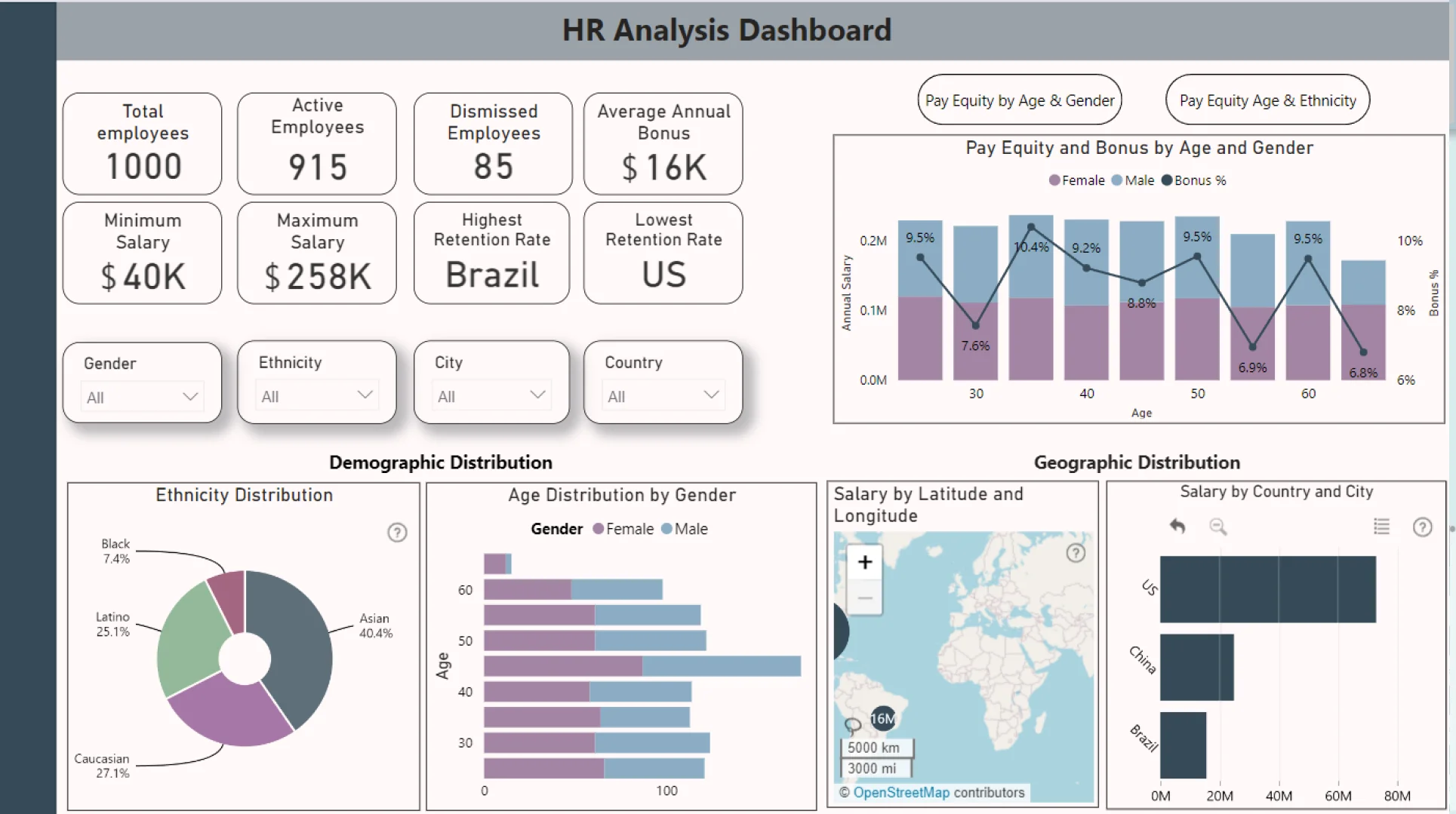
Demographic Distribution: Out of 1000 employees, there are slightly more females than males. The ethnic breakdown shows significant representation of Asian employees, followed by Caucasian, Latino, and Black individuals. This diversity is crucial for fostering an inclusive workplace culture.
Geographic Distribution: Understanding where the workforce is located provides insights into the operational footprint. The majority of employees are based in the United States, highlighting the strategic importance of this market. Analyzing salary sums by location gives us a sense of the economic impact of our workforce distribution, with Seattle emerging as the highest-paying location.
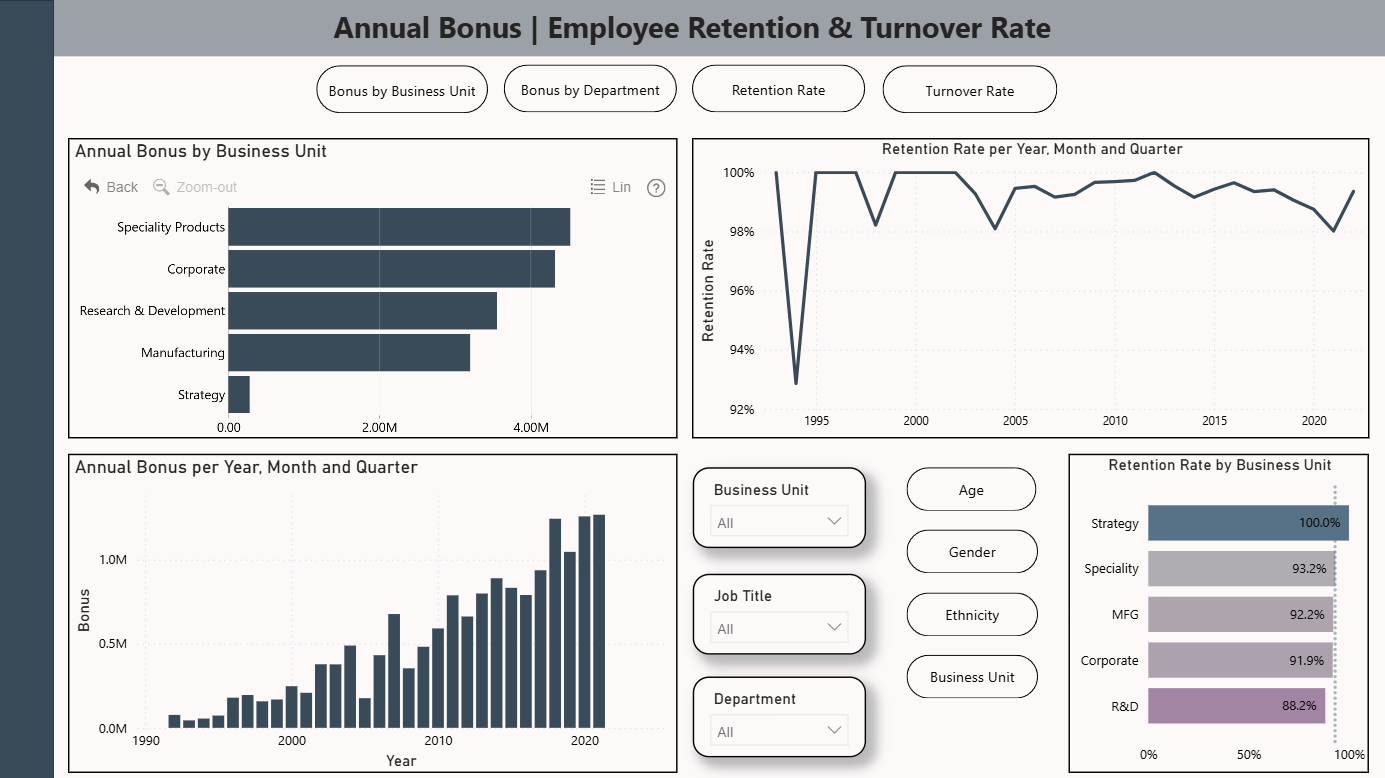
Annual Bonus Insights: Analyzing the distribution of annual bonuses across business units provides valuable insights into our bonus structure. The data reveals that the Marketing department offers the highest average annual bonus, while Strategy has the lowest. This discrepancy may be influenced by the composition of each department.
Retention and Turnover Rate: Retention and turnover rates help us understand how stable the workforce is. We have 915 employees still working in the company, but 85 people have already left. Different retention rates were observed between departments. For instance, the Strategy department boasts the highest retention record, whereas Research and Development face more challenges in this regard. Over the years, fluctuations in turnover rates were observed, with 2021 experiencing a higher turnover compared to 2018. Regarding retention rates by gender and ethnicity, it is possible to observe that females and individuals of Caucasian ethnicity exhibit higher retention rates.



4U Report Challenges
Participate in data challenges, build and submit reports to get free template downloads.
Join CommunityMobile view allows you to interact with the report. To Download the template please switch to desktop view.
How to use a PBIX template
Preview the interactive report, download the PBIX file, open it in Power BI Desktop, and replace the same data connection with your own dataset.
Preview and download
Explore the report online and download the PBIX template file.
Open in Power BI Desktop
Open the downloaded PBIX file in Power BI Desktop.
Connect your data
Replace the sample data source with your own dataset.
Refresh and adjust
Refresh the model and update fields or visual were needed.
Save and share
Save your report and publish it for your audience.


