1138
Financial Services Complaints Power BI Report
Financial Services Complaints Power BI Report
More Report pages
Report Author: Maheshika Weerawardhanage
1138
Share template with others
This Power BI report analyzes consumer financial complaints collected by the Consumer Financial Protection Bureau (CFPB) to uncover trends, company performance, and root causes behind consumer issues.
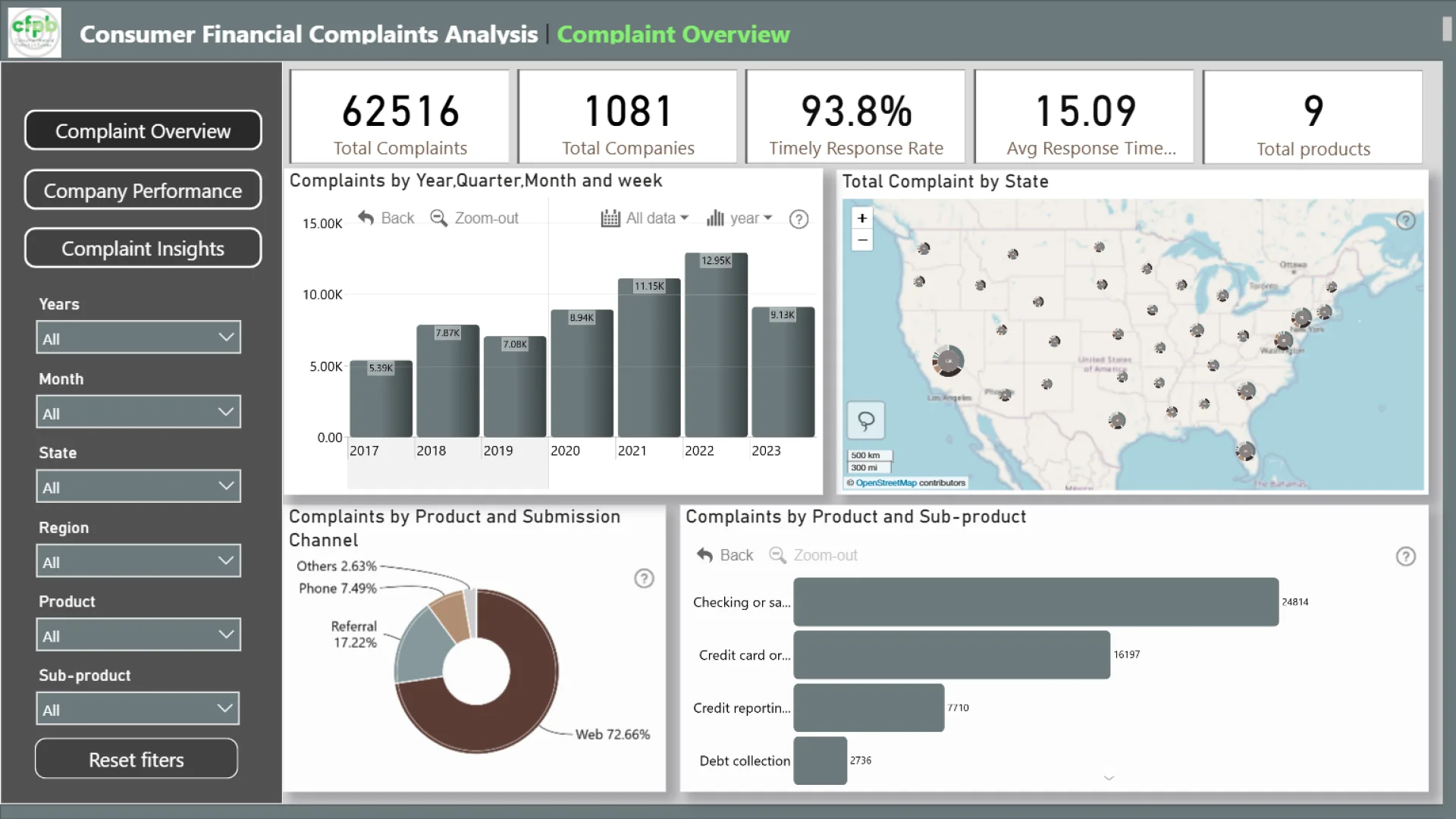
Overview Dashboard: Presents a summary of total complaints by product, state, submission channel, and year, highlighting national trends and complaint hotspots.
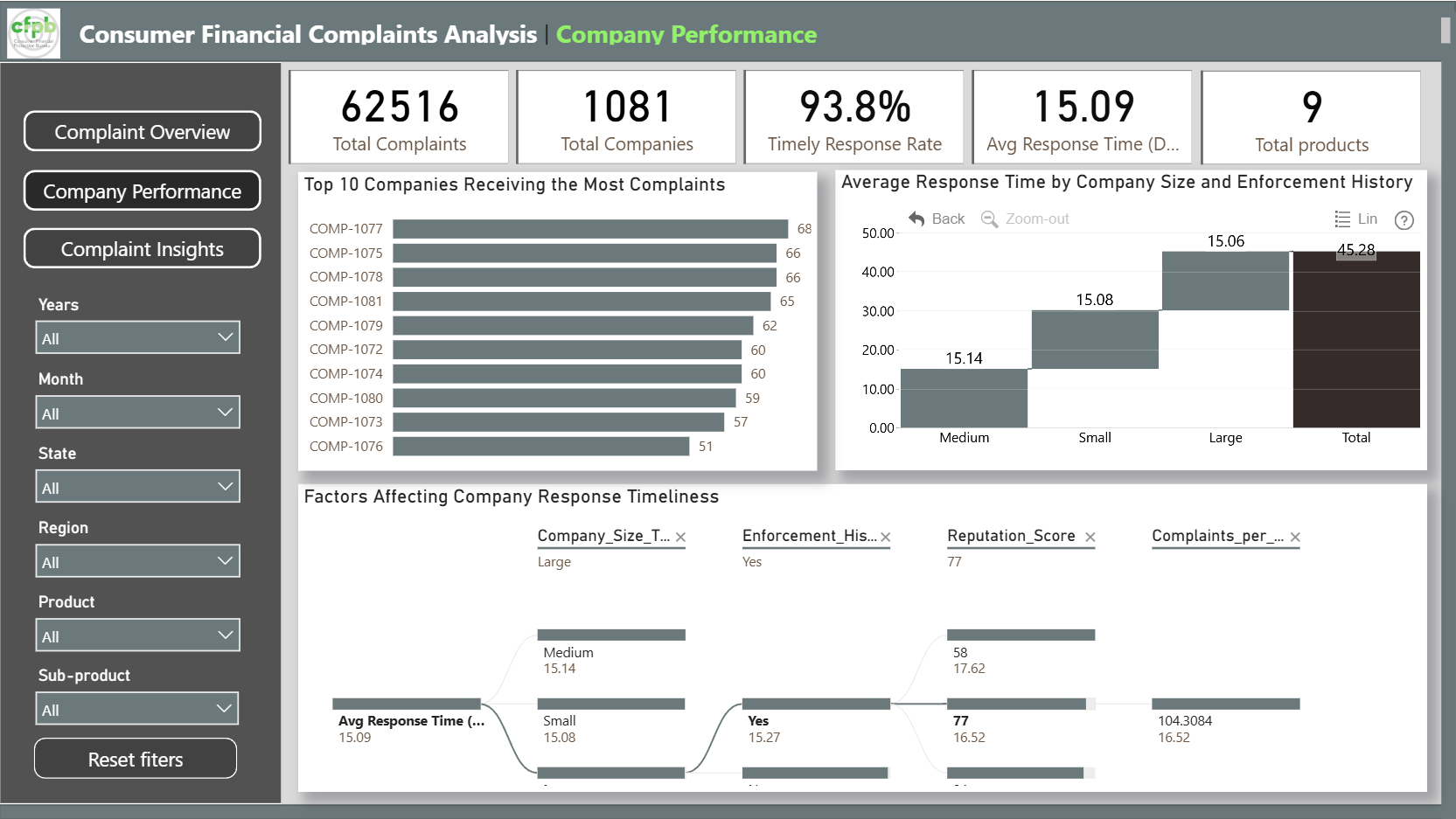
Company Performance Dashboard: Evaluates company responsiveness through top 10 companies by complaint count, complaint distribution by company size and region, and key factors affecting response timeliness.
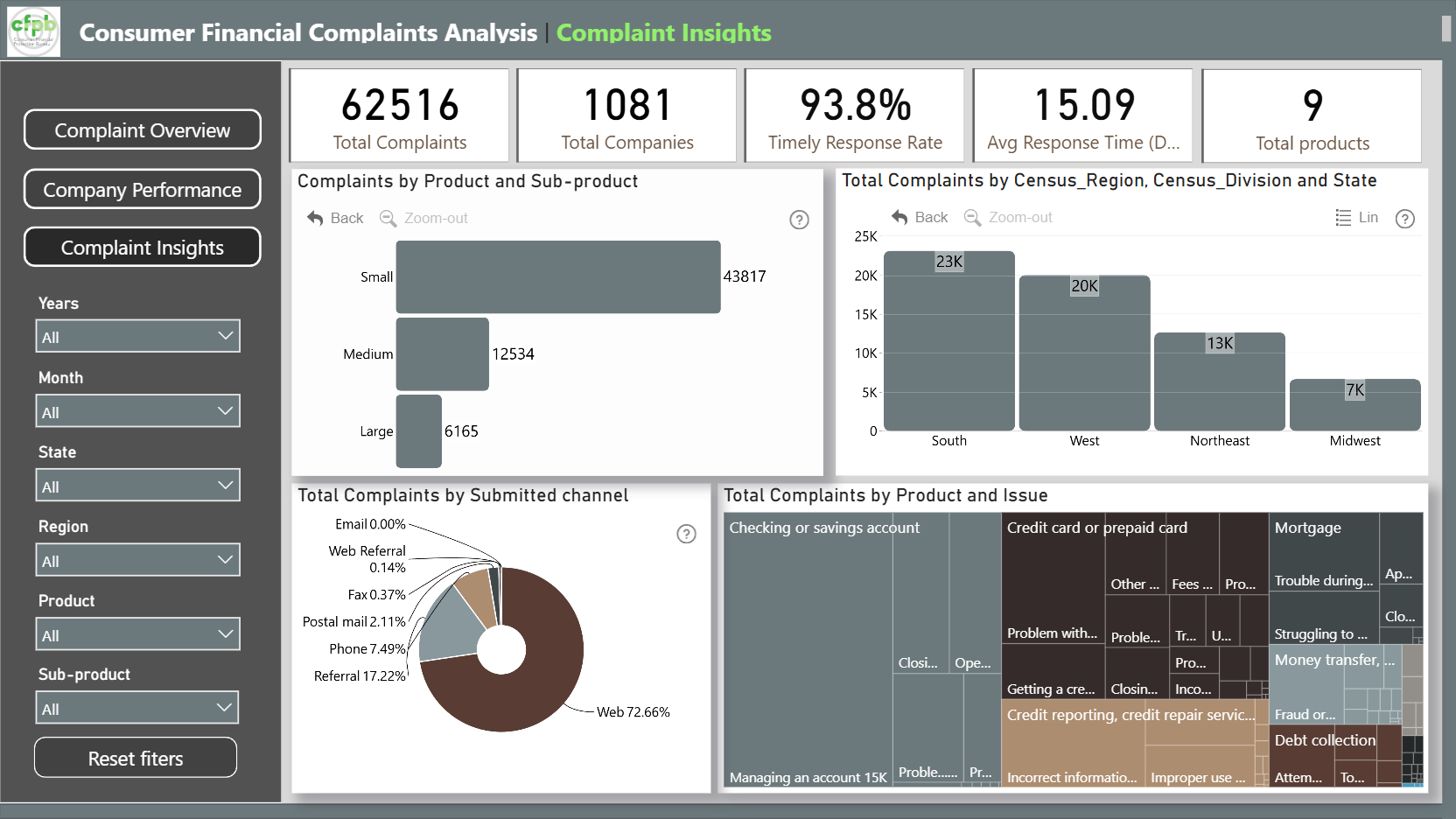
Complaint Insight & Root Cause Dashboard: Explores complaint patterns by issue, product, and submission channel, while analyzing average response times and identifying top-performing and underperforming areas.
This Power BI report uses the Consumer Financial Complaints Dataset and features ZoomCharts and native Power BI. It was submitted to the Onyx Data DataDNA ZoomCharts Mini Challenge in October 2025.
ZoomCharts visuals used






4U Report Challenges
Participate in data challenges, build and submit reports to get free template downloads.
Join CommunityMobile view allows you to interact with the report. To Download the template please switch to desktop view.
How to use a PBIX template
Preview the interactive report, download the PBIX file, open it in Power BI Desktop, and replace the same data connection with your own dataset.
Preview and download
Explore the report online and download the PBIX template file.
Open in Power BI Desktop
Open the downloaded PBIX file in Power BI Desktop.
Connect your data
Replace the sample data source with your own dataset.
Refresh and adjust
Refresh the model and update fields or visual were needed.
Save and share
Save your report and publish it for your audience.


