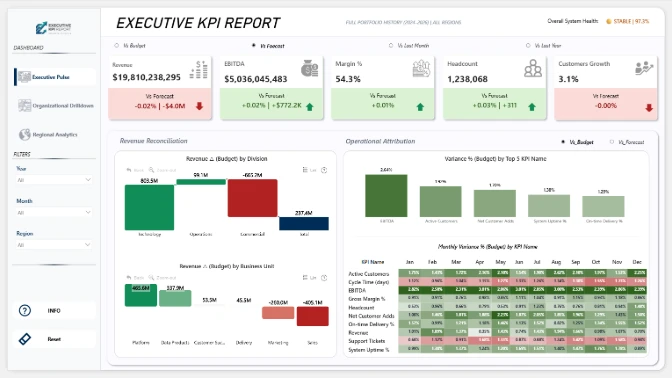
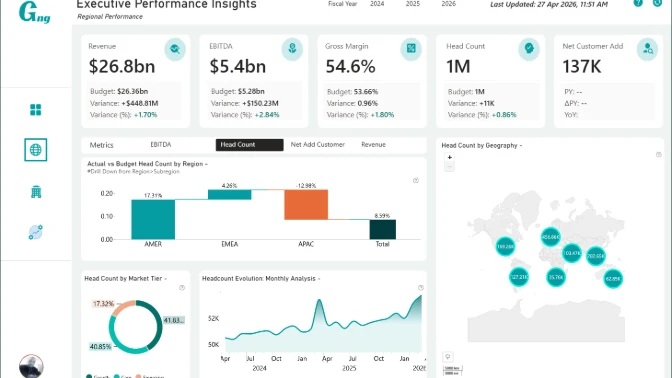
This executive dashboard example shows how Power BI can be used to monitor business performance, KPI variance, revenue trends, regional results, and organizational drivers in one interactive dashboard.
Built with ZoomCharts Drill Down custom visuals for Power BI, the dashboard highlights key executive KPIs such as revenue, EBITDA, gross margin %, net customer adds, headcount, budget variance, forecast gap, and regional performance. The report was submitted to the ZoomCharts “4U Reports Challenge” in April 2026.
The dashboard is designed for executives, finance leaders, business analysts, and regional managers who need a clear way to compare actual vs. budget vs. forecast results and understand what is driving performance across regions and business units.
What you can analyze
Use this Power BI executive dashboard to track:
- Revenue, EBITDA, gross margin %, headcount, and net customer adds
- Actual vs. budget vs. forecast performance
- Budget variance and forecast gaps
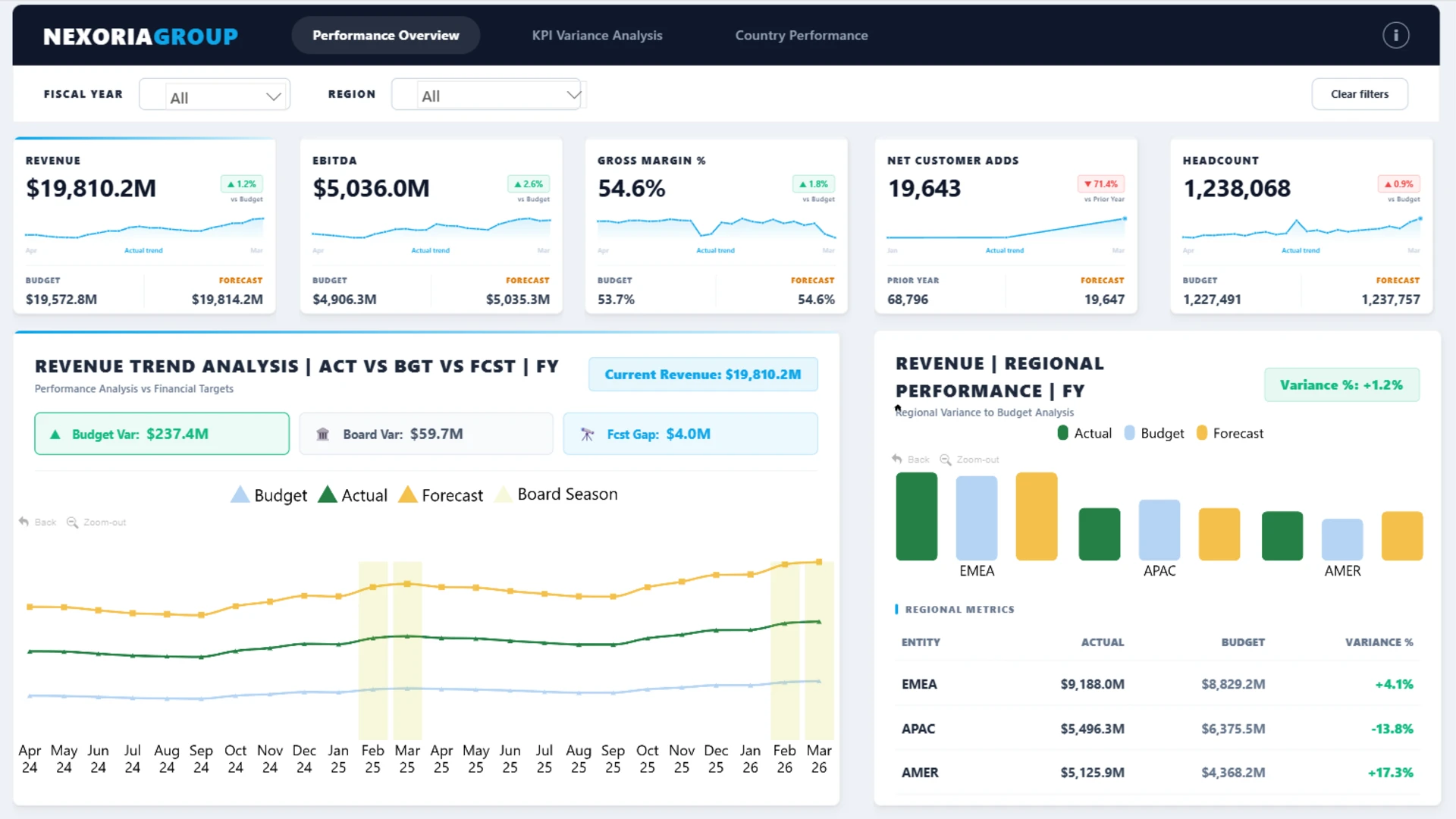
- Revenue trend analysis over time
- Regional performance across EMEA, APAC, and AMER
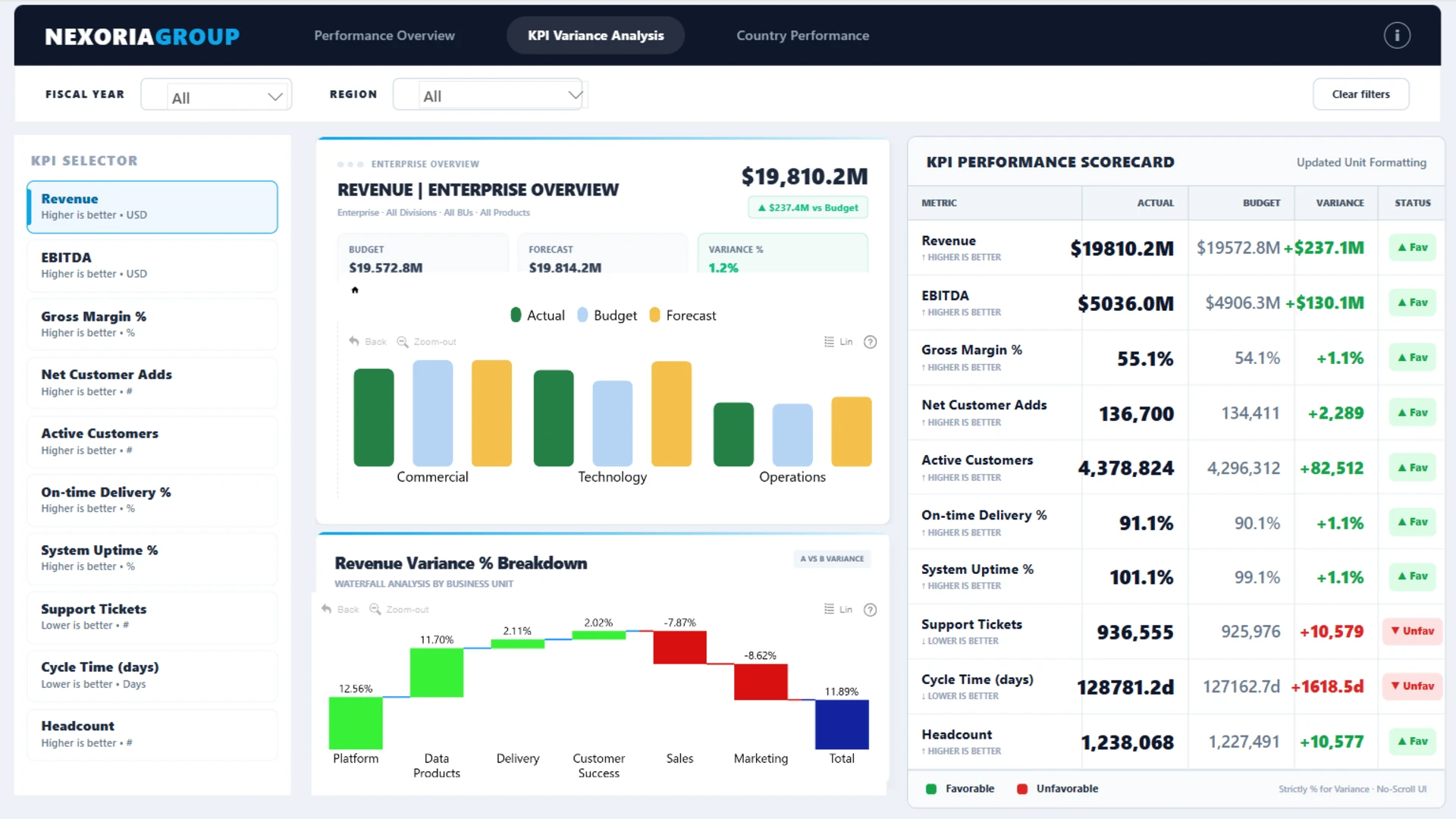
- KPI variance by business unit
- Favorable and unfavorable KPI performance
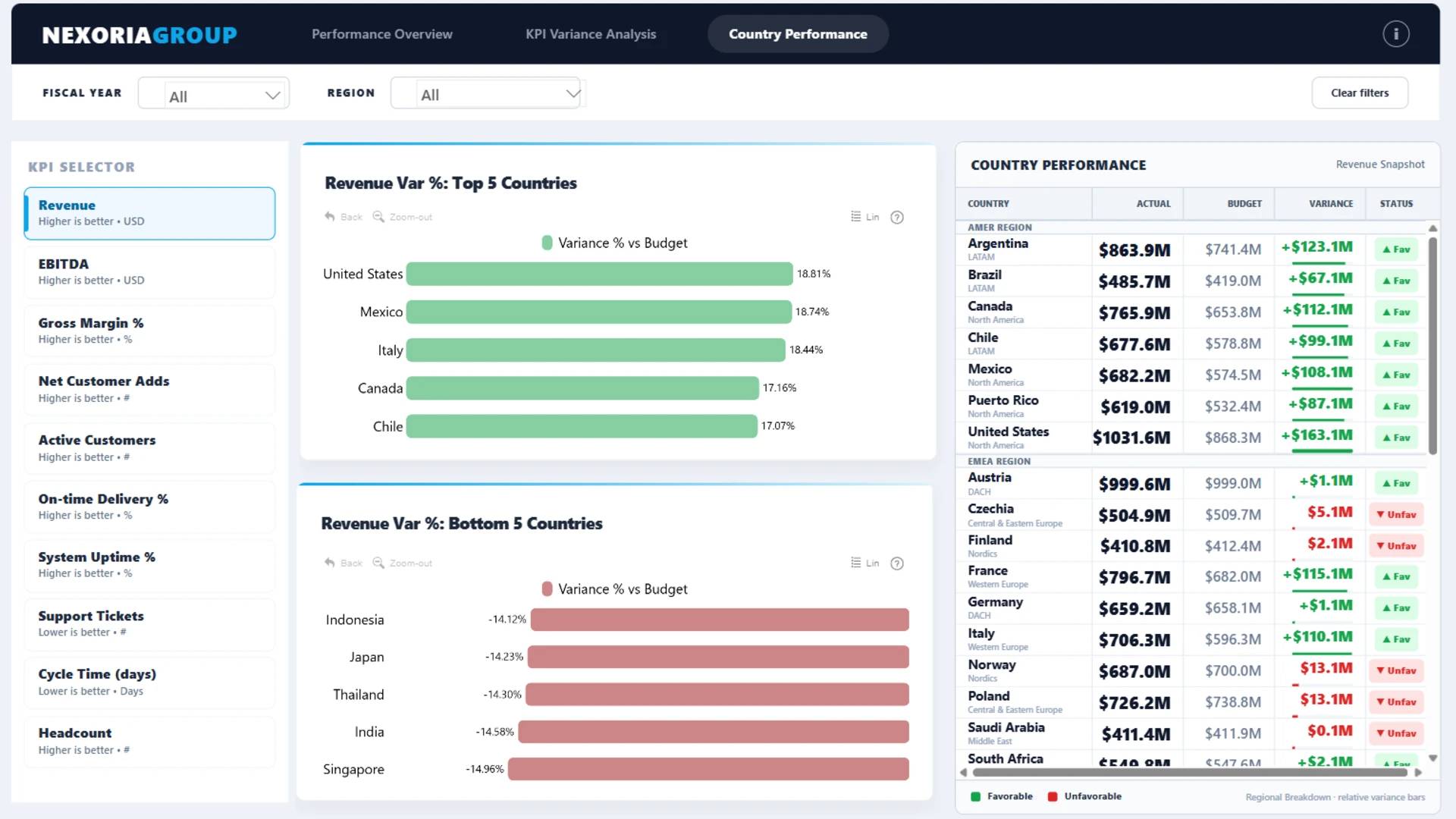
- Country-level performance rankings
- Executive scorecard results
- Operational and financial performance drivers
Dashboard pages
- Performance overview: monitor top-level executive KPIs, revenue trends, budget variance, forecast gaps, and regional performance.
- KPI variance analysis: compare financial and operational KPIs against budget, review the KPI performance scorecard, and analyze variance drivers by business unit.
- Country performance: explore country-level results, regional rankings, and geographic performance patterns.
Interactive features
This dashboard uses ZoomCharts Drill Down custom visuals for Power BI to support interactive executive analysis. Users can filter by fiscal year and region, switch between KPI views, compare actual results with budget and forecast, drill into regional and business-unit performance, and use the clear filter option to reset the report.
Explore this Power BI executive dashboard example to see how interactive reporting can support executive reviews, KPI variance analysis, revenue performance tracking, regional benchmarking, and data-driven decision-making.