974
Enterprise Data Governance Analysis 5
Enterprise Data Governance Analysis 5
More Report pages
Report Author: Praveen Barange
974
Share template with others
This Power BI report is built using the Enterprise Data Governance Dataset and features ZoomCharts Drill Down PRO custom visuals for Power BI. It was submitted to the FP20 Analytics ZoomCharts Data Challenge #34 (January 2026 – February 2026).
Author's Description:
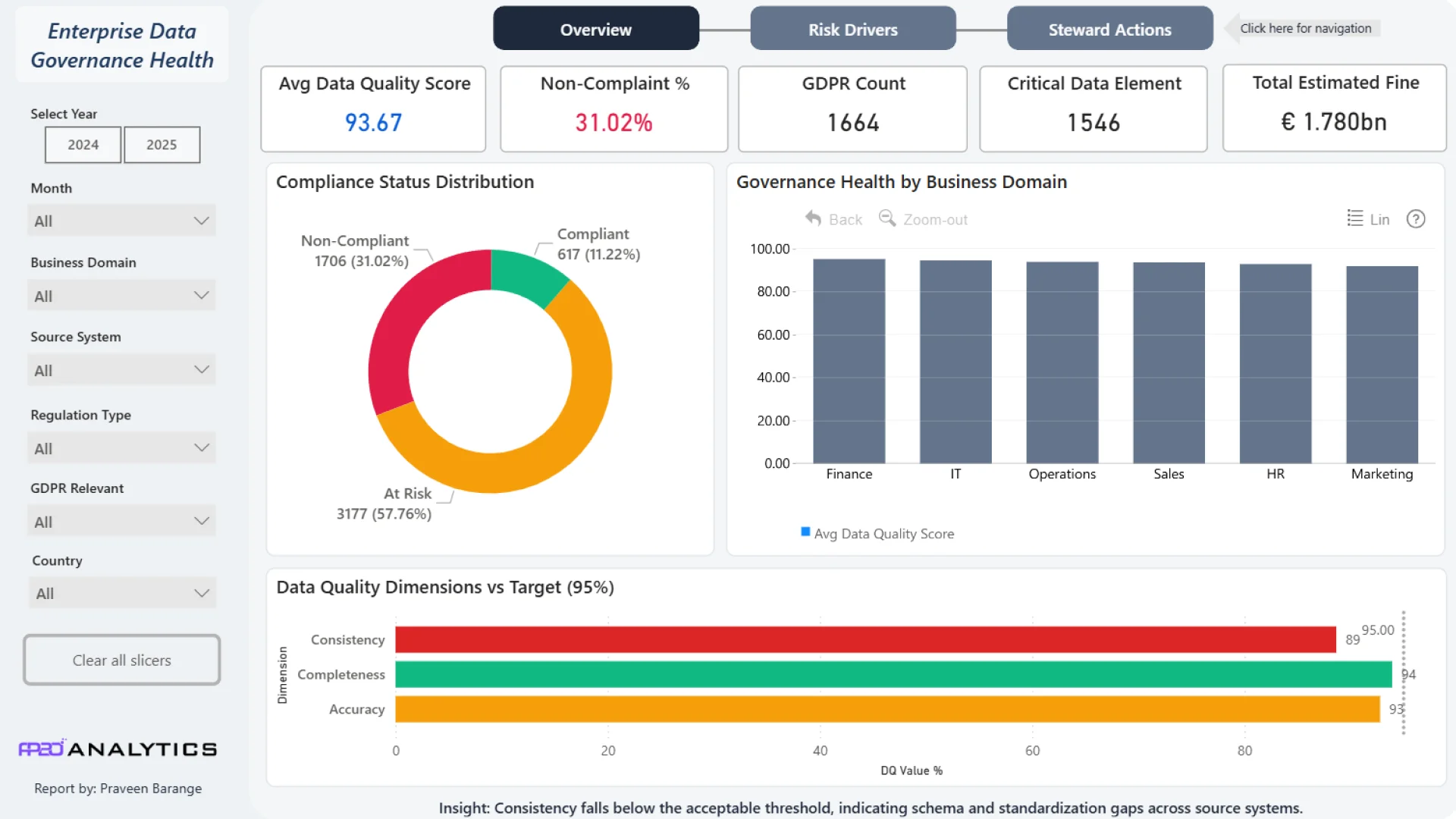
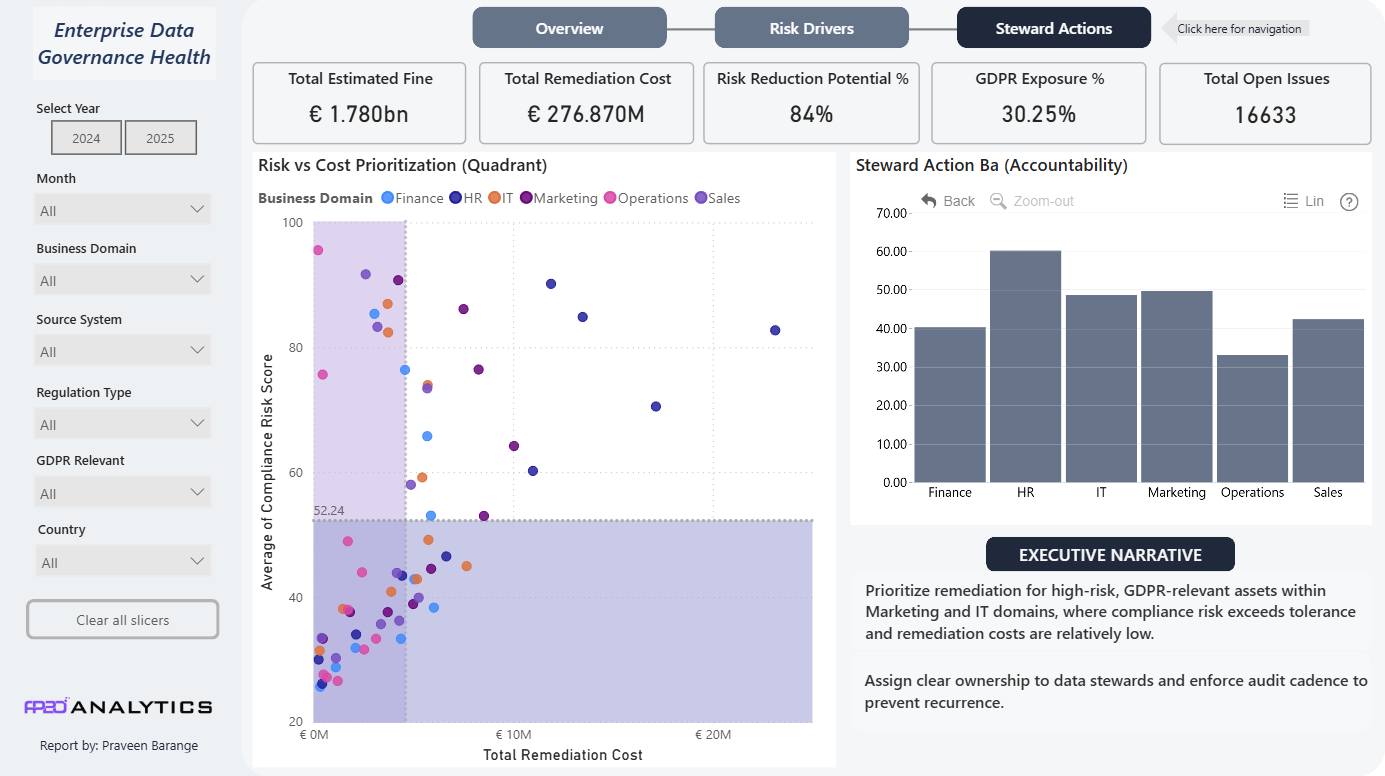
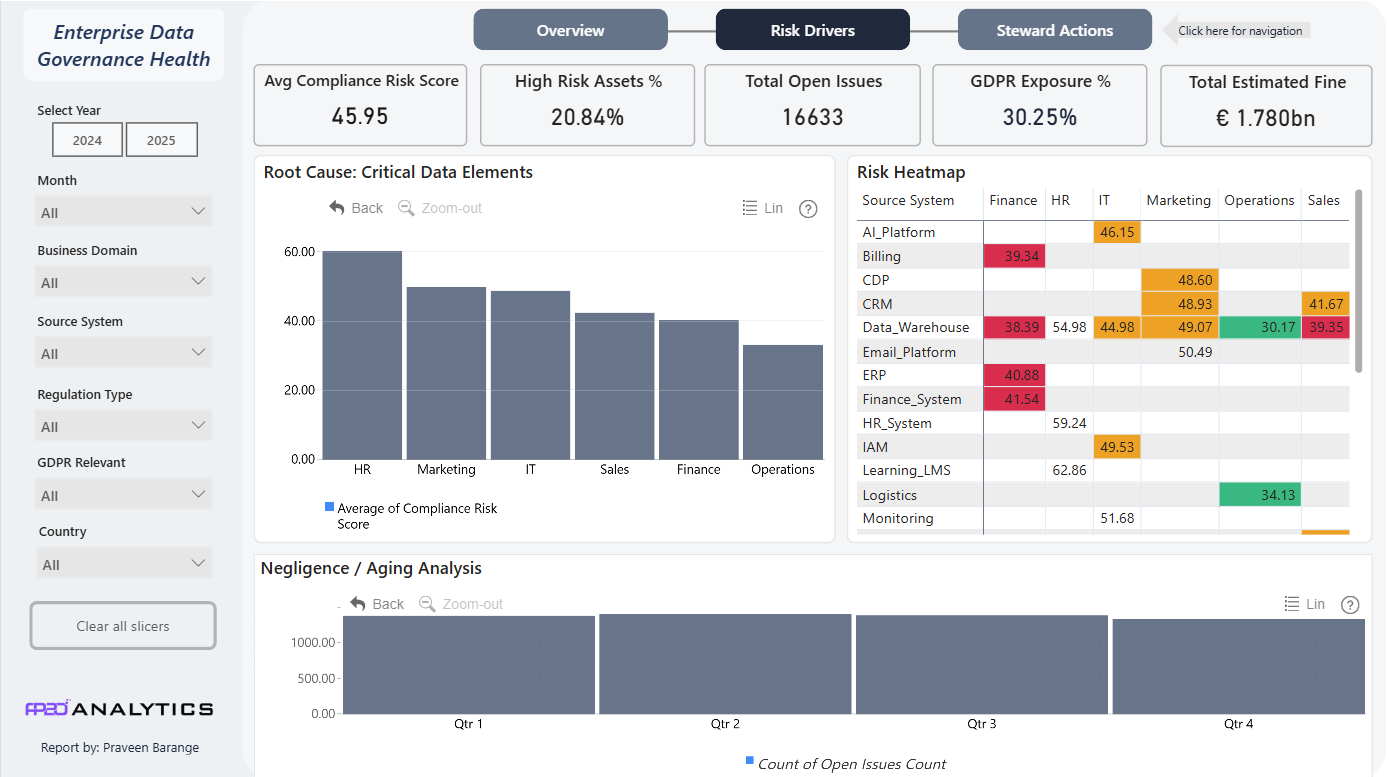
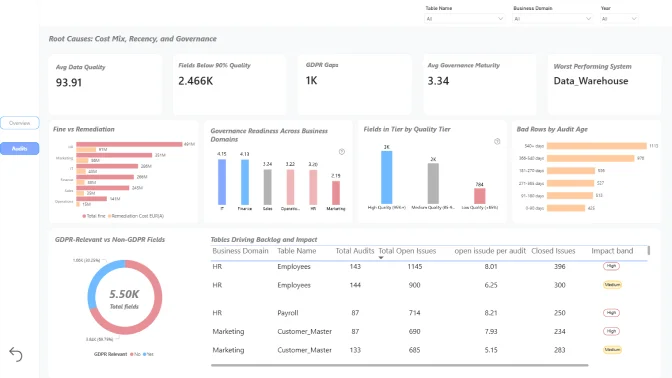
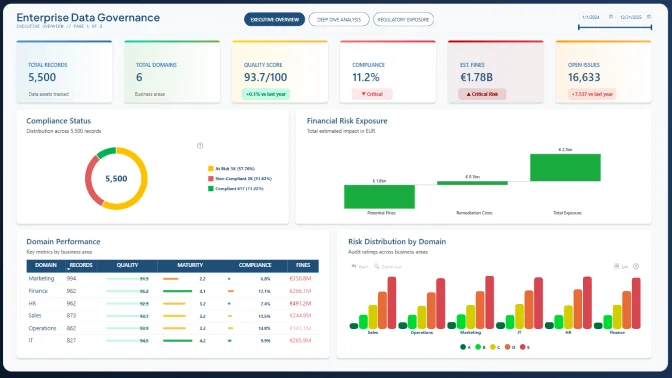
Enterprise Data Governance Health provides a high-level executive overview of an organisation’s data quality, compliance, and risk exposure across business domains for 2024 and 2025. It highlights strong overall data quality (93.67) alongside elevated compliance risk, with over 30% of assets non-compliant and estimated regulatory fines of €1.78bn. The dashboard identifies key risk drivers through system-level and domain-level analysis, including GDPR exposure affecting over 30% of assets. It also tracks the accumulation of unresolved issues over time, revealing systemic governance weaknesses. Finally, it supports action by prioritising remediation based on risk and cost, clarifying stewardship accountability, and guiding executives toward high-impact, cost-efficient interventions.


4U Report Challenges
Participate in data challenges, build and submit reports to get free template downloads.
Join CommunityMobile view allows you to interact with the report. To Download the template please switch to desktop view.
How to use a PBIX template
Preview the interactive report, download the PBIX file, open it in Power BI Desktop, and replace the same data connection with your own dataset.
Preview and download
Explore the report online and download the PBIX template file.
Open in Power BI Desktop
Open the downloaded PBIX file in Power BI Desktop.
Connect your data
Replace the sample data source with your own dataset.
Refresh and adjust
Refresh the model and update fields or visual were needed.
Save and share
Save your report and publish it for your audience.


