1020
Employee Performance HR Report 18
Employee Performance HR Report 18
More Report pages
Report Author: Malik Akintola
1020
Share template with others
This Power BI report uses the Employee Performance HR dataset and features ZoomCharts Drill Down PRO custom visuals for Power BI. It was submitted to the FP20 Analytics ZoomCharts Data Challenge 30 in September 2025.
Author's Description:
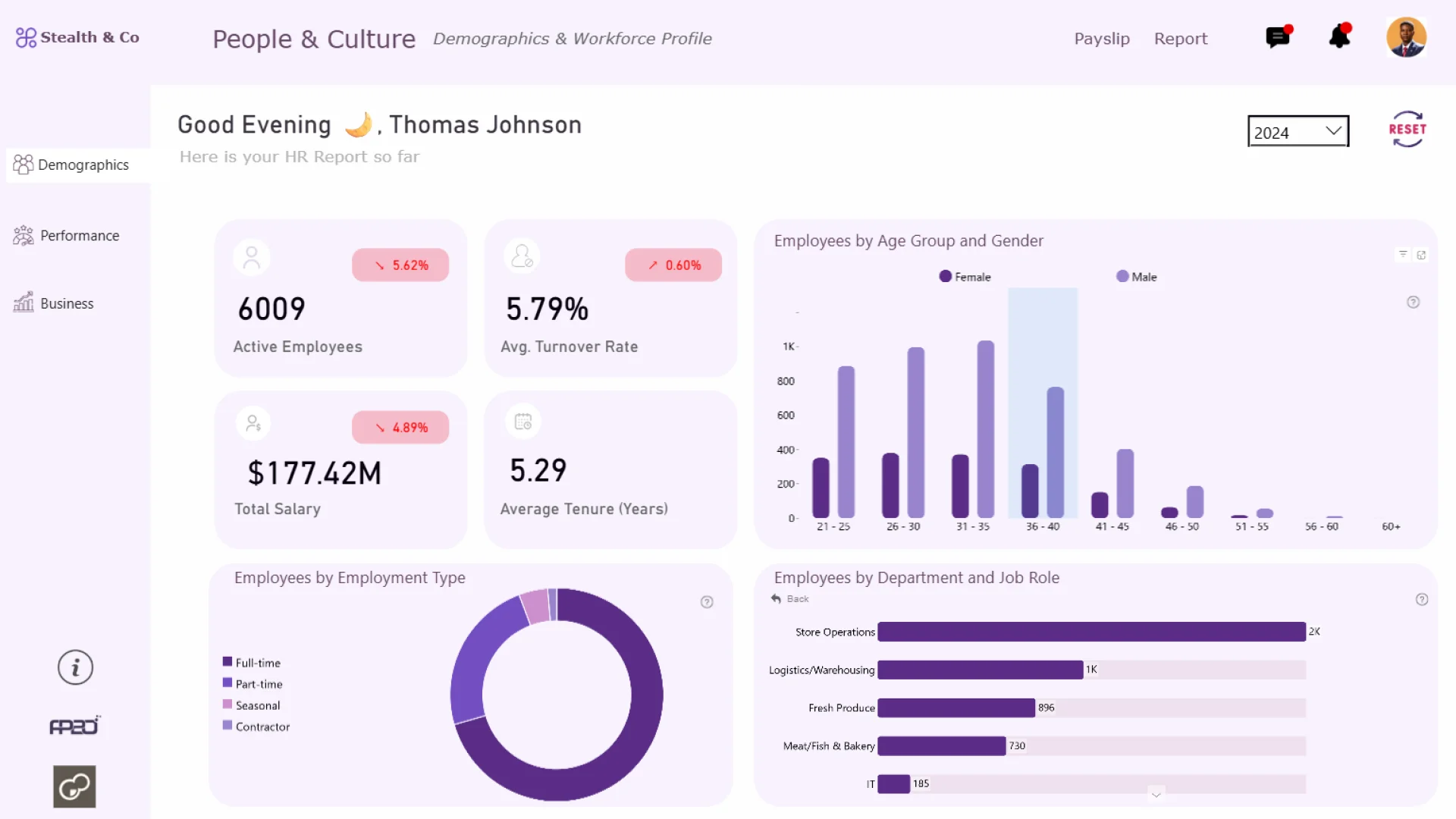
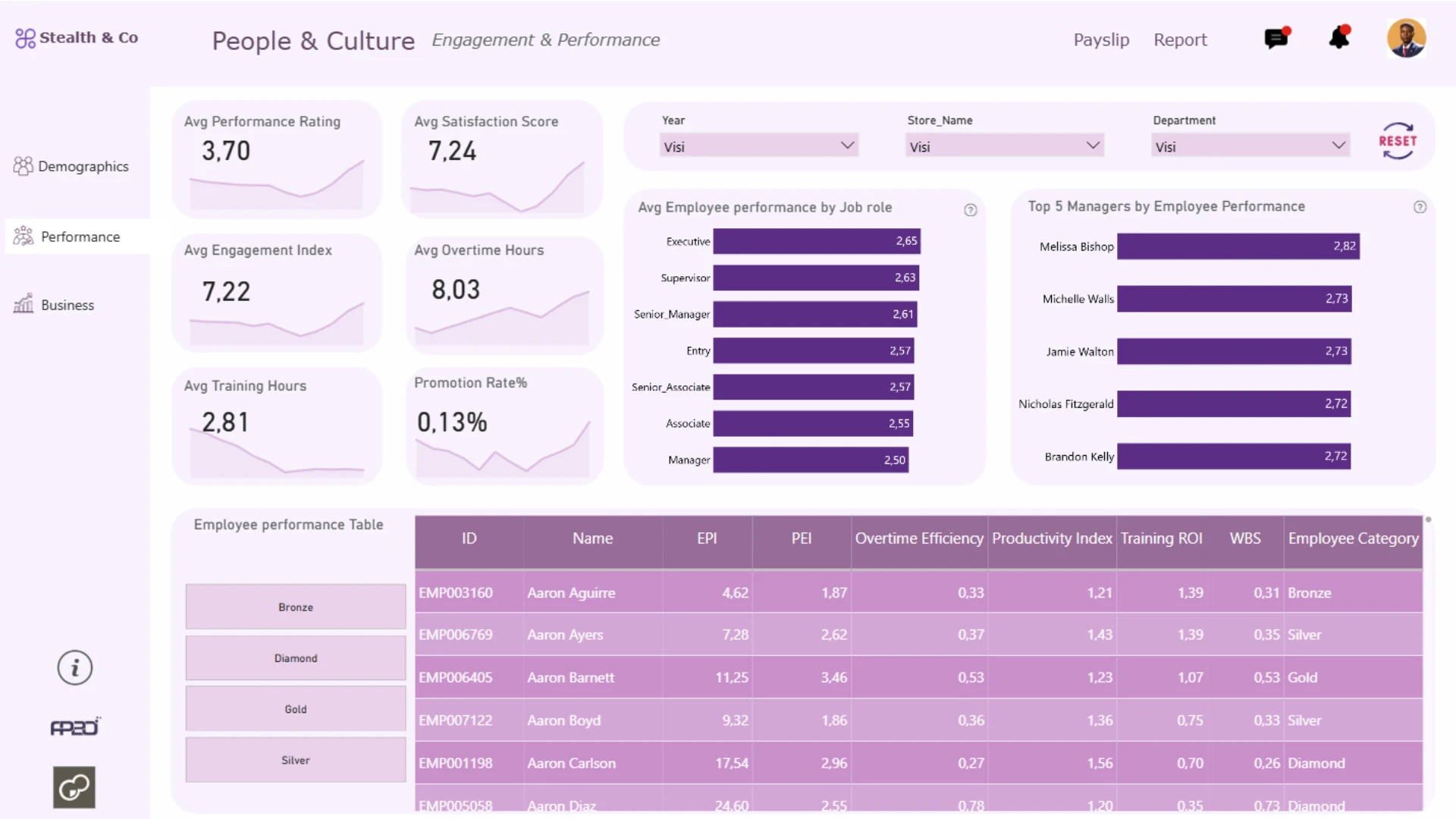
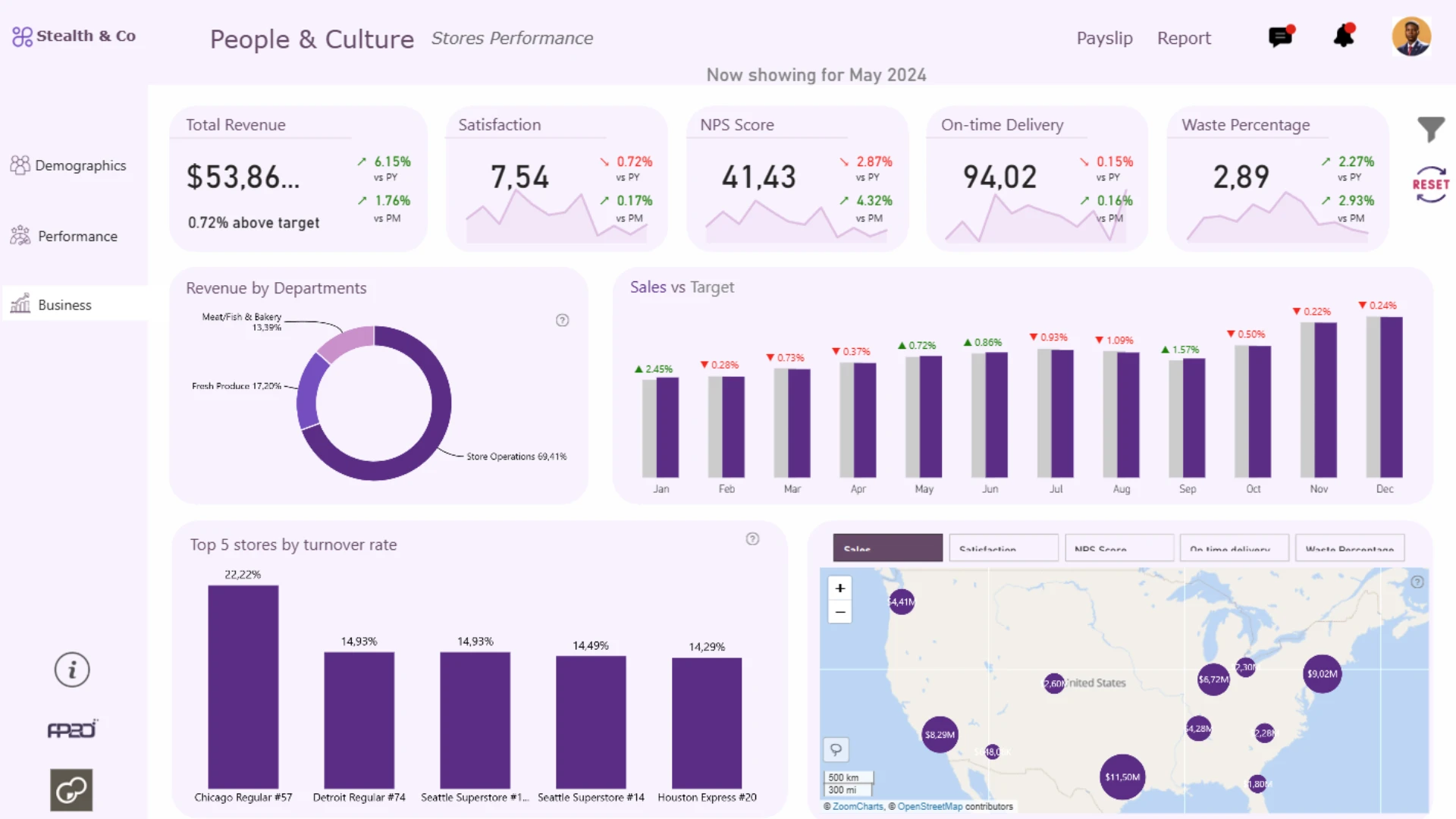
This projecttakes a dive into the world of HR Analytics. It seeks to provide Executives and HR Managers with a dashboard that can help drive decisions backed by data. This report contains three pages including Employee demographics, Performance and engagement, and stores performance. It also includes a help button that gives access to better understanding of the dashboard and how to use some visuals on it.
ZoomCharts visuals used




4U Report Challenges
Participate in data challenges, build and submit reports to get free template downloads.
Join CommunityMobile view allows you to interact with the report. To Download the template please switch to desktop view.

How to use a PBIX template
Preview the interactive report, download the PBIX file, open it in Power BI Desktop, and replace the same data connection with your own dataset.
Preview and download
Explore the report online and download the PBIX template file.
Open in Power BI Desktop
Open the downloaded PBIX file in Power BI Desktop.
Connect your data
Replace the sample data source with your own dataset.
Refresh and adjust
Refresh the model and update fields or visual were needed.
Save and share
Save your report and publish it for your audience.


