1004
Employee Performance Analysis 5
Employee Performance Analysis 5
More Report pages
Report Author: Sweety Antoni David
1004
Share template with others
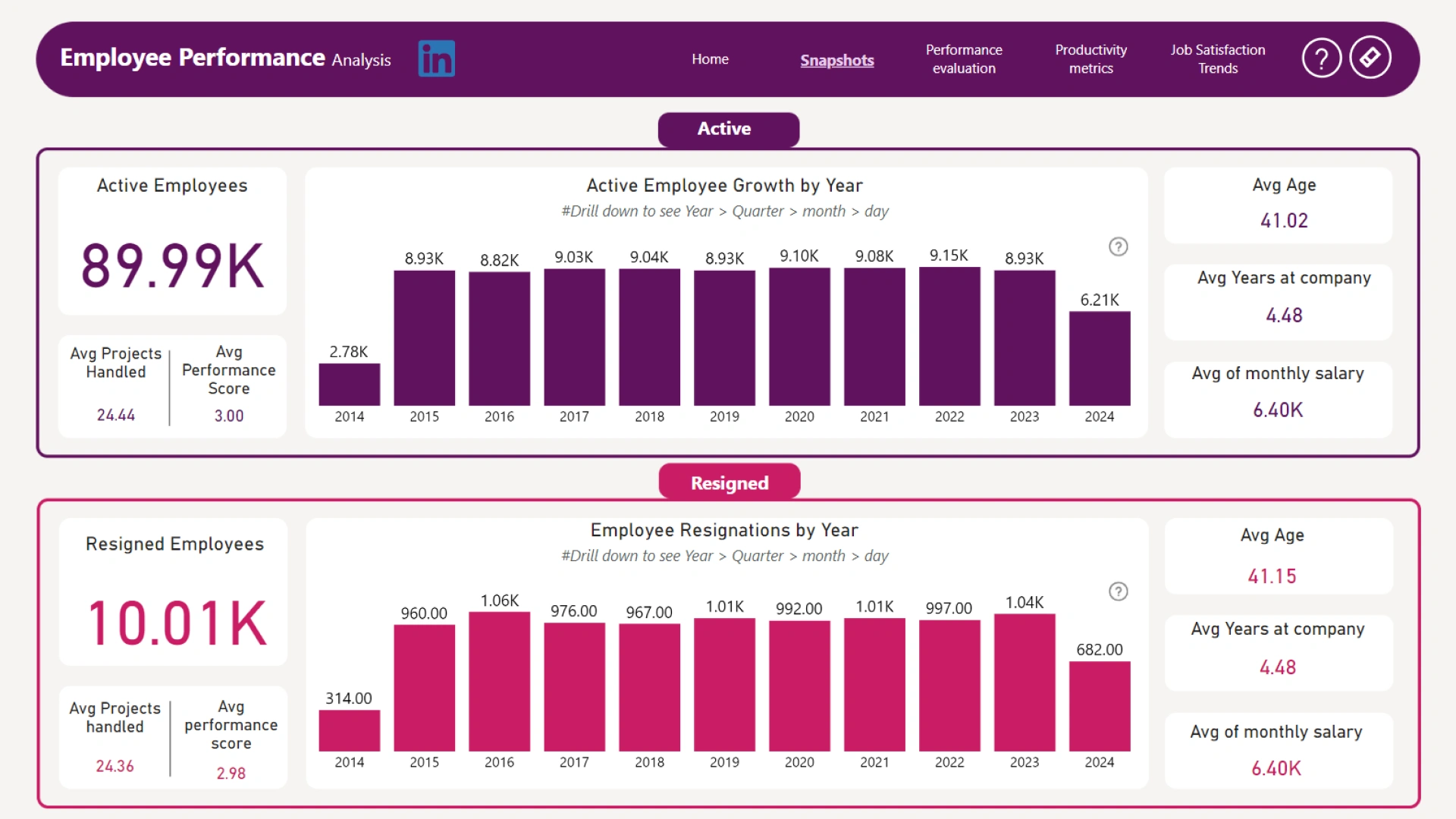
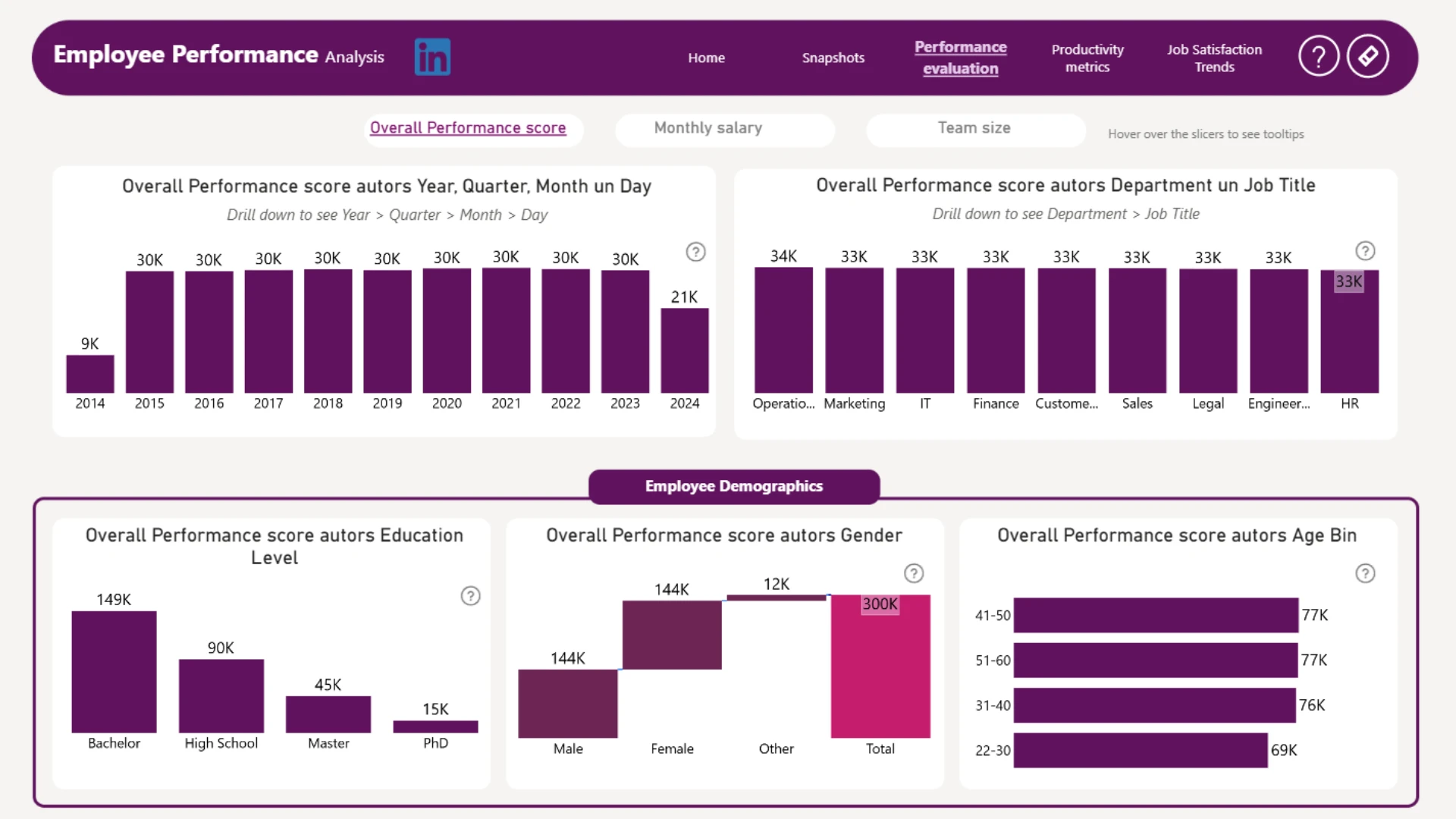
Report submitted for Onyx Data DataDNA ZoomCharts Mini Challenge, October 2024. The report was built based on Employee Performance dataset and includes ZoomCharts custom Drill Down PRO visuals for Power BI.
Author's description:
The Employee Performance Dashboard is designed for easy access and quick insights into employee performance.
Key Features:
Home Page for First-Time Users: A user-friendly interface to help new users navigate the dashboard easily.
Snapshot Overview: Provides a quick summary of overall performance metrics at a glance.
Performance Evaluation: Displays individual performance ratings and feedback to assess employee contributions.
Productivity Metrics: Tracks key productivity indicators to monitor employee efficiency.
Job Satisfaction Trends: Visualizes employee satisfaction levels over time to identify areas for improvement.


4U Report Challenges
Participate in data challenges, build and submit reports to get free template downloads.
Join CommunityMobile view allows you to interact with the report. To Download the template please switch to desktop view.
How to use a PBIX template
Preview the interactive report, download the PBIX file, open it in Power BI Desktop, and replace the same data connection with your own dataset.
Preview and download
Explore the report online and download the PBIX template file.
Open in Power BI Desktop
Open the downloaded PBIX file in Power BI Desktop.
Connect your data
Replace the sample data source with your own dataset.
Refresh and adjust
Refresh the model and update fields or visual were needed.
Save and share
Save your report and publish it for your audience.


