2433
Employee Metrics Report
Employee Metrics Report
More Report pages
Report Author: Jason Carl Martin Tupas
2433
Share template with others
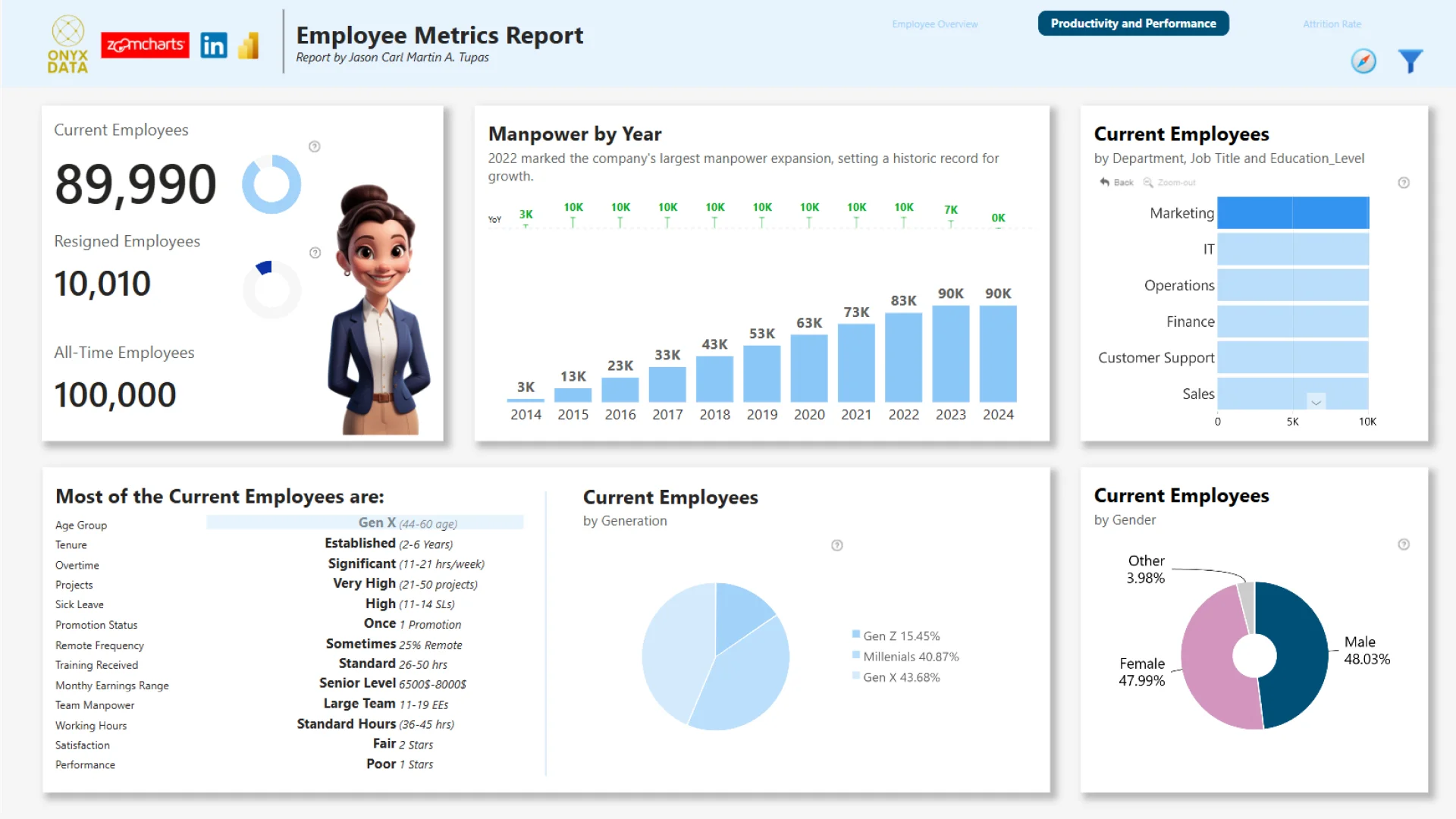
Report submitted for Onyx Data DataDNA ZoomCharts Mini Challenge, October 2024. The report was built based on Employee Performance dataset and includes ZoomCharts custom Drill Down PRO visuals for Power BI.
Author's description:
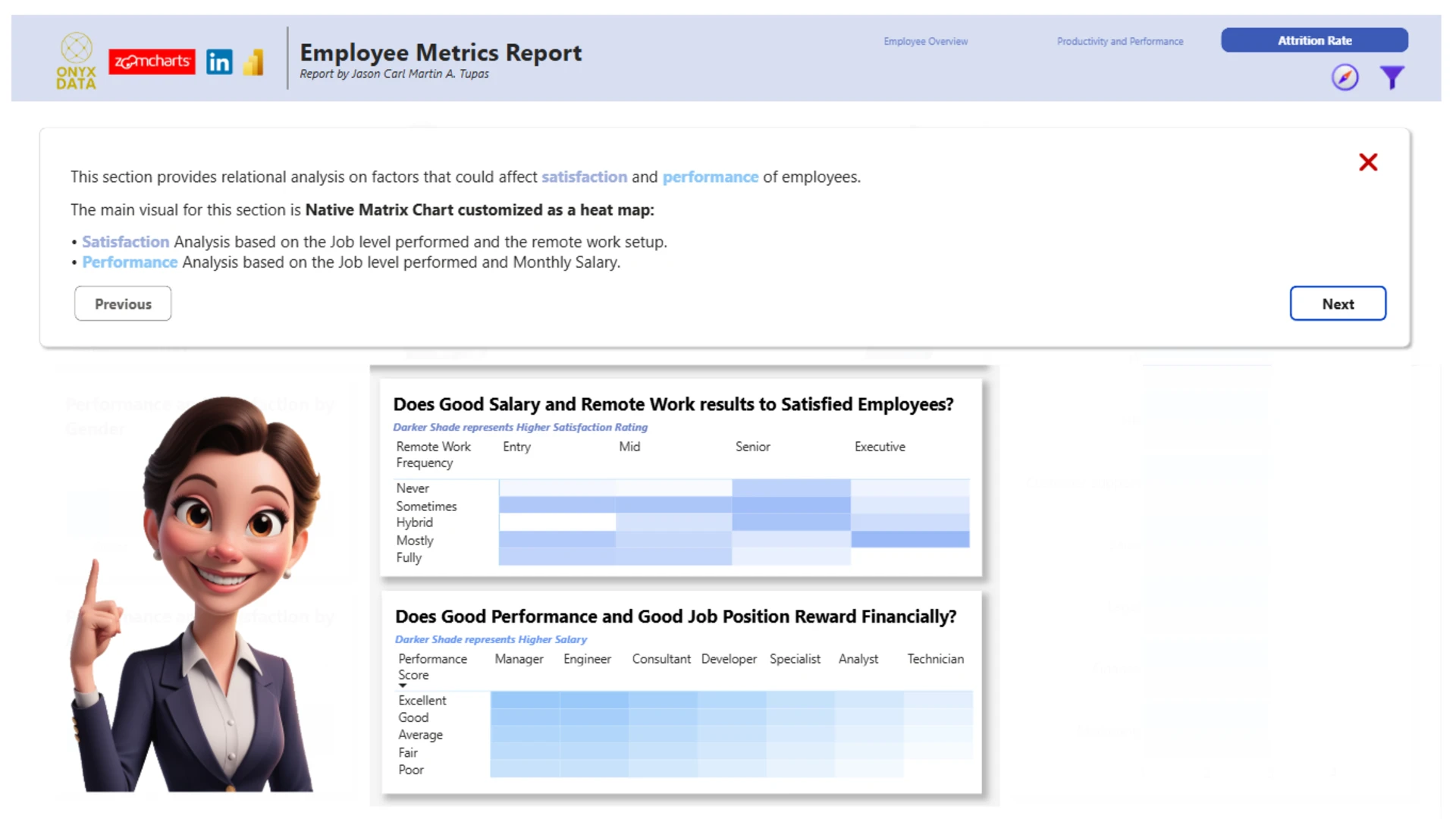
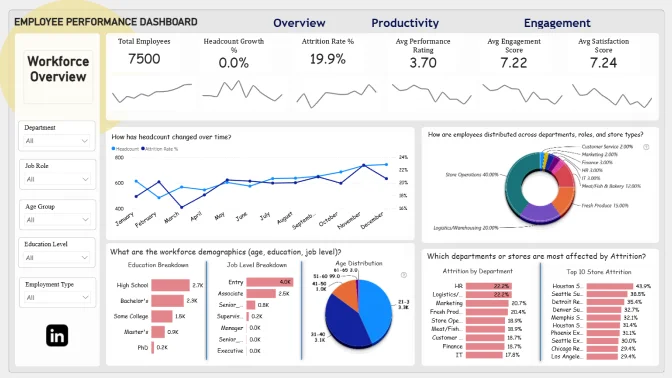
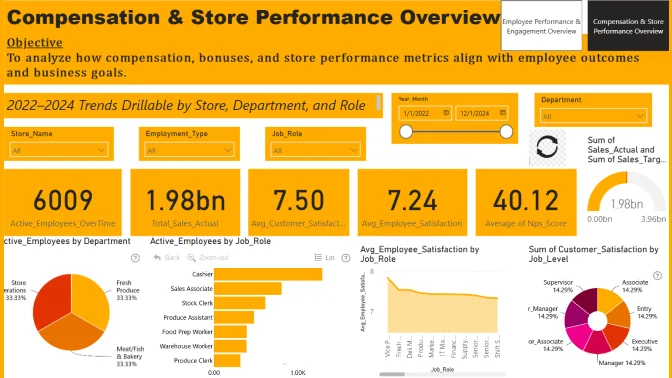
For this challenge, I created an interactive Power BI report that delivers key insights for HR and management teams. The report focuses on manpower overview, performance evaluation, productivity metrics, job satisfaction analysis, and the latest attrition trends. To enhance the aesthetic, I incorporated AI-generated animated employee images across the report, giving it a more engaging and personalized look. With a clean, intuitive layout and clear visuals, the three-page report also features a guided 'report tour' and a smart pop-up filter pane, leveraging the newest slicer features for seamless data exploration.
ZoomCharts visuals used




4U Report Challenges
Participate in data challenges, build and submit reports to get free template downloads.
Join CommunityMobile view allows you to interact with the report. To Download the template please switch to desktop view.
How to use a PBIX template
Preview the interactive report, download the PBIX file, open it in Power BI Desktop, and replace the same data connection with your own dataset.
Preview and download
Explore the report online and download the PBIX template file.
Open in Power BI Desktop
Open the downloaded PBIX file in Power BI Desktop.
Connect your data
Replace the sample data source with your own dataset.
Refresh and adjust
Refresh the model and update fields or visual were needed.
Save and share
Save your report and publish it for your audience.


