1011
E-commerce KPI 2
E-commerce KPI 2
Report Author: Muhammad Naveed Ziai
1011
Share template with others
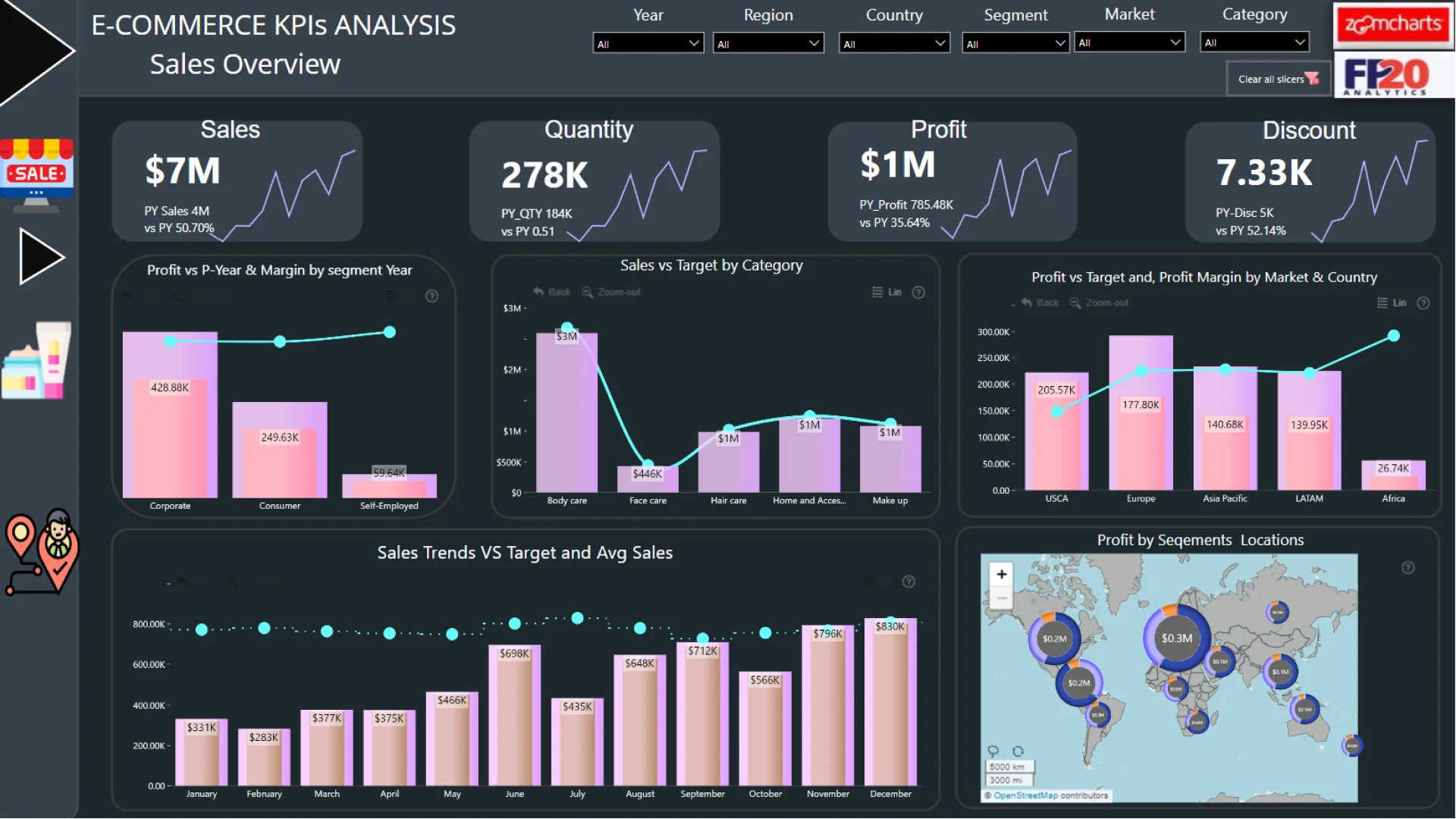
Report submitted for FP20 Analytics ZoomCharts Challenge 19 (September 2024). The report was built with the E-commerce KPI Analysis dataset and includes ZoomCharts custom Drill Down PRO visuals for Power BI.
Author's description:
I am participating in FP20 Analytics Challenge 19! I created a comprehensive Power BI dashboard for Aura, a prominent cosmetics brand, aimed at enhancing key performance metrics. The dashboard focuses on achieving:
• 15% annual profit margin across all product categories
• 20% overall annual sales growth, targeting 30% growth specifically in the corporate segment
• A minimum of $400K in annual sales for each market
ZoomCharts visuals used




4U Report Challenges
Participate in data challenges, build and submit reports to get free template downloads.
Join CommunityMobile view allows you to interact with the report. To Download the template please switch to desktop view.
How to use a PBIX template
Preview the interactive report, download the PBIX file, open it in Power BI Desktop, and replace the same data connection with your own dataset.
Preview and download
Explore the report online and download the PBIX template file.
Open in Power BI Desktop
Open the downloaded PBIX file in Power BI Desktop.
Connect your data
Replace the sample data source with your own dataset.
Refresh and adjust
Refresh the model and update fields or visual were needed.
Save and share
Save your report and publish it for your audience.


