955
Data Governance Power BI Report 4
Data Governance Power BI Report 4
More Report pages
Report Author: Muskan Shaikh
955
Share template with others
This Power BI report is built using the Enterprise Data Governance Dataset and features ZoomCharts Drill Down PRO custom visuals for Power BI. It was submitted to the FP20 Analytics ZoomCharts Data Challenge #34 (January 2026 – February 2026).
Author's Description:
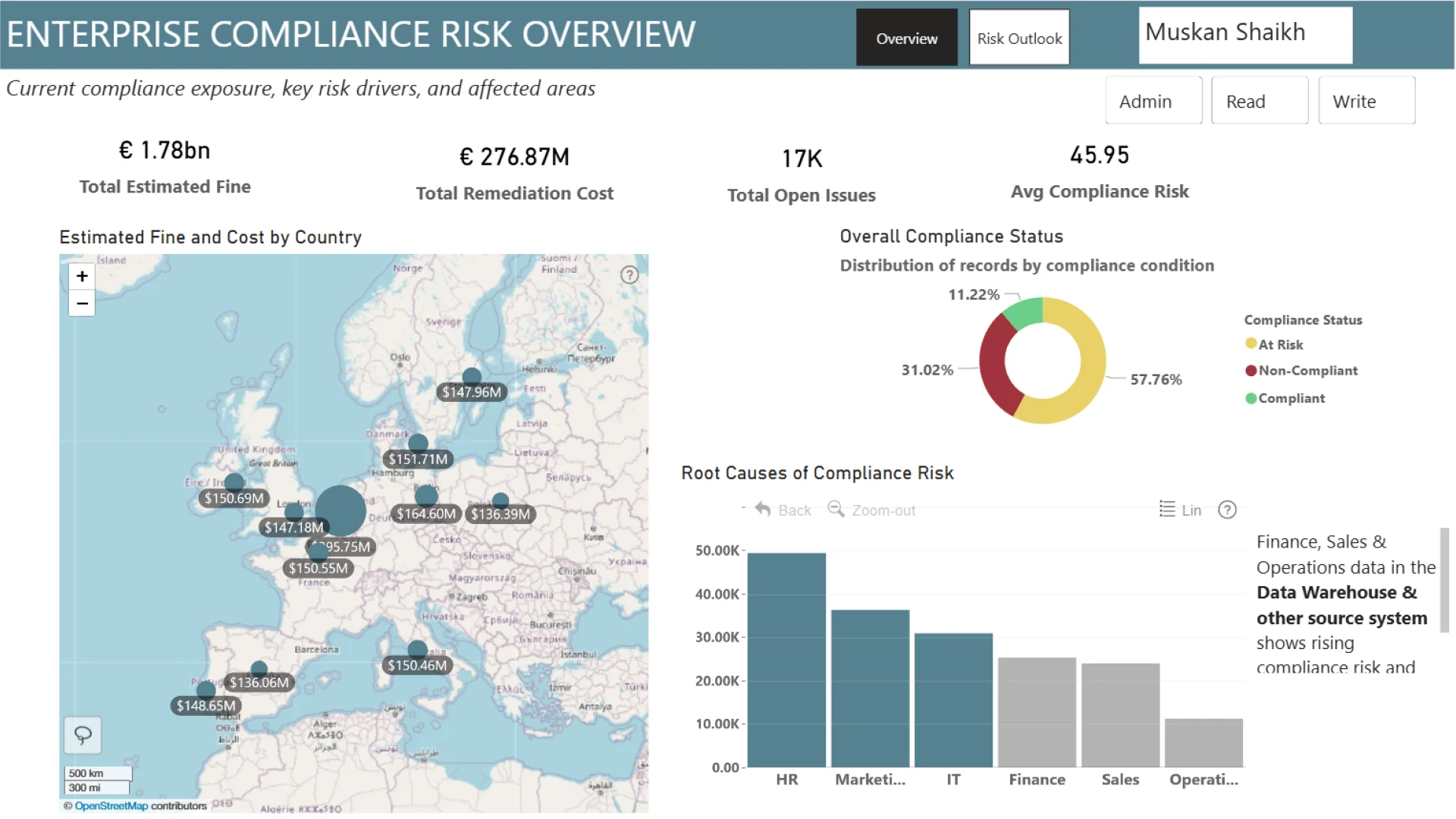
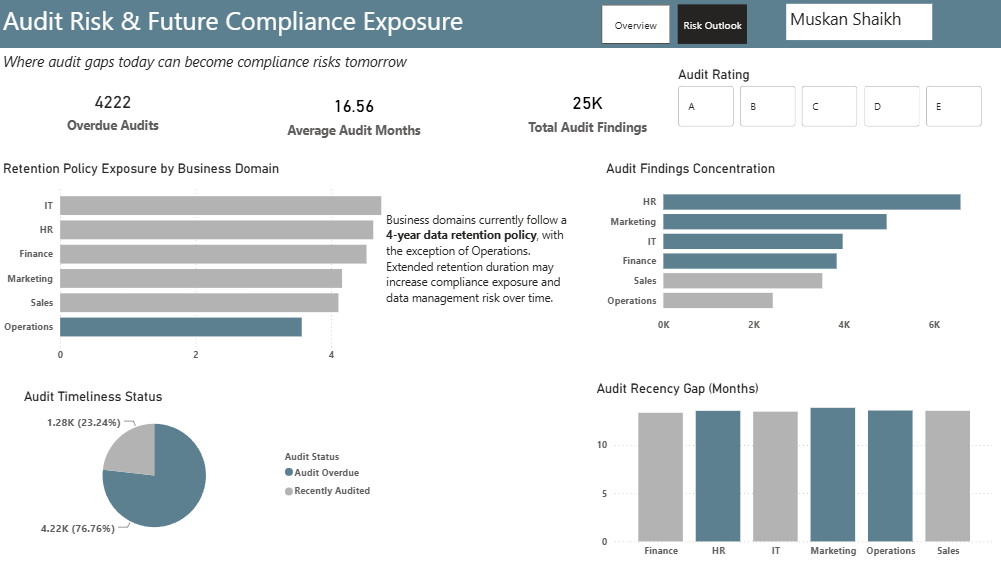
This dashboard analyses current and emerging data governance risks across business domains and source systems. Page 1 focuses on domain-level compliance exposure, showing that HR, IT, and Marketing currently carry elevated risk due to data quality issues, policy gaps, and weak controls. Page 2 highlights audit outcomes and identifies medium-risk domains with rising trends, indicating potential movement toward high-risk status driven by retention practices and increasing regulatory exposure. Key insights reveal early risk signals in Finance, Sales, and Operations source systems, particularly the data warehouse, due to high data concentration. The dashboard recommends strengthening source-system monitoring, resolving open compliance issues, and reviewing the four-year retention policy, including piloting a three-year retention period where feasible to reduce future risk.


4U Report Challenges
Participate in data challenges, build and submit reports to get free template downloads.
Join CommunityMobile view allows you to interact with the report. To Download the template please switch to desktop view.
How to use a PBIX template
Preview the interactive report, download the PBIX file, open it in Power BI Desktop, and replace the same data connection with your own dataset.
Preview and download
Explore the report online and download the PBIX template file.
Open in Power BI Desktop
Open the downloaded PBIX file in Power BI Desktop.
Connect your data
Replace the sample data source with your own dataset.
Refresh and adjust
Refresh the model and update fields or visual were needed.
Save and share
Save your report and publish it for your audience.


