1015
Consumer Complaint Analysis Dashboard
Consumer Complaint Analysis Dashboard
More Report pages
Report Author: Andrew Vilanova
1015
Share template with others
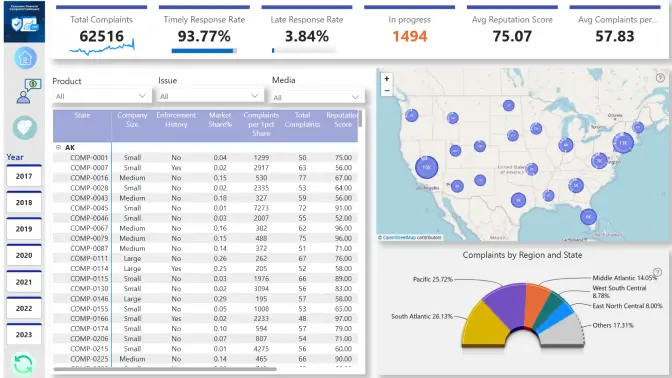
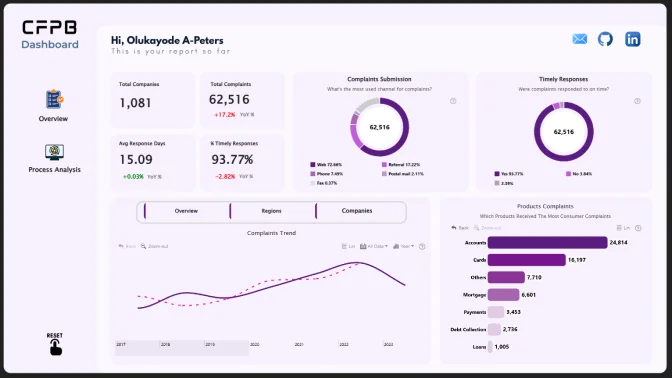
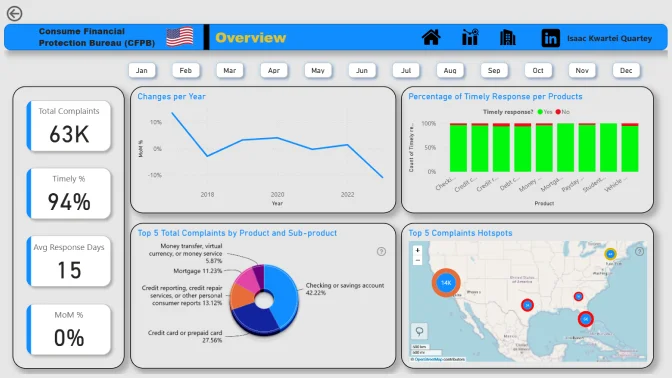
This Power BI report uses the Consumer Financial Complaints Dataset and features ZoomCharts Drill Down PRO custom visuals for Power BI. It was submitted to the Onyx Data DataDNA ZoomCharts Mini Challenge in October 2025.
Author Description:
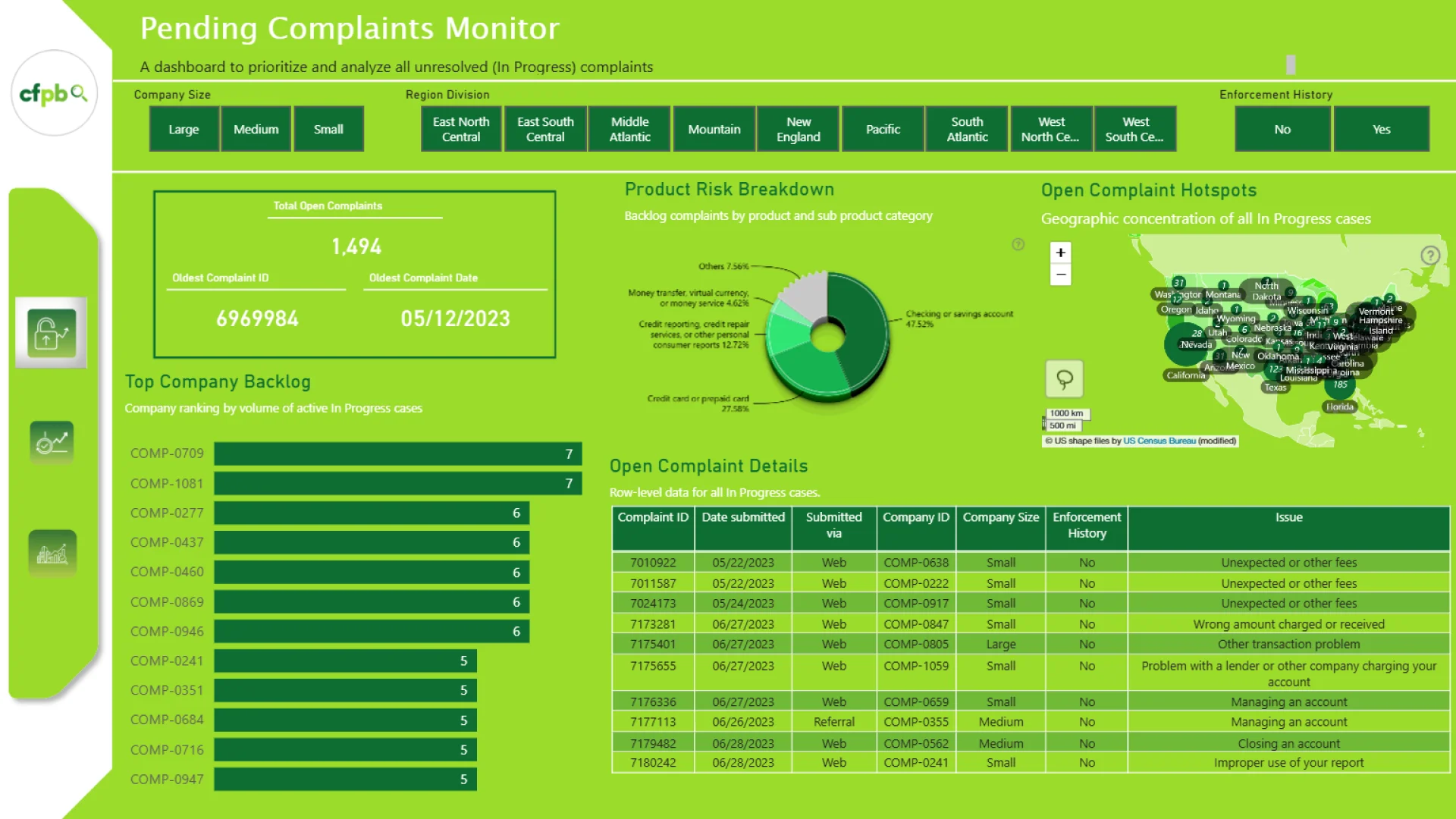
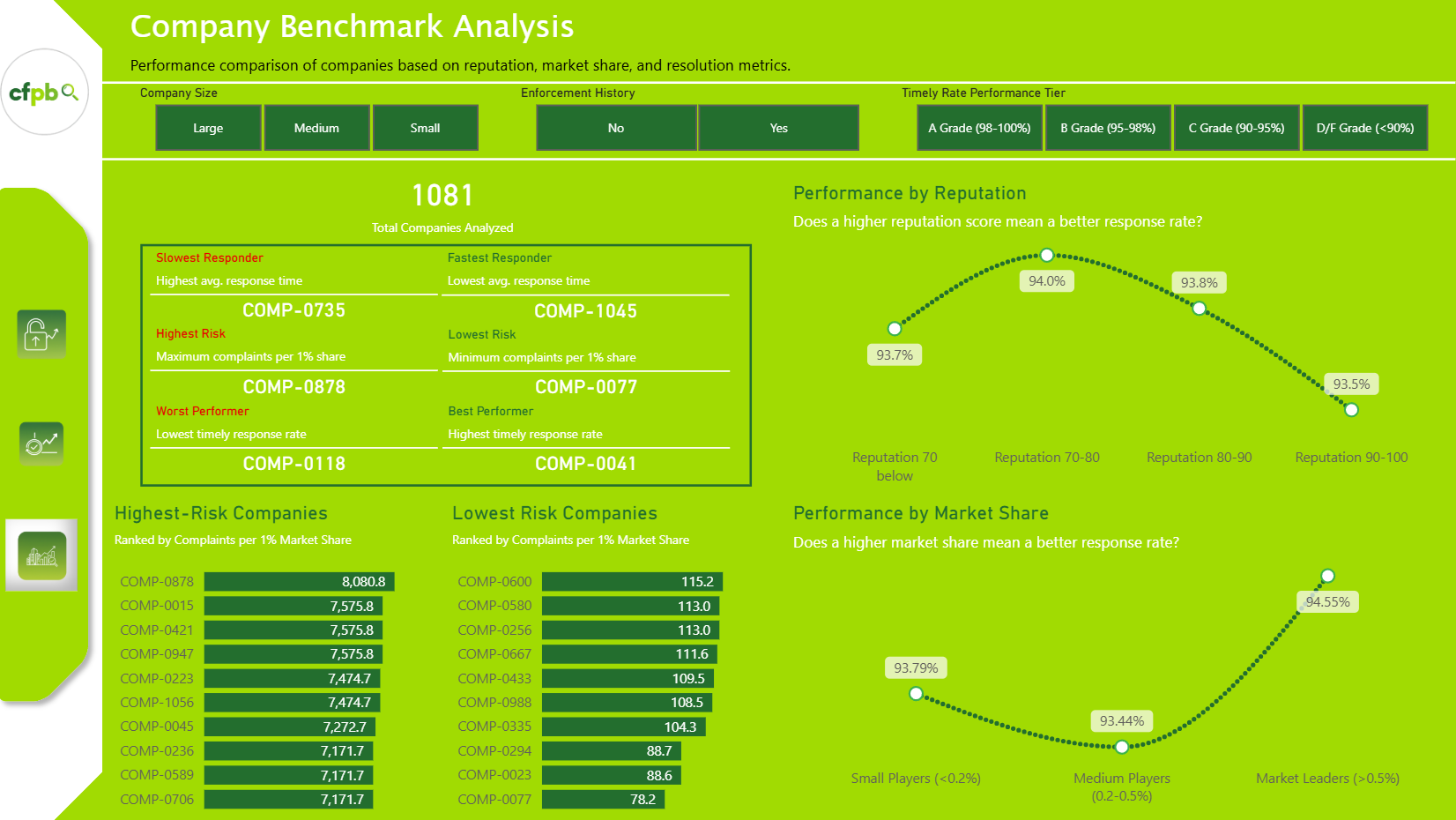
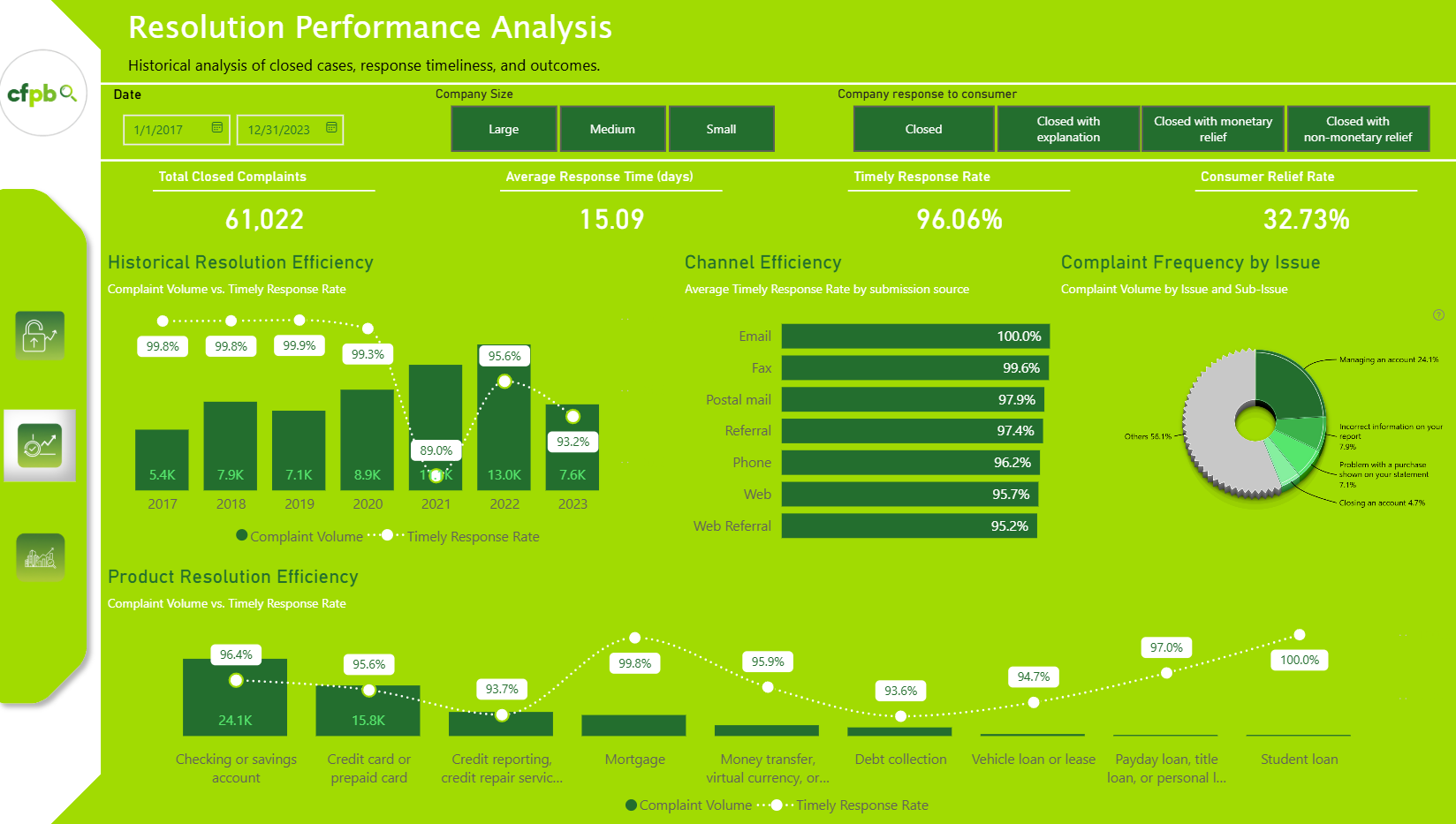
My analytical approach centered on creating two complementary views for the CFPB, each serving a distinct purpose. The “Live Risk Monitor” focuses exclusively on in-progress cases, providing a real-time view of active backlogs, company bottlenecks, and aging complaints that require attention. The “Historical Performance Review” analyzes only closed cases, offering an accurate assessment of past performance, including response timeliness, resolution outcomes, and company benchmarking. Together, these views enable both proactive oversight and data-driven evaluation of company accountability.


4U Report Challenges
Participate in data challenges, build and submit reports to get free template downloads.
Join CommunityMobile view allows you to interact with the report. To Download the template please switch to desktop view.
How to use a PBIX template
Preview the interactive report, download the PBIX file, open it in Power BI Desktop, and replace the same data connection with your own dataset.
Preview and download
Explore the report online and download the PBIX template file.
Open in Power BI Desktop
Open the downloaded PBIX file in Power BI Desktop.
Connect your data
Replace the sample data source with your own dataset.
Refresh and adjust
Refresh the model and update fields or visual were needed.
Save and share
Save your report and publish it for your audience.


