2471
Coffee Reviews Report
Coffee Reviews Report
More Report pages
Report Author: Jason Carl Martin Tupas
2471
Share template with others
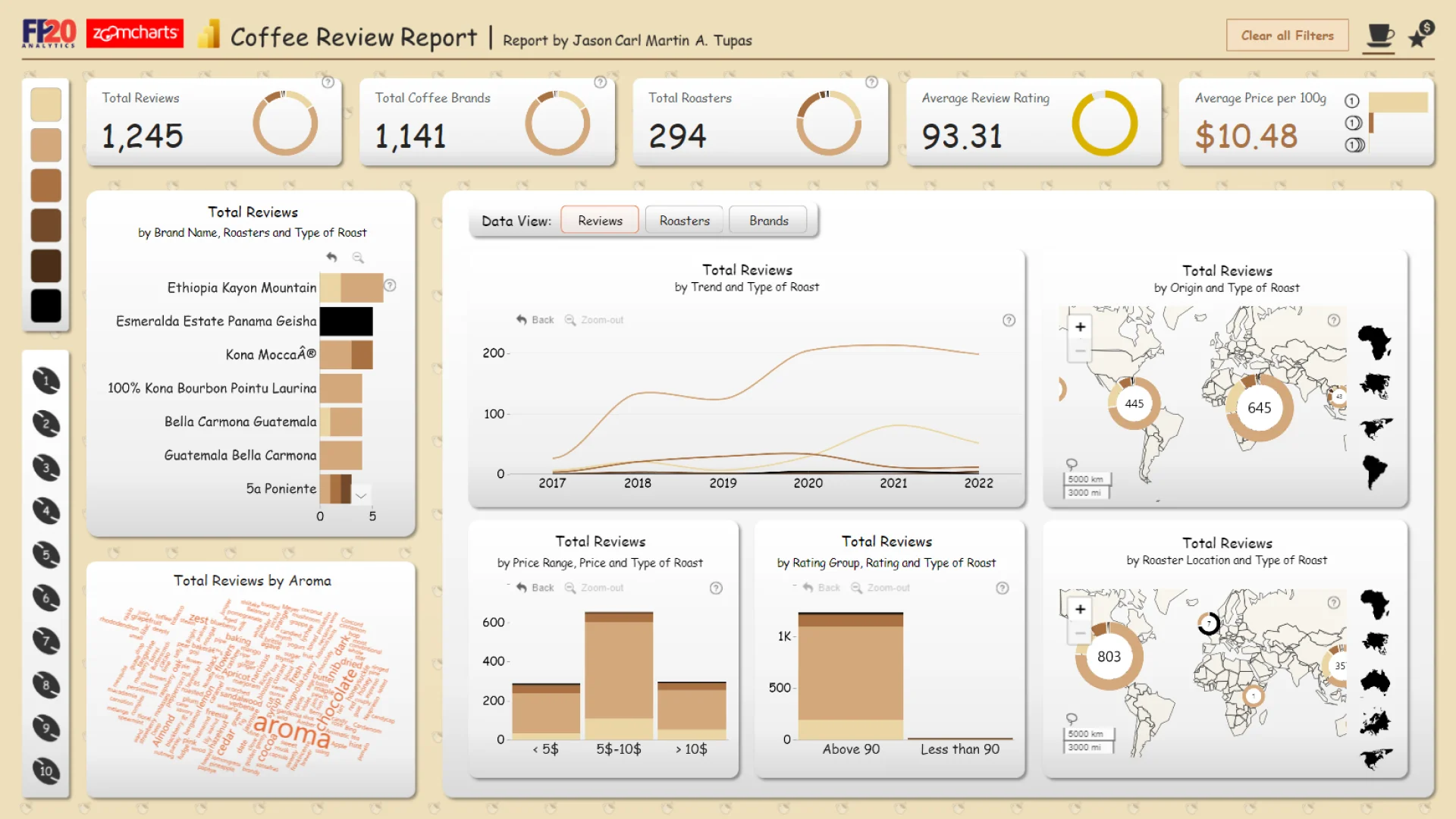
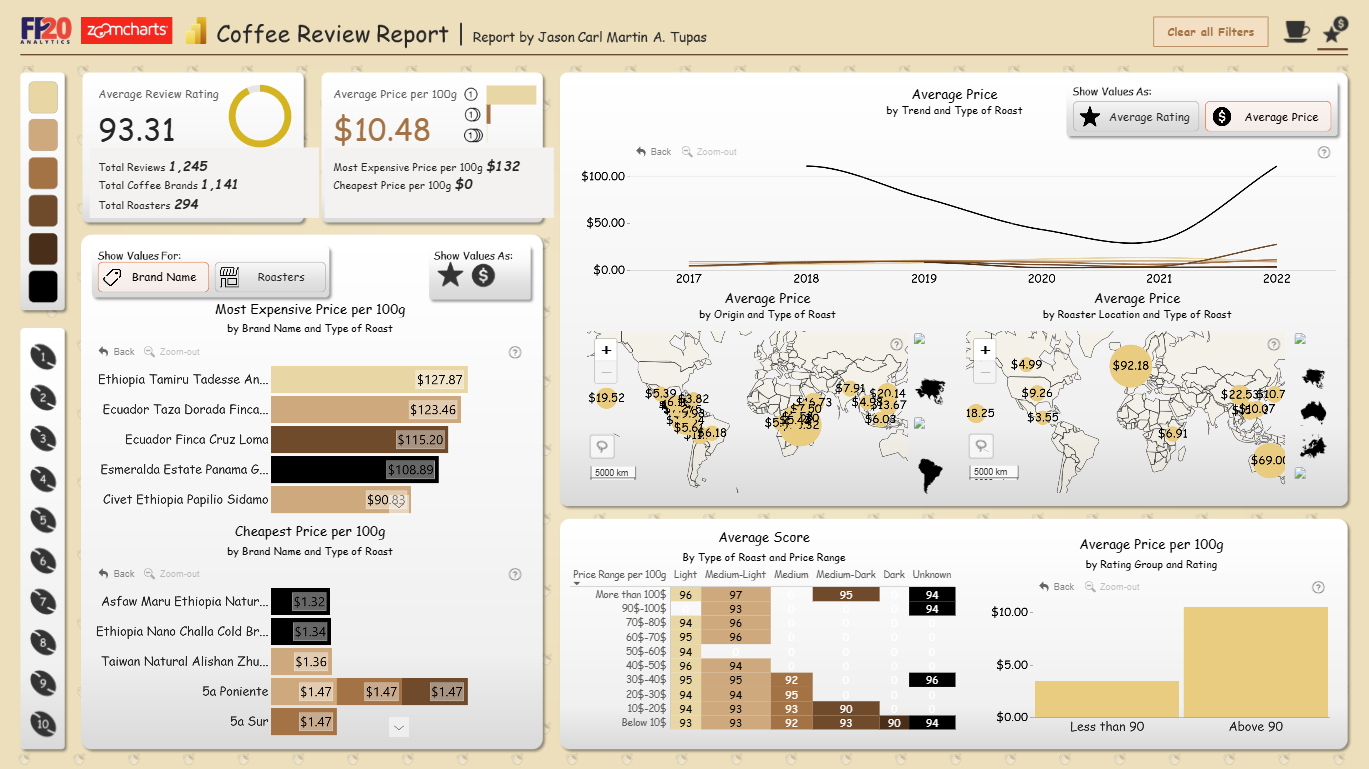
Report submitted for FP20 Analytics ZoomCharts Challenge 16 (May 2024). The report was built with the Coffee Roaster Dataset and includes ZoomCharts custom Drill Down PRO visuals for Power BI.
Author's description:
This two-page Power BI report explores into coffee reviews from multiple countries spanning 2017-2022. It examines various attributes of the reviewed coffees, including roaster location, coffee origin, price per 100g, roast type, mouthfeel, aroma per review, and overall coffee rating. Through innovative use of bookmarks, this report provides answers to key questions derived from the dataset.
ZoomCharts visuals used




4U Report Challenges
Participate in data challenges, build and submit reports to get free template downloads.
Join CommunityMobile view allows you to interact with the report. To Download the template please switch to desktop view.
How to use a PBIX template
Preview the interactive report, download the PBIX file, open it in Power BI Desktop, and replace the same data connection with your own dataset.
Preview and download
Explore the report online and download the PBIX template file.
Open in Power BI Desktop
Open the downloaded PBIX file in Power BI Desktop.
Connect your data
Replace the sample data source with your own dataset.
Refresh and adjust
Refresh the model and update fields or visual were needed.
Save and share
Save your report and publish it for your audience.


